
EWA A110
EWA A110 Portable Bluetooth Speaker User Manual
Model: A110
1. Introduction
Thank you for choosing the EWA A110 Portable Bluetooth Speaker. This compact and versatile speaker is designed to deliver powerful sound with deep bass, featuring a unique camera-inspired design and a built-in flashlight. It supports Bluetooth 5.0 for stable wireless connection and includes a TF card slot for expanded music playback options. This manual provides detailed instructions for setup, operation, and maintenance to ensure optimal performance and longevity of your device.

Image: The EWA A110 Portable Bluetooth Speaker in GrayWhite, showcasing its compact, square design with a speaker grille resembling a camera lens and a small flashlight on the top left corner. A lanyard is attached for portability.
2. What's in the Box
Please check the package contents to ensure all items are present:
- 1 x EWA A110 Small Bluetooth Speaker
- 1 x Micro USB Cable
- 1 x User Manual

Image: The EWA A110 speaker visible through the clear plastic front of its retail packaging, indicating the product as a "Wireless Speaker A110".
3. Product Overview
3.1 Key Features
- Powerful Sound: Equipped with a 5W high-performance driver and passive subwoofer for rich, loud, and deep sound without distortion.
- Compact Design: Small and portable, measuring approximately 2.75"D x 2.23"W x 2.75"H.
- Bluetooth 5.0: Ensures stable and efficient wireless connectivity.
- Built-in Flashlight: Unique design feature for added utility.
- TF Card Support: Play music directly from a TF (MicroSD) card.
- Long Playtime: Up to 12 hours of battery life.
3.2 Visual Features and Design

Image: The EWA A110 speaker from the side, highlighting its powerful sound capabilities with a metallic-looking passive subwoofer and blue light effect, emphasizing its compact body and 5W driver.

Image: The EWA A110 speaker hanging from a bicycle handlebar by its lanyard, illustrating its portable design and ease of carrying for outdoor use.

Image: The EWA A110 speaker placed inside a washing machine drum, emphasizing its stylish camera-like appearance and compact size.

Image: The EWA A110 speaker on a desk in a dimly lit room, with its flashlight illuminated, demonstrating its unique flashlight design feature.
3.3 Product Demonstration Video
Video: This video demonstrates the features and usage of the EWA A110 Portable Bluetooth Speaker, including its stylish camera-like design, portability, powerful sound, and the functionality of its control buttons and flashlight. It shows the speaker being used in various settings, highlighting its versatility.
4. Setup
4.1 Charging the Speaker
Before first use, fully charge the speaker. Connect the micro USB cable to the charging port on the speaker and the other end to a USB power adapter (not included) or a computer's USB port. The indicator light will show charging status and turn off when fully charged.
4.2 Bluetooth Pairing
- Power On: Long press the ON/OFF button (usually the play/pause button) until you hear a power-on prompt and the indicator light flashes, indicating it's in pairing mode.
- Activate Bluetooth: On your smartphone or tablet, go to Bluetooth settings and turn on Bluetooth.
- Select Device: Look for "EWA A110" in the list of available devices and select it to pair.
- Connection Confirmation: Once successfully paired, you will hear a confirmation sound, and the indicator light will stop flashing and remain solid.
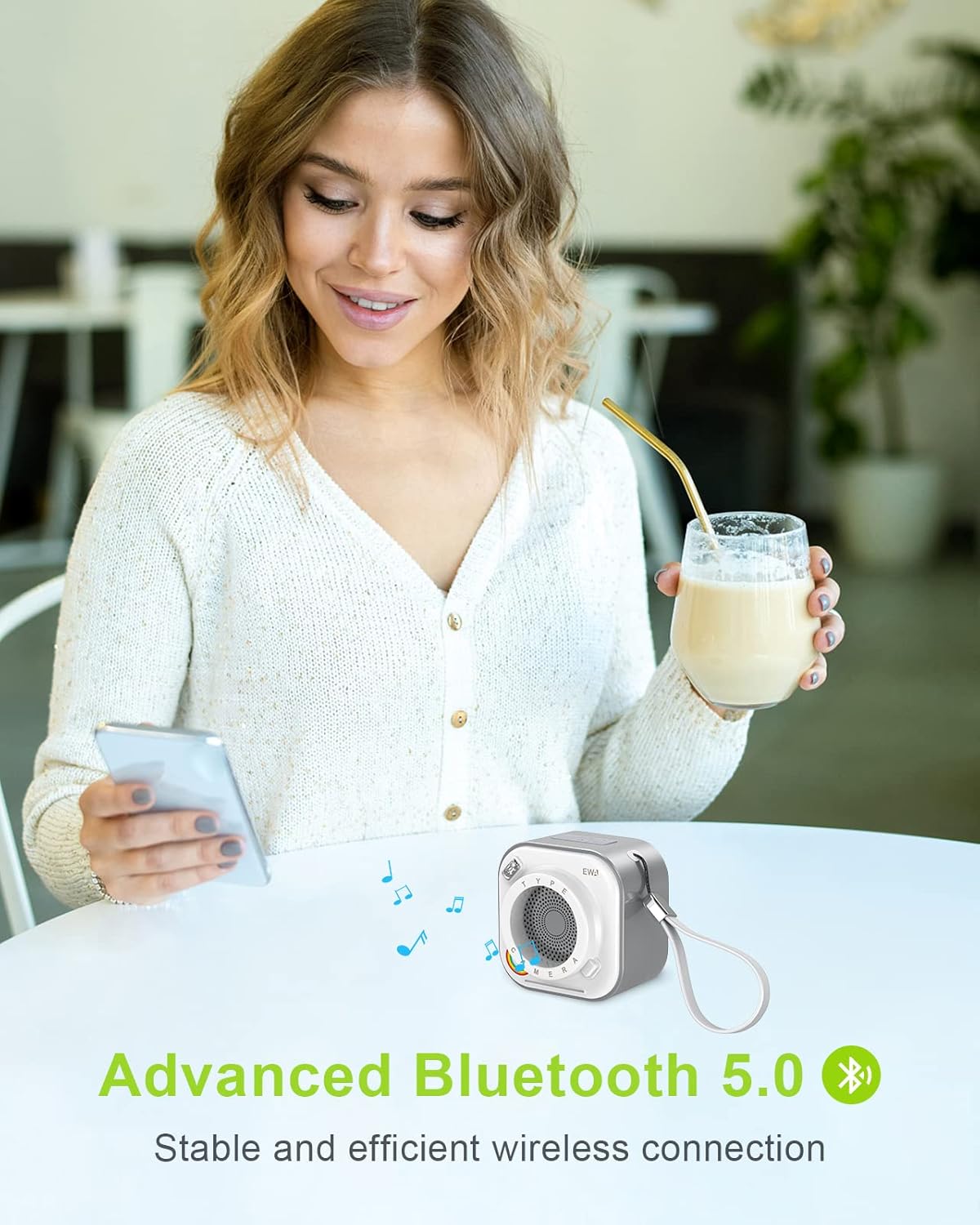
Image: A person holding a smartphone next to the EWA A110 speaker, with a Bluetooth icon and text "Advanced Bluetooth 5.0" indicating stable and efficient wireless connection.
5. Operating Instructions
5.1 Control Button Functions

Image: A diagram illustrating the control buttons and ports on the EWA A110 speaker. It labels the ON/OFF/Play/Pause/Flashlight button, Next Track/Volume+ button, Previous Track/Volume- button, Flashlight, Charging Port, Indicator, and TF Card Port.
- 1. ON/OFF / Play/Pause / Flashlight Button:
- Power On/Off: Long press.
- Play/Pause: Press once during music playback.
- Flashlight: Press twice to turn on/off the flashlight.
- 2. Next Track / Volume + Button:
- Next Track: Press once.
- Volume +: Long press to increase volume.
- 3. Previous Track / Volume - Button:
- Previous Track: Press once.
- Volume -: Long press to decrease volume.
- 4. Flashlight: The LED light located on the top left corner.
- 5. Charging Port: Micro USB input for charging.
- 6. Indicator: LED light indicating power, charging, and Bluetooth status.
- 7. TF Card Port: Slot for inserting a TF (MicroSD) card for direct music playback.
5.2 TF Card Playback
Insert a TF (MicroSD) card with MP3 audio files into the TF Card Port. The speaker will automatically switch to TF card playback mode. Use the track control buttons to navigate through your music.
6. Maintenance
- Keep the speaker away from extreme temperatures, direct sunlight, and moisture.
- Clean the speaker with a soft, dry cloth. Do not use abrasive cleaners or solvents.
- Avoid dropping or subjecting the speaker to strong impacts.
- Store the speaker in a cool, dry place when not in use for extended periods.
- This product is not waterproof. Avoid exposure to water or rain.
7. Troubleshooting
| Problem | Possible Cause | Solution |
|---|---|---|
| Speaker does not power on. | Low battery. | Charge the speaker fully. |
| Cannot pair with Bluetooth device. | Speaker not in pairing mode; Bluetooth disabled on device; too far from device. | Ensure speaker is in pairing mode (flashing indicator); enable Bluetooth on your device; move speaker closer to device (within 10 meters). |
| No sound or low volume. | Volume too low on speaker or device; speaker not connected. | Increase volume on both speaker and connected device; re-pair the speaker. |
| TF card not playing. | TF card not inserted correctly; unsupported file format. | Reinsert TF card; ensure files are in MP3 format. |
8. Specifications
| Feature | Detail |
|---|---|
| Model | A110 |
| Brand | EWA |
| Speaker Type | Subwoofer |
| Speaker Maximum Output Power | 5 Watts |
| Connectivity Technology | Bluetooth 5.0 |
| Bluetooth Range | 10 Meters |
| Battery Life | 12 Hours |
| Battery Type | 1 Lithium Polymer battery (included) |
| Product Dimensions | 2.75"D x 2.23"W x 2.75"H |
| Item Weight | 7 ounces (0.2 Kilograms) |
| Material | ABS or PC |
| Control Method | Button |
| Water Resistance Level | Not Water Resistant |
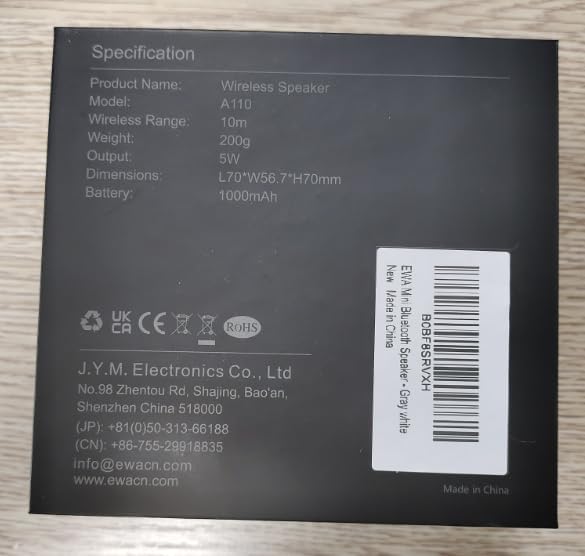
Image: The back of the EWA A110 speaker's packaging, displaying detailed specifications such as product name, model, wireless range, weight, output, dimensions, and battery capacity.
9. Warranty and Support
The EWA A110 Portable Bluetooth Speaker comes with a Limited Warranty. For detailed warranty terms and conditions, please refer to the warranty card included in your package or visit the official EWA website.
For technical support, troubleshooting assistance, or any inquiries regarding your product, please contact EWA customer service. You can find contact information on the official EWA website or through the retailer where you purchased the product.
EWA Official Store: Visit the EWA Store on Amazon
Related documentsA110


Ask a question about this manual
Ask about setup, troubleshooting, compatibility, parts, safety, or missing instructions. Manuals+ will review the question and use this page’s manual context to help answer it.