Introduction
The AM ARROWMAX SES MAX Electric Screwdriver is a precision tool designed for intricate tasks requiring accuracy and control. Featuring a 32-bit microprocessor and an HD OLED display, it offers adjustable torque settings for various applications, from model repairs to electronics maintenance. Its compact and portable design makes it suitable for both professional and home use.

Image: The AM ARROWMAX SES MAX Electric Screwdriver shown with its comprehensive bit set and charging cable.

Image: The compact design of the SES MAX allows for easy portability, fitting conveniently into a backpack for on-the-go repairs.
Setup
1. Initial Charging
Before first use, fully charge the screwdriver. Connect the provided USB-C cable to the charging port on the device and to a compatible USB power adapter (5V). The OLED display will indicate charging status. A full charge typically takes several hours.
2. Bit Installation and Storage
The SES MAX comes with a variety of S2 steel screwdriver bits stored within its case. To access the bits, locate the "PUSH" area on the case and slide the internal tray out. Select the required bit and firmly insert it into the magnetic chuck of the screwdriver. Ensure the bit is fully seated before operation.

Image: The case features a convenient push mechanism to slide out the organized bit tray, providing easy access to all screwdriver bits.
Operating Instructions
1. Power On/Off
Press and hold the power button (usually marked with a circle and vertical line) to turn the screwdriver on or off. The HD OLED display will illuminate upon activation.
2. Torque Adjustment and Modes
The SES MAX offers adjustable torque settings. Use the control buttons (often marked with arrows or numbers) to cycle through different torque levels displayed on the OLED screen. Higher numbers indicate greater torque. The device may also feature a gyroscopic mode, allowing torque and direction control through wrist movements.
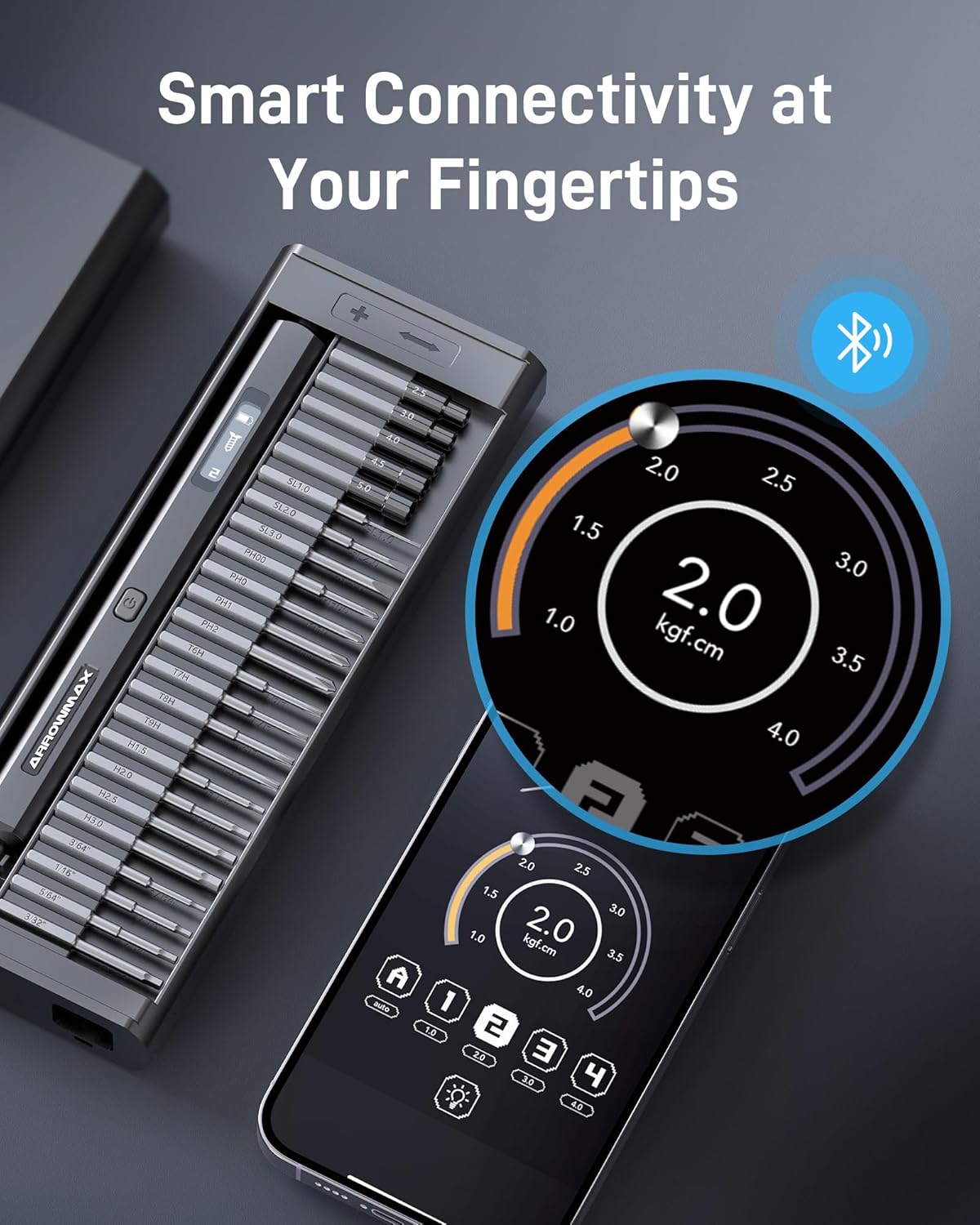
Image: The screwdriver can connect via Bluetooth to a smartphone app, allowing for precise customization of torque settings to suit specific tasks.
3. Direction Control
The screwdriver typically has buttons or a gyroscopic function to control the rotation direction (clockwise for tightening, counter-clockwise for loosening). Refer to the OLED display for the current direction indicator.
4. Applications
This precision electric screwdriver is ideal for a wide range of delicate tasks, including:
- Electronics repair (smartphones, laptops, tablets)
- Model assembly and maintenance (RC cars, drones)
- Watch and eyewear repair
- Small appliance and toy repair

Image: The SES MAX is well-suited for detailed work on models such as RC cars, providing precise control for assembly and repairs.

Image: Its precision capabilities make it an excellent tool for intricate tasks like repairing watch movements.
5. Official Product Video: Usage Function Display
Video: This official product video demonstrates the various usage functions of the AM ARROWMAX Electric Screwdriver, including bit insertion, power control, and general operation.
Maintenance
1. Cleaning
Wipe the screwdriver and bits with a clean, dry cloth after each use to remove dust and debris. Avoid using abrasive cleaners or solvents that could damage the finish or internal components.
2. Bit Care
Store bits securely in their designated slots within the case to prevent loss and damage. Inspect bits regularly for wear or damage. Replace worn bits to ensure optimal performance and prevent damage to fasteners.
3. Battery Care
To prolong battery life, avoid fully discharging the battery frequently. Charge the device regularly, even if not in constant use. Store the screwdriver in a cool, dry place away from extreme temperatures.
Troubleshooting
| Problem | Possible Cause | Solution |
|---|---|---|
| Screwdriver does not turn on or charge. | Low battery; faulty charging cable/adapter; internal malfunction. | Ensure the battery is charged. Try a different USB-C cable and power adapter. If the issue persists, contact customer support. |
| Bits slip or strip screws. | Incorrect bit size; worn bit; insufficient torque; excessive force. | Use the correct bit size for the fastener. Replace worn bits. Adjust torque setting appropriately. Apply steady, even pressure. |
| OLED display is blank or flickering. | Low battery; software glitch; hardware issue. | Charge the device fully. Try restarting the screwdriver. If the problem continues, contact customer support. |
| Case mechanism is not functioning smoothly. | Debris in mechanism; physical damage. | Inspect for any obstructions and gently clean the mechanism. Handle the case with care to prevent damage. |
Specifications
| Feature | Detail |
|---|---|
| Brand | AM ARROWMAX |
| Model Number | AM-230613-B (SES MAX) |
| Power Source | Battery Powered |
| Voltage | 5 Volts |
| Speed | 300 RPM |
| Torque | Up to 3.47 in-lb / 4.0 kgf.cm |
| Battery Type | Lithium Ion (1 included) |
| Display | HD OLED Display |
| Special Features | Smart Technology, Bluetooth Connectivity |
| Item Weight | 1.48 pounds |
| Package Dimensions | 9.37 x 3.31 x 1.42 inches |
Warranty and Support
For detailed warranty information and technical support, please refer to the official user guide provided with your product or visit the AM ARROWMAX official website.
Additional resources:


