
Introduction
The SoulBay Universal 72W AC/DC Power Adapter provides a versatile power solution for a wide range of electronic devices. It features an adjustable output voltage from 3V to 24V and a maximum current of 3A (72W). This adapter is designed to replace multiple single-voltage power supplies, offering convenience and broad compatibility for various home electronics, LED strips, and CCTV cameras.
This manual provides essential information for the safe and effective use of your SoulBay Universal Power Adapter. Please read it thoroughly before operation.
Package Contents
The package includes the following components:
- 1 x SoulBay 72W AC/DC Power Adapter
- 14 x Interchangeable DC Tips (including Micro USB, Type C, and various barrel connectors)
- 1 x Reverse Polarity Converter Cable

Figure 1: Included DC tips and reverse polarity cable.
Setup Instructions
Follow these steps to set up your SoulBay Universal Power Adapter:
1. Select the Correct DC Tip
- Identify the correct DC tip that matches your device's power input port. The adapter comes with 14 different tips, including common sizes like 5.5x2.1mm, Micro USB, and Type C.
- Carefully attach the selected tip to the output cable of the power adapter.
2. Set the Output Voltage
- Before connecting to your device, locate the voltage adjustment knob on the power adapter.
- Rotate the knob to select the required voltage for your device (e.g., 3V, 4.5V, 5V, 6V, 7.5V, 8V, 9V, 10V, 12V, 13.5V, 14V, 15V, 16V, 18V, 19V, 20V, 21V, 24V). The selected voltage will be displayed on the digital screen.
- Important: Always confirm your device's required voltage before setting. Using an incorrect voltage can damage your device.

Figure 2: Voltage adjustment knob and digital display.
3. Confirm Polarity
- Most devices use a center-positive (+) polarity. The SoulBay adapter is configured for center-positive by default.
- If your device requires center-negative (-) polarity, use the included reverse polarity converter cable. Connect the converter cable between the adapter's output cable and the selected DC tip.
- Critical Warning: Incorrect polarity can cause severe damage to your device and the power adapter. Always verify your device's polarity requirements before connecting. Refer to your device's manual for polarity information.

Figure 3: Reverse polarity cable usage.
4. Connect to Power
- Plug the power adapter into a standard AC 100-240V wall outlet.
- Connect the DC tip to your electronic device.

Figure 4: Adapter connected to a device and power outlet.
Operating Instructions
Once set up, the SoulBay Universal Power Adapter operates automatically. The digital display shows the current output voltage. Ensure the voltage remains stable during operation. The adapter is designed to provide a stable 3A output under full load, preventing voltage drops that can harm your devices.
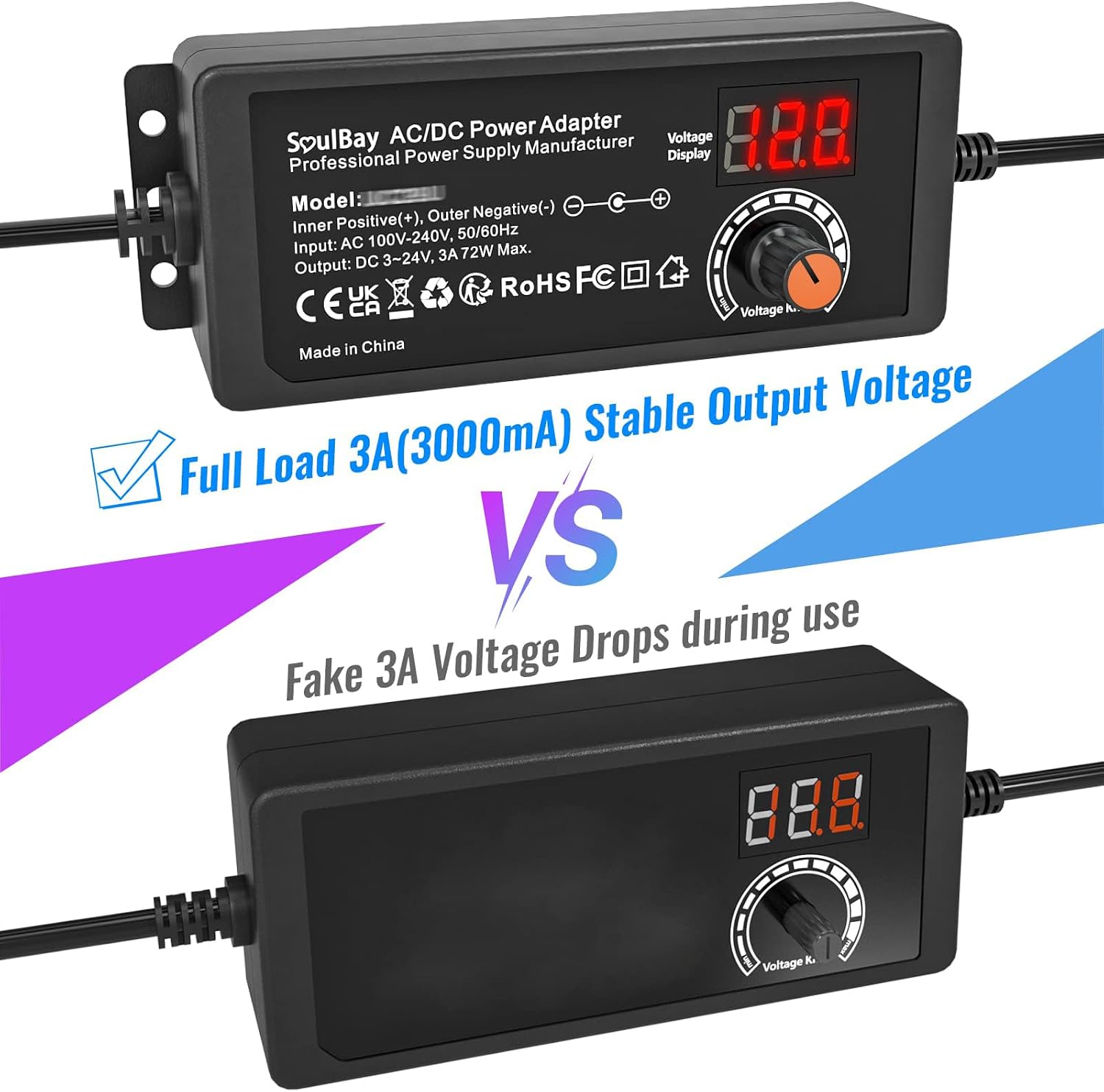
Figure 5: Stable output voltage performance.
Compatibility
This universal AC/DC adapter is compatible with a wide range of small household electronic devices requiring 3V to 24V DC power and a current of 3A or less. This includes, but is not limited to:
- LED strip lights
- Bluetooth speakers
- Wireless routers
- Humidifiers
- TV boxes
- USB fans
- Wi-Fi cameras
- USB hubs
- Hard drive enclosures
- Soundbars
- Monitors
- DC pumps
- Digital photo frames
- Keyboards
- DVR surveillance systems

Figure 6: Examples of compatible devices.
Safety Information
The SoulBay Universal Power Adapter incorporates multiple protection features for safe operation:
- Temperature Protection (TP): Prevents overheating.
- Over Current Protection (OCP): Safeguards against excessive current draw.
- Over Voltage Protection (OVP): Protects devices from voltage spikes.
- Over Load Protection (OLP): Prevents damage from exceeding the maximum load.
- Short Circuit Protection (SCP): Automatically shuts off in case of a short circuit.
- Over Charge Protection (OCP): Protects against drawing too much power from the source.
General Safety Warnings:
- Do not expose the adapter to water or high humidity.
- Do not disassemble or attempt to repair the adapter.
- Ensure proper ventilation; do not cover the adapter during use.
- Always verify voltage and polarity requirements of your device before connecting.
- Keep out of reach of children.

Figure 7: Multiple protection features and adapter dimensions.
Specifications
| Feature | Specification |
|---|---|
| Input Voltage | AC 100-240V, 50/60Hz |
| Output Voltage | DC 3-24V (Adjustable) |
| Max Output Current | 3A (3000mA) |
| Max Output Power | 72W |
| Polarity | Center Positive (+), reversible with included cable |
| DC Tips Included | 14 types (e.g., Micro USB, Type C, 5.5x2.1mm, 6.5x4.4mm) |
| Special Features | Automatic shut-off, Digital Voltage Display |
| Color | Black |
| Model Number | UC29E |
| Cable Length | Approximately 2.12 meters (6.94 feet) total |
Troubleshooting
No Power Output / Device Not Turning On
- Check Power Connection: Ensure the adapter is securely plugged into a working wall outlet.
- Verify Voltage Setting: Confirm the output voltage on the adapter's display matches your device's required voltage. Adjust if necessary.
- Check DC Tip Connection: Ensure the DC tip is firmly connected to both the adapter cable and your device's input port.
- Confirm Polarity: Double-check that the polarity (center positive/negative) matches your device's requirements. Use the reverse polarity cable if needed.
- Device Compatibility: Ensure your device's current requirement does not exceed 3A.
- Test with Another Device: If possible, test the adapter with another compatible device to determine if the issue is with the adapter or your original device.
Unstable Voltage Display
- Ensure the adapter is not overloaded. The total power consumption of your device should not exceed 72W.
- Check for loose connections at both the wall outlet and the device.
Maintenance
- Keep the adapter clean and free from dust. Use a soft, dry cloth for cleaning.
- Store the adapter in a cool, dry place when not in use.
- Avoid bending or kinking the cables excessively to prevent internal damage.
- Do not expose the adapter to extreme temperatures.
Warranty and Support
Warranty information is typically provided at the point of purchase or through the manufacturer's official website. For technical support or warranty claims, please contact SoulBay customer service directly. Please have your model number (UC29E) and purchase details ready when contacting support.
