
New bee NB-B45
New Bee B45 Mini Handfree Bluetooth Headset User Manual
Model: NB-B45
Introduction
This manual provides detailed instructions for the proper use, setup, and maintenance of your New Bee B45 Mini Handfree Bluetooth Single Ear Wireless Headset. Please read this manual thoroughly before using the product to ensure optimal performance and longevity.

Image: The New Bee B45 Mini Handfree Bluetooth Headset, showcasing its sleek design and compact size, alongside its charging case.
Package Contents
Ensure all items are present in the package:
- New Bee B45 Mini Handfree Bluetooth Headset
- USB Charging Cable
- Ear Tips (various sizes)
- User Manual (this document)
Setup
Charging the Headset
Before first use, fully charge the headset.
- Connect the provided USB charging cable to the headset's charging port.
- Connect the other end of the USB cable to a compatible USB power source (e.g., computer USB port, wall adapter).
- The indicator light will show charging status (e.g., red for charging, blue for fully charged). A full charge takes approximately 2 hours.
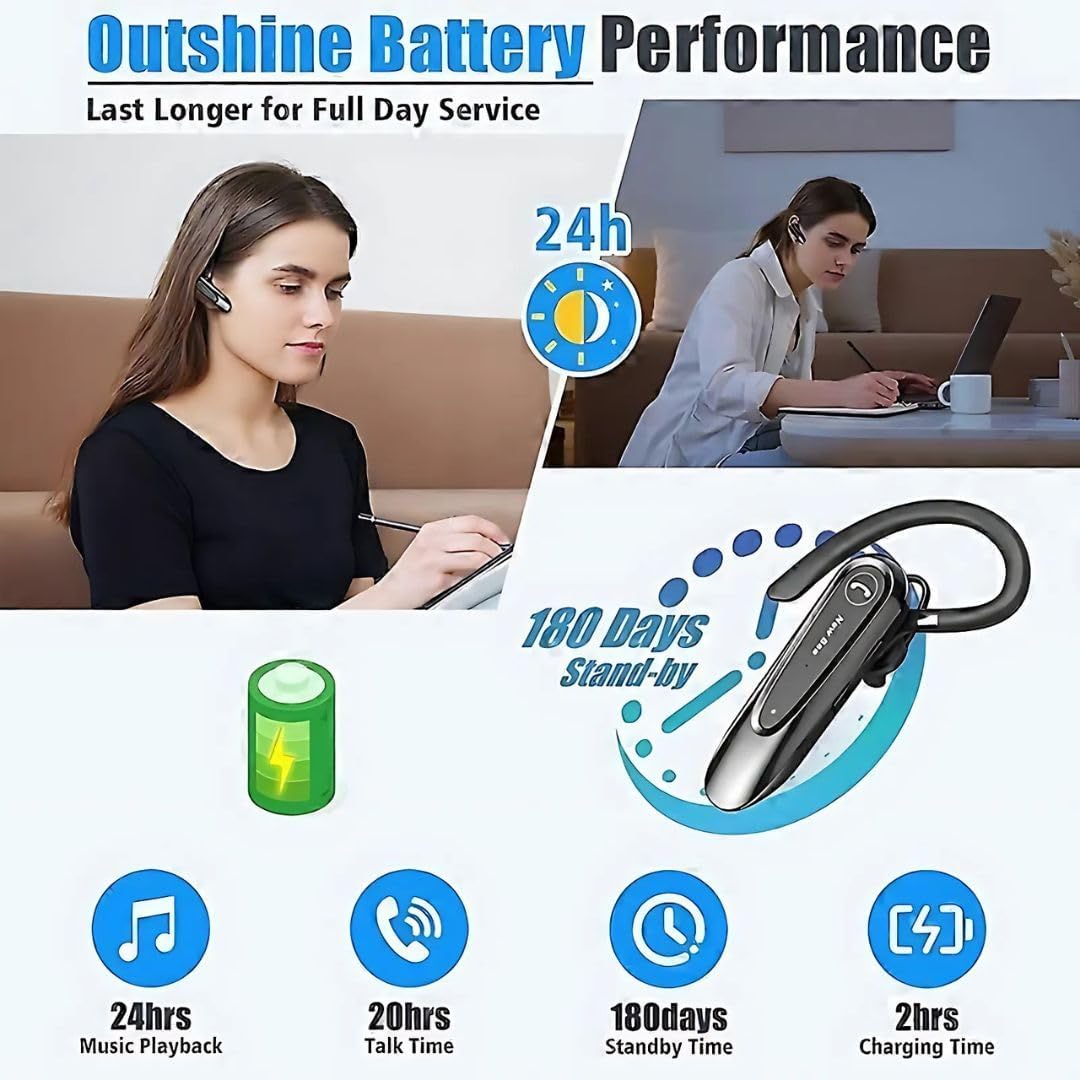
Image: Visual representation of the New Bee B45's battery performance, highlighting 24 hours music playback, 20 hours talk time, 180 days standby, and 2 hours charging time.
Pairing with a Device
The headset uses Bluetooth 5.0 for stable and efficient connection.
- Ensure the headset is fully charged and turned off.
- Press and hold the Multi-function Button (MFB) until the indicator light flashes red and blue alternately, indicating pairing mode.
- On your device (smartphone, tablet, etc.), enable Bluetooth and search for available devices.
- Select "New Bee B45" (or similar name) from the list of found devices.
- Once connected, the indicator light will flash blue slowly, and you may hear a voice prompt "Connected".

Image: Diagram illustrating the QCC3020 Bluetooth 5.0 chip, emphasizing its 15-meter barrier-free connection, stable performance, and lower power consumption for the New Bee B45 headset.
Operating Instructions
Power On/Off
- Power On: Press and hold the MFB for 3 seconds.
- Power Off: Press and hold the MFB for 5 seconds.
Call Management
- Answer Call: Short press the MFB.
- End Call: Short press the MFB during a call.
- Reject Call: Press and hold the MFB for 2 seconds during an incoming call.
- Redial Last Number: Double-press the MFB.
- Mute Microphone: Press the dedicated mute button during a call. Note: This function is only supported on mobile phones.
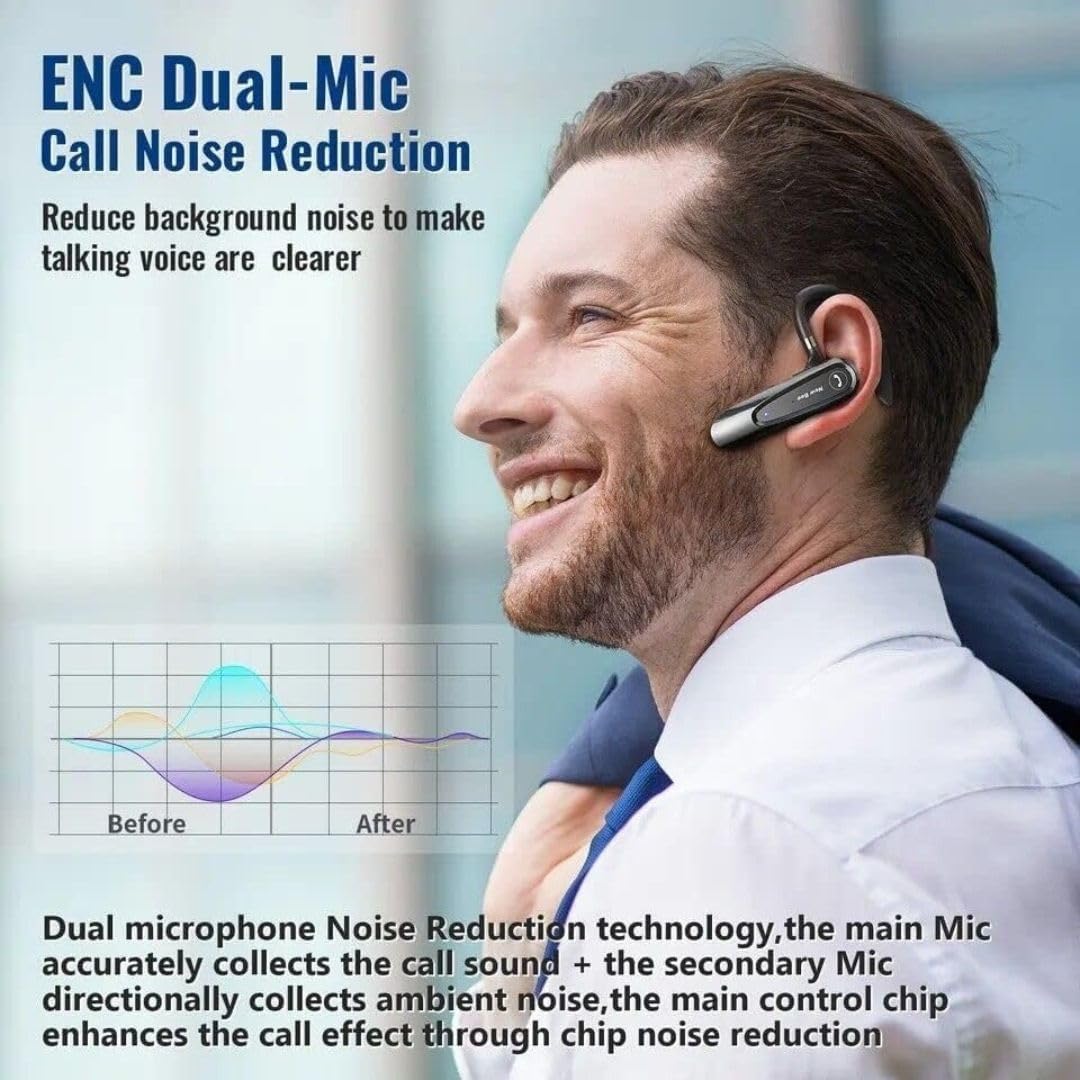
Image: Illustration of the New Bee B45's ENC Dual-Mic Call Noise Reduction technology, showing how it reduces background noise for clearer voice transmission during calls.
Music Playback
- Play/Pause: Short press the MFB.
- Next Track: Long press the Volume Up button.
- Previous Track: Long press the Volume Down button.
Volume Control
- Volume Up: Short press the Volume Up button.
- Volume Down: Short press the Volume Down button.
Maintenance
Proper maintenance ensures the longevity and optimal performance of your headset.
- Keep the headset dry. Do not expose it to moisture or extreme temperatures.
- Clean the headset regularly with a soft, dry cloth. Avoid using harsh chemicals or abrasive cleaners.
- Store the headset in a cool, dry place when not in use, preferably in its original case.
- Avoid dropping or subjecting the headset to strong impacts.
- Do not attempt to disassemble or modify the headset, as this will void the warranty.
Troubleshooting
| Problem | Possible Cause | Solution |
|---|---|---|
| Headset does not power on. | Low battery. | Charge the headset fully. |
| Cannot pair with device. | Headset not in pairing mode; Bluetooth off on device; device too far. | Ensure headset is in pairing mode (flashing red/blue). Turn on Bluetooth on your device. Move headset closer to device. |
| No sound or poor sound quality. | Volume too low; headset not connected; interference. | Increase volume on headset and device. Reconnect headset. Move away from sources of interference. |
| Microphone not working. | Microphone muted; incorrect audio input selected on device. | Ensure microphone is not muted. Check device audio settings to confirm headset is selected for input. |
Specifications
| Feature | Detail |
|---|---|
| Model | NB-B45 |
| Bluetooth Version | 5.0 (QCC3020 chip) |
| Connectivity Technology | Wireless |
| Noise Control | Passive Noise Cancellation, Dual Mic DSP Noise Cancelling |
| Talk Time | Up to 20 hours |
| Music Playback Time | Up to 24 hours |
| Standby Time | Up to 180 days |
| Charging Time | Approximately 2 hours |
| Headphones Jack | USB |
| Material | Rubber |
| Item Weight | 120 grams |
| Color | Black |
| Microphone | With microphone (Dual Mic) |
| Ear Placement | On Ear |
| Form Factor | In Ear |
| Impedance | 140 Ohm |
Warranty and Support
Your New Bee B45 Mini Handfree Bluetooth Headset comes with a return policy.
- Return Policy: This product is eligible for a refund or replacement within 30 days of purchase. Please refer to your retailer's specific return policy for detailed terms and conditions.
- For technical support or inquiries, please contact the manufacturer or your point of purchase.
Safety Information
- Do not use the headset at excessively high volumes for prolonged periods, as this may cause hearing damage.
- Do not use the headset while driving or engaging in activities that require awareness of your surroundings.
- Keep the headset away from children and pets.
- Dispose of the headset and its components responsibly according to local regulations.
Related documentsNB-B45

Ask a question about this manual
Ask about setup, troubleshooting, compatibility, parts, safety, or missing instructions. Manuals+ will review the question and use this page’s manual context to help answer it.