
ABAC 1129981169
ABAC EASE-AIR 24 Silent Air Compressor User Manual
1. Product Overview
Thank you for choosing the ABAC EASE-AIR 24 Silent Air Compressor. This oil-free, portable compressor is designed for a variety of home and workshop applications, offering quiet operation and reliable performance. Its compact design and wheeled configuration make it easy to move and store.
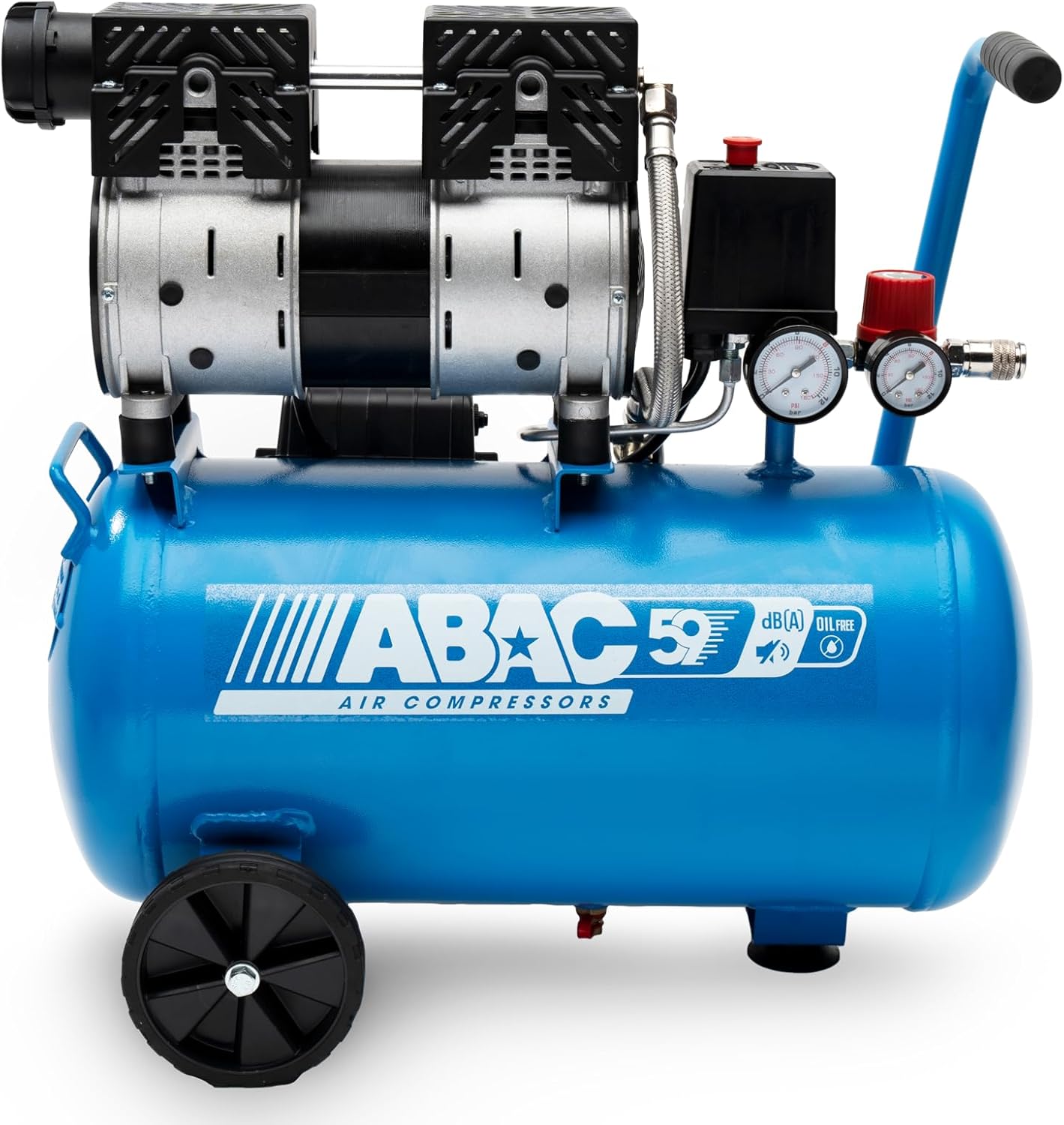
Figure 1: ABAC EASE-AIR 24 Silent Air Compressor
2. Safety Information
Always read and understand all safety warnings and instructions before operating this air compressor. Failure to follow the warnings and instructions may result in electric shock, fire, and/or serious injury.
- Electrical Safety: Ensure the power supply matches the compressor's voltage (230V). Do not operate in wet conditions.
- Personal Safety: Always wear appropriate personal protective equipment (PPE) such as safety glasses and hearing protection.
- Operating Environment: Use the compressor in a well-ventilated area. Keep children and bystanders away.
- Pressure Safety: Never exceed the maximum operating pressure of 8 bar. Do not tamper with the safety valve.
- Maintenance: Disconnect from power before performing any maintenance or adjustments.
3. Package Contents
Upon unpacking, ensure all components are present and undamaged:
- ABAC EASE-AIR 24 Air Compressor unit
- Wheels (for assembly)
- Handle (for assembly)
- Air filter (for assembly)
- User Manual
Note: Air hose and tools are not included and must be purchased separately.
4. Setup
4.1 Assembly
- Attach the wheels to the designated axles at the base of the compressor. Secure them firmly.
- Install the handle onto the compressor frame. Ensure it is securely fastened for safe transport.
- Screw the air filter into its port on the compressor pump.

Figure 2: Front view of the compressor, showing wheel and handle attachment points.
4.2 Initial Checks
- Ensure the drain valve at the bottom of the tank is closed before operation.
- Check all connections for tightness.
- Position the compressor on a stable, level surface.

Figure 3: Close-up of the tank drain valve.
5. Operating Instructions
5.1 Powering On/Off
- Plug the power cord into a grounded 230V electrical outlet.
- Flip the ON/OFF switch to the 'ON' position. The compressor will start to fill the tank until it reaches the maximum pressure (8 bar), then it will automatically shut off.
- To turn off the compressor, flip the ON/OFF switch to the 'OFF' position.
5.2 Adjusting Pressure
The compressor features two gauges: one showing the tank pressure and another showing the regulated output pressure. Use the red pressure regulator knob to adjust the output pressure for your tools.

Figure 4: Pressure gauges and regulator knob.
5.3 Connecting Tools
- Ensure the compressor is off and depressurized before connecting or disconnecting tools.
- Connect your air hose to the quick-connect coupler on the compressor.
- Attach your pneumatic tool to the other end of the air hose.
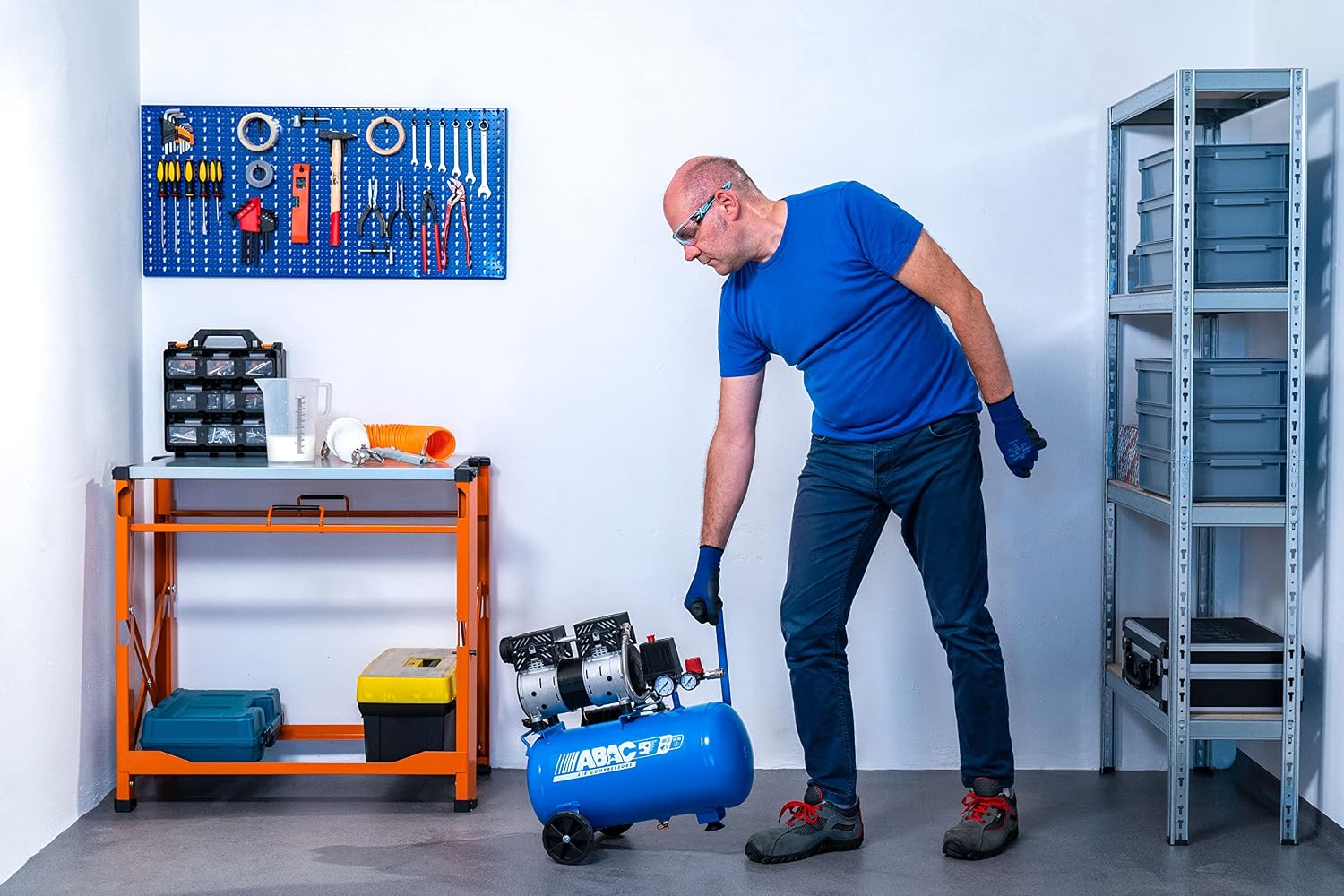
Figure 5: Connecting an air hose to the compressor.
5.4 Typical Applications
The ABAC EASE-AIR 24 is suitable for various applications, including:
- Tire inflation
- Blowing and cleaning tasks
- Airbrushing
- Light spraying (e.g., paint, varnish)
- Nailing and stapling (with appropriate tools)

Figure 6: Example application: using a spray gun.
6. Maintenance
Regular maintenance ensures the longevity and optimal performance of your compressor. Always disconnect the power before performing maintenance.
- Drain the Tank: Open the drain valve at the bottom of the tank daily after use to release condensed moisture. This prevents rust and extends tank life.
- Clean Air Filter: Periodically inspect and clean or replace the air filter to ensure proper air intake and prevent debris from entering the pump.
- Check Connections: Regularly check all air connections and fittings for leaks. Tighten if necessary.
- General Cleaning: Keep the compressor clean and free of dust and debris.
7. Troubleshooting
Refer to the table below for common issues and their solutions.
| Problem | Possible Cause | Solution |
|---|---|---|
| Compressor does not start | No power; ON/OFF switch off; Thermal overload activated | Check power connection; Turn switch ON; Allow compressor to cool down |
| Compressor runs continuously | Air leak; Pressure switch malfunction | Check for leaks and tighten connections; Contact service center |
| Low air pressure output | Regulator set too low; Air leak; Clogged air filter | Adjust regulator; Check for leaks; Clean/replace air filter |
| Excessive noise or vibration | Loose components; Unstable surface | Check and tighten all fasteners; Place on a firm, level surface |
8. Specifications
| Parameter | Value |
|---|---|
| Model | EASE-AIR 24 |
| Reference Number | 1129981169 |
| Power | 1 HP |
| Tank Capacity | 24 Liters |
| Maximum Pressure | 8 Bar |
| Air Flow Capacity | 130 Liters per minute |
| Noise Level | 59 dB(A) |
| Voltage | 230 Volts |
| Amperage | 3.5 A |
| Weight | 22 Kilograms |
| Dimensions (L x W x H) | 55.8 x 24 x 52.5 cm |
| Special Features | Low noise, portable, oil-free |
9. Warranty and Support
ABAC products are manufactured to high-quality standards and are subject to a manufacturer's warranty against defects in materials and workmanship. Please refer to the warranty card included with your purchase for specific terms and conditions, or visit the official ABAC website for detailed warranty information.
For technical support, spare parts, or warranty claims, please contact your authorized ABAC dealer or the ABAC customer service department. Keep your purchase receipt and product model number (1129981169) handy when contacting support.
Related documents1129981169


Ask a question about this manual
Ask about setup, troubleshooting, compatibility, parts, safety, or missing instructions. Manuals+ will review the question and use this page’s manual context to help answer it.