
1. Introduction
This manual provides essential information for the safe and efficient operation, maintenance, and troubleshooting of your ABAC EASE-AIR 50 Silent Oil-Free Air Compressor. Please read these instructions carefully before using the compressor to ensure proper function and to prevent injury or damage.

Figure 1: Front view of the ABAC EASE-AIR 50 Silent Oil-Free Air Compressor.
2. Safety Information
Always observe the following safety precautions to reduce the risk of electric shock, fire, or serious injury:
- Ensure the compressor is placed on a stable, level surface.
- Operate the compressor in a well-ventilated area.
- Do not operate the compressor near flammable liquids or gases.
- Always wear appropriate personal protective equipment (PPE), such as safety glasses and hearing protection.
- Disconnect the power supply before performing any maintenance or adjustments.
- Never direct compressed air at people or animals.
- Regularly check for damaged parts and replace them immediately.
3. Product Overview
The ABAC EASE-AIR 50 is an oil-free, silent air compressor designed for various applications. Key components include the motor, pump unit, air tank, pressure gauges, pressure regulator, and quick-connect coupling.

Figure 2: Detail of the control panel, showing pressure gauges and regulator.
4. Setup
- Unpacking: Carefully remove the compressor from its packaging. Check for any visible damage.
- Wheel and Handle Assembly: Attach the wheels and handle using the provided hardware. Ensure they are securely fastened for mobility.
- Placement: Position the compressor on a firm, level surface. Ensure adequate space around the unit for ventilation.
- Power Connection: Connect the compressor to a suitable 230V power outlet. Ensure the power switch is in the 'OFF' position before plugging in.

Figure 3: The compressor is designed for easy mobility with its integrated wheels and handle.
5. Operating Instructions
- Initial Start-up: Turn the power switch to the 'ON' position. The compressor will start to fill the tank with air. It will automatically stop when the maximum pressure is reached.
- Connecting Air Tools: Attach your air tool hose to the quick-connect coupling on the compressor. Ensure a secure connection.
- Adjusting Pressure: Use the pressure regulator knob to set the desired output pressure for your air tool. Monitor the regulated pressure gauge.
- Using Air Tools: Once the pressure is set, you can begin using your air tools. The compressor will cycle on and off automatically to maintain tank pressure.
- Shutting Down: When finished, turn the power switch to 'OFF'. Disconnect the air hose and drain any remaining air from the tank by opening the drain valve.

Figure 4: Connecting an air hose to the compressor's quick-connect fitting.

Figure 5: The pressure regulator allows adjustment of the output air pressure.

Figure 6: The compressor powers various pneumatic tools for DIY and professional tasks.
6. Maintenance
Regular maintenance ensures the longevity and optimal performance of your compressor.
- Daily: Drain condensation from the air tank. This prevents rust and maintains air quality.
- Weekly: Inspect the air filter. Clean or replace if dirty to ensure proper airflow to the pump.
- Monthly: Check all connections and fasteners for tightness. Inspect the power cord for damage.
- Annually: Have the safety valve checked by a qualified technician.
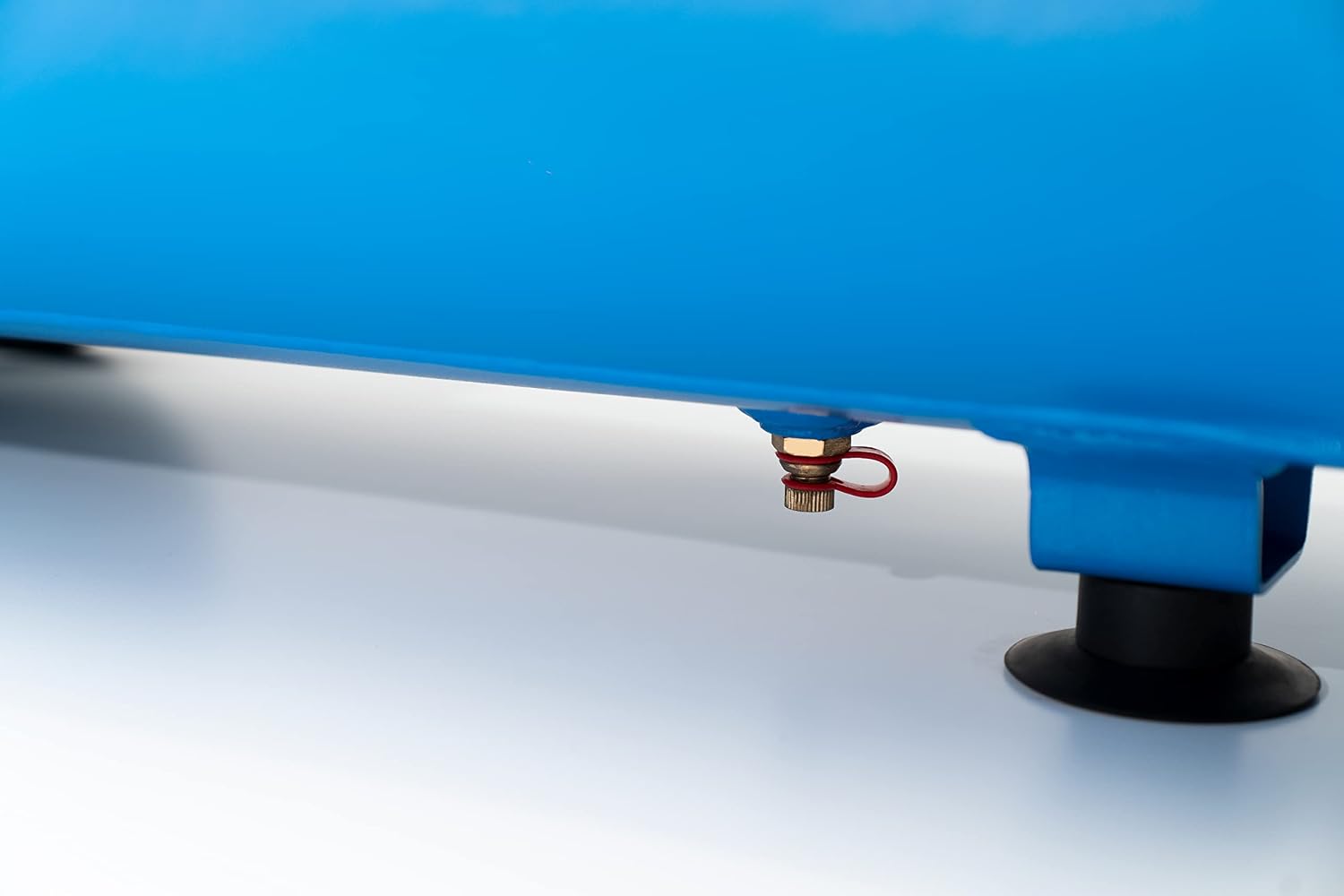
Figure 7: The drain valve located at the bottom of the air tank for condensation removal.
As this is an oil-free compressor, no oil changes or checks are required for the pump unit.
7. Troubleshooting
| Problem | Possible Cause | Solution |
|---|---|---|
| Compressor does not start | No power supply; Thermal overload activated | Check power connection; Allow motor to cool down and reset thermal switch |
| Compressor runs continuously | Air leak; Pressure switch malfunction | Check for leaks and tighten connections; Contact service for pressure switch replacement |
| Low air pressure output | Air leak; Clogged air filter; Regulator set too low | Check for leaks; Clean/replace air filter; Adjust pressure regulator |
| Excessive noise or vibration | Loose components; Worn pump parts | Tighten all fasteners; Contact service for inspection |
8. Specifications
| Feature | Specification |
|---|---|
| Brand | ABAC |
| Model Name | EASE-AIR 50 |
| Model Number | 1129981170 |
| Power Source | Corded Electric |
| Voltage | 230 Volt |
| Max Power | 1 Horsepower (HP) |
| Tank Volume | 50 Liters |
| Max Pressure | 8 Bar |
| Air Flow Capacity | 130 Liters per minute |
| Noise Level | 59 Decibels (dB) |
| Special Features | Silent Operation, Oil-Free |
| Item Weight | 28 Kilograms |
| Dimensions (LxWxH) | 76.4L x 38W x 57H cm |
| Materials | Metal, Plastic |
| Included Components | Air Compressor, CE Declaration of Conformity, Tank Declaration of Conformity, Safety Valve Declaration of Conformity, Instruction Manual |
9. Warranty and Support
This ABAC EASE-AIR 50 Air Compressor comes with a 2-year manufacturer's warranty for consumers. Please retain your proof of purchase for warranty claims.
For technical assistance, spare parts, or warranty service, please contact your authorized ABAC dealer or visit the official ABAC website for support contact information. When contacting support, please have your model number (EASE-AIR 50) and serial number ready.


