
VAAGHANM XXIU-006
VAAGHANM Aroma Diffuser 500ML (Model XXIU-006) Instruction Manual
Your guide to setting up, operating, and maintaining your aroma diffuser.
Introduction
This manual provides detailed instructions for the safe and efficient use of your VAAGHANM Aroma Diffuser 500ML, Model XXIU-006. Please read this manual thoroughly before operating the device and retain it for future reference.
The VAAGHANM Aroma Diffuser is designed to disperse essential oils into the air, creating a pleasant and aromatic environment. It also functions as a humidifier and features multiple mist modes, timer settings, and LED lighting options.
Package Contents
- 1 x VAAGHANM Aroma Diffuser (Model XXIU-006)
- 1 x Remote Control
- 1 x Power Adapter (AC/DC)
- User Manual (this document)
- (Note: Essential oils may be included depending on the specific product package.)
Safety Information
To ensure safe operation, please observe the following precautions:
- Do not place the diffuser on uneven or unstable surfaces.
- Keep out of reach of children and pets.
- Use only the provided power adapter.
- Do not immerse the diffuser in water or other liquids.
- Ensure the water level does not exceed the maximum fill line.
- Unplug the device before cleaning or refilling.
- Do not block the mist outlet.
- If the device emits smoke or an unusual smell, unplug it immediately.
Setup
- Placement: Place the diffuser on a flat, stable surface away from direct sunlight, heat sources, and electronic devices.
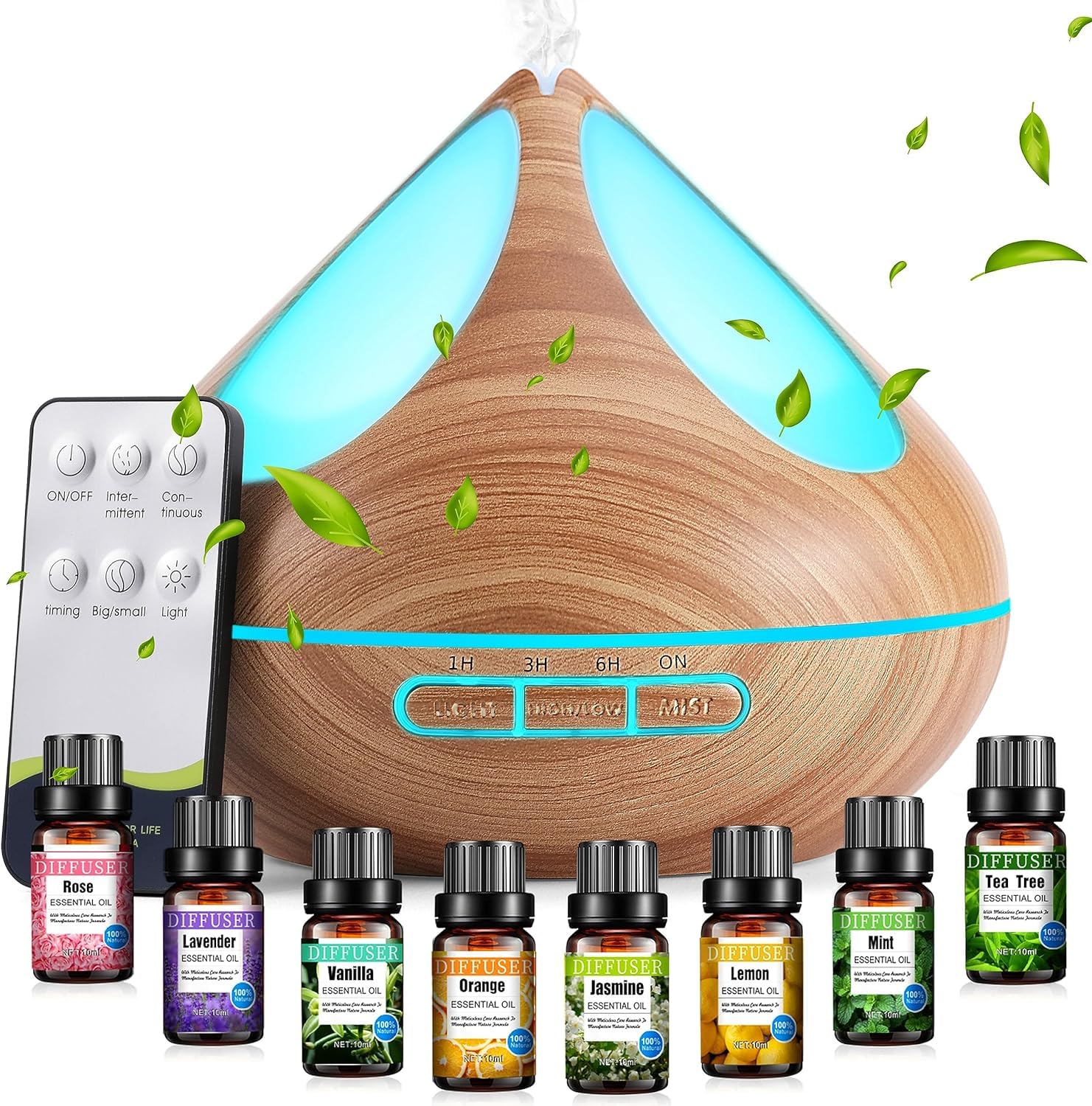
Image: The VAAGHANM Aroma Diffuser, Model XXIU-006, shown in a typical home setting, illustrating its compact size and design. This image provides a visual reference for proper placement.
- Open the Lid: Gently remove the top cover of the diffuser.
- Fill with Water: Fill the water tank with clean tap water up to the maximum fill line. Do not overfill. The diffuser has a 500ml capacity.

Image: A visual representation of the diffuser's 500ml large capacity water tank, with a person in the background, emphasizing its suitability for extended use without frequent refills.
- Add Essential Oils: Add 5-10 drops of your preferred essential oil directly into the water tank. Adjust the quantity based on personal preference and room size.

Image: A close-up of a bottle of essential oil, labeled "Mint," representing the type of oils that can be used with the diffuser. This illustrates the step of adding essential oils.
- Close the Lid: Replace the top cover securely.
- Connect Power: Plug the power adapter into the diffuser's power input port, then plug the adapter into a standard electrical outlet.
Operating Instructions
The diffuser can be operated using the buttons on the unit or the included remote control.
Power On/Off
- Press the "ON/OFF" button on the diffuser or remote control to turn the unit on or off.
Mist Modes
The diffuser offers two mist modes:
- High Mist: Provides a continuous mist at approximately 60ml/h, lasting up to 10 hours.
- Middle Mist: Provides an intermittent mist at approximately 30ml/h, lasting up to 15 hours.
Press the "MIST" button on the diffuser or remote control to cycle through the mist modes.

Image: The diffuser displaying its two mist modes: Middle Mist (30ml/h, 15H runtime) and High Mist (60ml/h, 10H runtime). The image also highlights the low noise level of the diffuser (35dB).
Timer Settings
Set the diffuser to operate for a specific duration:
- 1 Hour
- 3 Hours
- 6 Hours
- ON (Continuous operation until water runs out)
Press the "TIMER" button on the diffuser or remote control to cycle through the timer options. The diffuser will automatically shut off when the set time expires or when the water level is too low.

Image: The diffuser illustrating its four timer options: 1H, 3H, 6H, and ON. This image also shows the auto shut-off feature when time is up or water runs out.
LED Light Control
The diffuser features 14 LED light options, including cycling colors and adjustable brightness (strong/weak).
- Press the "LIGHT" button on the diffuser or remote control to turn the light on.
- Press again to cycle through colors or set a specific color.
- Hold the "LIGHT" button to adjust brightness (if applicable).
- Press and hold again to turn the light off.

Image: Multiple VAAGHANM diffusers displayed with various LED light colors, demonstrating the 14 LED light options, including adjustable brightness and cycling colors.
Maintenance
Regular cleaning helps ensure optimal performance and extends the lifespan of your diffuser.
- Empty the Water Tank: Before cleaning, unplug the diffuser and empty any remaining water from the tank.
- Wipe Clean: Use a soft, damp cloth to wipe the inside of the water tank and the exterior of the diffuser.
- Clean the Ultrasonic Plate: Gently wipe the ultrasonic vibration plate (located at the bottom of the water tank) with a cotton swab dipped in white vinegar or a mild cleaning solution. Do not scrub or use abrasive materials.
- Rinse and Dry: Rinse the water tank with clean water (avoiding the air outlet) and dry thoroughly before reassembling or storing.
- Frequency: Clean the diffuser after every 5-6 uses or every 3-5 days, especially when changing essential oils.
Troubleshooting
| Problem | Possible Cause | Solution |
|---|---|---|
| No mist or weak mist |
|
|
| Diffuser does not turn on |
|
|
| Unusual noise |
|
|
| Remote control not working |
|
|
Specifications
| Brand | VAAGHANM |
| Model Name/Number | XXIU-006 |
| Capacity | 500 Milliliters |
| Material | Plastic |
| Power Source | AC/DC Adapter |
| Wattage | 12 watts |
| Runtime | Up to 10 hours (High Mist), Up to 15 hours (Middle Mist) |
| Coverage Area | Up to 40 square meters |
| Dimensions (L x W x H) | 15.5L x 17.5W x 17.6H centimetres |
| Special Features | Automatic Shut-Off, Multiple Light Setting, Multiple Mist Setting, Timer Setting |
| Light Source Type | LED (14 options) |
Warranty and Support
For warranty information or technical support, please refer to the product packaging or contact your retailer. Keep your purchase receipt as proof of purchase.
For further assistance, you may also visit the official VAAGHANM website (if available) or contact their customer service department.
Ask a question about this manual
Ask about setup, troubleshooting, compatibility, parts, safety, or missing instructions. Manuals+ will review the question and use this page’s manual context to help answer it.