
NICE-POWER 60V 10A 600W
NICE-POWER DC Power Supply Variable 60V 10A 600W Instruction Manual
Model: 60V 10A 600W
1. Introduction
This manual provides essential information for the safe and efficient operation of your NICE-POWER DC Power Supply Variable 60V 10A 600W. This professional power conditioning unit offers high resolution and stable output, suitable for various applications in laboratories, schools, electronics repair, and more. Please read this manual thoroughly before use and retain it for future reference.
2. Important Safety Information
Warning:
- Due to the adjustment delay of the DC power supply, always turn on the DC power supply first, set the desired voltage/current, and then connect the load.
- If the output current exceeds 5A, connect to the rear high-current terminals. Do not connect to both front and rear terminals simultaneously for high current applications to avoid damage.
- Turn off the DC power supply when not in use and remove the power cord.
- When cleaning the DC power supply, ensure the power cord is removed.
- Do not use solvents containing hydrocarbons, chlorides, or similar substances, and avoid detergents with abrasive ingredients.
- The voltage will gradually decrease when the power is turned off as the capacitor discharges.
3. Product Features
- Output Switch: Allows direct current setting without short-circuiting, enhancing safety during voltage/current adjustments.
- High-precision Encoder Knob: Replaces traditional potentiometers for precise digital setting of voltage and current (0-9 range per digit).
- Stable Output: Low noise, low ripple, adjustable high-power continuous output, capable of long-term full-load operation.
- Automatic C.C/C.V Mode Switching: Automatically switches between constant voltage and constant current modes.
- 4-Digit LED Display: Backlit display shows voltage, current, and power values with high resolution (0.01V, 0.001A) for clear visibility.
- Multiple Protection: Built-in overvoltage, overcurrent, overheating, and termination protection for reliable and safe operation.
- Intelligent Cooling Fan: Activates automatically when operating temperature exceeds 122°F/50°C to dissipate heat and extend device life.
- Compact Design: Measures 38x24x13cm and weighs 3kg, saving bench space and facilitating portability.
4. Setup
- Unpacking: Carefully remove the power supply and all accessories from the packaging. Verify all components are present: DC power supply unit, American standard power cord, English manual, low-power output cable, and high-power output cable.
- Power Connection: Connect the American standard power cord to the AC input on the rear of the unit and then to a suitable power outlet.
- Output Cable Connection:
- For output currents up to 5A, use the front panel positive (+) and negative (-) terminals.
- For output currents above 5A, use the high-current terminals on the rear panel. Unscrew the knobs, insert the high-power output cable terminals, and tighten securely. This is crucial to prevent damage to the power supply or load and to ensure accurate output.
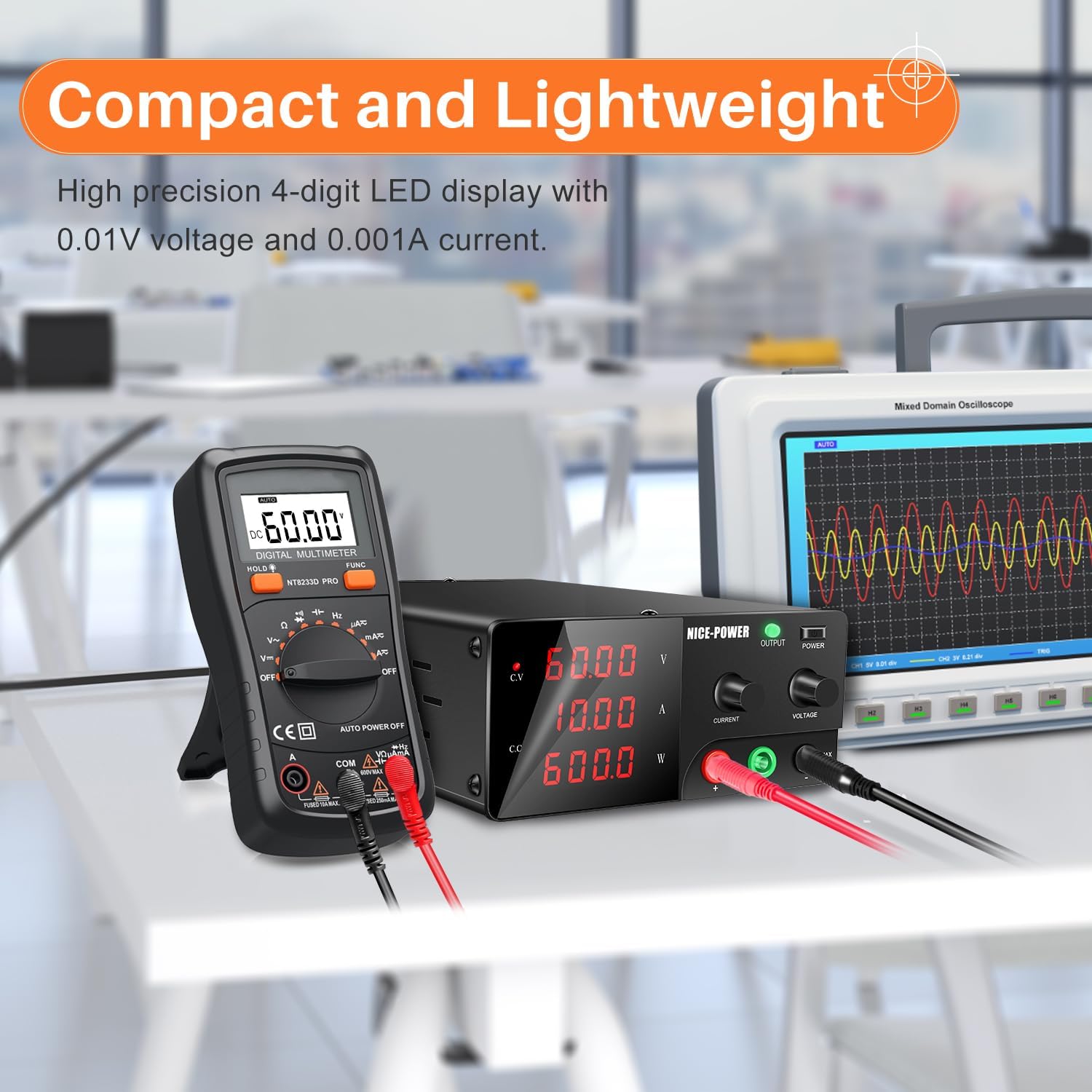
Image: Rear panel of the power supply, illustrating the high-current output terminals and the intelligent cooling fan. The text indicates to use these terminals for currents over 5A and shows how to connect the high-power output cable by unscrewing and tightening the knobs.
- Initial Power On: Before connecting any load, turn on the power supply using the main power switch. Set the desired voltage and current limits using the encoder knobs.
5. Operating Instructions
- Setting Voltage and Current:
- The power supply features an encoder knob for precise digital adjustment. Press the voltage or current knob to select the digit you wish to change.
- Rotate the knob to set the value of the selected digit (0-9). Repeat for all digits to achieve the desired voltage or current.
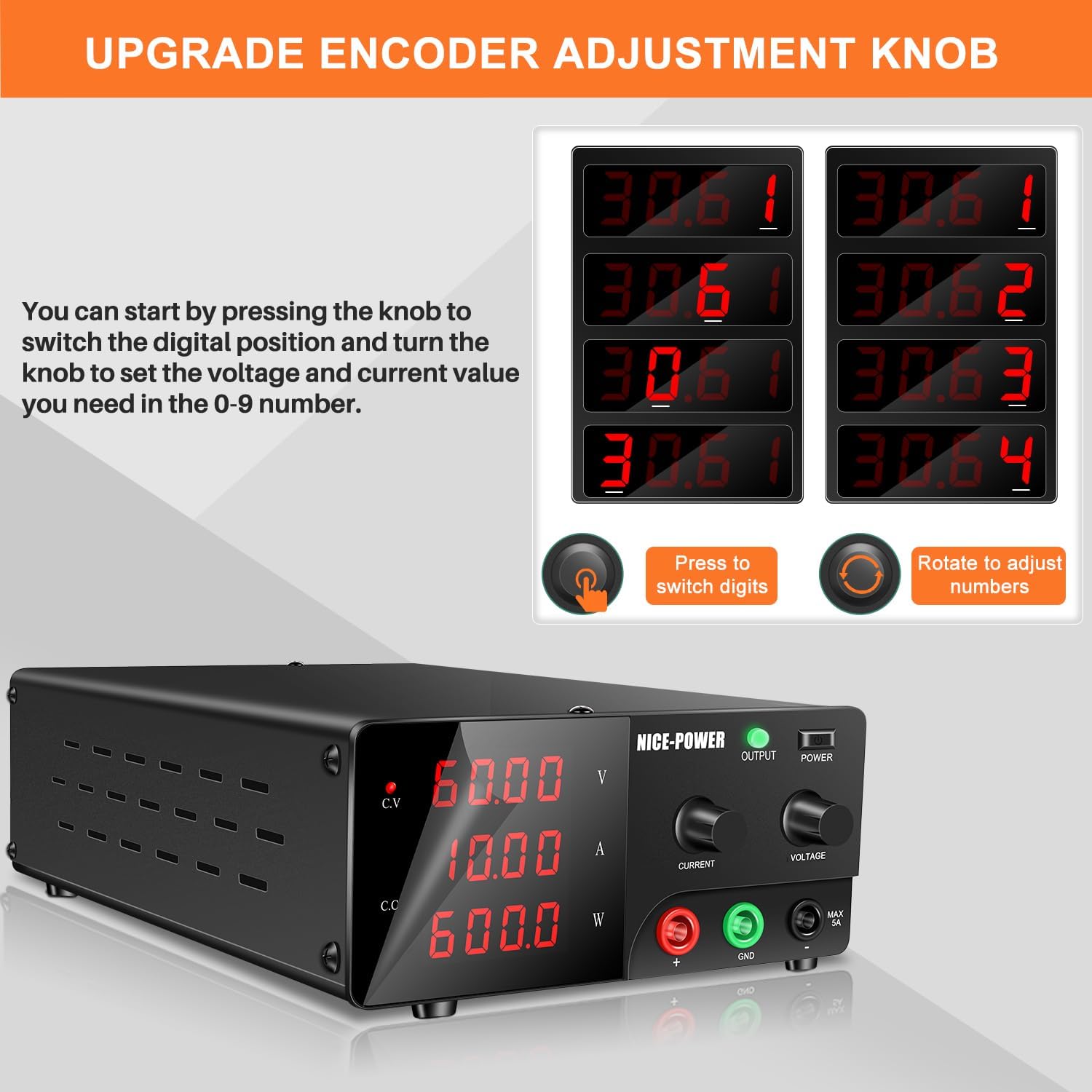
Image: The front panel of the power supply, highlighting the encoder adjustment knob. Text explains how to press the knob to switch digital positions and turn it to set voltage and current values.
- Using the Output Switch:
- The 'OUTPUT' button on the front panel enables or disables the power output. This allows you to preset voltage and current values before connecting or disconnecting a load, preventing accidental damage.
- Press the 'OUTPUT' button to toggle the power output on or off. A green indicator light will show when the output is active.

Image: The front panel of the power supply, focusing on the 'OUTPUT' enable/disable button. Text describes its 2-in-1 function for presetting values and protecting loads from damage.
- Constant Voltage (CV) and Constant Current (CC) Modes:
- The power supply automatically switches between Constant Voltage (CV) and Constant Current (CC) modes depending on the load conditions.
- When the load resistance is high, the power supply operates in CV mode, maintaining a constant output voltage.
- When the load resistance is low, the power supply operates in CC mode, maintaining a constant output current.

Image: The front panel of the power supply, showing the voltage, current, and power displays, along with the current and voltage adjustment knobs. This illustrates the primary user interface for operation.
6. Battery Charging Function
This DC power supply is suitable for charging various battery types, including lead-acid, Lithium Iron Phosphate (LiFePO4), and Ni-MH batteries. Follow these guidelines for safe and effective charging:
- Connect Battery: Connect the positive (+) terminal of the DC power supply to the positive terminal of the battery, and the negative (-) terminal of the DC power supply to the negative terminal of the battery. Ensure correct polarity.
- Set Charging Voltage: The charging limiting voltage follows the formula: Charging voltage = 1.2 * battery rated voltage. For example, for a 12V battery, set the voltage to approximately 14.4V.
- Set Charging Current: The recommended charging current is: Charging current = 1/3 battery rated current. For example, for a 12.2Ah battery, the charging current would be approximately 4.07A.
- Monitor and Disconnect: When the charging current is ≤ 50mA, disconnect the battery in time to avoid overcharging.

Image: The power supply connected to a LiFePO4 battery, demonstrating the battery charging function. The display shows current charging parameters.
Video: This video demonstrates how to charge a lead-acid battery using a DC power supply, including setting voltage and current.
7. Maintenance
- Cleaning: Always disconnect the power cord before cleaning. Use a soft, dry cloth to wipe the exterior of the unit. Do not use harsh chemicals or abrasive cleaners.
- Cooling Fan: The intelligent cooling fan will activate automatically when the internal temperature exceeds 122°F/50°C. Ensure the rear fan and side cooling holes are not obstructed to allow for proper airflow and heat dissipation. Regular inspection for dust buildup is recommended.

Image: The rear panel of the power supply, showing the smart cooling fan and the fuse box, emphasizing the importance of clear ventilation for effective cooling.
8. Troubleshooting
- No Output Power: Check if the power supply is properly connected to the AC mains and the power switch is on. Ensure the 'OUTPUT' switch is enabled.
- Voltage Drop Under Load: A slight voltage drop can occur across connecting wires, especially with high currents. Use appropriate gauge wires for your application.
- Current Limit Issues: If you are attempting to draw more than 5A, ensure you are using the high-current terminals on the rear panel, not the front panel terminals.
- Overheating: If the unit feels excessively hot, check that the cooling fan and side vents are not obstructed. The intelligent fan should activate automatically.
- Inaccurate Readings: Ensure all connections are secure and clean. For precise measurements, use external calibrated meters.
9. Specifications
| Feature | Specification |
|---|---|
| Model Name | 60V 10A 600W |
| Output Voltage | 0-60V (Adjustable) |
| Output Current | 0-10A (Adjustable) |
| Output Wattage | 600 Watts |
| Voltage Resolution | 0.01V |
| Current Resolution | 0.001A |
| Display | 4-Digit LED |
| Cooling Method | Intelligent Air Cooling Fan |
| Protection Features | Overvoltage, Overcurrent, Overheating, Termination Protection |
| Dimensions | 14.84 x 9.53 x 5.08 inches (38 x 24 x 13 cm) |
| Item Weight | 6.21 pounds (3 kg) |
| Certifications | CE & FCC Certified |
10. Warranty and Support
This NICE-POWER DC Power Supply comes with a 12-month repair policy. If you encounter any questions or issues regarding your lab DC power supply, please contact NICE-POWER Official customer support. We are committed to responding to your inquiries within 24 hours.
11. Additional Resources
Video: This video provides an overview of the NICE-POWER DC Power Supply, demonstrating its features and operation.
Video: This video demonstrates a ripple test for the NICE-POWER High Power Lab Power Supply, showcasing its performance characteristics.
Related documents60V 10A 600W


Ask a question about this manual
Ask about setup, troubleshooting, compatibility, parts, safety, or missing instructions. Manuals+ will review the question and use this page’s manual context to help answer it.