1. Introduction
This manual provides detailed instructions for the operation and maintenance of your fojep K9 Pro Bone Conduction Headphones. Please read this manual thoroughly before using the product to ensure proper function and longevity.
The fojep K9 Pro is a versatile audio device featuring bone conduction technology, IP68 waterproofing, Bluetooth connectivity, and an integrated 32GB MP3 player. It is designed for various activities including swimming, running, cycling, and general fitness.
2. Product Overview
The fojep K9 Pro headphones utilize bone conduction to deliver sound, keeping your ears open to ambient sounds. They are designed for comfort and durability in various environments.

Image 2.1: fojep K9 Pro Bone Conduction Headphones. This image shows the headphones partially submerged in water, highlighting their waterproof design. The control buttons are visible on the left side.
2.1 Key Features
- Bone Conduction Technology: Delivers sound through cheekbones, leaving ear canals open.
- IP68 Waterproof Rating: Suitable for swimming and submersion up to two meters for two hours.
- Built-in 32GB MP3 Player: Store music directly on the device for use without a phone, especially useful for swimming.
- Bluetooth Connectivity: Wireless audio streaming from compatible devices.
- 7 Hours Playtime: Extended battery life for prolonged use.
- ENC Noise Canceling Microphone: Enhances call clarity by reducing ambient noise.
- Lightweight and Comfortable Design: Ergonomic fit for extended wear during physical activities.
3. Setup and Initial Use
3.1 Package Contents
Verify that all items are present in the package:
- fojep K9 Pro Bone Conduction Headphones
- Charging Cable
- User Manual (this document)
- Ear Plugs (for use in noisy environments)
3.2 Charging the Headphones
- Connect the charging cable to the charging port on the headphones.
- Connect the other end of the cable to a USB power adapter (not included) or a computer's USB port.
- The LED indicator will show charging status. A full charge typically takes approximately 2 hours.
- Once fully charged, disconnect the charging cable.
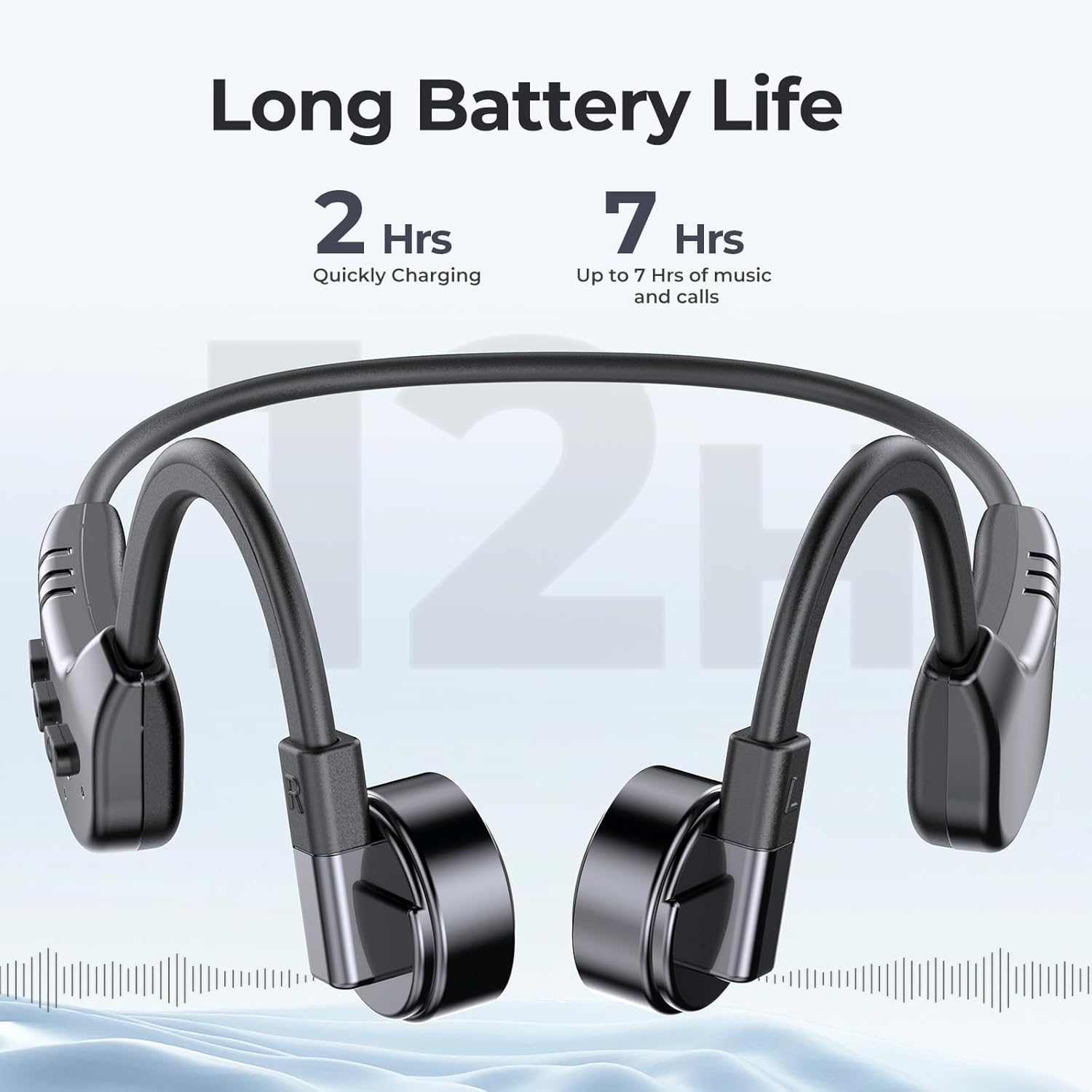
Image 3.1: fojep K9 Pro headphones with battery life indication. This image illustrates the headphones and highlights their quick charging time (2 hours) and extended playtime (7 hours).
3.3 Powering On/Off
- Power On: Press and hold the Power button until the LED indicator lights up.
- Power Off: Press and hold the Power button until the LED indicator turns off.
4. Operating Instructions
4.1 Wearing the Headphones
Place the headphones with the transducers resting on your cheekbones, just in front of your ears. The band should wrap around the back of your head.

Image 4.1: User wearing fojep K9 Pro headphones during swimming. This image demonstrates the proper placement of the headphones on the head, with the transducers resting on the cheekbones, and highlights the IP68 waterproof rating.
4.2 Bluetooth Mode
- Pairing: With the headphones powered off, press and hold the Power button for approximately 5-7 seconds until the LED indicator flashes red and blue, indicating pairing mode.
- On your device (smartphone, tablet, etc.), enable Bluetooth and search for "fojep K9 Pro" (or similar name).
- Select the headphones to connect. The LED indicator will turn solid blue once connected.
- Note: Bluetooth signals may be affected underwater. For swimming, use MP3 mode.
4.3 MP3 Player Mode (Built-in 32GB Memory)
The headphones have a built-in 32GB memory for storing audio files, ideal for activities where Bluetooth connectivity is limited, such as swimming.
- Transferring Files: Connect the headphones to a computer using the charging cable. The headphones will appear as a removable drive.
- Drag and drop your audio files (e.g., MP3 format) into the headphones' storage folder.
- Safely eject the headphones from your computer.
- Switching Modes: Refer to the control buttons section for switching between Bluetooth and MP3 modes.

Image 4.2: User enjoying music with fojep K9 Pro headphones, highlighting the 32GB internal storage. This image shows a woman wearing the headphones, emphasizing the convenience of storing music directly on the device.
4.4 Control Buttons
The headphones feature intuitive control buttons for managing playback, volume, and calls.
- Power Button: Power on/off, enter pairing mode.
- Volume Up (+): Increase volume, next track (long press).
- Volume Down (-): Decrease volume, previous track (long press).
- Multi-function Button (often integrated with Power or a dedicated button): Play/Pause, Answer/End Call, Switch between Bluetooth/MP3 mode (specific press sequence may vary, refer to quick start guide if provided separately).

Image 4.3: Close-up of fojep K9 Pro headphone control buttons. This image details the physical buttons on the headphone unit, including power, volume, and potentially a multi-function button.
4.5 Making and Receiving Calls
When connected via Bluetooth to a smartphone:
- Answer Call: Press the Multi-function button once.
- End Call: Press the Multi-function button once during a call.
- Reject Call: Press and hold the Multi-function button for 2 seconds.
- Voice Assistant: Double-press the Multi-function button (if supported by your device).
5. Maintenance and Care
- Cleaning: Wipe the headphones with a soft, damp cloth. Do not use harsh chemicals or abrasive cleaners.
- Storage: Store the headphones in a cool, dry place away from direct sunlight and extreme temperatures.
- Water Exposure: While IP68 rated, it is recommended to rinse the headphones with fresh water after use in chlorinated or saltwater and allow them to dry completely before charging.
- Charging Port: Ensure the charging port is dry before connecting the charging cable to prevent damage.
6. Troubleshooting
| Problem | Possible Solution |
|---|---|
| Headphones do not power on. | Ensure the headphones are fully charged. Connect to a power source and check the charging indicator. |
| Cannot pair via Bluetooth. |
|
| No sound or low volume. |
|
| Bluetooth signal drops underwater. | This is expected behavior. Use the built-in MP3 player mode for underwater listening. |
| Cannot transfer MP3 files. |
|
7. Specifications
| Feature | Detail |
|---|---|
| Model Name | K9 Pro |
| Brand | fojep |
| Connectivity Technology | Wireless (Bluetooth) |
| Wireless Communication Technology | Bluetooth |
| Water Resistance Level | IP68 Waterproof |
| Built-in Memory | 32GB MP3 Player |
| Battery Life | Up to 7 Hours |
| Charging Time | Approximately 2 Hours |
| Control Method | Touch, Voice Control |
| Microphone Format | Built-In with ENC Noise Canceling |
| Ear Placement | Open Ear |
| Item Weight | 200 g |
| Material | Plastic |
8. Warranty and Support
For warranty information and customer support, please refer to the product packaging or contact fojep customer service through their official website or the retailer where the product was purchased. Keep your proof of purchase for warranty claims.
Online Resources: For additional support, FAQs, and product updates, visit the official fojep website.
9. Safety Information
- Do not attempt to disassemble or modify the headphones.
- Avoid exposing the headphones to extreme temperatures or direct flame.
- Keep out of reach of children.
- Use only approved charging cables and adapters.
- Be aware of your surroundings when using the headphones, especially during outdoor activities, due to the open-ear design.


