
Roberts PLAY11BK
Roberts Radio Digital Play11 DAB/DAB+/FM Portable Radio User Manual
Model: PLAY11BK
Introduction
Thank you for choosing the Roberts Radio Digital Play11. This portable radio offers high-quality audio with DAB, DAB+, and FM reception. Designed for ease of use, it features a headphone jack for personal listening and flexible power options. This manual provides essential information for setting up, operating, and maintaining your device.
Safety Information
Please read and understand all safety instructions before using this product. Keep these instructions for future reference.
- Do not expose the radio to rain, moisture, or extreme temperatures.
- Avoid placing the unit near heat sources or in direct sunlight.
- Use only the specified power supply (USB-C cable) or 4 x AA batteries.
- Do not attempt to disassemble or modify the unit. Refer all servicing to qualified personnel.
- Ensure proper ventilation; do not cover ventilation openings.
- Dispose of batteries responsibly according to local regulations.
What's in the Box
Upon unpacking, please ensure all the following items are present:
- Roberts Radio Digital Play11
- Quick Start Guide
- USB-C power cable
- Safety and warranty leaflet
Product Overview
Familiarize yourself with the main components and controls of your Play11 radio.

Image: Front view of the Roberts Play11 radio with labels indicating the On/Off button, Volume knob, Antenna, LCD Display, Select knob, Favourites button, Info/Menu button, Mode button, and Next/Previous buttons.
- On/Off Button: Powers the unit on or off.
- Volume Knob: Adjusts the audio output level.
- Antenna: Extend for optimal radio reception.
- LCD Display: Shows station information, time, and menu options.
- Select Knob: Navigates menus and confirms selections.
- Favourites (2 sec) Button: Press and hold to save a favourite station; short press to recall.
- Info | Menu Button: Displays station information; press and hold to access the main menu.
- Mode Button: Switches between DAB, DAB+, and FM modes.
- Next | Previous Buttons: Navigates through stations or menu options.
- Headphone Jack: For private listening (3.5mm AUX Out Port).
- USB-C Port: For power supply.

Image: Close-up view of the Roberts Play11 radio, highlighting the 3.5mm headphone jack on the side for personal listening.
Setup
1. Power Supply
The Play11 can be powered by either batteries or the included USB-C power cable.

Image: Rear view of the Roberts Play11 radio, illustrating the battery compartment for 4x AA batteries (not included) and the USB-C power input port.
- Battery Operation: Open the battery compartment on the rear of the radio. Insert 4 x AA (LR6) batteries, ensuring correct polarity. Close the compartment securely. Batteries are not included.
- Mains Operation: Connect the supplied USB-C power cable to the USB-C port on the radio and plug the other end into a suitable USB power adapter (not supplied).
2. Antenna
Extend the telescopic antenna fully for optimal reception in both DAB/DAB+ and FM modes.
3. Initial Power On
Press the On/Off button to power on the radio. If this is the first time using the radio, it will automatically perform a full scan for DAB/DAB+ stations.
Operating Instructions
Switching Modes (DAB/DAB+/FM)
Press the Mode button repeatedly to cycle between DAB, DAB+, and FM radio modes.
DAB/DAB+ Radio
- Scanning for Stations: After initial power-on, the radio will automatically scan. To perform a manual scan, press and hold the Info | Menu button, navigate to "Full Scan" using the Select knob, and press Select to confirm.
- Selecting Stations: Rotate the Select knob to browse available stations. Press the Select knob to tune into the desired station.
- Saving Presets (Favourites): Tune to the desired station. Press and hold the Favourites (2 sec) button until "Preset Store" appears. Rotate the Select knob to choose a preset number (1-10) and press Select to save.
- Recalling Presets: Short press the Favourites (2 sec) button. Rotate the Select knob to choose the desired preset and press Select to tune in.
FM Radio
- Scanning for Stations: In FM mode, press and hold the Next | Previous buttons to automatically scan for the next available station.
- Manual Tuning: Rotate the Select knob to manually tune to a specific frequency.
- Saving Presets (Favourites): Tune to the desired station. Press and hold the Favourites (2 sec) button until "Preset Store" appears. Rotate the Select knob to choose a preset number (1-10) and press Select to save.
- Recalling Presets: Short press the Favourites (2 sec) button. Rotate the Select knob to choose the desired preset and press Select to tune in.
Using Headphones
Connect standard 3.5mm headphones to the headphone jack on the side of the radio for private listening. The internal speaker will automatically mute when headphones are connected.
Maintenance
- Cleaning: Wipe the radio with a soft, dry cloth. Do not use abrasive cleaners or solvents.
- Battery Replacement: When using batteries, replace all four AA batteries simultaneously when the low battery indicator appears on the display. Ensure correct polarity.
- Storage: If storing the radio for an extended period, remove the batteries to prevent leakage.
Troubleshooting
| Problem | Possible Cause | Solution |
|---|---|---|
| No power | Batteries are flat or incorrectly inserted; USB-C cable not connected properly. | Replace batteries, ensuring correct polarity. Check USB-C cable connection and power adapter. |
| Poor DAB/FM reception | Antenna not fully extended; weak signal area; interference. | Fully extend the telescopic antenna. Try repositioning the radio. Perform a full scan for DAB stations. |
| No sound | Volume too low; headphones connected; unit muted. | Increase volume. Disconnect headphones. Check if the unit is muted (though this model doesn't have a dedicated mute button, ensure volume is not at zero). |
| Buttons unresponsive | Temporary software glitch. | Turn the radio off and on again. If problem persists, remove power source (batteries/USB-C) for a few minutes, then reconnect. |
Specifications
| Model | PLAY11BK |
| Tuner Type | DAB, DAB+, FM |
| Presets | 10 DAB, 10 FM |
| Power Source | 4 x AA batteries (not included) or USB-C (4.5 Volts) |
| Hardware Interface | USB Type C |
| Headphone Jack | 3.5mm |
| Display Type | LCD |
| Dimensions (LxWxH) | 17.4 x 6 x 11 cm |
| Weight | 357 g |
| Material | Plastic, Polycarbonate (PC) |
Warranty and Support
Your Roberts Radio Digital Play11 comes with a 2-year warranty. Please refer to the included Safety and Warranty leaflet for detailed terms and conditions. For technical support or service inquiries, please visit the official Roberts Radio website or contact their customer service department.
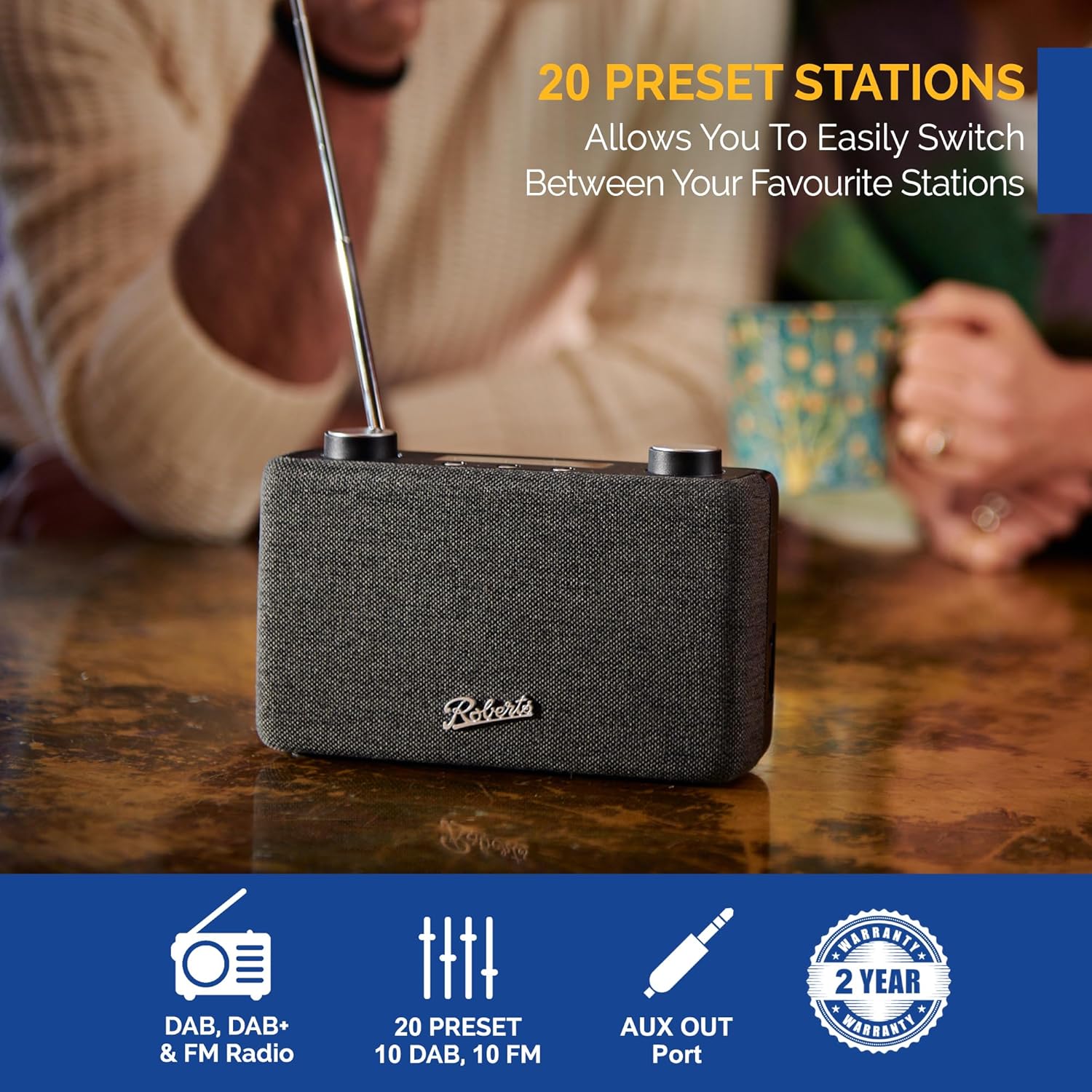
Image: The Roberts Play11 radio displayed alongside icons indicating DAB/DAB+ & FM Radio, 20 Presets, AUX Out Port, and a 2-Year Warranty badge.
Related documentsPLAY11BK


Ask a question about this manual
Ask about setup, troubleshooting, compatibility, parts, safety, or missing instructions. Manuals+ will review the question and use this page’s manual context to help answer it.