
Belaco B-AC05
Belaco 10L Air Cooler User Manual
Model: B-AC05
Brand: Belaco
1. Introduction
Thank you for choosing the Belaco 10L Air Cooler. This multifunctional appliance is designed to provide cooling, humidification, ventilation, ionisation, and air purification for your home or office. Please read this manual carefully before operating the unit to ensure safe and efficient use.
Important Safety Information
- Always place the unit on a stable, level surface.
- Do not immerse the appliance, cord, or plug in water or other liquids.
- Unplug the unit from the power outlet before cleaning, filling, or performing any maintenance.
- Keep out of reach of children and pets.
- Ensure the power supply matches the specifications (220-240V, 50Hz).
- Do not block air inlets or outlets.
- Use only clean water in the water tank.
2. Product Components
Familiarize yourself with the main parts of your Belaco Air Cooler:
- Main Unit with Digital Control Panel
- 10L Water Tank
- Remote Control
- 2 Ice Packs
- Detachable Filter / Honeycomb Cooling Pad
- Castor Wheels (pre-installed or to be attached)
- Power Cord with 3-pin British plug

Image: The Belaco 10L Air Cooler, showing its compact design and the included remote control.

Image: A close-up view of the 10L water tank being filled, with two ice packs visible inside, highlighting the capacity and cooling enhancement feature.

Image: The base of the air cooler, clearly showing the heavy-duty castor wheels designed for easy movement between rooms.
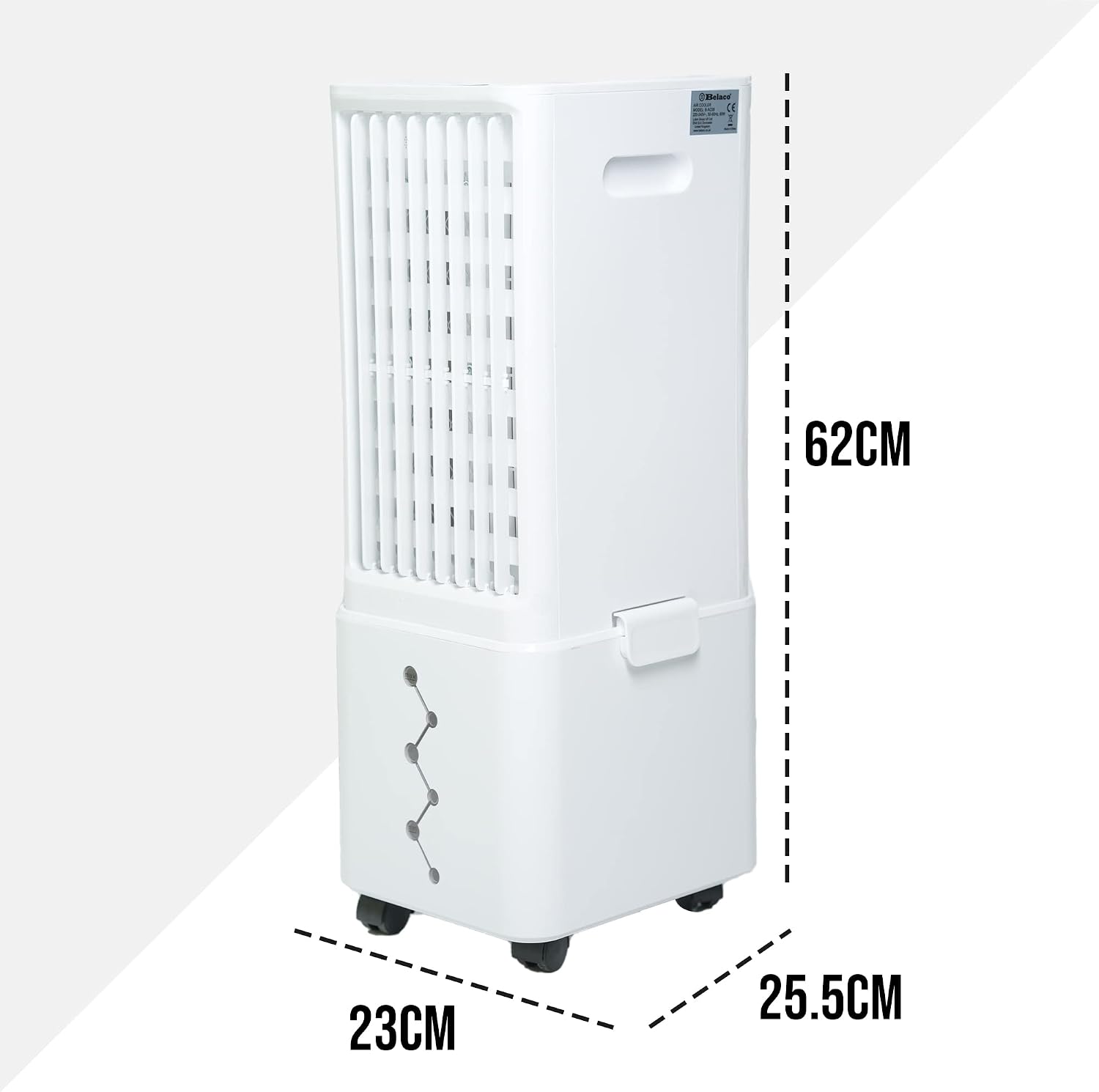
Image: A diagram illustrating the dimensions of the air cooler: 62cm height, 23cm width, and 25.5cm depth.
3. Setup Instructions
- Unpacking: Carefully remove the air cooler and all accessories from the packaging. Retain packaging for future storage or transport.
- Positioning: Place the unit on a firm, level surface. Ensure there is adequate space around the unit for proper airflow (at least 20cm from walls or furniture).
- Filling the Water Tank:
- Pull out the 10L water tank from the bottom of the unit.
- Fill the tank with clean tap water. Do not exceed the maximum fill line.
- For enhanced cooling, place the provided ice packs (pre-frozen) into the water tank.
- Carefully slide the water tank back into the unit until it clicks into place.
- Power Connection: Plug the power cord into a standard 220-240V, 50Hz electrical outlet.
4. Operating the Air Cooler
The Belaco Air Cooler can be operated using the digital touch control panel on top of the unit or the included remote control.

Image: A close-up of the digital control panel on the top of the unit and the remote control, illustrating the various buttons for function selection.
Control Panel & Remote Functions:
- Power (On/Off): Press to turn the unit on or off.
- Speed: Select from 3 speed settings: Low, Medium, High.
- Mode: Cycle through different modes (e.g., Normal, Natural, Sleep). Natural mode simulates varying breeze patterns.
- Cool: Activates the evaporative cooling function, utilizing the water and ice packs in the tank.
- Swing: Activates the automatic 60-degree horizontal oscillation (auto swing left and right). Vertical louvers can be adjusted manually.
- Timer: Set the operational timer for up to 12 hours. The unit will automatically turn off after the set time.

Image: Visual representation of the air cooler's performance, highlighting its effective output of 450m³/h airflow, low noise level of 65dB max, and 60-degree auto swing function.
5. Maintenance and Cleaning
Regular maintenance ensures optimal performance and longevity of your air cooler.
Cleaning the Water Tank:
- Unplug the unit from the power outlet.
- Remove the water tank and empty any remaining water.
- Clean the tank with a soft cloth and mild detergent. Rinse thoroughly with clean water.
- Allow the tank to air dry completely before reinserting.
- Note: For best results and to prevent mold/mildew, clean the water tank weekly, especially during frequent use.
Cleaning the Filter / Honeycomb Cooling Pad:

Image: The detachable filter of the air cooler, which binds dirt and helps filter and humidify the air efficiently.
- Unplug the unit.
- Locate and remove the detachable filter/honeycomb cooling pad from the back of the unit.
- Rinse the filter under running water to remove dust and debris. For stubborn dirt, use a soft brush.
- Allow the filter to dry completely before placing it back into the unit.
- Clean the filter monthly or as needed, depending on usage and air quality.
Exterior Cleaning:
- Wipe the exterior surfaces with a soft, damp cloth.
- Do not use abrasive cleaners or solvents.
6. Troubleshooting Guide
| Problem | Possible Cause | Solution |
|---|---|---|
| Unit does not turn on. | No power supply; Power button not pressed. | Check if the unit is plugged in correctly. Press the Power button. Check the power outlet. |
| No cool air / Weak airflow. | Water tank empty; Filter clogged; Cool function not activated; Low fan speed. | Fill the water tank. Clean the filter. Press the "Cool" button. Increase fan speed. |
| Water leakage. | Water tank not properly seated; Overfilled water tank; Unit not on a level surface. | Ensure the water tank is securely in place. Do not overfill. Place the unit on a level surface. |
| Unpleasant odor. | Stagnant water in tank; Dirty filter. | Empty and clean the water tank thoroughly. Clean or replace the filter. |
| Remote control not working. | Batteries dead or incorrectly inserted; Obstruction between remote and unit. | Replace batteries. Ensure clear line of sight to the unit's receiver. |
If the problem persists after trying these solutions, please contact customer support.
7. Technical Specifications
| Feature | Specification |
|---|---|
| Model Number | B-AC05 |
| Voltage | 220-240V |
| Frequency | 50Hz |
| Power Consumption | 80W |
| Water Tank Capacity | 10 Litres |
| Air Flow Capacity | 450 m³/h (CMPH) |
| Noise Level | 65 dB (Max) |
| Timer Function | Up to 12 Hours |
| Speed Settings | 3 (Low, Medium, High) |
| Oscillation | 60-degree Auto Swing (Horizontal) |
| Dimensions (L x W x H) | 25.5 x 23 x 62 cm |
| Item Weight | 4.3 kg |
| Included Components | Remote Control, 2 Ice Packs |
8. Warranty Information
Belaco products come with a standard manufacturer's warranty. Please refer to the warranty card included in your product packaging for specific terms and conditions, including warranty period and coverage details. Keep your purchase receipt as proof of purchase for any warranty claims.
9. Customer Support
For any questions, technical assistance, or warranty inquiries, please contact Belaco customer support:
- Website: Visit the official Belaco website for FAQs and support resources.
- Email: Refer to your product packaging or warranty card for customer service email address.
- Phone: Refer to your product packaging or warranty card for customer service phone number.
When contacting support, please have your product model number (B-AC05) and purchase date ready.
Ask a question about this manual
Ask about setup, troubleshooting, compatibility, parts, safety, or missing instructions. Manuals+ will review the question and use this page’s manual context to help answer it.