
1. Introduction
The IMALENT SR32 is a high-performance LED flashlight designed for various applications requiring powerful and long-range illumination. Featuring 32 upgraded Cree XHP50.3 HI LED chips, it delivers an impressive 120,000 lumens and a maximum beam distance of 2080 meters. Constructed from durable hard-anodized aluminum alloy, the SR32 is built to withstand challenging environments, offering IP56 water resistance and impact resistance up to a 20-inch drop. This manual provides essential information for the safe and effective use of your SR32 flashlight.
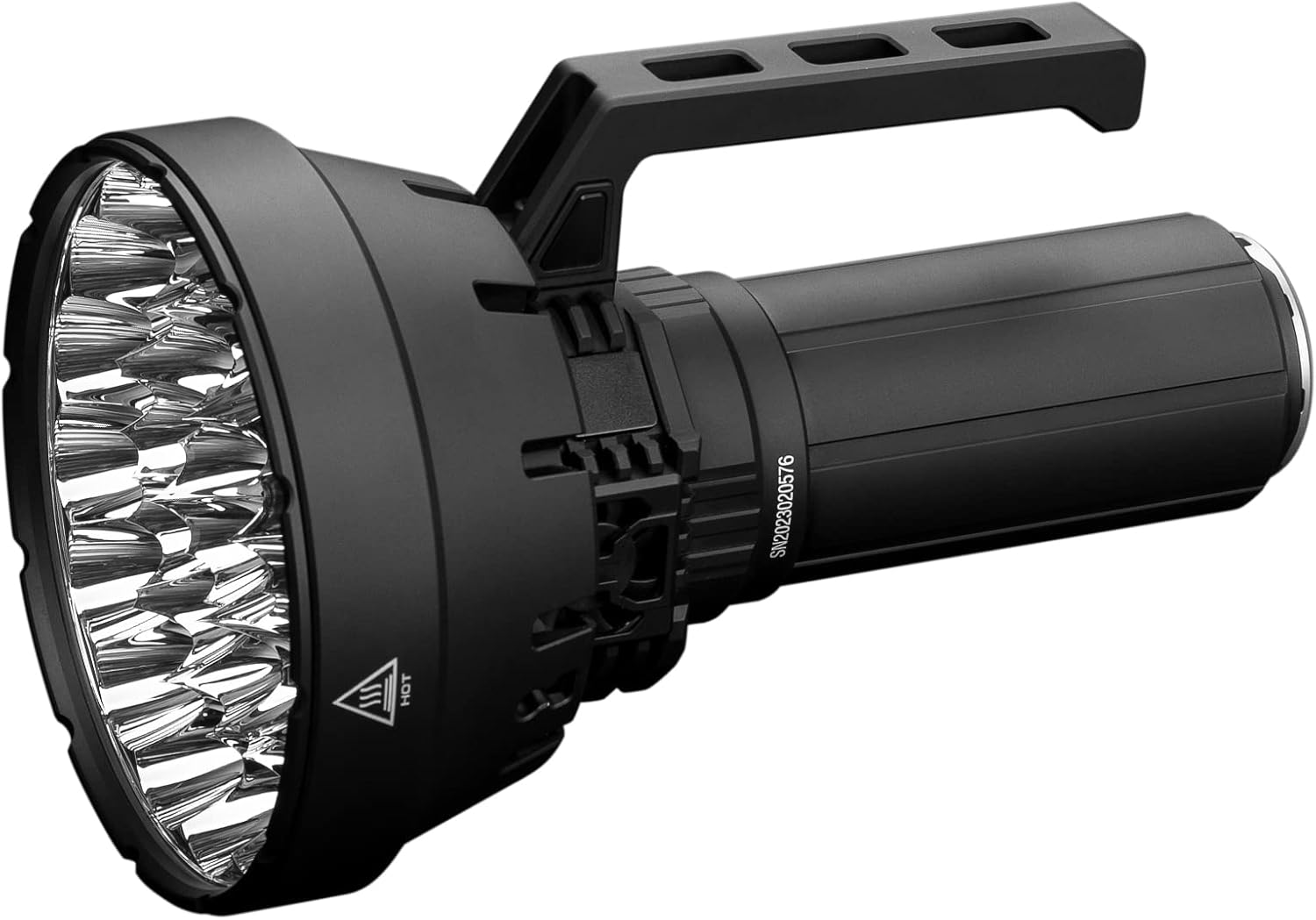
Image 1: The IMALENT SR32 120000 Lumens Flashlight, showcasing its robust design and powerful reflector head.
2. Package Contents
Please inspect the package contents upon receipt. The following items should be included:
- IMALENT SR32 Flashlight
- Rechargeable Battery Pack (pre-installed)
- USB Type-C PD100W Charging Block
- USB-C Charging Cable
- Shoulder Strap
- Hexagonal Spanner (for handle removal/attachment)
- Spare O-rings
- User Manual
3. Product Overview
The IMALENT SR32 features an advanced design for optimal performance and user experience.
Key Features:
- High Lumens Output: Up to 120,000 lumens with 32 Cree XHP50.3 HI LEDs.
- Long Beam Distance: Reaches up to 2080 meters.
- Integrated Cooling System: Three high-efficiency cooling fans (10,500 rpm, 4.5V/0.18A) for effective heat dissipation and noise reduction.
- OLED Display: Provides real-time information on battery voltage, brightness mode, and lockout status.
- Dual Switch Design: Control via a side switch on the body and an additional switch on the detachable handle.
- USB Type-C PD100W Fast Charging: Rapid charging capability for the integrated battery pack.
- Power Bank Function: The detachable battery pack can be used to charge other devices via USB-C.
- Durable Construction: Made from aerospace-grade aluminum alloy with IP56 water resistance.
- Ergonomic Design: Detachable handle with heat insulation for comfortable use at high outputs.

Image 2: Close-up view of the SR32's three high-efficiency cooling fans, designed to manage heat during high-lumen operation.

Image 3: The OLED display on the IMALENT SR32, showing battery level and operational status.
4. Setup
4.1 Initial Charging
Before first use, fully charge the SR32 flashlight. Connect the provided USB-C cable to the flashlight's charging port and to the PD100W charging block. Plug the charging block into a power outlet. The OLED display will indicate charging status. A full charge typically takes approximately 1.5 hours.
4.2 Attaching the Shoulder Strap
For enhanced portability and hands-free operation, attach the included shoulder strap to the designated attachment points on the flashlight body. Ensure the strap is securely fastened before use.

Image 4: The IMALENT SR32 equipped with its shoulder strap, demonstrating enhanced portability.
4.3 Handle Attachment/Removal
The SR32 features a detachable handle. To remove or attach the handle, use the provided hexagonal spanner to loosen or tighten the screws securing it to the flashlight body. Ensure the handle is firmly attached before operating the flashlight.

Image 5: Illustration of how to remove the handle from the IMALENT SR32 using a hexagonal spanner.
5. Operating Instructions
5.1 Power On/Off
Press and hold either the side switch or the handle switch for approximately 1 second to turn the flashlight on or off.
5.2 Brightness Level Adjustment
With the flashlight on, press and hold either switch to cycle through the brightness levels (Moonlight, Low, Middle Low, Middle I, Middle II, High, Turbo). Release the switch at your desired brightness. The flashlight features memory function, recalling the last used brightness level when turned on again.
5.3 Turbo Mode Activation
From any mode, double-click either switch to instantly activate Turbo mode (120,000 lumens). Double-click again to return to the previous brightness level.
5.4 Strobe Mode Activation
From Turbo mode, double-click either switch to activate Strobe mode. Double-click again to return to Turbo mode.
5.5 Lockout Function
To prevent accidental activation, the SR32 features a lockout function:
- To Lock: With the flashlight off, quickly press either power switch button 4 times. The indicator light will flash 3 times to confirm the flashlight is locked.
- To Unlock: Quickly press either switch button 4 times again. The flashlight will unlock and can be operated normally.
6. Charging and Power Bank Function
6.1 Charging the Flashlight
The SR32 utilizes a USB Type-C PD100W fast charging system. Connect the flashlight to the provided charger and cable. The OLED display will show charging progress. The charging port is designed for durability and efficient power transfer.
6.2 Power Bank Feature
The integrated 32,000 mAh battery pack (comprising 8x21700 batteries) can function as a power bank. Connect your external device (e.g., smartphone, tablet) to the flashlight's USB-C port using a compatible cable to initiate charging. This feature is useful for charging devices in remote locations.

Image 6: The IMALENT SR32 demonstrating its power bank functionality, charging a smartphone via its USB-C port.
7. Maintenance
Proper maintenance ensures the longevity and optimal performance of your IMALENT SR32 flashlight.
- Cleaning: Regularly clean the flashlight body with a soft, damp cloth. For the lens, use a microfiber cloth to avoid scratches.
- O-ring Lubrication: Periodically lubricate the O-rings with silicone grease to maintain water resistance. Replace worn O-rings with the provided spares.
- Battery Care: Store the flashlight with a partially charged battery if not used for extended periods. Avoid fully discharging the battery frequently.
- Avoid Disassembly: Do not attempt to disassemble the sealed head or battery pack, as this may damage the flashlight and void the warranty.
8. Troubleshooting
If you encounter issues with your SR32 flashlight, refer to the following common problems and solutions:
| Problem | Possible Cause | Solution |
|---|---|---|
| Flashlight does not turn on. | Battery is depleted or in lockout mode. | Charge the battery. Unlock the flashlight by pressing the switch 4 times. |
| Brightness levels are inconsistent or lower than expected. | Low battery, or flashlight is overheating. | Recharge the battery. Allow the flashlight to cool down; the cooling fans should activate automatically at higher outputs. The OLED display will show temperature warnings. |
| Flashlight gets excessively hot. | Operating at high lumen levels for extended periods. | This is normal for high-output flashlights. The internal cooling fans are designed to manage this. If the temperature becomes critical, the flashlight will automatically reduce output. Use the insulated handle for comfort. |
| Water ingress. | Damaged or improperly seated O-rings. | Inspect O-rings for damage or misalignment. Replace if necessary and ensure they are properly seated and lubricated. |
If the problem persists, please contact IMALENT customer support.
9. Specifications
| Feature | Specification |
|---|---|
| Model | SR32 |
| Light Source | 32 x Cree XHP50.3 HI LEDs |
| Maximum Brightness | 120,000 Lumens |
| Maximum Beam Distance | 2080 Meters (6824 feet) |
| Peak Beam Intensity | 1,090,000 cd |
| Color Temperature | 6500K (Cold Light) |
| Battery | Integrated 32,000 mAh (8x21700 Lithium Ion) |
| Charging | USB Type-C PD100W Fast Charge |
| Maximum Runtime | 360 hours (Moonlight mode) |
| Material | Aerospace-grade Aluminum Alloy |
| Water Resistance | IP56 Standard |
| Impact Resistance | 0.5 meters (20 inches) |
| Dimensions | 5.4"D x 8.6"W x 2.2"H (approx. 13.7cm x 21.8cm x 5.6cm) |
| Weight | 8.91 pounds (approx. 4.04 kg) |

Image 7: Detailed output specifications for the IMALENT SR32 across various modes, including lumens, runtime, and beam distance.
10. Warranty Information
The IMALENT SR32 Flashlight comes with a limited warranty. Please refer to the warranty card included in your package or visit the official IMALENT website for detailed terms and conditions regarding coverage and duration.
11. Support
For technical assistance, product inquiries, or warranty claims, please contact IMALENT customer support through their official website or the contact information provided with your product documentation. Ensure you have your product model (SR32) and purchase details available when contacting support.