
1. Introduction
This manual provides essential information for the safe operation, setup, and maintenance of your RoofWorld F4U Corsair 761-08 RC Plane. Please read this manual thoroughly before operating the aircraft to ensure proper function and safety.

Image: The F4U Corsair RC Plane in flight, showcasing its design.
Video: Overview of the F4U Corsair RC Plane in action, demonstrating its flight capabilities.
2. Safety Information
Warning: Contains small parts. To avoid danger of suffocation, keep them away from babies and children. Do not use this in cribs, beds, carriages, or playpens. This is not a toy.
- Always operate the RC plane in a large, open space, free from obstacles, people, and animals.
- Ensure the weather conditions are suitable for flying (light wind or windless, wind speed below 7 miles per hour).
- Keep hands, face, and loose clothing away from the propeller when the plane is powered on.
- Do not fly near power lines, roads, or water bodies.
- Adult supervision is recommended for users under 15 years of age.
- Always turn off the remote control and the plane after use.
3. Package Contents
Verify that all items are present in the package:
- F4U Corsair RC Plane
- Remote Control
- Battery (x2)
- Charging Cable (x2)
- Screwdriver
- Landing Gear (x2)
- 2-blade propeller (x2)
- 4-blade propeller (x2)
- Product Manual (this document)

Image: A visual representation of all components included in the F4U Corsair RC Plane package.
4. Product Overview
The RoofWorld F4U Corsair 761-08 is a 4-channel remote-controlled aircraft featuring an Xpilot stabilization system for ease of flight. It is constructed from durable EPP foam and carbon fiber rods, designed for resilience during use.
4.1 Dimensions

Image: Detailed measurements of the F4U Corsair RC Plane and its remote control.
4.2 Key Features
- 2.4Ghz FHSS RC Technology: Allows multiple aircraft to fly simultaneously without interference, with a flight range up to 656 ft.
- 6-Axis Gyro with Xpilot Stabilization System: Provides stable flight, suitable for beginners and windy conditions.
- 4-Channel Control: Enables a variety of stunts and precise maneuverability.
- One-Key Aerobatics: Perform rolls and loops with a single button press.
- One-Key U-Turn: Automatically returns the glider to its starting direction.
- Durable Construction: Made from EPP foam and carbon fiber rods for crash resistance.
- Propeller Saver Technology: Protects replaceable propellers from damage.

Image: Explanation of the 6-axis gyro stabilization system for enhanced flight stability.
5. Setup
5.1 Battery Installation
- Open the battery compartment located on the underside of the aircraft.
- Connect the battery to the aircraft's power connector.
- Carefully place the battery into the compartment, ensuring wires are tucked away.
- Close the battery compartment hatch securely.

Image: Step-by-step guide for correctly installing the battery into the RC plane.
Video: Demonstrates the correct method for installing the battery in the 4-channel RTF RC Airplane.
5.2 Propeller Attachment
The plane comes with propellers pre-attached. If replacement is needed, ensure the new propeller is securely fastened to the motor shaft. The propeller saver mechanism is designed to protect the propeller during minor impacts.

Image: Close-up of the propeller and the propeller saver mechanism.
5.3 Landing Gear Installation
Attach the landing gear by plugging them into the designated slots on the underside of the fuselage. Ensure they are firmly in place for ground takeoffs and landings.
6. Operating Instructions
6.1 Remote Control Overview
The 2.4Ghz FHSS remote control allows for precise command of your aircraft. Familiarize yourself with the controls before flight.

Image: The remote control unit and its connection to the F4U Corsair RC Plane.
Video: Tutorial on how to control 4-channel RC planes, demonstrating basic maneuvers.
6.2 Flight Modes and Stabilization
The Xpilot automatic stabilization system offers 3-Level Flight Control Assists Mode to help beginners learn to fly step-by-step. This system maintains aircraft balance, making flight easier even in light winds.
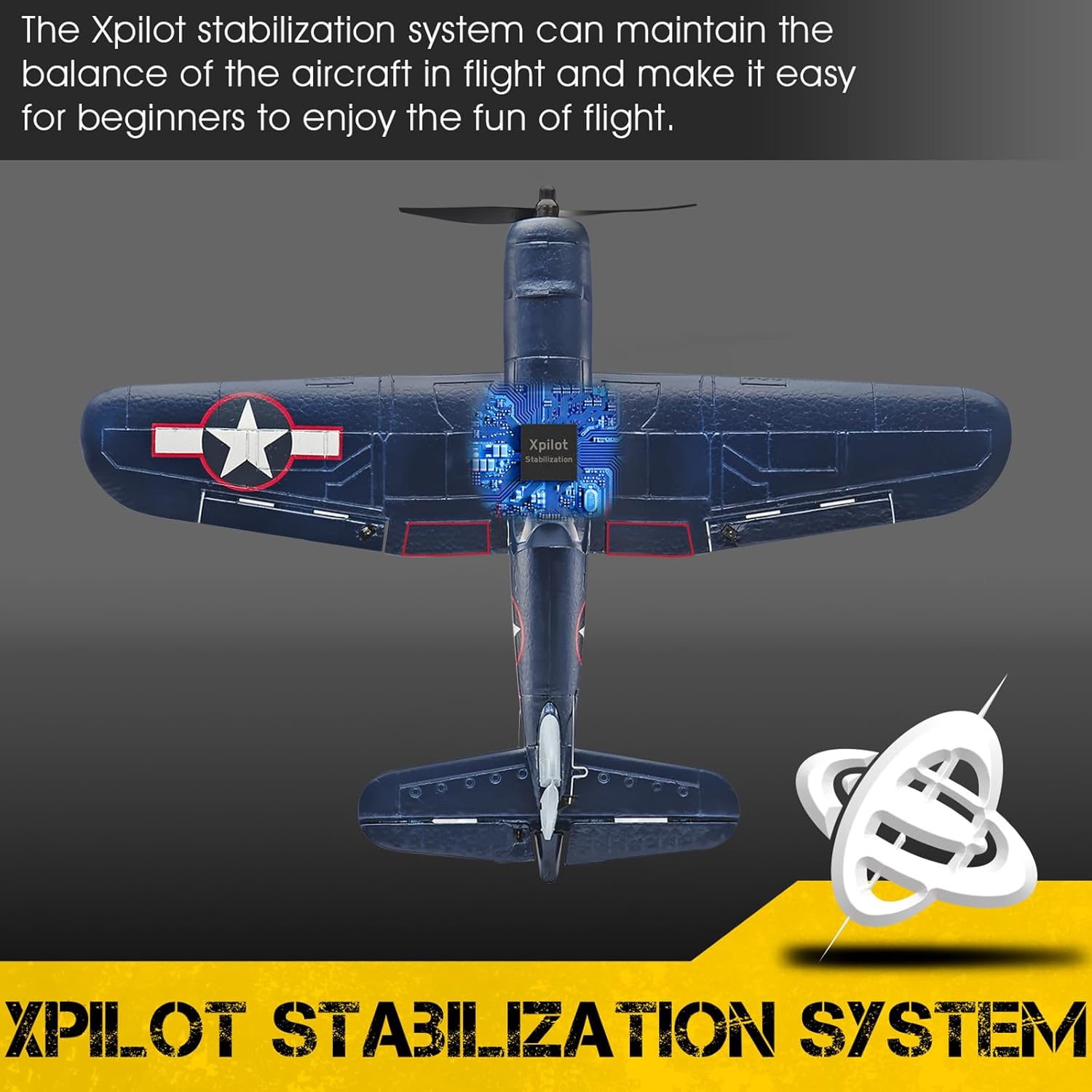
Image: Visual explanation of how the Xpilot stabilization system works to keep the aircraft balanced.
6.3 Take-off Procedure
For beginners, hand launching is recommended. Ensure you are in a large open space, preferably with grass for landing.
- Hold the middle of the plane.
- Choose the beginner or intermediate flight mode on your remote control.
- Push the throttle to 2/3 power.
- Throw the plane forward horizontally.

Image: Step-by-step visual guide on how to perform a hand launch for the RC plane.
6.4 Aerobatics and Special Functions
- One-Key Aerobatics: Press the dedicated aerobatics button on the remote control, then move the direction stick to perform rolls or loops.
- One-Key U-Turn: Activate the one-key U-turn function to have the plane automatically return in the opposite direction.
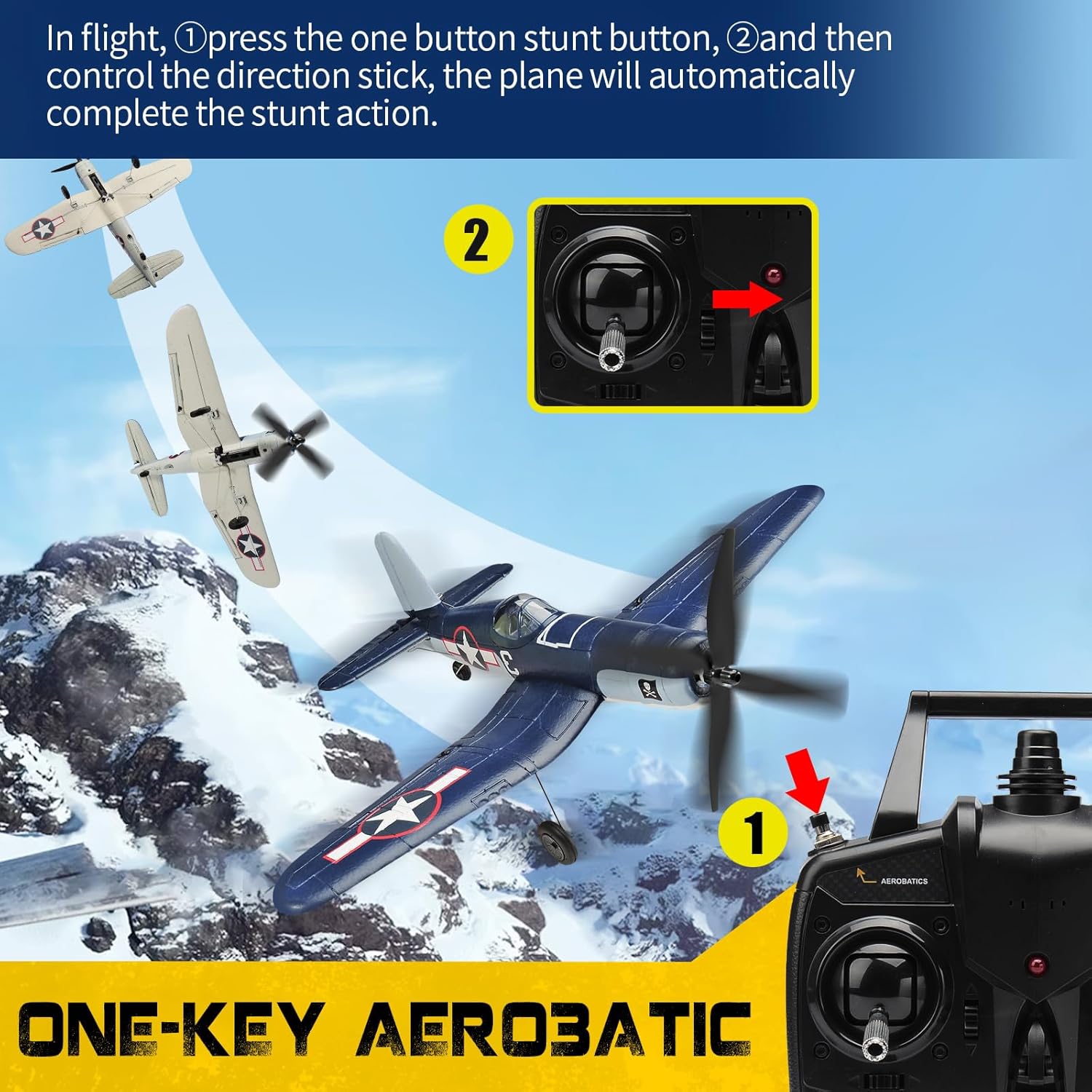
Image: Instructions for executing one-key aerobatic maneuvers with the remote control.
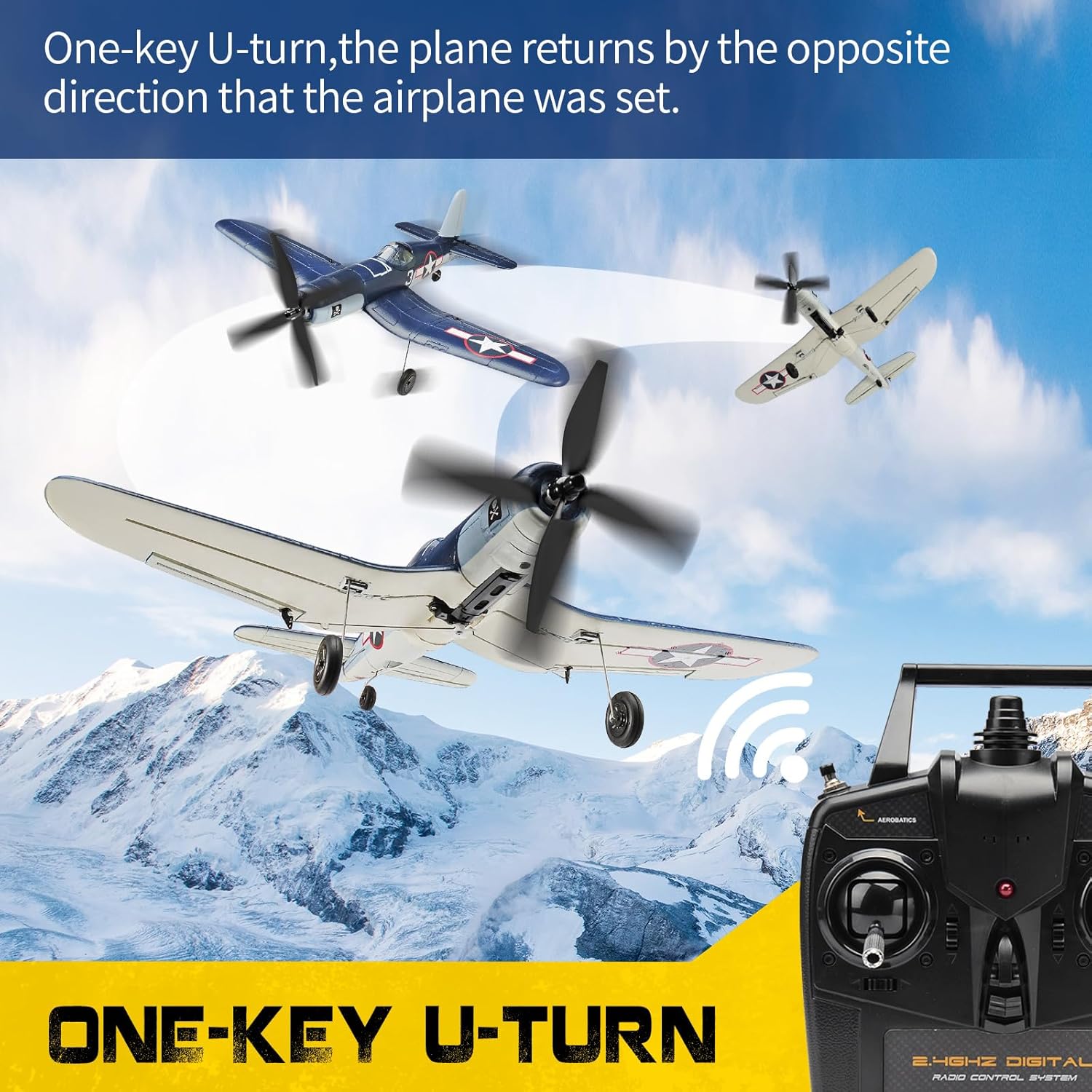
Image: Instructions for initiating the one-key U-turn feature for automatic return.
7. Maintenance
Regular maintenance ensures the longevity and performance of your RC plane.
- Cleaning: Wipe the aircraft with a soft, dry cloth after each flight to remove dirt or debris.
- Propeller Inspection: Regularly check propellers for damage. Replace any bent or broken propellers immediately to maintain flight efficiency and safety.
- Battery Care: Store batteries in a cool, dry place. Do not overcharge or over-discharge.
- Storage: Store the aircraft in a safe place away from direct sunlight and extreme temperatures.
8. Troubleshooting
Common issues and their solutions:
| Problem | Possible Cause | Solution |
|---|---|---|
| Plane does not respond to controls | Low battery in plane or remote; out of range; interference | Charge batteries; ensure plane is within 656 ft range; check for signal interference. |
| Plane flies erratically | Damaged propeller; strong wind; incorrect flight mode | Replace propeller; fly in calmer conditions; select appropriate flight mode. |
| Low Battery / Out of Control Alarm | Aircraft battery is low or signal is lost | Land the aircraft immediately and charge the battery. Ensure the aircraft remains within control range. |

Image: Visual indicator of a low battery or out-of-control alarm, prompting immediate action.
9. Specifications
| Feature | Detail |
|---|---|
| Brand | RoofWorld |
| Model Name | Upgrade F4U Corsair RC Airplane |
| Model Number | 76108 |
| Material Type | Foam |
| Item Weight | 16 ounces |
| Item Dimensions | 13.35 x 5.04 x 13.43 inches |
| Control Range | Up to 656 ft (200m) |
| Flight Time | 12-15 minutes |
| Stabilization System | 6-axis Gyro with Xpilot |
| Channels | 4 Channel |
| Recommended Age | 15 Years Up |
| Indoor/Outdoor Usage | Outdoor Only |
| Assembly Required | No |
10. Warranty
This product comes with a 30-day warranty against manufacturer defects. Please retain your proof of purchase for warranty claims.
11. Support
For further assistance or inquiries, please contact RoofWorld customer support through the retailer where the product was purchased. You may also visit the RoofWorld Store for more information.
