
Vixic Omega S
Vixic Omega S Embossing Label Maker Instruction Manual
Model: Omega S
Introduction
Thank you for choosing the Vixic Omega S Embossing Label Maker. This manual provides essential information for the safe and efficient use of your new label maker. Please read these instructions carefully before use and keep them for future reference. The Vixic Omega S is a manual, portable device designed to create durable, 3D embossed labels without the need for batteries or ink, perfect for organizing your home or office.
Product Overview
The Vixic Omega S Embossing Label Maker features an intuitive "turn-and-press" labeling system. Its ergonomic design with a flat, wide handle ensures a comfortable grip and easy operation for all users. The device includes a 48-character wheel, allowing you to print capital letters, numbers, and common symbols. Labels created are waterproof, oil-proof, scratch-resistant, and fade-resistant, making them suitable for various applications.

Figure 1: Vixic Omega S Embossing Label Maker. Designed for comfortable and durable use.
Package Contents
Please check that all items are present in your package:
- Vixic Omega S Embossing Label Maker
- 10 Rolls of 9mm x 3m Embossing Label Tape (Colors: 2 Black, 2 Clear, 2 Champagne, 2 Gold, 2 Silver)

Figure 2: Included 3D Embossing Label Tapes, featuring durability and resistance to various elements.
Specifications
| Brand | Vixic |
| Model | Omega S |
| Printing Technology | Press Technology (Manual Embossing) |
| Connectivity | None (No batteries or electricity required) |
| Tape Width | 9 mm (3/8 inch) |
| Tape Length | 3 meters (12 feet) |
| Character Set | 48 characters (Capital Letters A-Z, Numbers 0-9, Symbols) |
| Features | Built-in cutter, Ergonomic handle, Transparent tape compartment |
Setup
Follow these steps to prepare your Vixic Omega S Embossing Label Maker for use:
- Open the Lid: Locate the small lever or button on the side of the label maker. Press it to open the tape compartment lid.
- Load the Label Tape: Insert a roll of 9mm embossing tape into the compartment. Ensure the tape feeds smoothly through the guide slot, with the adhesive side facing down.

Figure 3: Visual guide for opening the lid and loading the label tape (Steps 1 and 2).
Operation
Creating embossed labels is a simple process:
- Select a Character: Rotate the character dial to align the desired letter, number, or symbol with the indicator mark. The Vixic Omega S features a 48-character wheel including capital letters (A-Z), numbers (0-9), and various symbols.
- Emboss the Character: Firmly press the handle to emboss the selected character onto the tape. Release the handle before rotating the dial to the next character. For a space, select the space icon on the dial and press the handle.
- Cut the Label: Once your label is complete, rotate the character dial to the scissor icon (or cutter icon) and press the handle firmly to cut the label.
Figure 4: Visual guide for embossing characters and cutting the label (Steps 3, 4, and 5).

Figure 5: Detail of the 48-character dial and built-in cutter for precise label creation.
The embossed labels are ideal for various applications, including organizing baby bottles, spice jars, containers, file folders, clothing boxes, shoe boxes, and for DIY projects. The vintage retro look adds a unique touch to your organization.
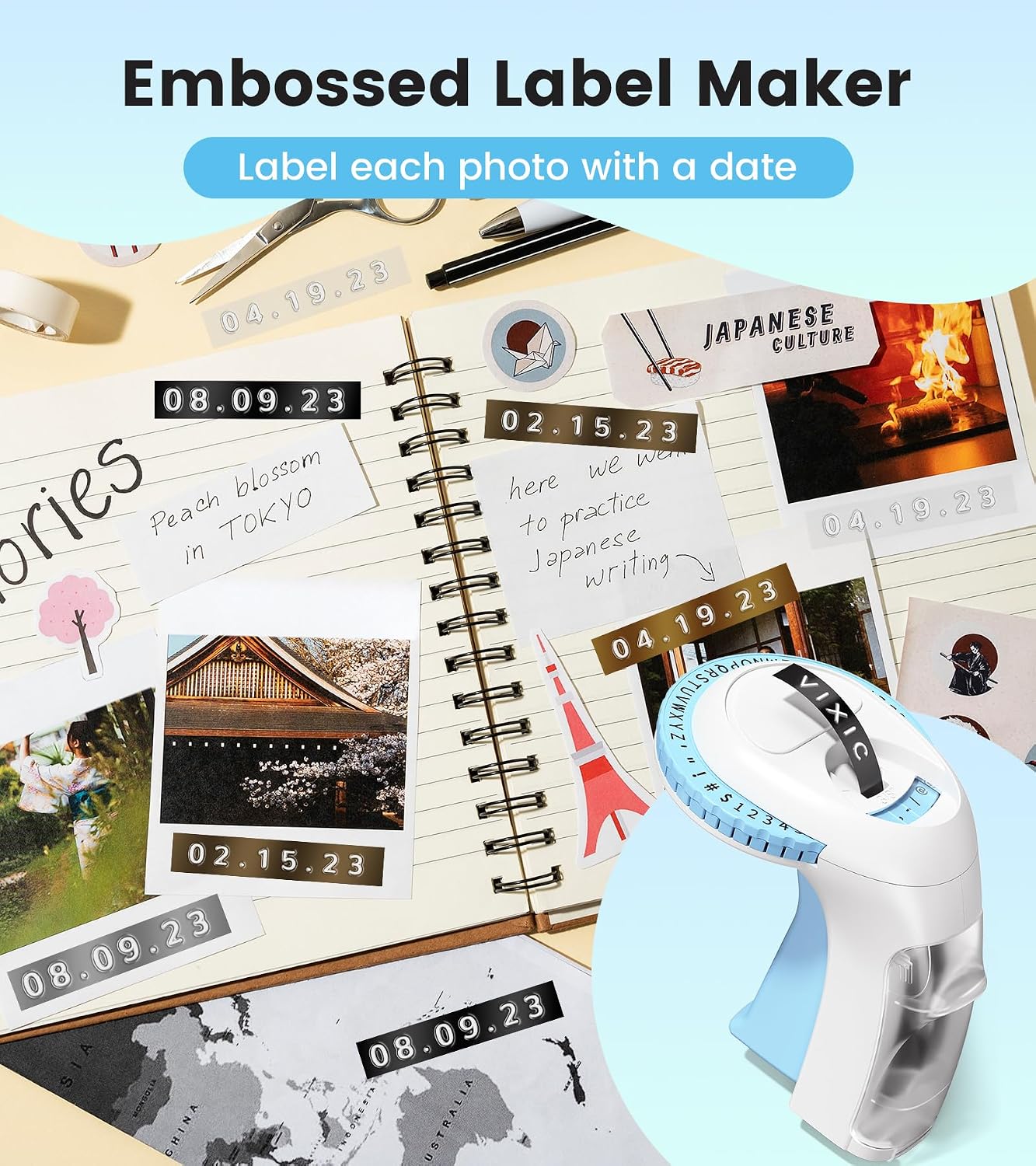
Figure 6: Examples of creative uses for your embossed labels.
Maintenance
- Cleaning: Wipe the exterior of the label maker with a soft, dry cloth. Do not use abrasive cleaners or solvents.
- Tape Compartment: Periodically check the tape compartment for any tape residue or debris that might hinder smooth tape feeding.
- Tape Compatibility: The Vixic Omega S is compatible with Vixic, Motex, and DYMO 9mm embossing label tapes.
- Checking Tape Quantity: The transparent compartment design allows you to easily check the remaining tape quantity and color.

Figure 7: Transparent design for easy monitoring of tape supply.
Troubleshooting
If you encounter any issues with your label maker, please refer to the following common solutions:
- Tape Not Feeding: Ensure the tape is correctly loaded and not jammed. Check for any obstructions in the tape path.
- Unclear Embossing: Make sure you are pressing the handle firmly and consistently for each character. The tape should be taut when embossing.
- Tape Not Cutting: Ensure the dial is rotated fully to the cutter icon and the handle is pressed completely to engage the cutter.
- Tape Peeling Off: Ensure the surface you are applying the label to is clean, dry, and smooth. The tape has strong adhesion but may not stick well to rough or dirty surfaces.
Warranty and Support
For warranty information or technical support, please contact Vixic customer service through the retailer where you purchased the product or visit the official Vixic website. Please have your product model (Omega S) and purchase details ready when contacting support.
Ask a question about this manual
Ask about setup, troubleshooting, compatibility, parts, safety, or missing instructions. Manuals+ will review the question and use this page’s manual context to help answer it.