
1. Important Safety Information
Please read and understand all safety instructions before operating this product. Failure to follow these instructions may result in electric shock, fire, or serious injury.
- Electrical Safety: Ensure the power source matches the voltage requirements (120V). Do not operate with a damaged cord or plug. Keep the power cord away from heat, oil, sharp edges, or moving parts.
- Light Intensity: The LED work light emits a very bright light. Do not stare directly into the light source, as this may cause eye damage.
- Placement: Always place the tripod on a stable, level surface to prevent tipping. Do not use in areas where the light could be easily knocked over.
- Heat: The light heads and housing may become hot during operation. Allow adequate cooling time before handling.
- Water Resistance: This product is IP66 waterproof, meaning it is protected against powerful water jets. However, it is not designed for submersion. Do not operate if the electrical connections are wet.
- Children and Pets: Keep the work light out of reach of children and pets.
2. Package Contents
Verify that all components are present and undamaged upon unpacking:
- 3 x LED Light Heads
- 1 x Adjustable & Foldable Tripod Stand
- 1 x Power Cord (integrated)
- Instruction Manual (this document)
3. Setup Instructions
Follow these steps to assemble and prepare your GUWELL work light for use:
- Unpack Components: Carefully remove all parts from the packaging.
- Assemble Tripod Stand: Extend the legs of the tripod stand until they are fully spread and stable. Secure any locking mechanisms on the tripod legs.
- Extend Telescoping Pole: Loosen the twist lock knob(s) on the telescoping pole and extend it to your desired height. Tighten the knob(s) securely to lock the pole in place.
- Attach Light Bar: Place the light bar, with the three LED heads attached, onto the top of the tripod pole. Secure it using the provided twist lock ring design. No additional tools are required for this step.
- Adjust Light Heads: Each light head can be rotated 360° horizontally and 360° vertically (one-way upward rotation). Adjust each head to direct light as needed.
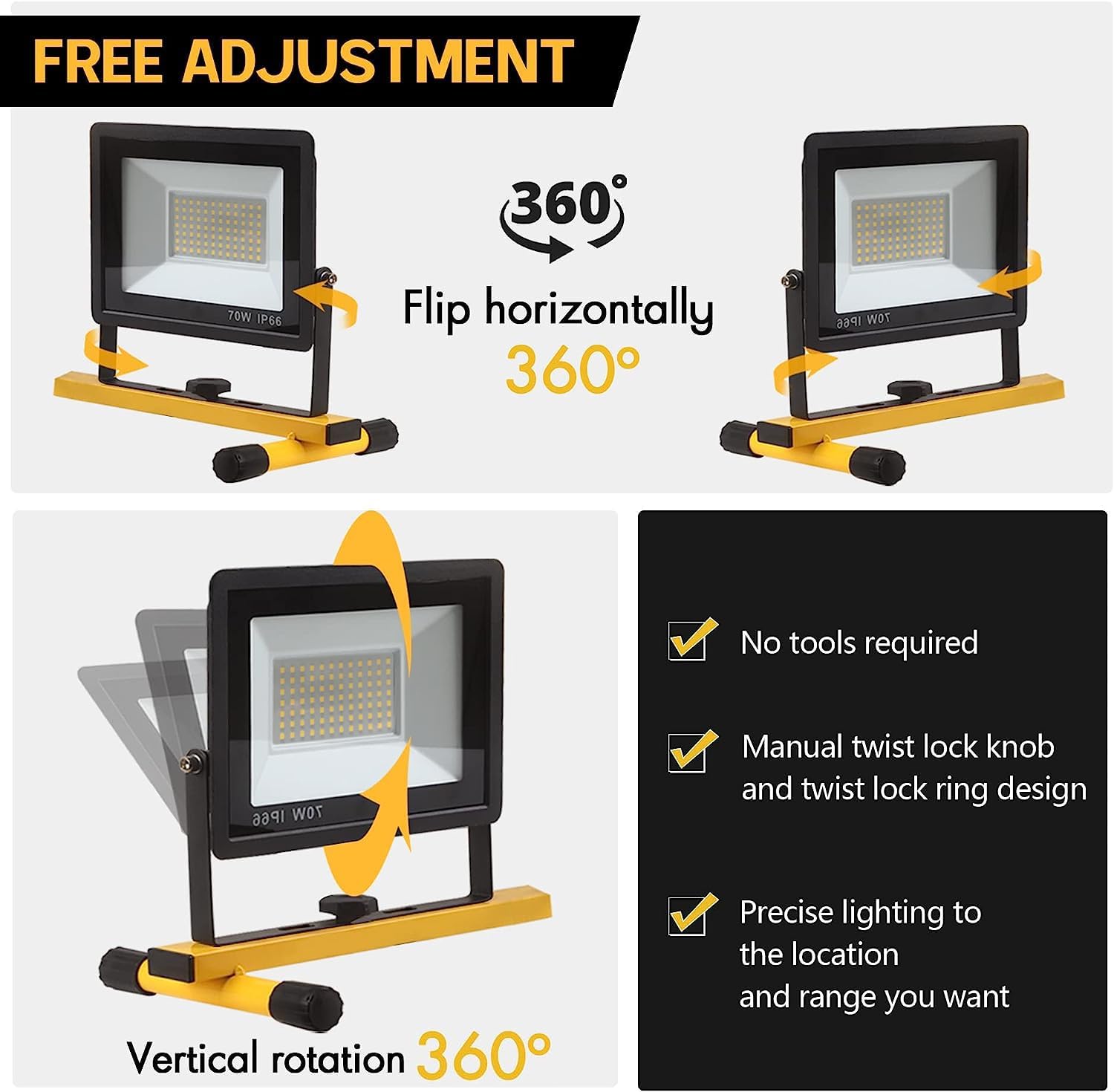
Figure 3.1: Adjustable light heads and tripod for precise lighting.
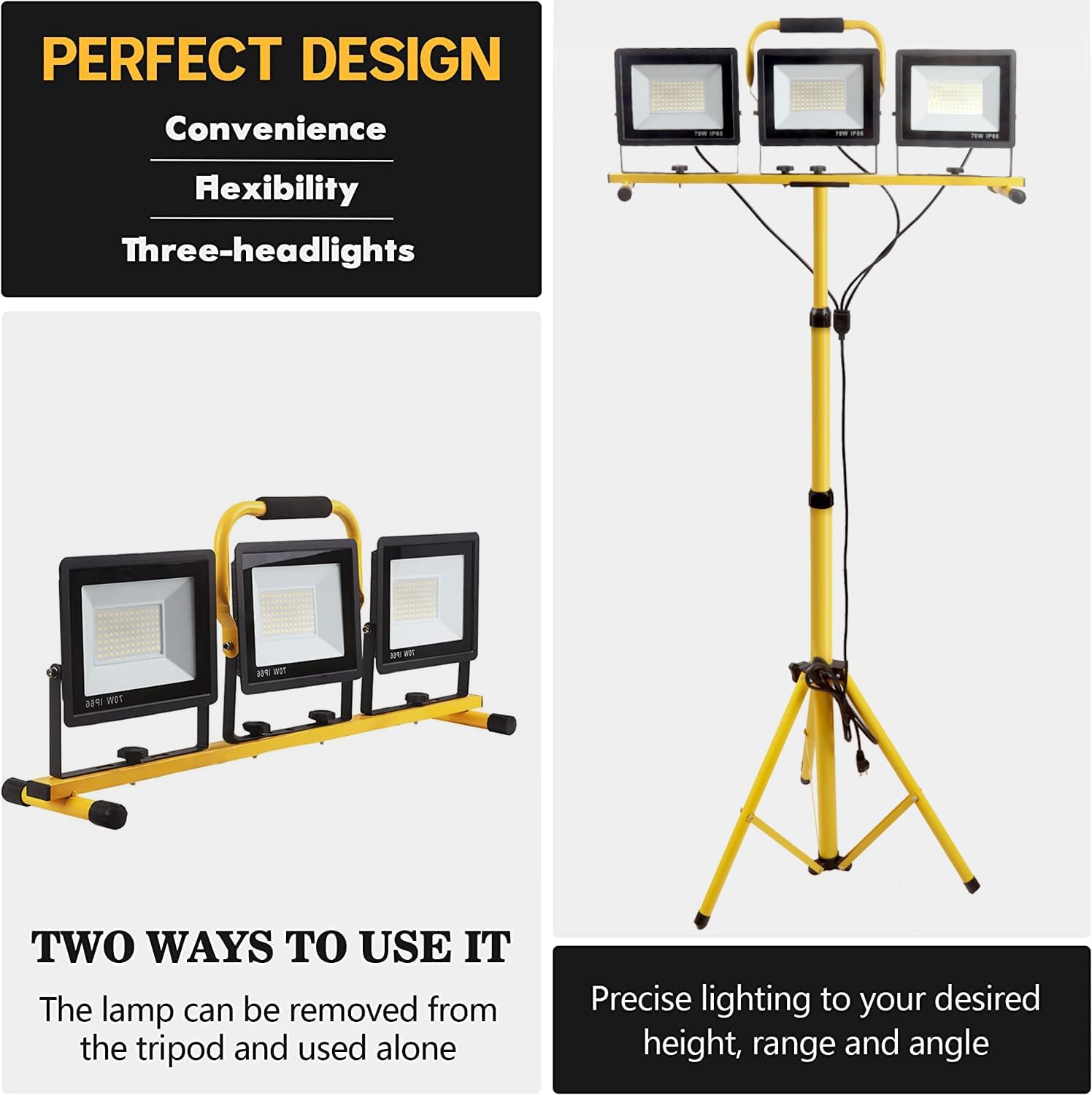
Figure 3.2: The light heads can be detached from the tripod for versatile use.

Figure 3.3: The tripod stand folds for easy transport and storage.
Video 3.1: Official GUWELL video demonstrating the assembly and features of the LED work lights with stand.
4. Operating Instructions
Once assembled, operate your work light as follows:
- Connect to Power: Plug the power cord into a standard 120V electrical outlet.
- Turn On/Off: Each light head is equipped with its own power button. Press the button on each light head to turn it on or off individually.
- Adjust Light Direction: Loosen the twist lock knobs on the side of each light head to adjust its horizontal and vertical angle. Tighten the knobs once the desired position is achieved.
- Detachable Use: For specific tasks, the individual light heads can be detached from the main bar and used independently. Ensure they are placed on a stable surface if used without the tripod.

Figure 4.1: Individual LED light head with power rating.

Figure 4.2: Safety three-hole power plug.
5. Maintenance
Proper maintenance ensures the longevity and optimal performance of your work light:
- Cleaning: Disconnect the power before cleaning. Use a soft, damp cloth to wipe down the light heads and tripod stand. Do not use abrasive cleaners or solvents.
- Inspection: Regularly inspect the power cord for any signs of damage (cuts, fraying). Check all connections and locking mechanisms for tightness.
- Storage: When not in use, fold the tripod stand and store the work light in a dry, cool place, away from direct sunlight and extreme temperatures.
- Durable Construction: The light features a rugged die-cast aluminum housing, tempered glass, and a rust-resistant lamp shell, designed for durability in various working conditions.
6. Troubleshooting
If you encounter issues with your work light, refer to the following common problems and solutions:
| Problem | Possible Cause | Solution |
|---|---|---|
| Light does not turn on | No power supply; Light head switch off; Damaged cord/plug | Check power outlet and connection; Ensure individual light switches are ON; Inspect cord for damage (do not use if damaged, contact support) |
| Light is dim or flickers | Loose connection; Power fluctuation | Ensure all connections are secure; Try a different power outlet |
| Tripod is unstable | Legs not fully extended; Locking mechanisms loose; Uneven surface | Ensure tripod legs are fully spread and locked; Tighten all locking mechanisms; Place on a flat, stable surface |
If the problem persists after attempting these solutions, please contact customer support.
7. Specifications
- Model Number: 23-WL-02
- Brand: GUWELL
- Light Output: 21000 Lumens (Maximum)
- Color Temperature: 6500 Kelvin
- Power Source: Corded Electric
- Voltage: 120 Volts
- Wattage: 210 Watts
- Mounting Type: Tripod
- Material: Aluminum
- IP Rating: IP66 Waterproof
- Number of Light Sources: 3
- Rotation: 360° Horizontal, 360° Vertical (one-way upward)
- UPC: 705583210029
8. Warranty and Support
GUWELL is committed to providing high-quality products and excellent customer service.
- Warranty: This product comes with a 3-year warranty against manufacturing defects. Please retain your proof of purchase.
- Customer Service: We offer 7/24 hours service to address any concerns or defects with your product.
For warranty claims, technical assistance, or any other inquiries, please contact us through the retailer's platform or visit the official GUWELL website for contact information.