
1. Introduction
The Adesso NuPrint 330 is a 3-inch (80mm) thermal receipt printer designed for Point of Sale (POS) and retail environments. This compact and efficient printer offers versatile connectivity options and high-speed printing capabilities to meet various business transaction needs.
It supports USB, LAN (RJ45), and Serial RS232 interfaces, allowing for flexible integration with multiple devices and POS systems.
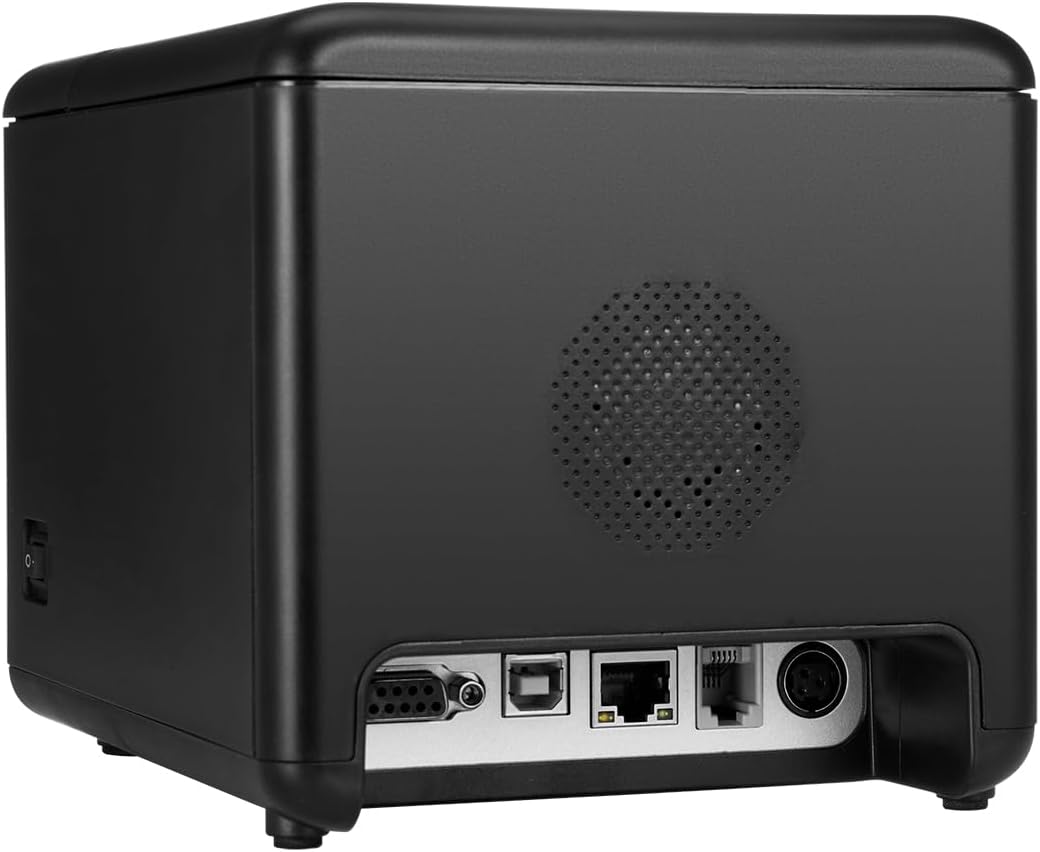
Image: The Adesso NuPrint 330 thermal receipt printer in a typical retail setting, demonstrating its use for printing receipts at a point of sale.
2. Setup
2.1 Unpacking and Initial Inspection
Carefully remove the printer from its packaging. Verify that all components are present and inspect the printer for any signs of damage. If any damage is found, contact customer support immediately.
2.2 Connecting the Printer
The NuPrint 330 offers multiple connectivity options:
- USB: Connect the printer directly to your computer or POS system using a standard USB cable.
- LAN (Ethernet): Connect the printer to your network using an RJ45 Ethernet cable for network printing capabilities.
- Serial (RS232): Use a Serial RS232 cable for connection to compatible devices.
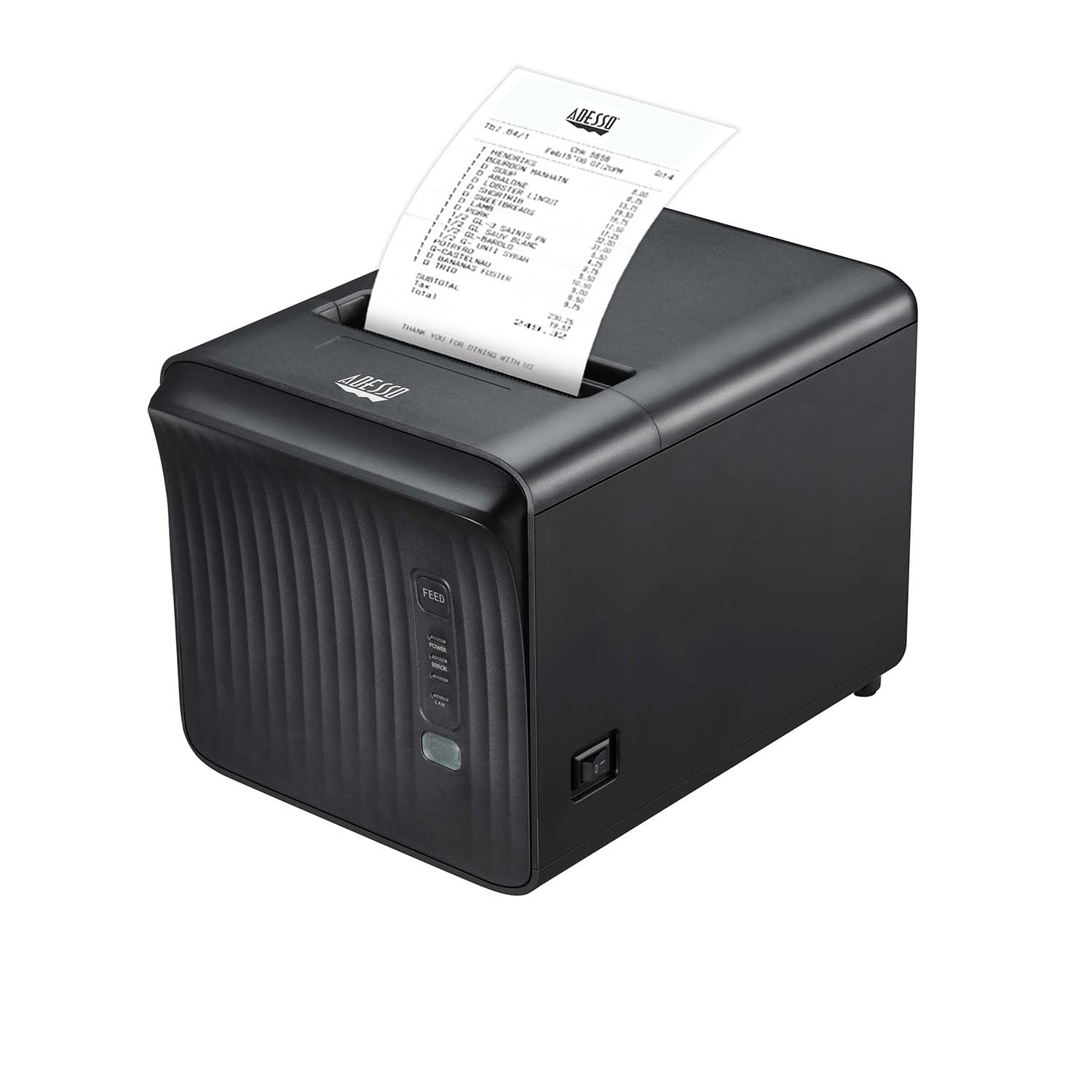
Image: The rear panel of the NuPrint 330, displaying the Serial (DB9), USB, LAN (RJ45), and cash drawer ports for various connection types.
The printer also supports connection to a cash drawer.
2.3 Loading Thermal Paper
The NuPrint 330 uses 3-inch (80mm) thermal paper rolls. Follow these steps to load the paper:
- Open the printer cover.
- Insert the thermal paper roll with the paper feeding from the bottom of the roll.
- Pull a small amount of paper past the cutter.
- Close the printer cover firmly until it latches.

Image: A diagram illustrating the compatible 80mm thermal paper roll size for the Adesso NuPrint 330 printer.

Image: The Adesso NuPrint 330 with its top cover open, showing the internal mechanism for loading a thermal paper roll.
2.4 Driver Installation
The NuPrint 330 supports Windows and Linux operating systems. Install the appropriate drivers for your system to ensure proper communication between the printer and your device. Drivers are typically provided on a CD or available for download from the manufacturer's website.

Image: The Adesso NuPrint 330 printer shown alongside various devices (desktop, laptop, tablets, smartphones), indicating its compatibility with multiple operating systems and POS setups.
3. Operating Instructions
3.1 Powering On/Off
Connect the power adapter to the printer and a power outlet. Use the power switch located on the printer to turn it on or off.
3.2 Printing Receipts
Once connected and drivers are installed, the printer will be ready to receive print commands from your POS software or application. The NuPrint 330 features a high printing speed of up to 250mm/s for efficient transaction processing.

Image: The Adesso NuPrint 330 actively printing multiple receipts, highlighting its high-speed printing capability.
3.3 Barcode Printing
The printer supports both 1D and 2D barcode printing, enhancing its versatility for various business needs. Supported barcode types include:
- 1D Barcodes: UPC-A/E, EAN13, EAN8, Code 39, Code 128, Code 93, Codabar
- 2D Barcodes: PDF417, QR Code

Image: An illustration showcasing the Adesso NuPrint 330's ability to print various 1D and 2D barcodes, including QR Code, PDF417, EAN-13, UPC-A, Code 3 of 9, Codabar, and Code 128.
3.4 Special Features
- Re-print Function: Allows for reprinting of previous receipts.
- Missing Order Printing: Helps manage and print orders that may have been missed.
- Forbid Lose Order to Print: Prevents accidental loss of print jobs.
- Warning Sounds: The printer features a loud speaker for error notifications, such as lack of paper, and a blue LED for paper reminder printing.
4. Maintenance
4.1 Cleaning the Printer
Regular cleaning helps maintain optimal performance. Use a soft, lint-free cloth to wipe the exterior of the printer. For the thermal print head, use a specialized thermal printer cleaning pen or isopropyl alcohol on a cotton swab. Ensure the printer is powered off and cooled down before cleaning the print head.
4.2 Durability and Reliability
The NuPrint 330 is built for durability:
- Autocutter: Designed to support up to 1 million cuts.
- Print Head Life: Rated for up to 150KM of printing.
- Robust Design: Features water, oil splash, and dustproof characteristics for use in demanding environments.
5. Troubleshooting
5.1 Common Issues and Solutions
- Printer Not Responding:
- Check power connection and ensure the printer is turned on.
- Verify that the data cable (USB, LAN, Serial) is securely connected to both the printer and the host device.
- Ensure the correct printer driver is installed and selected on your computer/POS system.
- No Paper/Paper Jam:
- If the printer emits warning sounds or the blue LED flashes, it may indicate a lack of paper. Reload the paper roll as described in Section 2.3.
- Open the cover and clear any jammed paper. Ensure the paper roll is inserted correctly and the cover is closed firmly.
- Poor Print Quality:
- The thermal paper might be old or stored improperly. Replace with a new roll.
- Clean the thermal print head as described in Section 4.1.
- Cutter Malfunction:
- Ensure no paper scraps are obstructing the cutter mechanism.
- If the issue persists, contact technical support.
6. Specifications
| Feature | Specification |
|---|---|
| Model Number | NuPrint 330 |
| Printing Method | Direct Thermal |
| Printing Speed | Up to 250mm/s |
| Paper Width | 3 inches (80mm) |
| Connectivity | USB, Ethernet (RJ45), Serial (RS232) |
| Autocutter Life | 1 million cuts |
| Print Head Life | 150KM |
| Barcode Support | 1D (UPC-A/E, EAN13, EAN8, Code 39, Code 128, Code 93, Codabar), 2D (PDF417, QR) |
| Operating System Support | Windows, Linux |
| Buffer | 4K NV flash, 1M data buffer |
| Weight | 1.3 Pounds |
| Color | Black |
| UPC | 783750012492 |
| ASIN | B0C6BVM6NT |

Image: A comprehensive diagram highlighting various features and specifications of the Adesso NuPrint 330, including paper support, connectivity, durability, and software compatibility.
7. Warranty Information
The Adesso NuPrint 330 Thermal Receipt Printer comes with a One Year limited warranty from the date of purchase. This warranty covers defects in materials and workmanship under normal use. Please retain your proof of purchase for warranty claims.
For detailed warranty terms and conditions, please refer to the official Adesso website or contact customer support.
8. Customer Support
For technical assistance, driver downloads, or further inquiries regarding your Adesso NuPrint 330 printer, please visit the official Adesso website or contact their customer support team.
You can also find more information and support resources on the Adesso brand store:


