
Irripool 73988
Irripool Joey Connected Pool Analyzer User Manual
Model: 73988
1. Introduction
The Irripool Joey Connected Pool Analyzer is designed to simplify pool water analysis by providing accurate measurements of key parameters directly to your smartphone via Bluetooth. This manual provides essential information for the proper setup, operation, and maintenance of your device.

Image 1.1: Front view of the Irripool Joey Connected Pool Analyzer. The device is white with blue accents on the top and bottom, featuring the 'Irripool' logo.
2. Safety Information
Please read all safety instructions before using the Irripool Joey. Failure to follow these instructions may result in damage to the device or inaccurate readings.
- Do not attempt to open or repair the device.
- Keep the device away from extreme temperatures.
- Ensure the device is fully submerged in pool water for accurate readings.
- Dispose of the device and its components according to local regulations.
3. Package Contents
Verify that all items are present in the package:
- Irripool Joey Connected Pool Analyzer
- User Manual (this document)

Image 3.1: The Irripool Joey product packaging, showing the device and a smartphone displaying the companion app interface. The box highlights features like a 3-in-1 probe and 2-year battery life.
4. Setup
4.1. App Installation
- Download the official Irripool application from your smartphone's app store (iOS or Android).
- Install the application and grant necessary permissions.
4.2. Device Pairing
- Ensure your smartphone's Bluetooth is enabled.
- Open the Irripool application.
- Follow the on-screen instructions to add a new device. The app will guide you through the pairing process with your Irripool Joey.
4.3. Pool Configuration
It is crucial to accurately configure your pool's dimensions within the application for precise parameter analysis.
- In the Irripool app, navigate to the pool settings.
- Enter the exact dimensions (length, width, depth) of your pool.
- Save the configuration.
5. Operating Instructions
5.1. Initial Placement
Once configured, place the Irripool Joey directly into your pool water. Ensure it is fully submerged and allowed to float freely.

Image 5.1: The Irripool Joey device floating in a swimming pool, demonstrating its operational placement.
5.2. Reading Data
The device continuously monitors pool parameters. To view the data:
- Open the Irripool application on your smartphone.
- The app will automatically connect to the Joey (if within Bluetooth range) and display real-time measurements for pH, disinfectant levels, salinity, and other relevant indicators.
- The application will provide recommendations based on the analyzed parameters to help maintain optimal pool chemistry.
6. Maintenance
6.1. Cleaning
Periodically clean the sensors located at the bottom of the device to ensure accurate readings. Use a soft brush or cloth and clean water. Avoid abrasive materials or harsh chemicals.
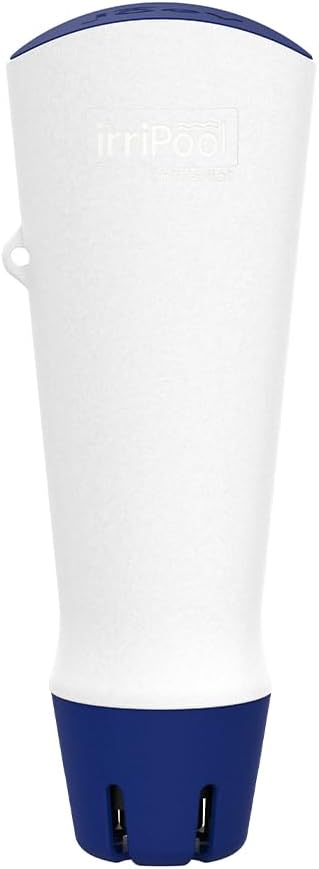
Image 6.1: Bottom view of the Irripool Joey, highlighting the blue base with sensor openings. Regular cleaning of these areas is essential for performance.
6.2. Storage
When not in use for extended periods, clean the device thoroughly, dry it, and store it in a cool, dry place away from direct sunlight.
6.3. Battery
The device is equipped with a long-life battery. Refer to the application for battery status. Battery replacement should be performed by authorized service personnel if required.
7. Troubleshooting
| Problem | Possible Cause | Solution |
|---|---|---|
| Device not connecting to app | Bluetooth off; device out of range; low battery | Ensure Bluetooth is on; move closer to device; check battery status in app. |
| Inaccurate readings | Dirty sensors; incorrect pool configuration | Clean sensors as per Section 6.1; verify pool dimensions in app. |
| App not displaying data | App not updated; temporary software glitch | Update the app to the latest version; restart the app and your smartphone. |
8. Specifications
- Model: Irripool Joey (73988)
- Material: Plastic
- Connectivity: Bluetooth
- Monitored Parameters: pH, Disinfectant, Salinity, Temperature, ORP/Redox
- Power Source: Integrated long-life battery (approx. 2 years)
- Dimensions: 253mm x 96mm
- Weight: 714g
9. Warranty Information
Information regarding the warranty for the Irripool Joey Connected Pool Analyzer is typically provided at the point of purchase or within the product packaging. Please retain your proof of purchase for warranty claims. For specific warranty terms and conditions, refer to the official Irripool website or contact customer support.
10. Customer Support
For technical assistance, troubleshooting, or general inquiries, please visit the official Irripool support website or contact their customer service department. Contact details can usually be found on the product packaging or the official brand website.
Website: www.irripool.com
Ask a question about this manual
Ask about setup, troubleshooting, compatibility, parts, safety, or missing instructions. Manuals+ will review the question and use this page’s manual context to help answer it.