
1. Introduction and Overview
Thank you for choosing the VIAGDO White Nightstand. This modern bedside table is designed to enhance your bedroom with its functional features, including a built-in charging station, customizable RGB LED lighting, two storage drawers, a pull-out tray, and a durable tempered glass tabletop. This manual provides detailed instructions for assembly, operation, and maintenance to ensure optimal use and longevity of your product.
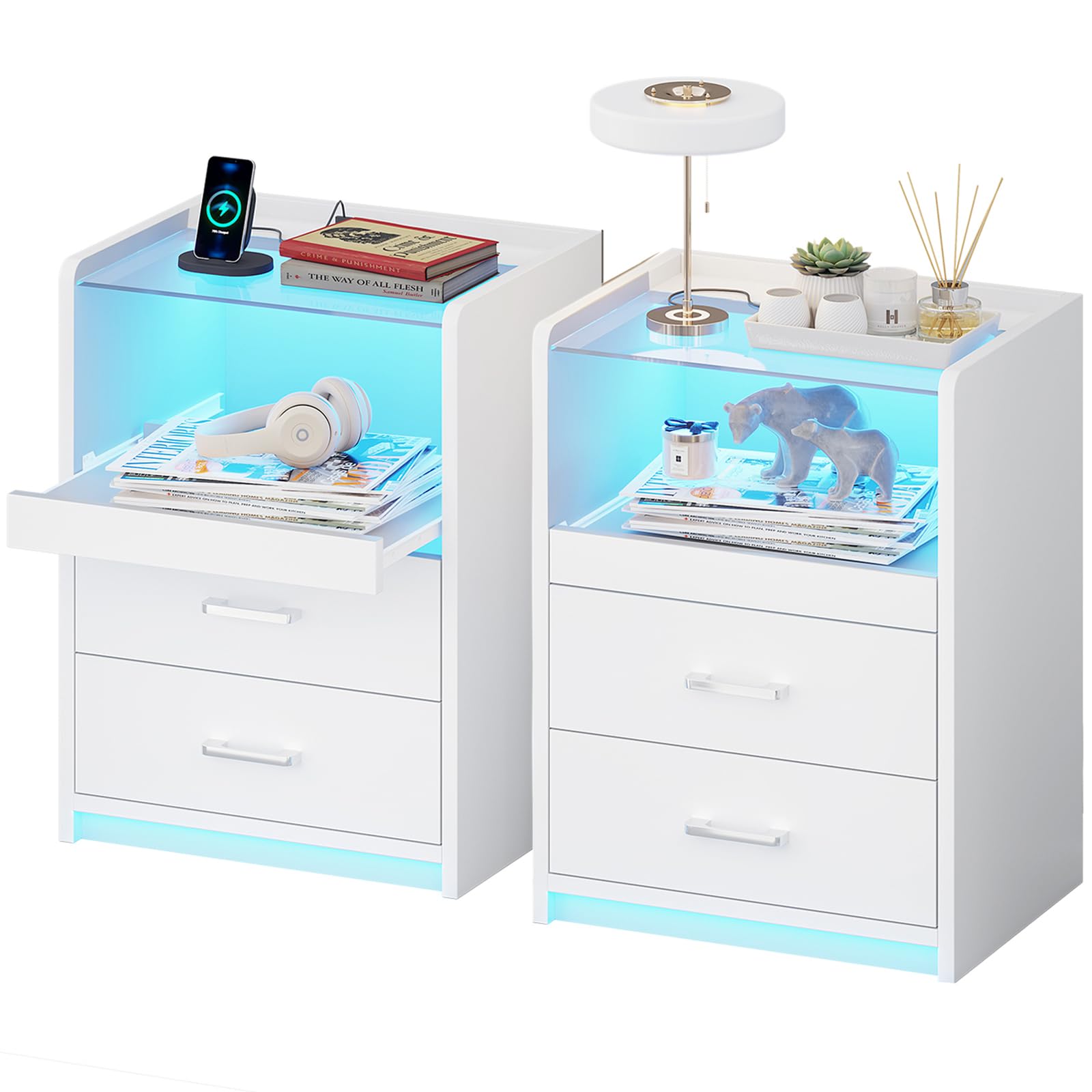
Image: The VIAGDO White Nightstand featuring LED lights, a charging station, and storage, positioned next to a bed.
2. Safety Information
- Ensure all components are securely fastened before use.
- Do not exceed the maximum weight recommendation of 44 pounds for the tabletop and 11 pounds per drawer.
- Keep liquids away from the charging station and electrical components.
- Avoid placing hot items directly on the tempered glass tabletop without protection.
- Keep small parts and packaging materials away from children to prevent choking hazards.
3. Package Contents
Verify that all parts are present before beginning assembly. If any parts are missing or damaged, please contact customer support.
- Nightstand Panels (various sizes)
- Drawer Components
- Tempered Glass Tabletop
- Charging Station Unit (with 4.9ft power cable)
- RGB LED Light Strip
- Hardware Pack (screws, dowels, drawer slides, handles)
- Assembly Guide
- Installation Tool (screwdriver)
4. Setup and Assembly
Assembly typically requires one to two individuals. Follow the step-by-step instructions provided in the included assembly guide. Pay close attention to the detailed diagrams for correct part orientation and hardware usage.
Assembly Steps:
- Unpack and Identify Parts: Lay out all components and hardware. Match them with the parts list in the assembly guide.
- Assemble the Main Frame: Connect the side panels, back panel, and base using the provided screws and dowels.
- Install Drawer Slides: Attach the drawer slides to the inner frame of the nightstand and to the drawer boxes. Ensure they are correctly aligned.
- Assemble Drawers: Construct the two drawers and attach the metal handles. Insert the assembled drawers into the frame.
- Install Charging Station: Secure the charging station unit into its designated slot on the top panel.
- Attach LED Light Strip: Adhere the RGB LED light strip to the interior of the open storage compartment. Connect its USB cable to one of the charging station's USB ports.
- Place Tempered Glass Top: Carefully position the tempered glass tabletop onto the top surface of the nightstand.
Assembly Tip:
The assembly guide features detailed pictures. Review upcoming steps if you encounter any difficulties to clarify part orientation.
Installation Video:
Video: Detailed installation guide for the LED Nightstand with Tempered Glass Top, provided by the manufacturer.
5. Operating Instructions
5.1. LED Lights Operation
The nightstand features multi-variable RGB LED lights that can be controlled in two ways:
- On-Off Switch: Use the physical switch located on the LED light strip cable to turn the lights on or off.
- Phone App Control: Download the compatible phone application (refer to the LED light strip's specific instructions for app details). The app allows access to over 60,000 RGB light colors, 29 dynamic modes, a built-in microphone for music interaction, and a timing function.
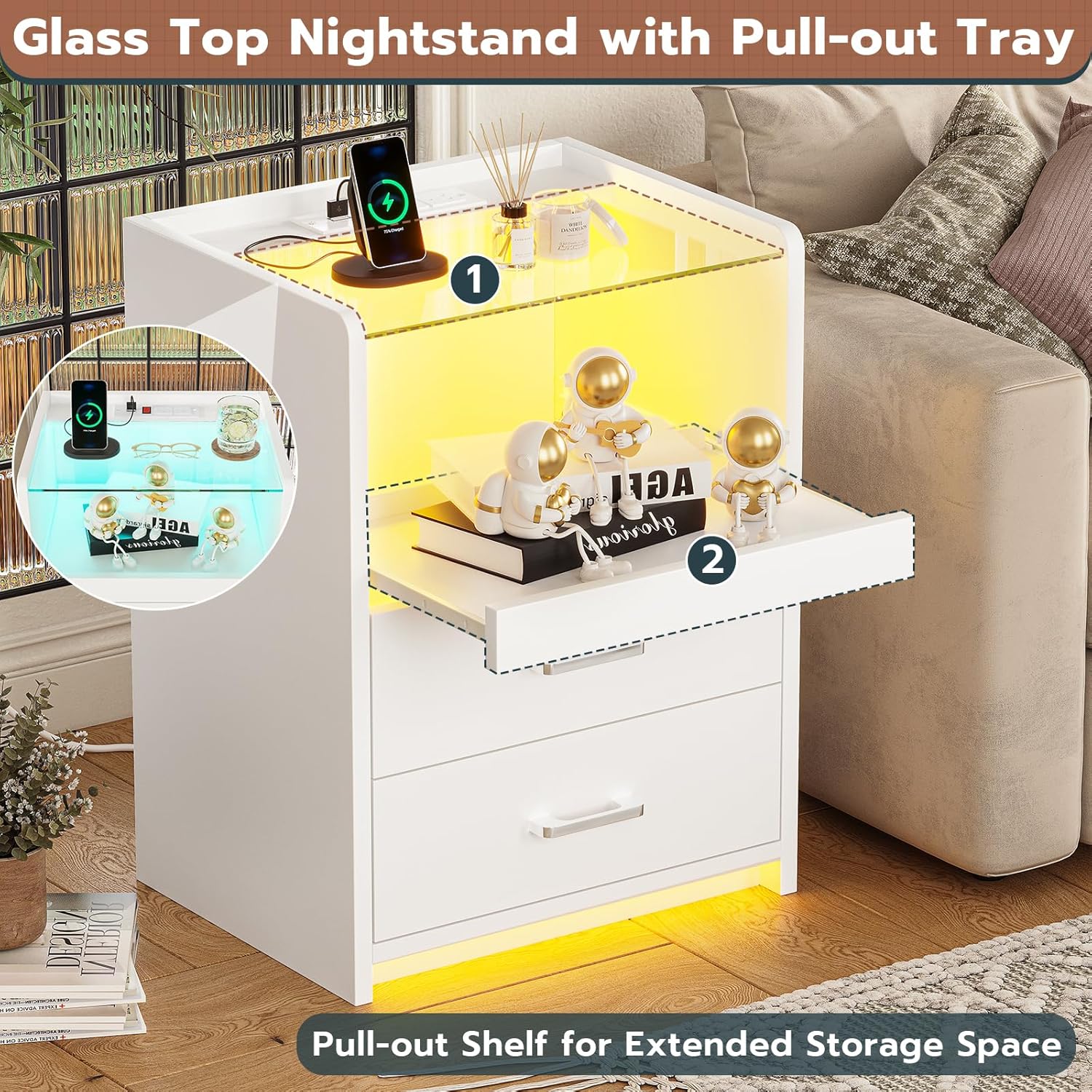
Image: Illustration of the LED light strip features, including color options, dynamic modes, music interaction, timing, and control via key or app.
5.2. Charging Station Usage
The integrated charging station provides convenient power access for your devices.
- Power Connection: Plug the 4.9ft power cable from the charging station into a standard wall outlet.
- Outlets: Use the two standard 125V/12A AC plug outlets for larger electronics.
- USB Ports: Utilize the two 5V/2A USB ports for charging smartphones, tablets, and other USB-powered devices. One USB port is typically used to power the LED light strip.
- On-Off Switch: The charging station has a dedicated on-off switch to control power to all integrated outlets and USB ports.

Image: Close-up of the charging station on the nightstand, highlighting the AC outlets, USB ports, and power cord.
5.3. Drawers and Pull-Out Tray
The nightstand offers versatile storage options:
- Pull-Out Tray: Located beneath the tempered glass top, this tray can be easily glided in and out to expand your desktop space for temporary use, such as holding a drink or a book.
- Storage Drawers: The two built-in drawers with smooth metal slides and easy-pull metal handles provide enclosed storage for personal items, helping to keep your space tidy.

Image: The nightstand with its glass tabletop, pull-out shelf extended, and drawers open, demonstrating its storage capacity.
Video: Demonstration of the charging station, tempered glass top, and LED lights in operation.
6. Maintenance
To maintain the appearance and functionality of your nightstand:
- Cleaning: Wipe surfaces with a damp cloth. Avoid harsh chemicals or abrasive cleaners that could damage the finish or tempered glass.
- Spills: Promptly clean any spills, especially near the charging station, to prevent damage.
- Hardware: Periodically check and tighten any loose screws or fasteners to ensure stability.
7. Troubleshooting
If you encounter any issues with your nightstand, refer to the following common solutions:
| Problem | Possible Cause | Solution |
|---|---|---|
| LED lights not turning on | LED strip not connected to power; power switch off; app issue. | Ensure LED strip USB is plugged into a USB port. Check the on-off switch on the LED cable. Verify app connection and settings. |
| Charging station not providing power | Main power cable unplugged; charging station switch off; wall outlet issue. | Confirm the nightstand's main power cable is securely plugged into a working wall outlet. Ensure the charging station's on-off switch is in the 'on' position. Test the wall outlet with another device. |
| Drawers are stiff or not closing smoothly | Misaligned drawer slides; obstruction; loose hardware. | Check that drawer slides are correctly installed and aligned. Remove any items obstructing the drawer path. Tighten any loose screws on the drawer slides or drawer box. |
| Pull-out tray is sticking | Obstruction; debris in tracks. | Clear any objects from the tray's path. Inspect the tracks for debris and clean if necessary. |
8. Specifications
- Brand: VIAGDO
- Model: B0C69GQ2VS
- Product Dimensions: 13.6"D x 17.7"W x 23.6"H
- Material: Engineered Wood, Metal, Tempered Glass
- Color: White
- Maximum Weight Recommendation: 44 pounds (tabletop), 11 pounds (per drawer)
- Number of Drawers: 2
- Charging Station: 2 AC Outlets (125V/12A), 2 USB Ports (5V/2A), 4.9ft Power Cable
- LED Lights: RGB, App & Switch Control, 29 Dynamic Modes, Music Sync, Timing Function
- Special Features: Pull-Out Tray, Tempered Glass Top, LED Lights, Charging Station
- Indoor/Outdoor Usage: Indoor

Image: Detailed product dimensions for the nightstand, including depth, width, height, and power cord length.
9. Warranty and Support
For any questions, concerns, or warranty claims regarding your VIAGDO nightstand, please contact the seller or manufacturer directly. Refer to your purchase documentation for specific contact information and warranty terms.