
IINE L660
IINE Protective Case for Nintendo Switch OLED
Model: L660
1. Product Overview
The IINE Protective Case is specifically designed for the Nintendo Switch OLED 7-inch model, offering comprehensive protection against drops, impacts, scratches, and dust. It features a durable construction of flexible hard polycarbonate and drop-resistant silicone, ensuring 360-degree protection for your device. The case is designed with gaming-themed elements, adding a unique aesthetic to your Switch OLED.
1.1 Package Contents
- 2 x Silicone Joy-Con Controller Covers
- 1 x Hard PC Back Cover
- 2 x Thumb Grip Caps
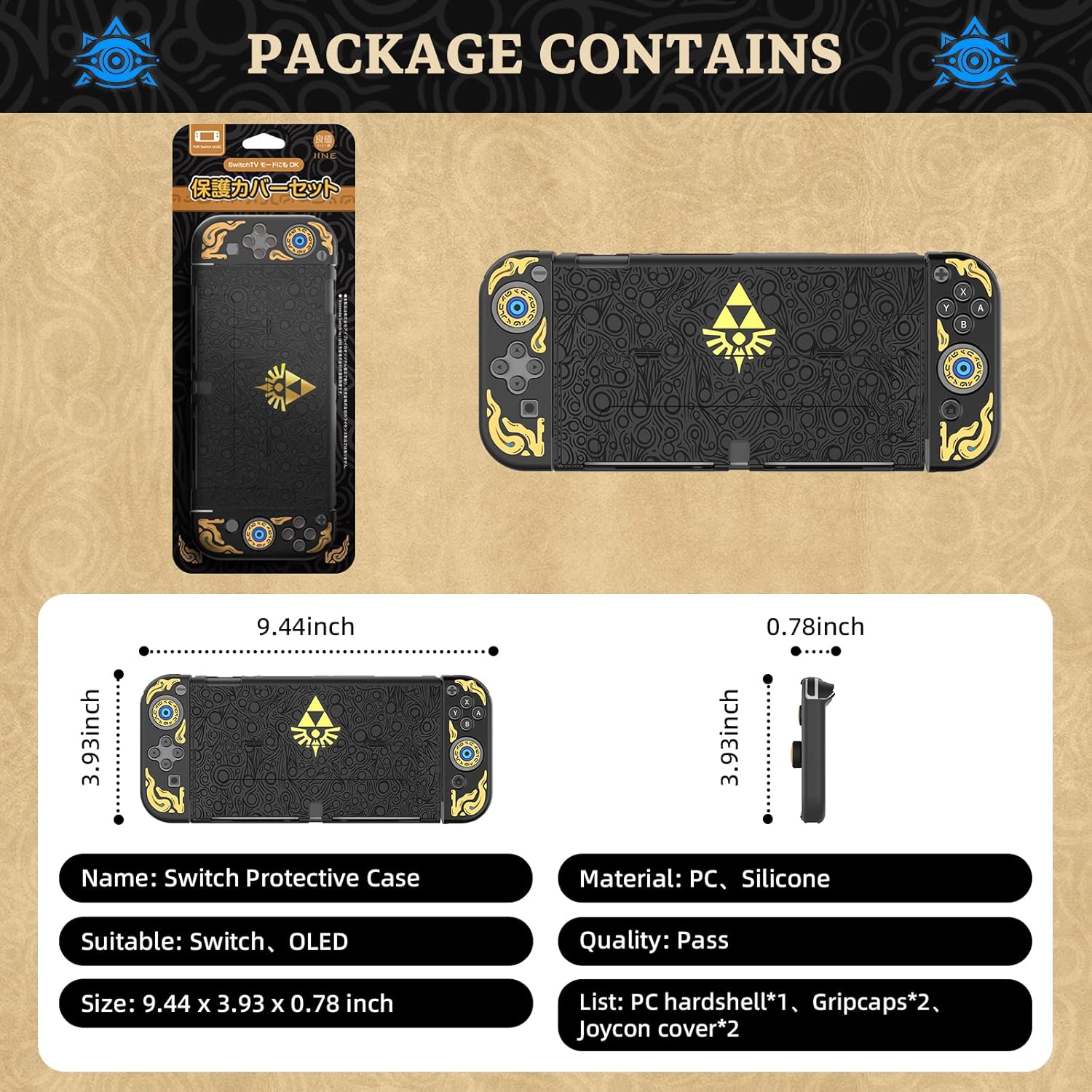
Image 1.1: Contents of the IINE Protective Case package, including the main case components and accessories.
2. Compatibility
This protective case is exclusively designed for the Nintendo Switch OLED Model. It is not compatible with the original Nintendo Switch (2017 model) or the Nintendo Switch Lite.

Image 2.1: Visual representation of case compatibility, highlighting exclusive fit for Switch OLED.
3. Installation Guide
The IINE Protective Case is designed for easy installation and removal, allowing you to protect your device without hassle.
3.1 Installing the Back Cover
- Ensure your Nintendo Switch OLED console is clean and free of dust.
- Align the hard PC back cover with the console, ensuring all cutouts match the ports and buttons.
- Gently snap the back cover onto the console until it is securely in place.
3.2 Installing the Joy-Con Covers
- Slide the silicone Joy-Con covers onto each Joy-Con controller.
- Ensure the covers are properly aligned with the buttons and analog sticks for smooth operation.
3.3 Installing the Thumb Grip Caps
- Carefully place the thumb grip caps over the analog sticks of your Joy-Cons.
- Press down gently to ensure they are seated firmly.

Image 3.1: The IINE Protective Case fully installed on a Nintendo Switch OLED console.
4. Operating Features
4.1 Docking Compatibility
The IINE Protective Case is designed to fit perfectly into the Nintendo Switch OLED docking station without requiring removal of the case. Its ultra-thin design ensures seamless docking for TV mode.
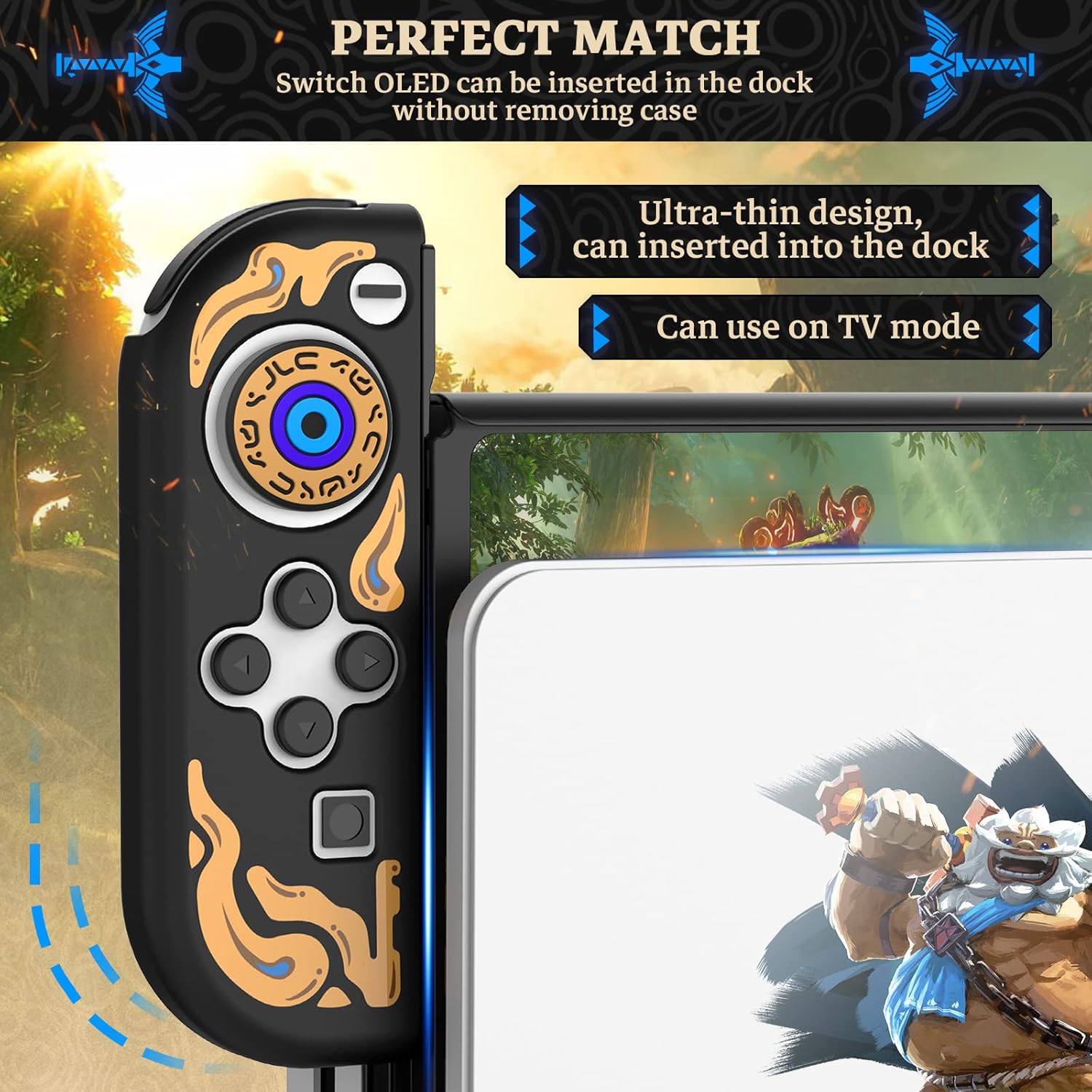
Image 4.1: The case's thin design allows for docking without removal.
4.2 Precise Cutouts and Access
The case features precise cutouts for all buttons, ports, and the kickstand, ensuring full accessibility and smooth operation. You can easily reach all controls and connect accessories without obstruction.

Image 4.2: Detailed view of precise cutouts for unhindered access.
4.3 Integrated Kickstand
The back cover includes an integrated, foldable kickstand that allows you to prop up your Nintendo Switch OLED for tabletop gaming or media viewing.
5. Maintenance
To ensure the longevity and appearance of your IINE Protective Case, follow these simple maintenance guidelines:
- Cleaning: Wipe the case regularly with a soft, damp cloth to remove dust and fingerprints. For stubborn dirt, a mild soap solution can be used, followed by wiping with a clean, dry cloth.
- Avoid Harsh Chemicals: Do not use abrasive cleaners, solvents, or strong chemicals, as these can damage the material and finish of the case.
- Storage: When not in use, store the case in a cool, dry place away from direct sunlight and extreme temperatures.
6. Troubleshooting
If you encounter any issues with your IINE Protective Case, consider the following common solutions:
- Case not fitting properly: Ensure you have the Nintendo Switch OLED model. This case is not compatible with the original Switch or Switch Lite. Double-check alignment during installation.
- Difficulty docking: While designed for docking, ensure the case is fully seated on the console and that the dock's port is clear of any obstructions.
- Buttons feel obstructed: Verify that the Joy-Con covers are correctly aligned with the buttons. The silicone material is flexible and should not hinder button presses when installed correctly.
If problems persist, please refer to the Support section for contact information.
7. Specifications
| Feature | Detail |
|---|---|
| Model Number | L660 |
| Compatibility | Nintendo Switch OLED Model (7-inch) |
| Material | Hard PC (Polycarbonate) and Silicone |
| Dimensions (Approx.) | 9.44 x 3.93 x 0.78 inches (24 x 10 x 2 cm) |
| Protection Features | 360-degree protection, anti-drop, anti-scratch, shock absorption |
8. Support
IINE is committed to providing excellent customer service. If you have any questions, concerns, or require assistance with your product, please do not hesitate to contact us.
- Customer Service: We offer 24-hour professional service.
- Contact: Please reach out via the QA section or email provided by your retailer.
For more information about IINE products, visit the official IINE Brand Store.
Related documentsL660


Ask a question about this manual
Ask about setup, troubleshooting, compatibility, parts, safety, or missing instructions. Manuals+ will review the question and use this page’s manual context to help answer it.