1. Introduction
The AC Infinity IONBEAM S16 Full Spectrum LED Grow Light Bars are designed to enhance plant growth by providing supplemental or inter-canopy lighting. This system utilizes high-efficiency Samsung LM301H EVO diodes to deliver powerful, full-spectrum light, optimizing conditions for both vegetative and flowering stages of indoor plants. The included digital controller allows for precise control over light intensity and scheduling.

Image: Four AC Infinity IONBEAM S16 LED grow light bars connected to a digital controller.
2. Setup
The IONBEAM S16 light bars offer versatile mounting options for various grow environments, including grow tents and greenhouses. Each light bar features integrated magnets for direct attachment to metal surfaces, such as grow tent frames. For non-magnetic surfaces, the included magnetic mounting bars can be used to sandwich the grow tent canvas, securing the light bars in place.
2.1 Package Contents
- IONBEAM S16 LED Grow Light Bars (4 units)
- Digital Dimming Timer Controller
- Magnetic Mounting Bars
- Power Adapter
- Connection Cables
2.2 Installation Steps
- Determine Placement: Identify areas within your grow space that require additional lighting, such as under the main canopy or in corners.
- Mount Light Bars:
- Magnetic Surfaces: Simply attach the light bars directly to any metal frame or pole.
- Non-Magnetic Surfaces: Position a magnetic mounting bar on the exterior of the grow tent fabric and align an IONBEAM light bar on the interior. The magnets will secure the light bar to the fabric.
- Connect Cables: Connect the light bars to each other using the provided connection cables. Then, connect the last light bar in the chain to the digital dimming timer controller.
- Power Connection: Plug the power adapter into the controller and then into a power outlet.

Image: IONBEAM S16 light bars mounted vertically inside a grow tent, providing supplemental light to a plant.
2.3 Video Guide: All About the AC Infinity IONBEAM Grow Light Bars
Video Description: An official AC Infinity video demonstrating the features and installation of the IONBEAM Grow Light Bars, including various mounting configurations and benefits for plant growth.
3. Operating Instructions
The digital dimming timer controller provides comprehensive control over your IONBEAM S16 light bars, allowing you to customize lighting schedules and intensity levels to suit your plants' specific needs.

Image: Close-up of the AC Infinity digital controller displaying schedule and time settings.
3.1 Controller Functions
- Power On/Off: Press the power button to turn the lights on or off.
- Intensity Adjustment: Use the up/down arrows to select from ten different light intensity levels (0-100%).
- Schedule Programming: Set custom ON/OFF times and durations for daily operation. The controller retains settings even after a power outage.
- UIS Ecosystem Integration: The controller can connect to other AC Infinity Universal Intelligent System (UIS) devices for advanced automation and environmental control.
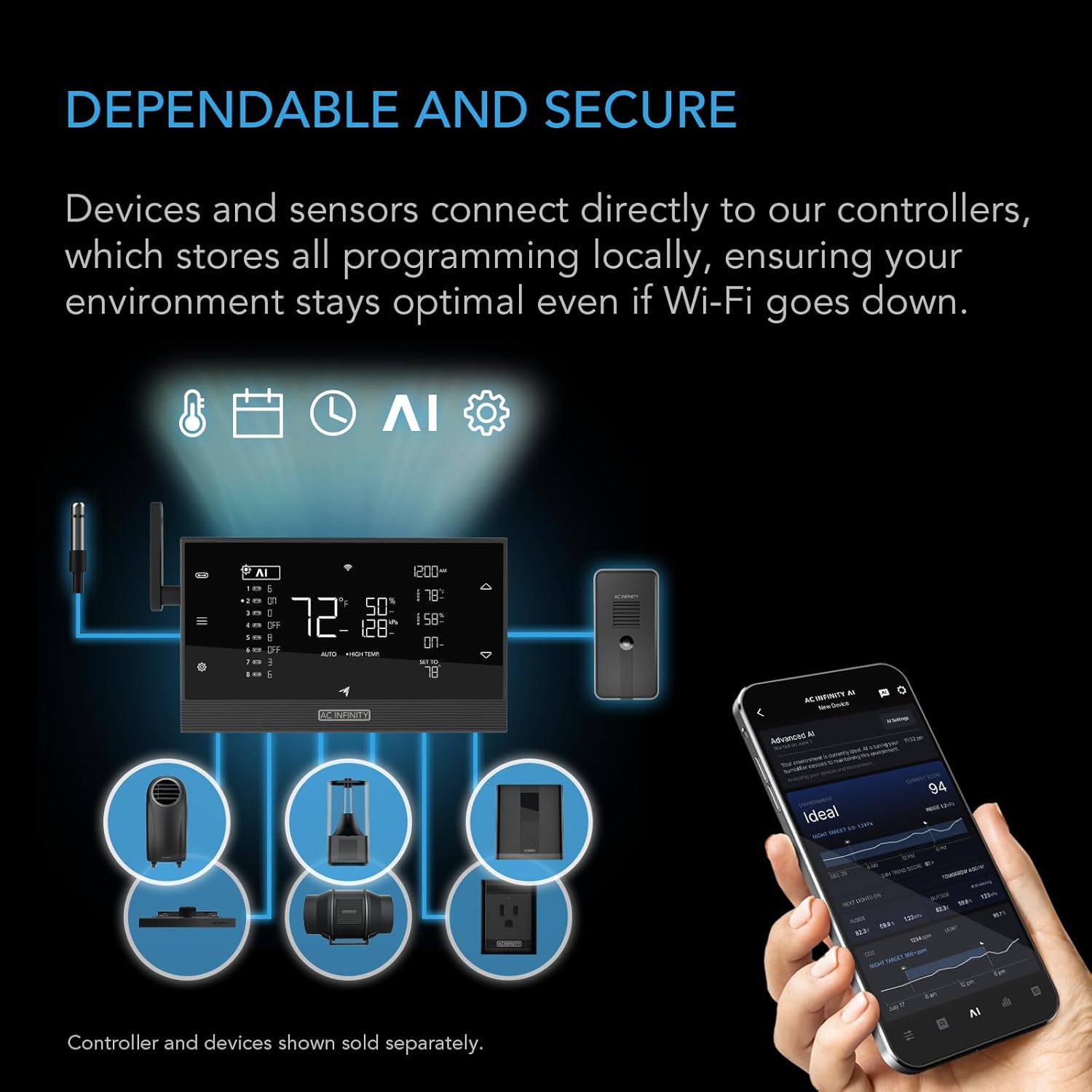
Image: Diagram illustrating the connectivity of AC Infinity devices within the UIS ecosystem, including the IONBEAM lights and a smartphone app for control.
4. Maintenance
Regular maintenance ensures the longevity and optimal performance of your AC Infinity IONBEAM S16 LED Grow Light Bars.
4.1 Cleaning
- Ensure the device is unplugged before cleaning.
- Gently wipe the light bars and controller with a soft, dry cloth to remove dust and debris.
- Avoid using harsh chemicals or abrasive materials, as these can damage the finish or electronic components.
4.2 Inspection
- Periodically inspect all cables and connections for any signs of wear, fraying, or damage.
- Ensure all connections are secure to prevent intermittent power or performance issues.
4.3 Storage
- If storing the light bars for an extended period, disconnect them from power and store them in a cool, dry place away from direct sunlight and extreme temperatures.
5. Troubleshooting
If you encounter any issues with your IONBEAM S16 light bars, refer to the following common troubleshooting steps:
5.1 Lights Not Turning On
- Check Power: Ensure the power adapter is securely plugged into both the controller and a working electrical outlet.
- Verify Connections: Confirm that all light bars are properly connected to each other and to the controller.
- Controller Status: Check the controller display for any error messages or ensure it is not in an OFF state.
5.2 Inconsistent Light Output or Dimming Issues
- Controller Settings: Review the intensity settings and programmed schedules on the digital controller.
- Cable Integrity: Inspect connection cables for any damage that might cause intermittent power delivery.
5.3 Uneven Light Distribution
- Adjust Placement: Reposition the light bars to ensure even coverage across the plant canopy. Utilize the magnetic mounting flexibility to optimize light angles.
- Check for Obstructions: Ensure no leaves or other objects are blocking the light path.
6. Specifications
Detailed technical specifications for the AC Infinity IONBEAM S16 Full Spectrum LED Grow Light Bars:

Image: Detailed diagram outlining the specifications and physical dimensions of the IONBEAM S16 light bars and controller.
| Feature | Specification |
|---|---|
| Model | IONBEAM S16 (AC-NES16) |
| Power Usage | 45 Watts (per set of 4 bars) |
| Diodes | Samsung LM301H EVO |
| Controls | Digital Dimmer + Schedule Controller |
| IP Rating | IP65 (Water Resistant) |
| Product Dimensions | 1.08"D x 16.02"W x 0.63"H (per bar) |
| Wattage | 15 watts (per bar) |
| Efficiency | 3.14 µmol/J PPE |
| Number of Light Sources | 4 |
| Light Source Type | LED |
| Material | Aluminum |
| Mounting Type | Magnetic Mount |
| Included Components | Magnetic Mounting Bars |
7. Warranty and Support
AC Infinity products are designed for reliability and performance. For specific warranty details and to register your product, please visit the official AC Infinity website. Our customer support team is available to assist with any questions or concerns regarding your IONBEAM S16 LED Grow Light Bars.
7.1 Contact Information
- Website: www.acinfinity.com
- Refer to the product packaging or official website for the most current support contact methods.


