1. Introduction
Welcome to your new MYLEK 12L Dehumidifier. This appliance is designed to efficiently remove excess moisture from your indoor environment, helping to prevent dampness, mould, and mildew, and to aid in drying clothes.
This manual provides important information on the safe operation, installation, maintenance, and troubleshooting of your dehumidifier. Please read it thoroughly before first use and keep it for future reference.
2. Safety Information
Always follow basic safety precautions when using electrical appliances to reduce the risk of fire, electric shock, or injury.
- Ensure the power supply matches the rating label on the unit.
- Do not operate with a damaged cord or plug.
- Keep the unit upright during operation and transport.
- Do not block air inlets or outlets.
- Keep children and pets away from the appliance.
- Unplug before cleaning or maintenance.
- This appliance uses R290 refrigerant; ensure proper ventilation if a leak is suspected and do not puncture the refrigerant circuit.
3. Product Overview
Familiarize yourself with the components and features of your MYLEK Dehumidifier.

Figure 3.1: Front view of the MYLEK 12L Dehumidifier, showing the air outlet at the top, the MYLEK logo, and castor wheels at the base.

Figure 3.2: Side view illustrating the dimensions of the MYLEK 12L Dehumidifier: 22.5cm width, 22cm depth, and 44.5cm height. The unit weighs approximately 9.5kg.
3.1 Control Panel
The digital display and soft-touch buttons allow for easy operation and monitoring of your dehumidifier.

Figure 3.3: Top view of the dehumidifier showing the intelligent humidity sensor indicator lights and digital display. Blue indicates humidity less than 45%, Green indicates 45-65%, and Red indicates greater than 65%.
The control panel features:
- Power Button
- Mode Selection (Auto, Continuous, Sleep)
- Fan Speed Control (High/Low)
- Humidity Setting Buttons
- Timer Button
- Child Lock Button
- Digital Display
- Humidity Indicator Lights
4. Setup
4.1 Unpacking
Carefully remove the dehumidifier from its packaging. Retain packaging for future storage or transport.
4.2 Placement
Place the dehumidifier on a flat, stable surface. Ensure there is at least 20cm of clear space around all sides for proper airflow. Do not place near heat sources or in direct sunlight.
4.3 Power Connection
Plug the power cord into a grounded electrical outlet (AC220-240V, 50Hz).
5. Operating Instructions
5.1 Power On/Off
Press the Power button to turn the unit on or off.
5.2 Mode Selection
Press the Mode button to cycle through the operating modes:
- AUTO Mode: The unit automatically adjusts operation based on the set humidity level.
- CONTINUOUS Mode: The unit operates continuously, ideal for drying clothes or rapidly reducing high humidity.
- SLEEP Mode: Operates at a lower fan speed for quieter operation, suitable for nighttime use.
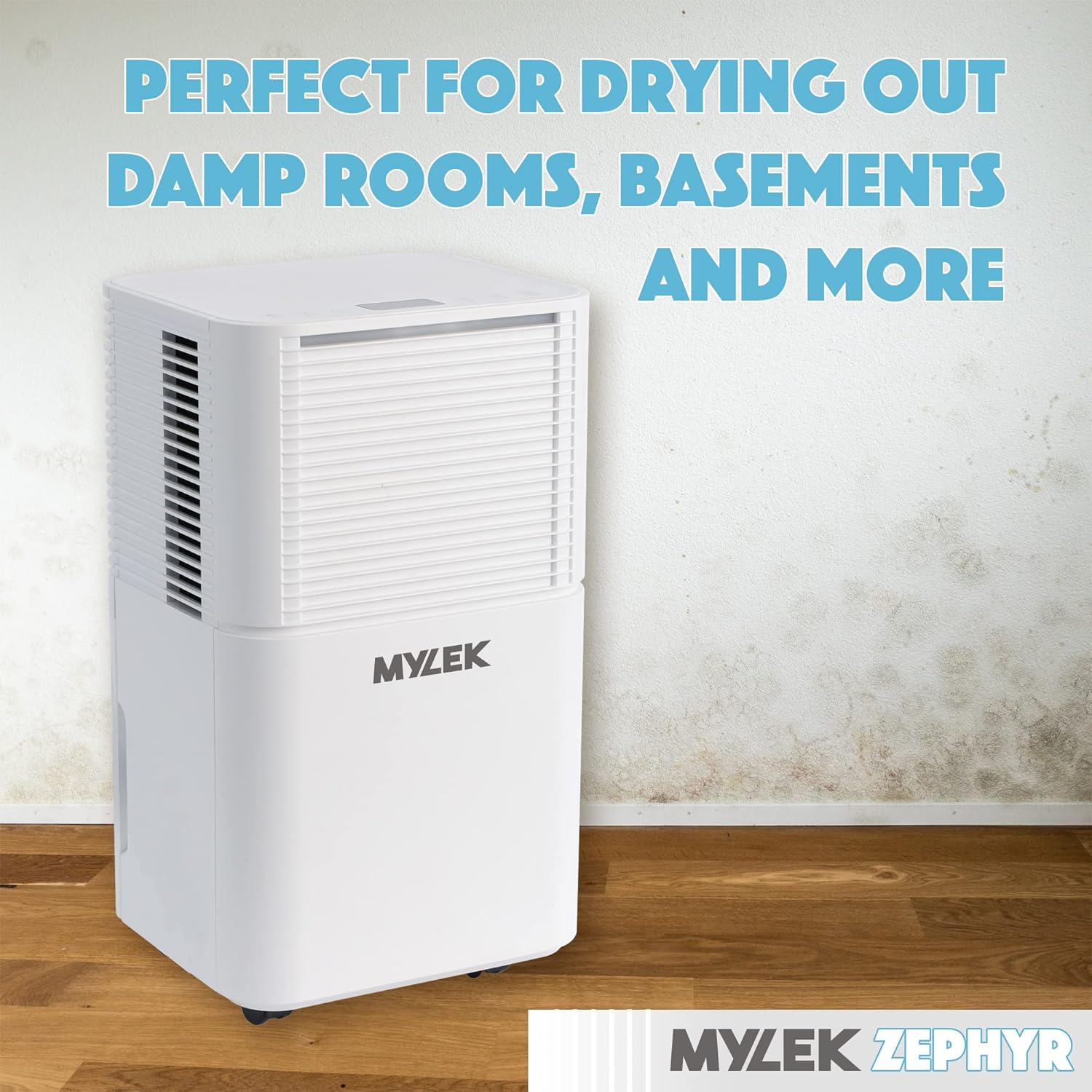
Figure 5.1: The MYLEK Dehumidifier operating in dehumidify mode, suitable for drying clothes and general humidity control.
5.3 Fan Speed
Press the Fan Speed button to switch between High and Low fan speeds.
5.4 Humidity Setting
In AUTO mode, use the humidity setting buttons to set your desired humidity level (30% - 80%). The unit will operate to maintain this level.
5.5 Timer Function
Use the Timer button to set a countdown timer (up to 24 hours) for the unit to turn on or off automatically.
5.6 Child Lock
Press and hold the Child Lock button for 3 seconds to activate or deactivate the child lock, preventing accidental changes to settings.
5.7 Continuous Drainage
For continuous operation without emptying the water tank, attach the supplied drain hose to the continuous drainage outlet and direct it to a suitable drain or container.

Figure 5.2: The dehumidifier connected for continuous drainage, showing a hose extending from the unit into a blue collection bucket.
6. Maintenance
Regular maintenance ensures optimal performance and longevity of your dehumidifier. Always unplug the unit before performing any maintenance.
6.1 Emptying the Water Tank
When the water tank is full, the unit will automatically shut off and an indicator light will illuminate. Carefully remove the tank from the back of the unit and empty the collected water. Reinsert the tank firmly until it clicks into place.

Figure 6.1: The MYLEK Dehumidifier with its removable water tank detached for emptying.
6.2 Cleaning the Air Filter
The air filter should be cleaned every two weeks or more frequently depending on usage and environmental conditions.
- Remove the filter from the back of the unit.
- Wash the filter with warm, soapy water.
- Rinse thoroughly and allow it to air dry completely before reinserting.

Figure 6.2: The MYLEK Dehumidifier showing the quick-release washable filter being removed from the back of the unit.
6.3 Cleaning the Exterior
Wipe the exterior of the unit with a soft, damp cloth. Do not use harsh chemicals or abrasive cleaners.
7. Troubleshooting
Before contacting customer service, please refer to the following table for common issues and their solutions.
| Problem | Possible Cause | Solution |
|---|---|---|
| Unit does not turn on | No power; Power cord not plugged in; Water tank full or not properly inserted. | Check power supply; Plug in power cord securely; Empty and reinsert water tank correctly. |
| No dehumidification | Air filter clogged; Room temperature too low; Humidity setting too high. | Clean air filter; Ensure room temperature is above 5°C; Lower humidity setting. |
| Unit is noisy | Unit not on a flat surface; Air filter clogged. | Place on a flat, stable surface; Clean air filter. |
| Water leaking | Water tank not properly inserted; Continuous drainage hose loose or blocked. | Reinsert water tank correctly; Check continuous drainage hose connection and ensure it's not blocked. |
8. Specifications
Technical specifications for the MYLEK 12L Dehumidifier (Model: MYDH31B).
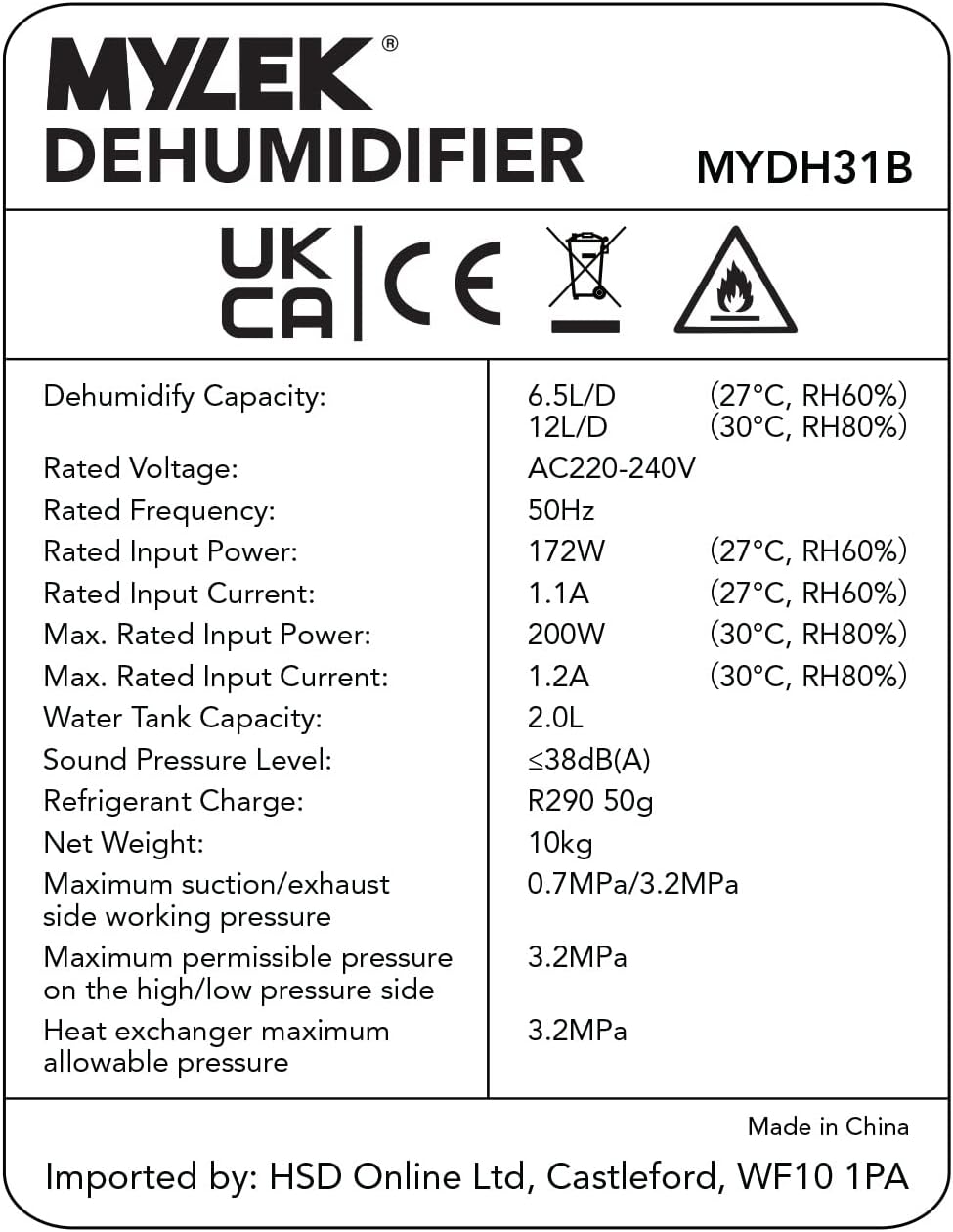
Figure 8.1: Technical specifications label for the MYLEK Dehumidifier, Model MYDH31B.
| Feature | Specification |
|---|---|
| Model | MYDH31B |
| Dehumidify Capacity | 12 Litres/Day (30°C, RH80%) |
| Rated Voltage | AC220-240V |
| Rated Frequency | 50Hz |
| Rated Input Power | 172W (27°C, RH60%) / 200W (30°C, RH80%) |
| Water Tank Capacity | 2.0 Litres |
| Noise Level | ≤38dB(A) |
| Refrigerant Charge | R290 50g |
| Net Weight | 9.5 kg |
| Product Dimensions (HxWxD) | 44.5 x 22.5 x 22 cm |
| Room Coverage | Up to 36m² |
9. Warranty and Support
Your MYLEK Dehumidifier comes with a two-year warranty. For any support needs, parts, or replacement services, please contact MYLEK customer service.
For further assistance, please visit the official MYLEK store: MYLEK Store on Amazon.


