
Introduction
This manual provides instructions for the ALLIMITY SN-14-AL Replacement Remote Control. This remote is designed to be compatible with various Sony television models, offering a direct replacement for your original remote without requiring complex programming.
Product Overview
The ALLIMITY SN-14-AL remote control is a functional replacement unit. It features a standard layout for easy navigation and control of compatible Sony televisions.

Image 1: Front view of the ALLIMITY SN-14-AL Replacement Remote Control, showing all buttons and their labels.
Key Features:
- No programming required; ready to use after battery installation.
- Direct replacement for original Sony remote models.
- Ergonomic design for comfortable handling.
Compatible Sony TV Models:
- KDL37XBR6
- KDL40V4100, KDL40V4150, KDL40W4100
- KDL42V4100
- KDL46V4100, KDL46W4100, KDL46W4150
- KDL52W4100, KDL52V4100
- KDL32XBR6, KDL46S4100, KDL52S4100
Replaces Original Remote Models:
- RM-YD021, RM-YD024, RM-YD025, RM-YD026, RM-YD027
- RM-YD065, RM-YD092, RM-YD102, RM-YD103
- RM-Y156, RM-YD005, RM-YD014, RM-YD018, RM-YD028, RM-YD040, RM-YD063
Setup
The ALLIMITY SN-14-AL remote control does not require any programming. Simply insert batteries, and it will be ready for use with your compatible Sony television.
Battery Installation:
- Locate the battery compartment cover on the back of the remote control.
- Slide the cover downwards or press the latch and lift to open the compartment.
- Insert two (2) AAA alkaline batteries, ensuring the positive (+) and negative (-) terminals align correctly with the markings inside the compartment.
- Replace the battery compartment cover by sliding it back into place until it clicks securely.
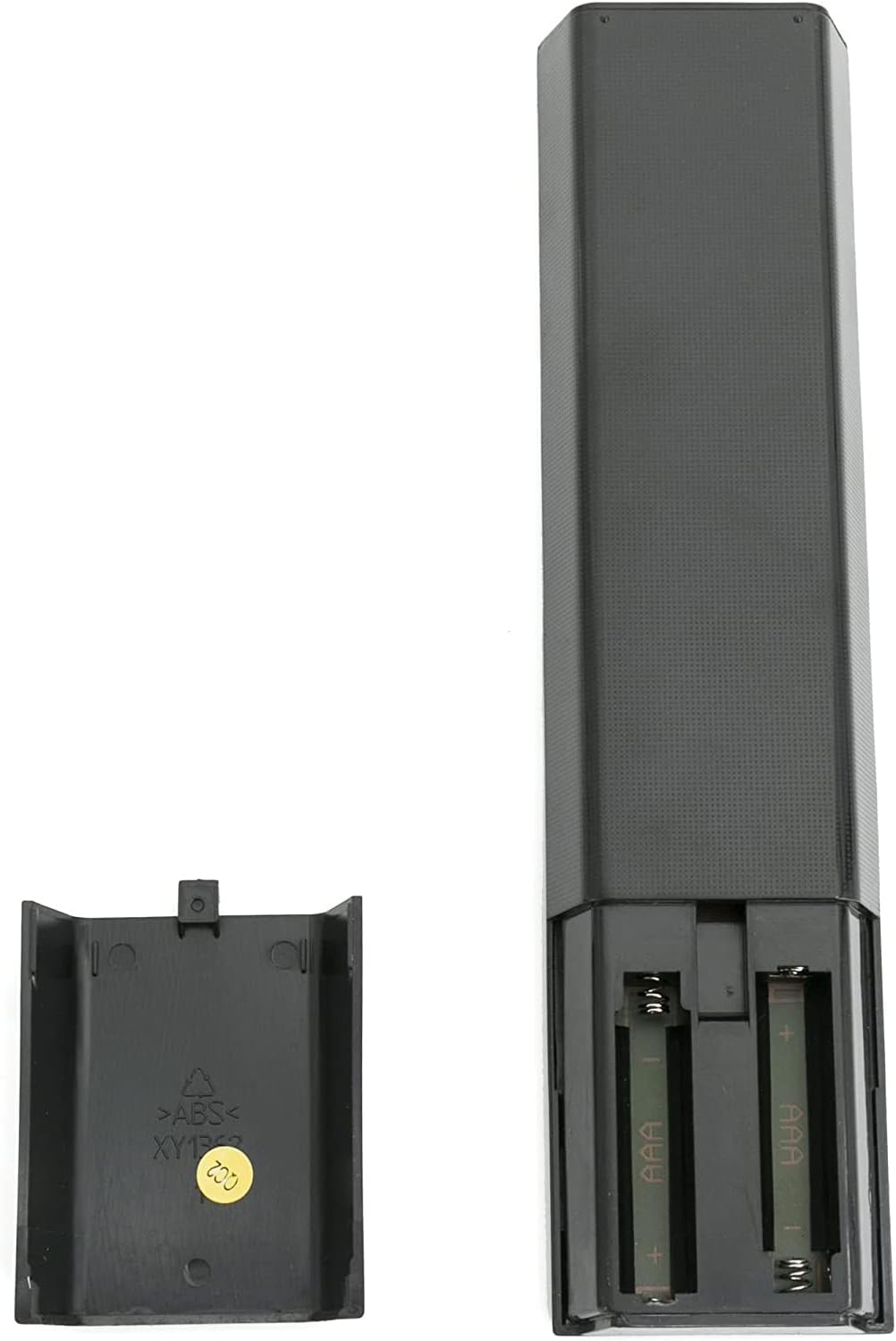
Image 2: View of the remote control with the battery compartment open, showing where to insert AAA batteries.
Note:
- Do not mix old and new batteries.
- Do not mix alkaline, standard (carbon-zinc), or rechargeable (nickel-cadmium) batteries.
- Remove batteries if the remote control will not be used for an extended period.
Operating Instructions
Point the remote control directly at the infrared receiver on your Sony television. Ensure there are no obstructions between the remote and the TV.

Image 3: A hand holding the remote control, pointing it towards a television screen.
Basic Functions:
- POWER: Turns the television on or off.
- INPUT: Selects the input source (e.g., HDMI 1, AV, Component).
- VOL +/-: Adjusts the volume level.
- CH +/-: Changes television channels.
- MUTE: Mutes or unmutes the television audio.
- Number Buttons (0-9): Directly selects channels.
- HOME: Accesses the TV's main menu or smart features.
- Navigation Pad (Up/Down/Left/Right/Enter): Navigates through menus and confirms selections.
- RETURN: Goes back to the previous screen or menu.
- PLAY/PAUSE/STOP/PREV/NEXT: Controls media playback.
Refer to your Sony television's original user manual for specific functions of advanced buttons if needed, as this remote replicates the original functionality.
Maintenance
- Keep the remote control dry. Moisture can damage the internal circuitry.
- Avoid exposing the remote to extreme temperatures.
- Clean the remote with a soft, dry cloth. Do not use abrasive cleaners or solvents.
- Do not drop or subject the remote to strong impacts.
Troubleshooting
Remote Control Not Working:
- Check Batteries: Ensure batteries are inserted correctly with the correct polarity (+/-). Replace old batteries with new AAA alkaline batteries.
- Line of Sight: Make sure there are no objects blocking the path between the remote control and the TV's infrared sensor.
- Remote Sensor: Confirm the TV's remote sensor is not obstructed or dirty.
- TV Power: Ensure the television is powered on and not in standby mode.
- Test with Camera: Use a smartphone camera to check if the remote is emitting an IR signal. Point the remote's front end at the camera lens and press any button. If you see a light flashing on the camera screen, the remote is likely transmitting a signal. (Note: Some smartphone cameras filter out IR light).
If the issue persists after performing these checks, contact customer support for further assistance.
Specifications
| Feature | Detail |
|---|---|
| Model Number | SN-14-AL |
| Brand | ALLIMITY |
| Power Source | 2 x AAA Alkaline Batteries (not included) |
| Dimensions | Approximately 6 x 2 x 0.6 inches |
| Weight | Approximately 2 ounces (without batteries) |
| Compatibility | Sony KDL series TVs (specific models listed in Product Overview) |
| Special Feature | Ergonomic design |
Warranty and Support
For warranty information or technical support, please refer to the documentation provided with your purchase or contact the seller directly. Keep your purchase receipt for any warranty claims.
For further assistance, you may also visit the ALLIMITY official website or contact their customer service department.