
Coby CETW536BK
Coby Mini True Wireless Earbuds User Manual
Brand: Coby
Model: CETW536BK
Introduction
Welcome to the user manual for your Coby Mini True Wireless Earbuds. These earbuds are designed for ultimate portability and convenience, offering up to 12 hours of total playtime. Their miniature size ensures a comfortable fit for extended periods, and hands-free audio controls provide seamless management of your music and calls without needing to interact directly with your smartphone. This manual will guide you through the setup, operation, and maintenance of your new earbuds.

Image: Coby Mini True Wireless Earbuds and Charging Case, highlighting Bluetooth and True Wireless features.
What's in the Box
Please check the package contents to ensure all items are present:
- Coby Mini True Wireless Earbuds (Left and Right)
- Charging Case
- USB Charging Cable
- Lanyard
- Ear Cushions (S/M/L Ear Gels)
- User Manual

Image: The Coby Mini True Wireless Earbuds, charging case, USB cable, and various ear tip sizes, displayed next to a dime and quarter for size comparison.
Setup
1. Charging the Earbuds and Case
Before first use, fully charge the earbuds and the charging case. The charging case has a 300 Milliamp Hours capacity and takes approximately 2 hours to fully charge.
- Place the earbuds into the charging case. Ensure they are properly seated; the indicator lights on the earbuds will illuminate.
- Connect the USB charging cable to the charging port on the case and the other end to a USB power source.
- The charging indicator on the case will show charging status. Once fully charged, the light will change color or turn off.
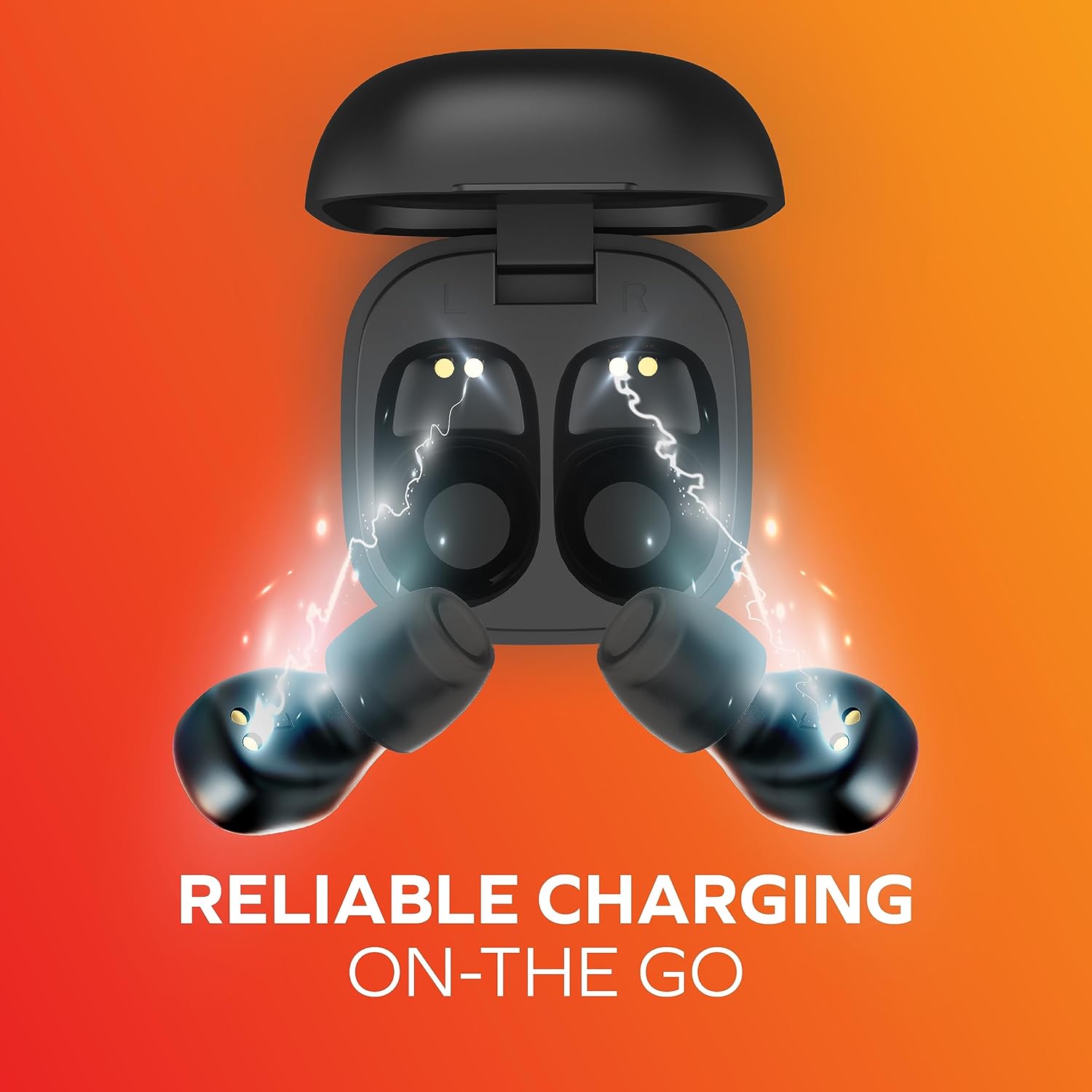
Image: The Coby Mini True Wireless Earbuds charging inside their compact case, illustrating the "Reliable Charging On-The-Go" feature.
2. Pairing with Your Device
The Coby Mini Earbuds feature Bluetooth 5.3 for stable and efficient wireless connectivity. They support fast auto-pairing.
- Open the charging case. The earbuds will automatically enter pairing mode (indicator lights will flash).
- On your smartphone, tablet, or other Bluetooth-enabled device, go to the Bluetooth settings.
- Select "Coby Mini Earbuds" from the list of available devices.
- Once connected, the earbuds will indicate successful pairing (e.g., solid light or voice prompt).
Video: An official product video demonstrating the features of the Coby Mini True Wireless Earbuds, including their compact size, various colors, tangle-free lanyard, Bluetooth 5.3 connectivity, 12-hour playtime, LED lights, snug fit, noise isolation, suitability for video calls, sweat resistance, high-fidelity audio, and fast auto-pairing.
Operating Instructions
Wearing the Earbuds
The Coby Mini Earbuds are designed to sit comfortably and discreetly in your ears. Choose the ear gel size that provides the most secure and comfortable fit for optimal sound quality and stability.

Image: A Coby Mini Earbud worn in an ear, illustrating its modern, stylish, and discreet design with a measurement of 0.59 inches.
Hands-Free Audio Controls
The earbuds feature intuitive touch controls for easy management of your audio and calls:
- Play/Pause: Single tap on either earbud.
- Next Track: Double tap on the right earbud.
- Previous Track: Double tap on the left earbud.
- Volume Up: Triple tap on the right earbud.
- Volume Down: Triple tap on the left earbud.
- Answer/End Call: Single tap on either earbud during an incoming call.
- Reject Call: Press and hold on either earbud during an incoming call.
- Activate Voice Assistant (Siri/Google Assistant): Press and hold for 2 seconds on either earbud.

Image: A person using Coby Mini Earbuds while working on a laptop, indicating compatibility with Siri and Google Assistant for various tasks.
Maintenance
To ensure the longevity and optimal performance of your Coby Mini True Wireless Earbuds, follow these maintenance guidelines:
- Cleaning: Regularly wipe the earbuds and charging case with a soft, dry, lint-free cloth. Do not use harsh chemicals or abrasive materials.
- Sweat Resistance: These earbuds are sweat-resistant, making them suitable for workouts and active use. However, they are not waterproof. Avoid submerging them in water. After intense workouts, wipe them dry before placing them back in the charging case.
- Storage: When not in use, store the earbuds in their charging case to protect them and keep them charged.
- Temperature: Avoid exposing the earbuds to extreme temperatures (hot or cold) or high humidity.

Image: A man jogging with Coby Mini Earbuds, emphasizing their secure fit and sweat-resistant design, suitable for active lifestyles.
Troubleshooting
If you encounter any issues with your Coby Mini True Wireless Earbuds, please refer to the following common solutions:
| Problem | Possible Cause | Solution |
|---|---|---|
| Earbuds not pairing with device. | Bluetooth is off, earbuds not in pairing mode, or previously paired device interference. | Ensure Bluetooth is on. Place earbuds in case, close, then open to re-enter pairing mode. Forget device on your phone and re-pair. |
| Only one earbud is working. | One earbud not connected, low battery, or pairing issue. | Place both earbuds back in the charging case, close the lid for a few seconds, then open them again. Ensure both are charged. Re-pair the earbuds. |
| Low volume or poor sound quality. | Incorrect ear gel size, earbud placement, or low battery. | Try different ear gel sizes for a better seal. Adjust earbud position. Ensure earbuds are fully charged. |
| Earbuds not charging. | Charging cable issue, dirty charging contacts, or faulty power source. | Check the charging cable and power adapter. Clean the charging contacts on both earbuds and case with a dry cotton swab. Try a different USB port or charger. |
Specifications
| Feature | Detail |
|---|---|
| Model Name | Mini Earbuds |
| Connectivity Technology | Wireless (Bluetooth) |
| Bluetooth Version | 5.3 |
| Bluetooth Range | 10 Meters |
| Battery Life (Earbuds) | Up to 12 Hours (Total Playtime with Case) |
| Carrying Case Battery Capacity | 300 Milliamp Hours |
| Carrying Case Charging Time | 2 Hours |
| Audio Driver Size | 6 Millimeters |
| Frequency Response | 20 Hz - 20,000 Hz |
| Sensitivity | 98 dB |
| Impedance | 32 Ohm |
| Water Resistance Level | Water Resistant (Sweat-Resistant) |
| Control Type | Voice Control, Touch Control |
| Compatible Devices | Cellphones, Tablets, Laptops, Desktops |
| Product Dimensions | 0.99 x 1.85 x 2.44 inches |
| Item Weight | 5.3 ounces |
| Material | Plastic |
| Manufacturer | Summit Electronics, LLC |
| Country of Origin | China |
Warranty & Support
For specific warranty information and customer support, please refer to the documentation included in your product packaging or visit the official Coby website. The included User Manual contains detailed contact information for support inquiries.
Related documentsCETW536BK


Ask a question about this manual
Ask about setup, troubleshooting, compatibility, parts, safety, or missing instructions. Manuals+ will review the question and use this page’s manual context to help answer it.