1. Introduction and Overview
The CARLOCK Wired Hidden GPS Car Tracker is a comprehensive anti-theft and real-time monitoring device designed to provide peace of mind for vehicle owners. It offers instant alerts for suspicious activities, detailed tracking, and driving behavior analysis. This manual provides essential information for setting up, operating, and maintaining your CARLOCK device.

Figure 1.1: CARLOCK Wired Hidden GPS Car Tracker packaging and device.

Figure 1.2: The CarLock device alongside the mobile application interface.
2. What's in the Box
Upon opening your CARLOCK Wired Hidden GPS Car Tracker package, you should find the following items:
- CarLock Device
- SIM Card (pre-installed or included separately)
- User Manual (this document)
- Activation Card
3. Setup and Installation
The CARLOCK device is designed for quick and easy installation, requiring connection of only two wires to your car battery. Follow these steps for setup:
- Download the CarLock App: Search for 'CarLock' on the Apple App Store or Google Play Store and install the application on your smartphone.
- Connect the Device: Locate your car battery. Connect the red wire from the CarLock device to the positive (+) terminal of your car battery and the black wire to the negative (-) terminal. The system is color-coded for simplicity.
- Secure the Device: Use the included tape or other suitable means to secure the device in a hidden location under the hood, away from extreme heat or moisture.
- Activate Your Account: Follow the instructions on the Activation Card to create your CarLock account and link your device.

Figure 3.1: Simple two-wire installation of the CarLock device.
4. Operating Instructions
The CarLock system provides a suite of features accessible through its mobile application to ensure your vehicle's security and monitor its usage.
4.1 Real-Time Monitoring and Alerts
Receive instant notifications on your smartphone for any suspicious activity related to your vehicle. This includes:
- Vehicle Movement: Alerts if your car is moved without your authorization.
- Engine Started: Notification when the engine is turned on.
- Unusual Vibrations: Detects and alerts you to potential impacts or tampering.
- Device Disconnection: Informs you if the CarLock device is disconnected from the battery.

Figure 4.1: Examples of real-time alerts from the CarLock app.
Video 4.1: Official CarLock demonstration of real-time tracking and alert features.
4.2 GPS Tracking and Trip History
The CarLock system utilizes an extremely powerful GPS for precise location tracking. You can view your car's exact location 24/7, including full address and house number details.
- Real-Time Location: See where your vehicle is at all times on a map within the app.
- Trip History: Access a detailed record of each trip, including time, distance, and a driving score.
- Geozones: Set up custom geofences to receive alerts when your vehicle enters or exits specific areas.
- Trip Tagging: Categorize trips for personal or business use.
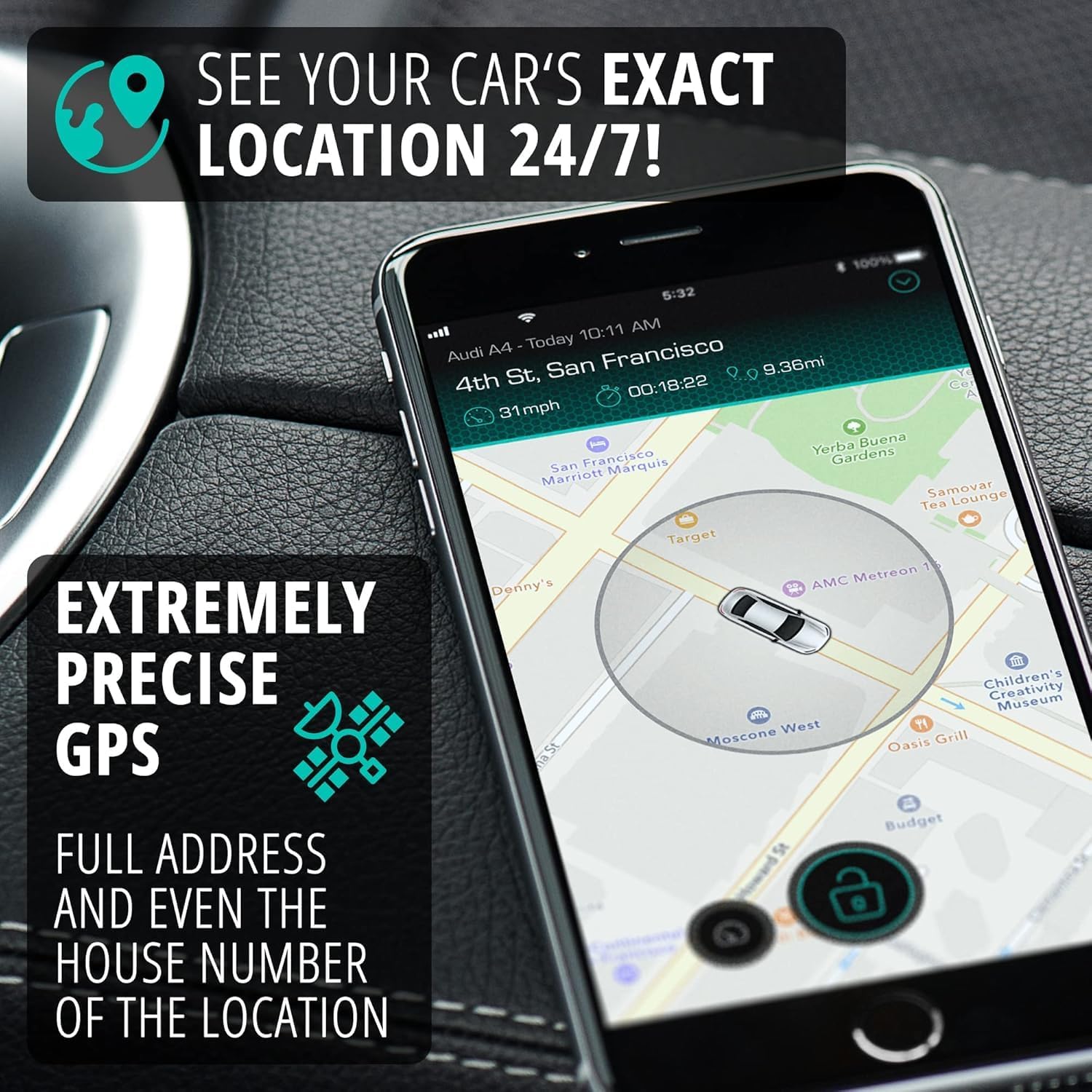
Figure 4.2: Precise GPS tracking on the CarLock app.

Figure 4.3: Detailed trip history and driving statistics.
4.3 Driving Behavior Monitoring
CarLock helps monitor and improve driving habits by providing alerts and a driving score based on various parameters:
- Speeding: Alerts if the vehicle exceeds a set speed limit.
- Harsh Acceleration: Detects rapid increases in speed.
- Hard Braking: Identifies sudden and forceful braking.
- Sharp Cornering: Monitors aggressive turns.
- Driving Score: Provides a monthly report card on driving performance.

Figure 4.4: Driving behavior monitoring interface.
4.4 Battery Health Monitoring
The device continuously monitors your vehicle's electrical system and battery voltage, alerting you to potential issues:
- Low Battery Alert: Notifies you if your car battery is running low.
- High Battery Drain Alert: Warns of unusual power consumption that could lead to battery issues.

Figure 4.5: Vehicle battery voltage monitoring.
4.5 Subscription Plans
To utilize the full range of CarLock features, a monthly subscription is required. Plans are affordable and include a multi-network SIM for seamless coverage across North America without roaming fees. The first month is typically free.

Figure 4.6: Overview of CarLock subscription plans.
5. Specifications
| Feature | Detail |
|---|---|
| Product Dimensions | 5.3 x 2.6 x 0.6 inches |
| Item Weight | 5.9 ounces |
| Batteries | 1 Unknown batteries required (included) |
| Connectivity Technologies | 4G LTE, Bluetooth, Cellular, GPS, GSM, Cloud |
| Supported Application | Android, Web App, iOS |
| Manufacturer | Protectus technologies, Inc. |
| First Available Date | May 23, 2023 |
6. Troubleshooting
If you encounter issues with your CARLOCK device, consider the following common troubleshooting steps:
- No Alerts/Tracking: Ensure the device is securely connected to the car battery and that the wires are not loose. Check your mobile app for any error messages or connectivity indicators.
- App Issues: Ensure your CarLock app is updated to the latest version. Try restarting the app or your smartphone.
- Subscription Status: Verify that your CarLock subscription is active and in good standing.
- Signal Strength: Ensure your vehicle is in an area with good cellular and GPS signal coverage.
For persistent issues, refer to the official CarLock support resources or contact customer service.
7. Maintenance
To ensure the longevity and optimal performance of your CARLOCK device, follow these general maintenance guidelines:
- Regular Checks: Periodically inspect the device and its connections to the car battery to ensure they are secure and free from corrosion.
- Keep Clean: Keep the device free from excessive dust, dirt, and moisture.
- Software Updates: Ensure your CarLock mobile application is always updated to the latest version to benefit from new features and bug fixes.
8. Warranty and Support
The CARLOCK Wired Hidden GPS Car Tracker is manufactured by Protectus technologies, Inc. For specific warranty information, including terms, conditions, and duration, please refer to the documentation included with your product or visit the official CarLock website. For technical support, account inquiries, or any other assistance, please contact CarLock customer service through their official channels, typically found on their website or within the mobile application.


