
Dyzeryk JS-01
Dyzeryk 4GB MP3 Player (Model JS-01) User Manual
Model: JS-01
Brand: Dyzeryk
Introduction
Welcome to the user manual for your new Dyzeryk 4GB MP3 Player, Model JS-01. This guide provides comprehensive instructions on how to set up, operate, maintain, and troubleshoot your device. Please read this manual carefully to ensure optimal performance and longevity of your MP3 player.
Product Overview
The Dyzeryk JS-01 is a portable and compact MP3 player designed for high-fidelity lossless sound playback. It features 4GB of internal memory and supports expandable storage up to 64GB via a TF card slot. Its simple design makes it easy to carry and operate.

Figure 1: Front view of the Dyzeryk JS-01 MP3 Player, showcasing its sleek black design and central control buttons.

Figure 2: Detailed diagram of the Dyzeryk JS-01 MP3 Player, highlighting the functions of each button and port. This includes the power button, TF card slot, volume controls, track navigation, and play/pause button.
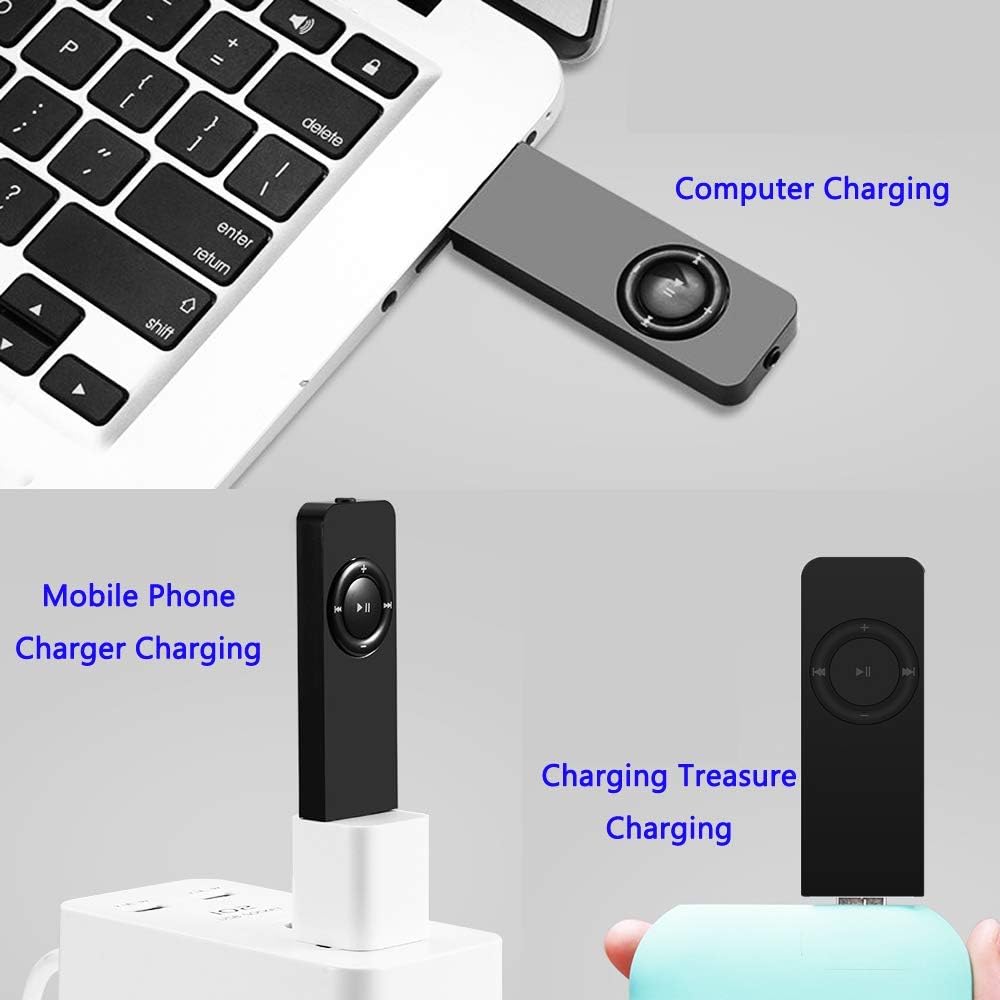
Figure 3: The Dyzeryk JS-01 MP3 Player with its compact dimensions, measuring approximately 3.3 inches in length and 0.9 inches in width, emphasizing its portability.
Setup
- Initial Charge: Before first use, fully charge the MP3 player. Refer to the "Charging" section for detailed instructions.
- Insert TF Card (Optional): If you wish to expand storage, gently insert a TF (microSD) card (up to 64GB) into the TF card slot until it clicks into place. Ensure the card is inserted in the correct orientation.
- Transfer Music: Connect the MP3 player to your computer using a USB cable. The device will appear as a removable disk. Drag and drop your MP3, WMA, or WAV audio files into the player's storage.
- Connect Earphones: Plug the included earphones into the 3.5mm audio jack on the player.
Operating Instructions
Power On/Off
- To power on, slide the ON/OFF switch to the ON position.
- To power off, slide the ON/OFF switch to the OFF position.
Music Playback
- Play/Pause: Press the central ►▮▮ button to play or pause the current track.
- Volume Control:
- Press the + button to increase volume.
- Press the - button to decrease volume.
- Previous/Next Track:
- Press the ◀◀ button to go to the previous track.
- Press the ►► button to go to the next track.
- Switch Playback Modes:
- Sequential Playback: The green light flashes.
- Random Play Mode: Long press the + button to switch to random play mode. The red light flashes.
- Single Loop Mode: Long press the - button to switch to single loop mode. The green and red lights alternately flash.
- Switch Folders: Long press the central ►▮▮ button to switch between music folders.
Charging
The Dyzeryk MP3 player is equipped with a 180mAh battery. Please charge the device when it is turned on. When the battery is low, the player will stop playing and shut down automatically.
- Connect the MP3 player to a USB power source (e.g., computer USB port, mobile phone charger, or power bank) using a compatible USB cable.
- Upon entering the charging state, the red light will flash.
- Once charging is complete, the red light will remain steadily on.

Figure 4: Various methods for charging the Dyzeryk JS-01 MP3 Player, including connection to a computer, a mobile phone charger, and a portable power bank.
Maintenance
- Keep the device dry. Avoid exposure to moisture or liquids.
- Clean the device with a soft, dry cloth. Do not use harsh chemicals or abrasive cleaners.
- Avoid dropping or subjecting the device to strong impacts.
- Store the player in a cool, dry place when not in use.
Troubleshooting
| Problem | Possible Cause | Solution |
|---|---|---|
| Player does not turn on. | Battery is depleted. | Charge the device fully. Ensure the ON/OFF switch is in the ON position. |
| Player stops playing and shuts down. | Low battery. | Charge the device immediately. |
| No sound from earphones. | Earphones not properly connected; Volume too low; Corrupted audio file. | Ensure earphones are fully plugged in. Increase volume. Try a different audio file. |
| Cannot transfer files to the player. | Incorrect USB connection; Driver issue; Player not recognized by computer. | Ensure the USB cable is securely connected. Try a different USB port or cable. Restart your computer and the player. |
| Audio playback is choppy or distorted. | Corrupted audio file; Low battery; Interference. | Try playing a different audio file. Charge the device. Avoid strong electromagnetic interference. |
Specifications
| Feature | Detail |
|---|---|
| Model | JS-01 |
| Dimensions (L x W x H) | 3.3 x 0.9 x 0.4 inches (approx.) |
| Weight | 33.2g (0.634 ounces) |
| Internal Memory | 4GB |
| Expandable Memory | Supports TF card up to 64GB |
| Battery Capacity | 180mAh |
| Music Formats Supported | MP3, WMA, WAV |
| Connectivity | Hi-Speed USB 2.0 (for data transfer and charging) |
| Battery Life | Approximately 10 Hours (playback time, actual results may vary) |
Warranty and Support
For information regarding warranty coverage, technical support, or service inquiries for your Dyzeryk MP3 Player (Model JS-01), please refer to the warranty card included with your product packaging or visit the official Dyzeryk website. This manual does not contain specific warranty terms or direct support contact information.
Ask a question about this manual
Ask about setup, troubleshooting, compatibility, parts, safety, or missing instructions. Manuals+ will review the question and use this page’s manual context to help answer it.