
Keystone KSTAT14-2HD
Keystone 14,000 BTU Wall Mounted Air Conditioner
Model: KSTAT14-2HD
Introduction
This manual provides essential information for the safe and efficient operation, installation, and maintenance of your Keystone 14,000 BTU Wall Mounted Air Conditioner with Supplemental Heat and Dehumidifier Function. Please read this manual thoroughly before using the appliance and retain it for future reference.
Your Keystone wall-mounted AC unit is designed to provide powerful cooling, supplemental heating, dehumidification, and fan circulation for large spaces up to 700 square feet. It features a smart remote control with a built-in thermostat and energy-saving modes to enhance your comfort and reduce operational costs.
Safety Information
WARNING: To reduce the risk of fire, electric shock, or injury to persons, read the following important safety instructions before operating this appliance.
- Always connect to a properly grounded electrical outlet. This unit requires a special 230-volt/20-amp electrical outlet.
- Do not operate the air conditioner with a damaged power cord or plug.
- Do not insert fingers or foreign objects into the air inlet or outlet.
- Ensure the unit is installed securely in a wall sleeve (sold separately) to prevent tipping.
- The supplemental heating mode is not intended as a primary heat source and should be used when outdoor temperatures are between 23°F and 76°F.
- Disconnect power before cleaning or servicing the unit.
Package Contents
Verify that all items are present in the package:
- Keystone Wall Mounted Air Conditioner Unit
- Remote Control
- 2 AAA Batteries (for remote control)
- Mesh Filter (pre-installed)
- Interior Trim Kit
- User Manual
- Warranty Information
Installation and Setup
This unit is designed for through-the-wall installation. A universal wall sleeve (24.5"-27") is required and sold separately. The included trim kit will assist with the aesthetic finish.
Electrical Requirements
The Keystone KSTAT14-2HD requires a dedicated 230-volt/20-amp electrical outlet with a NEMA 6-20P plug. Ensure your electrical system can support these requirements before installation.

Figure 1: Illustration of the required NEMA 6-20P plug type and the 6.5 ft. LCDI cable length for the unit.
Placement Considerations
Choose a location that allows for proper air circulation and is not obstructed by furniture or curtains. The unit should be installed at a height that allows for easy access to controls and filter maintenance.
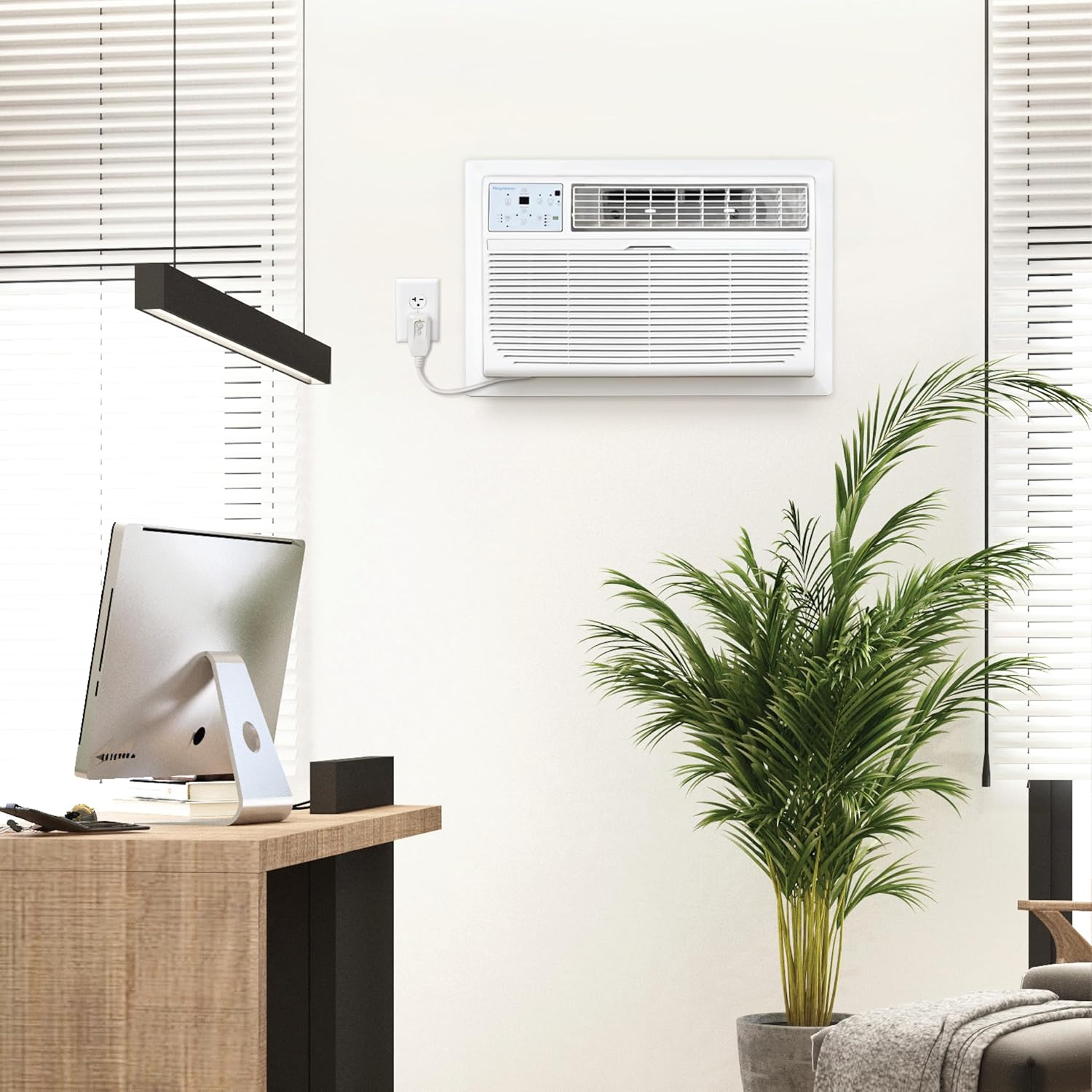
Figure 2: The Keystone wall-mounted AC unit seamlessly integrated into a room, demonstrating its space-saving design.

Figure 3: The unit's design allows for comfortable use and control from anywhere in the room, preserving window views.
Operating Instructions
Control Panel and Remote Control
The unit can be operated using the control panel on the front of the unit or the included remote control. The remote control features a built-in thermostat for accurate temperature sensing.

Figure 4: The intuitive control panel on the unit for direct operation.

Figure 5: The smart remote control with LCD display, allowing precise temperature management from your location.
Operating Modes
- Cool Mode: Provides powerful cooling for rooms up to 700 sq. ft.
- Supplemental Heat Mode: Offers additional heating when outdoor temperatures are between 23°F and 76°F. Not intended as a primary heat source.
- Dehumidifier Mode: Removes up to 2.9 pints of moisture per hour, improving air quality.
- Fan Mode: Circulates air without cooling or heating. Features 3 fan speeds.

Figure 6: Overview of the unit's versatile 4-in-1 functionality.
Energy Saving Features
- Energy Saver Mode: Optimizes operation to reduce energy consumption.
- Sleep Mode: Gradually adjusts temperature overnight for comfortable sleep and energy savings.
- 24-Hour Programmable Timer: Set the unit to turn on or off automatically according to your schedule.

Figure 7: The Sleep Mode feature promotes energy efficiency and comfort during rest.
Maintenance
Cleaning the Mesh Filter
The unit is equipped with a washable mesh filter. A "Check Filter" alert will illuminate on the control panel to remind you when it's time to clean the filter. Regular cleaning ensures optimal performance and air quality.
- Turn off the unit and unplug it from the power outlet.
- Locate and remove the mesh filter from the front of the unit.
- Wash the filter with warm, soapy water. Rinse thoroughly.
- Allow the filter to air dry completely before reinserting it into the unit.
- Plug the unit back in and resume operation.

Figure 8: The washable and removable mesh filter, designed for easy cleaning to maintain air quality.
General Cleaning
Wipe the exterior of the unit with a soft, damp cloth. Do not use harsh chemicals or abrasive cleaners.
Troubleshooting
If you experience issues with your unit, refer to the following common problems and solutions:
| Problem | Possible Cause | Solution |
|---|---|---|
| Unit does not turn on. | No power, tripped circuit breaker, loose plug. | Check power connection, reset circuit breaker, ensure plug is fully inserted. |
| Insufficient cooling/heating. | Dirty air filter, obstructed air flow, room size too large, temperature setting too high/low. | Clean air filter, remove obstructions, verify unit capacity for room size, adjust temperature setting. |
| Unit is noisy. | Loose parts, unit not level, fan obstruction. | Check for loose components, ensure unit is level, clear any fan obstructions. |
| Water dripping from unit. | Drainage issue, high humidity. | Check drainage pan and hose for blockages. This is normal in high humidity. |
If the problem persists after attempting these solutions, please contact customer support.
Specifications
| Feature | Detail |
|---|---|
| Model Number | KSTAT14-2HD |
| Cooling Capacity | 14,000 BTU |
| Supplemental Heating Capacity | 10,600 BTU |
| Coverage Area | Up to 700 Sq. Ft. |
| Moisture Removal | Up to 2.9 Pints/Hour |
| Voltage | 230 Volts |
| Noise Level | 61.5 dB |
| Product Dimensions (DxWxH) | 20.3 x 24.2 x 14.5 inches |
| Item Weight | 78.3 pounds |
| Special Features | Dehumidifier, Fast Cooling, Filter Light Reminder, Heating And Cooling Function, Remote Controlled |

Figure 9: Key dimensions and weight of the Keystone wall-mounted air conditioner.
Warranty and Support
Your Keystone air conditioner comes with a 1-year limited warranty on parts and labor, plus an additional 4 years for the sealed system. Please retain your proof of purchase for warranty claims.
For technical support, troubleshooting assistance, or warranty service, please visit the official Keystone website or contact their customer service department. Contact information can typically be found on the product packaging or the manufacturer's website.
For more information, you can visit the Keystone Store on Amazon.
Related documentsKSTAT14-2HD


Ask a question about this manual
Ask about setup, troubleshooting, compatibility, parts, safety, or missing instructions. Manuals+ will review the question and use this page’s manual context to help answer it.