
Introduction
The Cherub WMT-565C is a versatile 5-in-1 device designed for musicians. It integrates a metronome, tuner, tone generator, hygrometer, and thermometer into a single, compact, and rechargeable unit. This manual provides detailed instructions for operating and maintaining your WMT-565C to ensure optimal performance and longevity.

Figure 1: Cherub WMT-565C Multi-Function Device
Product Features
- 5-in-1 Functionality: Metronome, Tuner, Tone Generator, Hygrometer, and Thermometer.
- Environmental Monitoring: Equipped with a hygrometer and thermometer to monitor ambient humidity and temperature, crucial for instrument care.
- Large Full-Color LCD: High-definition, colorful display for easy readability of tuning, metronome settings, and environmental data.
- Adjustable Metronome Forte: Allows adjustment of metronome volume for practice. Includes electronic sound and vocal count options.
- Rechargeable Li-ion Battery: Provides up to 600 minutes of battery life on a single charge.

Figure 2: WMT-565C Displaying Environmental Data and Tuning
Setup
Charging the Device
The WMT-565C comes with a built-in rechargeable Li-ion battery. Before first use, fully charge the device using the provided USB cable. Connect the small end of the USB cable to the charging port on the device and the other end to a standard USB power adapter (not included) or a computer's USB port. The charging indicator will show the charging status.
Powering On/Off
To power on the device, press and hold the Power/Play button. To power off, press and hold the same button until the screen turns off.
Using the Kickstand
The device features a retractable kickstand on its back for convenient tabletop use. Gently pull out the kickstand to prop up the device for better viewing angles.
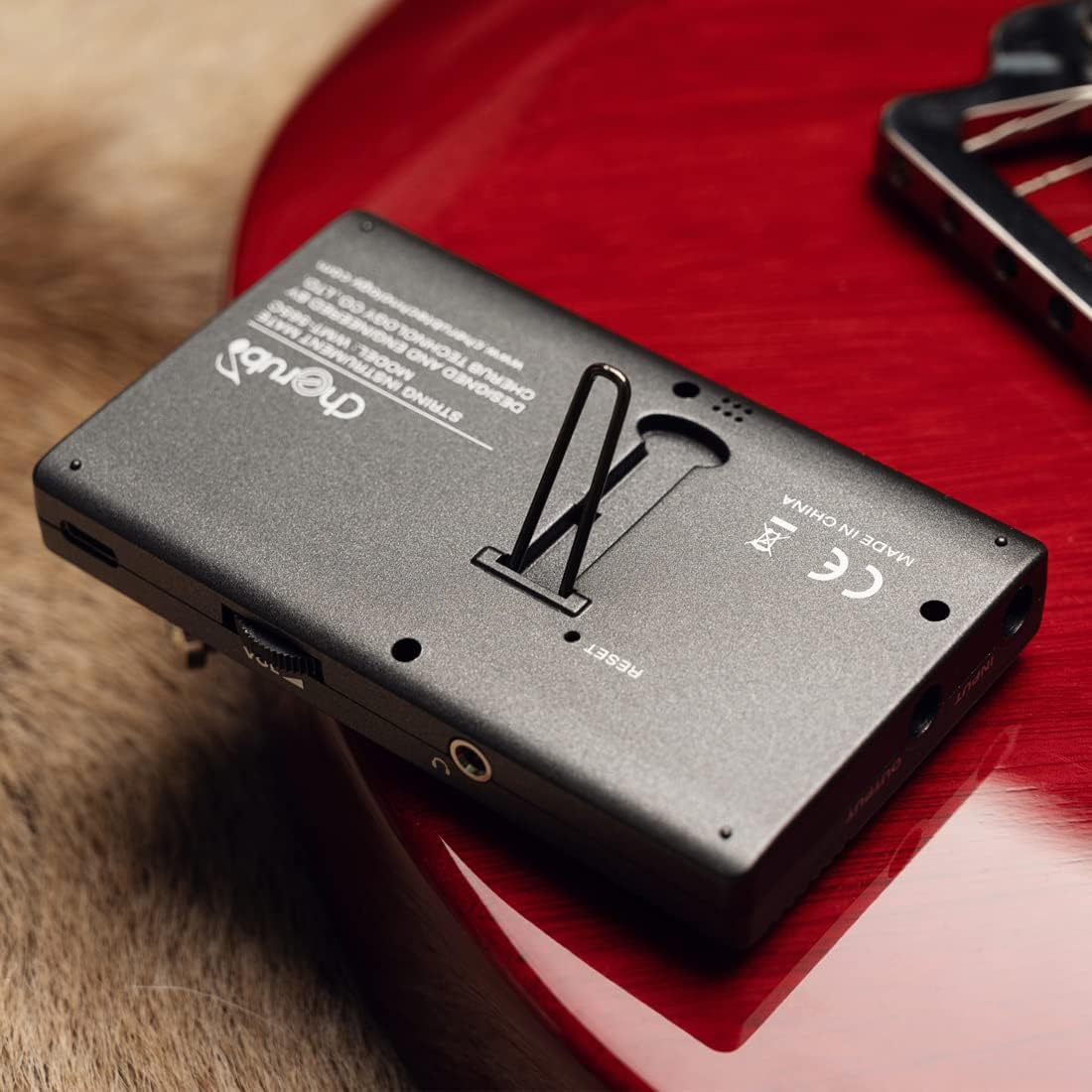
Figure 3: Device with Kickstand Extended
Operating Instructions
Navigating Modes
Press the M/T button to switch between Metronome and Tuner modes. The current mode will be displayed on the screen.

Figure 4: WMT-565C in Tuner Mode with Guitar Connection
Metronome Mode
In Metronome mode, you can adjust the tempo, beat, and rhythm. Use the Up/Down arrow buttons to change values. The Forte button allows you to adjust the metronome's volume. You can also select between electronic sound and vocal count for practice.
Tuner Mode
The tuner supports various instruments and chromatic tuning. Use the Beat/Item button to cycle through different tuning items (e.g., Chromatic, Guitar, Bass, Violin, Ukulele). The display will show the note, string number (for specific instruments), and pitch deviation. The screen's color changes to indicate if the note is flat (red), sharp (red), or in tune (green).
Tone Generator
The tone generator function allows you to produce specific notes for ear training or manual tuning. Access this function through the mode selection and use the arrow buttons to select the desired note.
Temperature and Humidity Monitoring
The WMT-565C continuously monitors and displays the real-time temperature and humidity of the environment. This information is shown on the upper right corner of the LCD screen, allowing musicians to protect their instruments from adverse environmental conditions.

Figure 5: Tuner Mode with Environmental Data
Controls Overview

Figure 6: WMT-565C Control Layout
Official Product Video
Video 1: An overview of the Cherub WMT-565C Rechargeable Metro-Tuner's features and functions.
Maintenance
To ensure the longevity and optimal performance of your Cherub WMT-565C, follow these maintenance guidelines:
- Cleaning: Use a soft, dry cloth to clean the device. Avoid using abrasive cleaners or solvents.
- Storage: Store the device in a cool, dry place away from direct sunlight and extreme temperatures.
- Battery Care: Recharge the device regularly, even if not in frequent use, to maintain battery health. Avoid fully discharging the battery for extended periods.
- Handling: Handle the device with care to prevent drops or impacts that could damage the screen or internal components.
Troubleshooting
If you encounter any issues with your Cherub WMT-565C, consider the following:
- Device Not Powering On: Ensure the battery is charged. Connect the device to a power source using the USB cable and try again.
- Inaccurate Tuning: Check that the correct tuning item (e.g., Guitar, Chromatic) is selected. Ensure the instrument's sound is clear and free from background noise if using the built-in microphone. If using a pickup cable, ensure it is securely connected.
- Metronome Sound Issues: Check the volume setting using the Forte button. Ensure the speaker is not obstructed.
- Screen Malfunction: If the screen is unresponsive or displaying incorrectly, try restarting the device. If the issue persists, contact customer support.
Specifications
| Feature | Specification |
|---|---|
| Item Weight | 5.6 ounces |
| Package Dimensions | 4.76 x 3.23 x 2.6 inches |
| Item Model Number | WMT-565C |
| Batteries | 1 Lithium Polymer batteries required. (included) |
| Battery Type | Lithium Polymer |
| Color Name | Black |
| Date First Available | May 22, 2023 |
Warranty and Support
The Cherub WMT-565C comes with a standard manufacturer's warranty. Please refer to the product packaging or the official Cherub website for specific warranty terms and conditions.
For technical support, troubleshooting assistance, or warranty claims, please contact Cherub customer service through their official website or the contact information provided with your purchase.


