
Longer 1-B1

Longer Laser B1 30W Laser Engraver Cutter
Instruction Manual
Product Overview
The Longer Laser B1 30W is a high-performance laser engraver and cutter designed for a wide range of materials including wood, metal, paper, acrylic, glass, and leather. It features a powerful 36W output, an impressive working speed of up to 36,000 mm/min, and a large working area of 450 x 440 millimeters. Equipped with an auto air assist system and advanced safety features, the Laser B1 ensures precision, quality, and user safety for all your creative and professional projects.

Image: The Longer Laser B1 30W engraver, showcasing its design and examples of engraved items like a wooden cutting board, wine glasses, and a leather wallet.
Setup Guide
Before operating your Longer Laser B1, please follow these setup instructions carefully. The assembly process is designed to be straightforward. For detailed visual guidance, refer to the video tutorials provided on the included thumb drive or the official user manual.
1. Unboxing and Assembly
Carefully unbox all components. The frame features exceptional machining and fit, making assembly easy. Follow the step-by-step instructions in the user manual to connect all parts securely.
2. Initial Connections
- Connect the power cable to a 120V AC outlet.
- Ensure all motor and sensor cables are properly connected to their respective ports.
- If using the air-assist pump, connect it as per the manual's diagram.
3. Software Installation and Connection
The Longer Laser B1 supports various software and connection methods:
- Software: Compatible with LaserGRBL (for Windows XP/7/8/10) and LightBurn (for Windows, Mac OS, and Linux).
- Connection Methods: You can connect the engraver via USB, TF card, WiFi, or a dedicated mobile application. Choose the method that best suits your workflow.
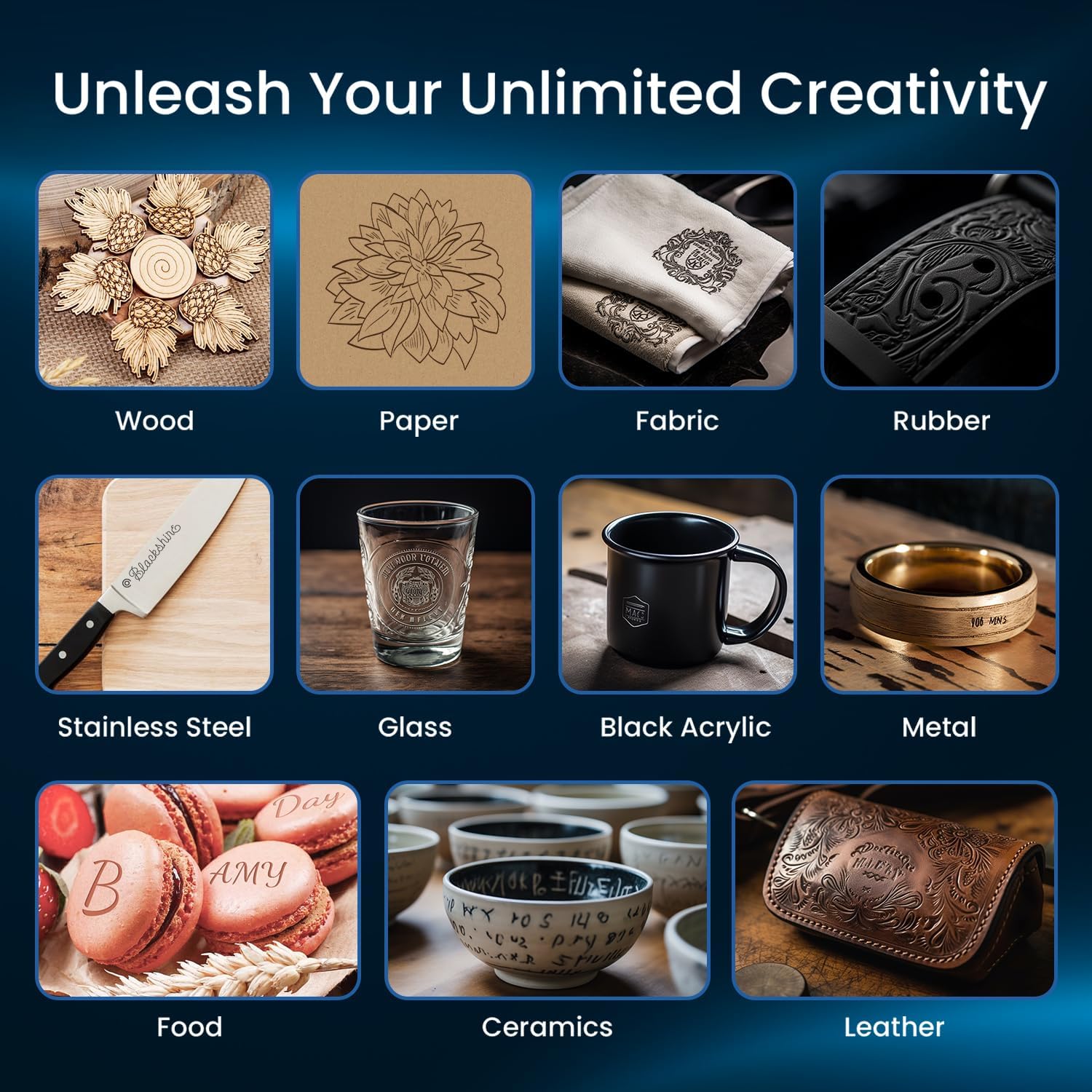
Image: Illustration of the multiple software and connection options available for the Longer Laser B1, including USB, TF card, WiFi, and mobile app connectivity.
Operating Instructions
The Longer Laser B1 is designed for efficient and precise engraving and cutting. Familiarize yourself with its capabilities to maximize your creative output.
Key Features and Performance:
- Powerful Laser Output: The B1 features an output power of up to 36W, enabling it to cut through materials like 25mm basswood and 50mm acrylic with ease.
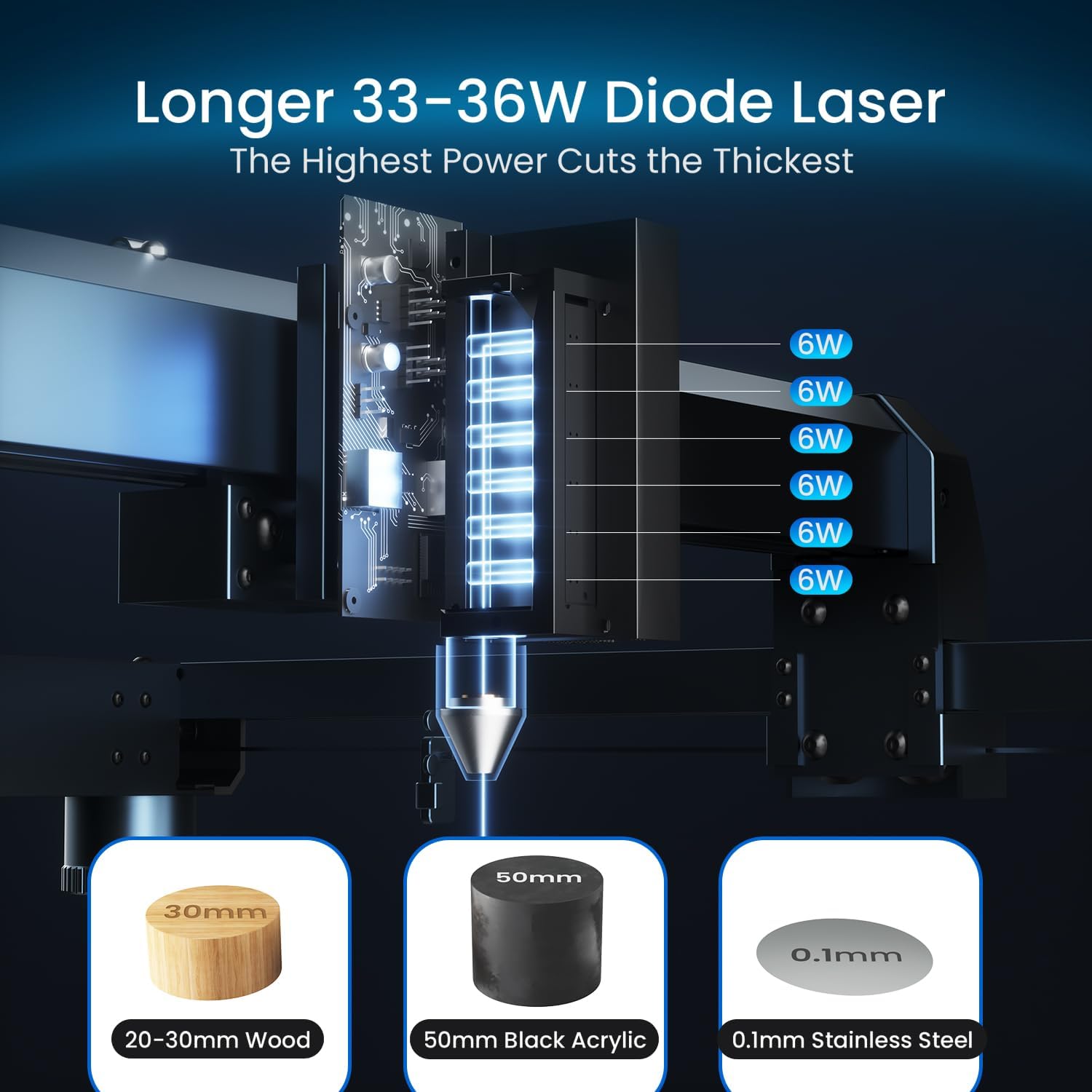
Image: A visual representation of the Longer 33-36W Diode Laser's power, demonstrating its ability to cut through 20-30mm wood, 50mm black acrylic, and 0.1mm stainless steel.
- High-Speed Performance: Achieve rapid completion of tasks with an astonishing cutting speed of 36,000 millimeters per minute.

Image: A graphic comparing the ultra-high speed of the Longer Laser B1 30W (36,000 mm/min) to other machines (20,000 mm/min), illustrated with an engraving of a tiger.
- Large Working Area: The 450 x 440 millimeters working area provides 23.75% more space than many competitors, accommodating larger materials and diverse projects.
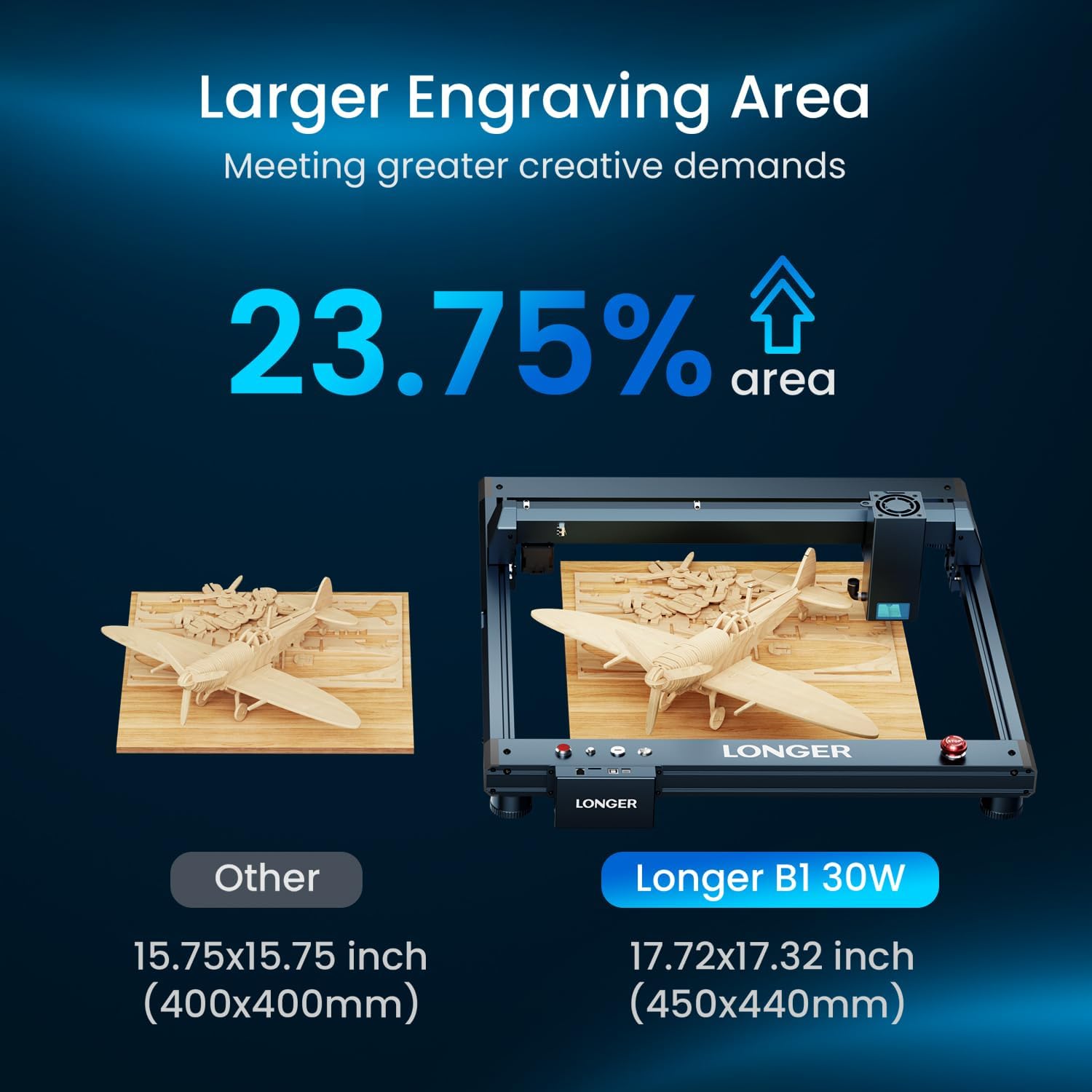
Image: A visual comparison highlighting the larger engraving area of the Longer B1 30W (17.72x17.32 inches) compared to other standard machines.
- Colorful Engraving: Directly engrave vibrant, colorful patterns on mirrored stainless steel, achieving realistic and lifelike artwork.

Image: A color wheel comparison demonstrating the brighter and more vibrant colors achievable with 36W stainless metal engraving compared to 20W engraving.
- Automatic Air-Assist Pump: The included air-assist pump, controlled by LightBurn software, enhances precision and quality by removing smoke and cleaning the surface during cutting and engraving.
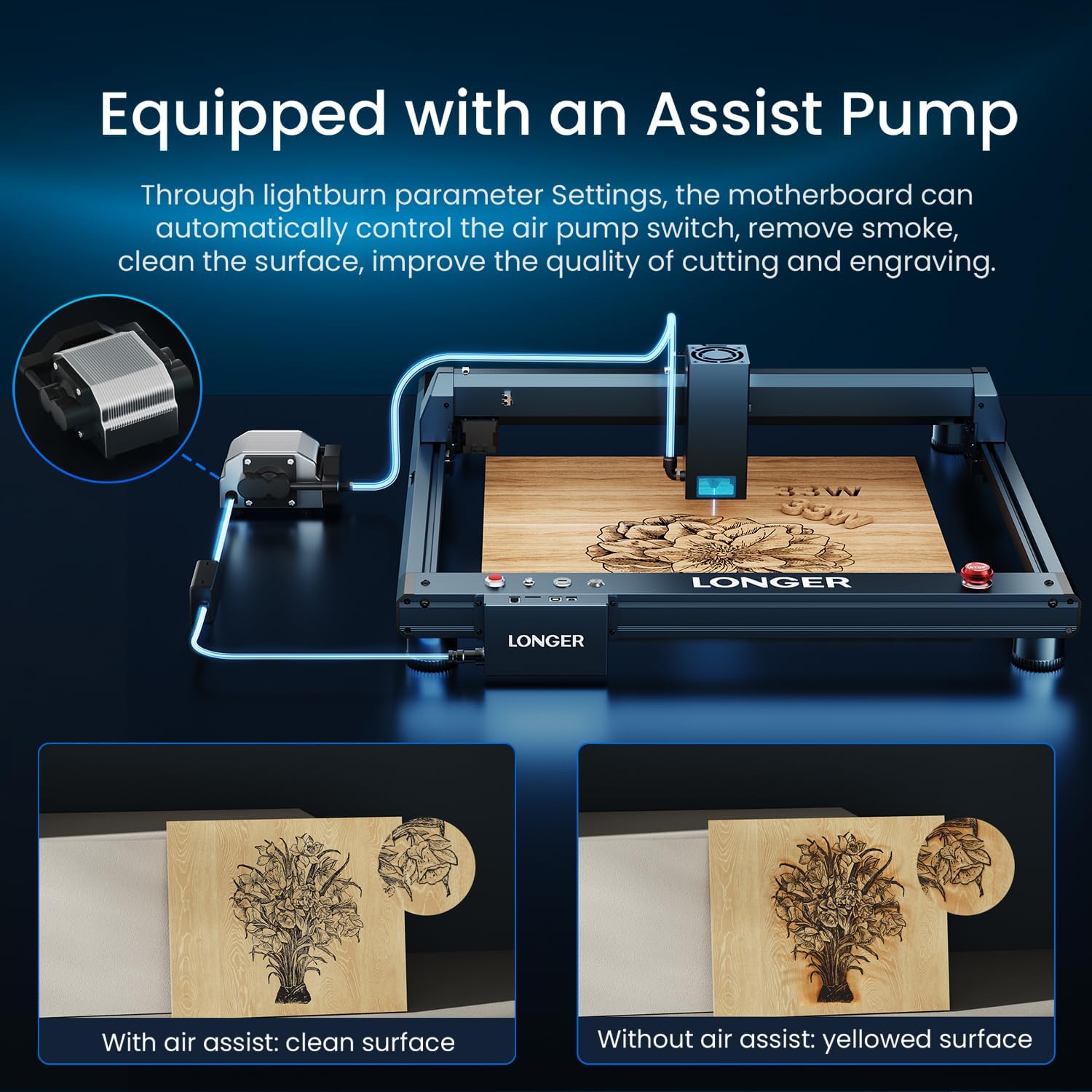
Image: An illustration of the air-assist pump setup, showing the difference in engraving quality: clean surfaces with air assist versus yellowed surfaces without.
Material Compatibility:
The Longer Laser B1 is versatile and can be used with a variety of materials for both engraving and cutting:
- Wood (e.g., basswood, plywood)
- Paper and Cardboard
- Fabric
- Rubber
- Stainless Steel
- Glass
- Black Acrylic
- Various Metals
- Food items (for engraving)
- Ceramics
- Leather

Image: A collage demonstrating the wide range of materials that can be engraved or cut with the Longer Laser B1, including wood, paper, fabric, rubber, stainless steel, glass, black acrylic, various metals, food, ceramics, and leather.
Demonstration Video:
Video: This video demonstrates the Longer Laser B1 in action, showcasing its cutting capabilities on wood to create intricate designs and assemble a wooden bird model. It highlights the precision and speed of the laser engraver.
Maintenance
Regular maintenance ensures the longevity and optimal performance of your Longer Laser B1. Always power off and unplug the machine before performing any maintenance.
1. Cleaning the Machine
- Laser Module Lens: Gently clean the laser module lens with a soft, lint-free cloth and a small amount of lens cleaning solution. Avoid abrasive materials.
- Work Area: Regularly clear debris and dust from the engraving bed and surrounding areas. A vacuum cleaner or compressed air can be used.
- Rails and Belts: Inspect the X and Y axis rails and belts for any obstructions or wear. Keep them clean and free of dust to ensure smooth movement.
2. Air-Assist Pump Maintenance
If you are using the air-assist pump, ensure its air filter is clean and replace it if necessary to maintain optimal airflow and prevent smoke residue buildup on your materials.
Troubleshooting
This section addresses common issues you might encounter with your Longer Laser B1. For more complex problems, please refer to the full user manual or contact customer support.
Common Issues and Solutions:
- Machine Stops Randomly: This can sometimes be resolved with a firmware update. Check the official Longer website or contact support for the latest firmware and installation instructions.
- Y-Axis Not Moving: Verify all cable connections to the Y-axis motor and ensure no physical obstructions are present on the rails. If the issue persists, it may indicate a motor or driver problem, requiring technical support.
- Poor Engraving/Cutting Quality:
- Check laser focus.
- Ensure the air-assist pump is functioning correctly and its nozzle is clear.
- Adjust power and speed settings in your software for the specific material.
- Clean the laser lens.
Advanced Safety Features (Troubleshooting Indicators):
The Laser B1 is equipped with eight major safety features that can also indicate potential issues:
- Move/Tip Instant Stop: If the machine is moved or tilted during operation, it will automatically stop. Ensure the machine is on a stable, level surface.
- Flame Detection: The machine will stop immediately if a flame is detected. Ensure proper ventilation and material compatibility.
- Offline Protection: Stops if connection is lost.
- Motionless Protection: Stops if the laser module remains stationary for too long while active.
- Security Lock: Prevents unauthorized use. Ensure the lock is disengaged for operation.
- Eye Protection: Always wear appropriate laser safety glasses. The laser module also features panoramic light filtering glass to block blue light and filter 97% of UV light.
- Emergency Stop Button: Press this red button immediately in case of any emergency.
- Zero Reset: Used for homing the machine.
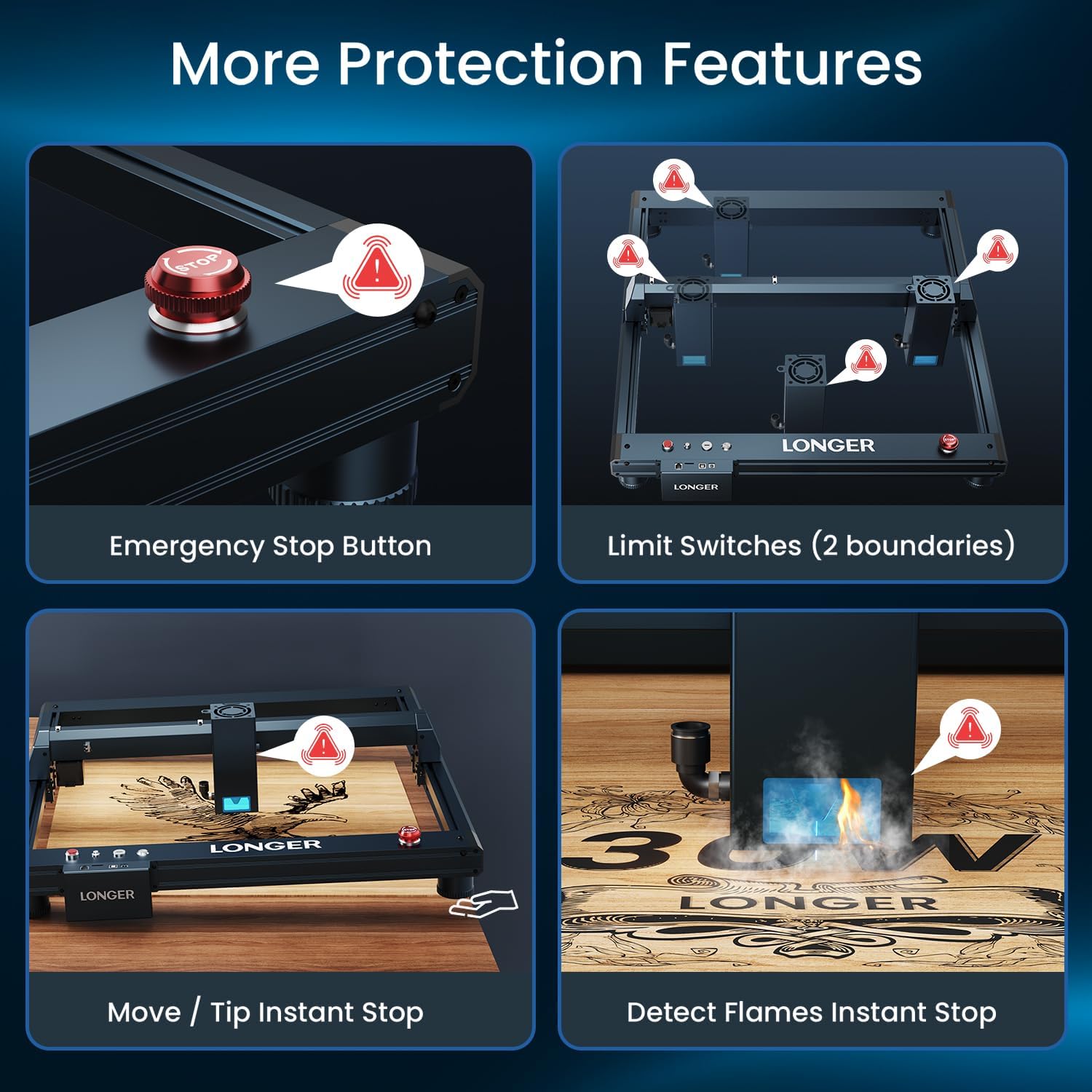
Image: Visual representation of the Longer Laser B1's safety features, including the emergency stop button, limit switches, move/tip instant stop, and flame detection system.
Technical Specifications
| Feature | Specification |
|---|---|
| Brand | Longer |
| Model Number | 1-B1 |
| Laser Output Power | 30W (up to 36W) |
| Working Speed | Up to 36,000 mm/min |
| Working Area | 450 x 440 mm (17.72 x 17.32 inches) |
| Item Weight | 21.6 pounds |
| Product Dimensions | 29.33 x 5.31 x 22.44 inches |
| Power Source | Corded Electric |
| Voltage | 120 Volts (AC) |
| Material | 30W (referring to laser power, not machine material) |
| Color | Blue |
Warranty Information
The Longer Laser B1 30W Laser Engraver Cutter comes with a 2-Year Manufacturer Warranty. This warranty covers defects in materials and workmanship under normal use. Please retain your proof of purchase for any warranty claims. For full details regarding warranty terms and conditions, refer to the official documentation included with your product or contact Longer customer support.
Customer Support and Resources
For any questions, technical assistance, or support regarding your Longer Laser B1, please utilize the following resources:
- Official User Manual (PDF): Access the comprehensive user manual here for detailed instructions and diagrams.
- Technical Support: Contact Longer's technical support team for direct assistance.
- Phone: +1 888-575-9099
- Operating Hours (EST, UTC-5): Mon-Fri: 9:00am-6:00pm, Sun-Thu: 8:30pm-7:00am
- Online Resources: Visit the official Longer website or Amazon store for FAQs, software updates, and additional product information.

Image: A customer support representative with a headset, symbolizing Longer's commitment to strong after-sales support.
Related documents1-B1


Ask a question about this manual
Ask about setup, troubleshooting, compatibility, parts, safety, or missing instructions. Manuals+ will review the question and use this page’s manual context to help answer it.