
Introduction
This manual provides essential information for setting up, operating, maintaining, and troubleshooting your Dell Latitude Rugged Extreme 7330 Laptop. Designed for demanding environments, this rugged laptop offers robust performance and durability. Please read this manual thoroughly to ensure proper use and to maximize the lifespan of your device.
Setup
1. Unpacking and Initial Inspection
Carefully remove the laptop and all accessories from the packaging. Inspect the device for any signs of damage during transit. Retain the packaging for future transport or service needs.
2. Power Connection
Connect the AC adapter to the power port on your laptop and then plug it into a wall outlet. The laptop is designed to operate on AC power and charge the battery simultaneously. Ensure the power indicator light illuminates.
3. First Boot and Operating System Setup
Press the power button to turn on the laptop. The device comes pre-installed with Windows 11 Pro. Follow the on-screen prompts to complete the initial setup, including language selection, network connection, and user account creation.
4. Wireless Connectivity
- Wi-Fi: During the initial setup or via Windows settings, select your preferred Wi-Fi network and enter the password to connect to the internet.
- Bluetooth: To connect Bluetooth devices, navigate to Windows Settings > Bluetooth & devices, and follow the instructions to pair your accessories.
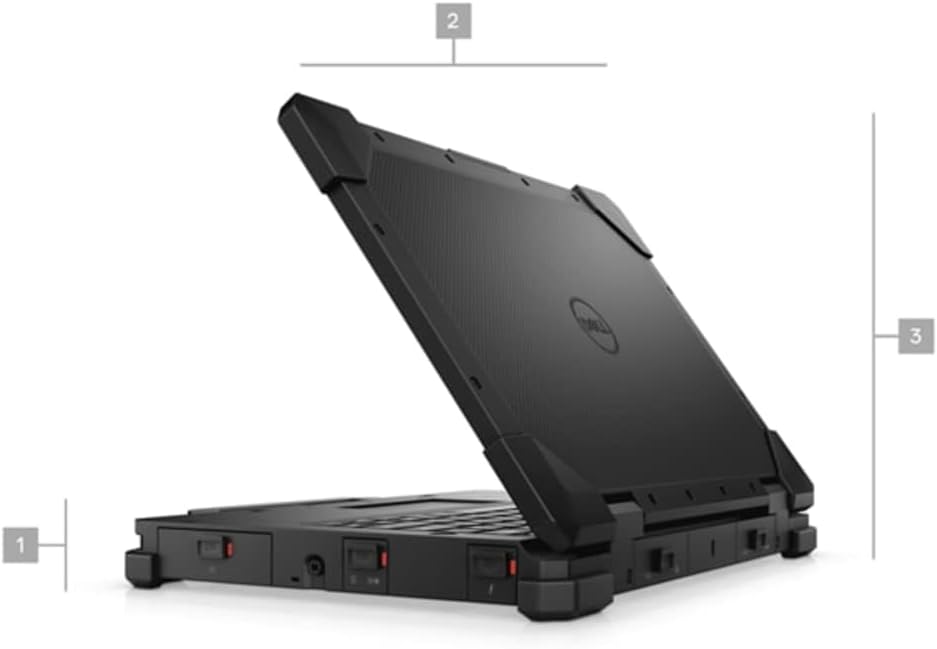
Figure 1: Side view of the Dell Latitude Rugged Extreme 7330 Laptop, illustrating its robust design and approximate dimensions.
Operating
1. Basic Controls
- Keyboard: The backlit QWERTY keyboard allows for comfortable typing in various lighting conditions.
- Touchpad: Use the integrated touchpad for cursor control and multi-touch gestures.
- Touch Screen: The 13.3-inch Full HD (1920x1080) capacitive touch screen supports direct interaction with the display.
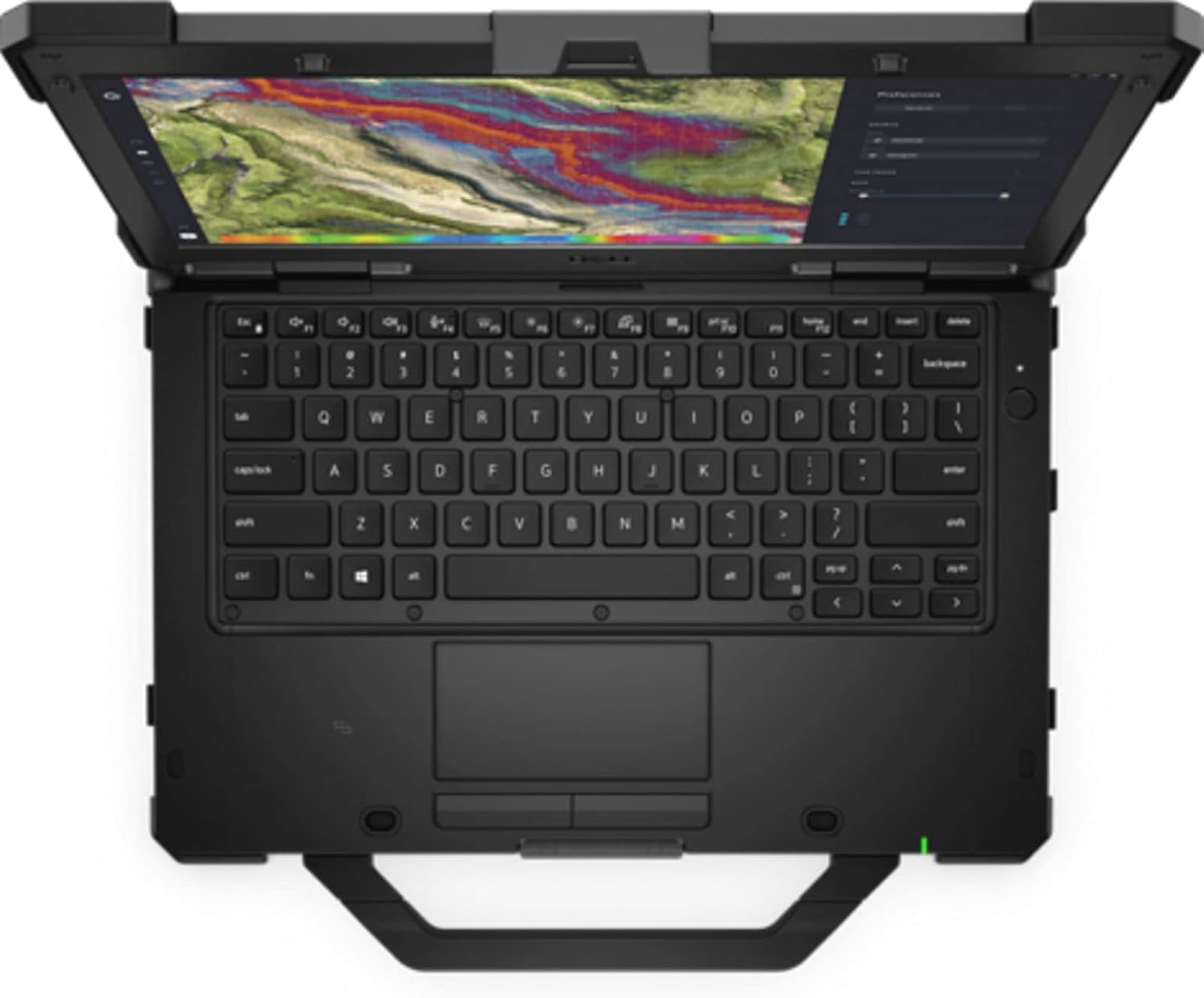
Figure 2: Top-down view of the Dell Latitude Rugged Extreme 7330 Laptop, highlighting the keyboard and touchpad layout.
2. Ports and Connectors
The Latitude Rugged Extreme 7330 is equipped with various ports for connectivity and expansion. Refer to the image below for port locations.
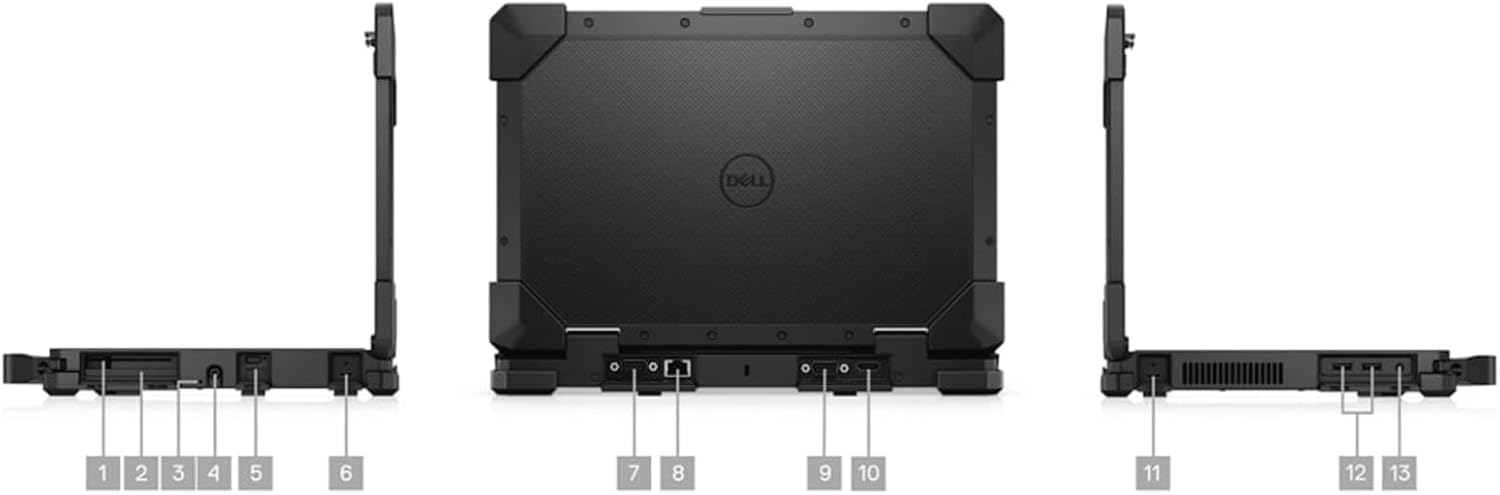
Figure 3: Multiple views of the Dell Latitude Rugged Extreme 7330 Laptop, detailing the locations of its various ports and connectors.
- USB Ports: Multiple USB ports (Total 3) are available for connecting peripherals such as external drives, keyboards, and mice.
- HDMI Output: Connect to external displays or projectors using the HDMI port.
- Ethernet Port: For wired network connections.
- Audio Jack: For headphones or external speakers.
- Smart Card Reader: For secure authentication (if equipped).
3. Operating System Features
Your laptop runs Windows 11 Pro, offering advanced features for security, management, and productivity. Explore the Start Menu, Taskbar, and Settings app to customize your experience. Features like BitLocker device encryption are included for enhanced data security.
4. Webcam
The integrated front-facing webcam allows for video conferencing and capturing images. Access it through applications like Camera or video communication software.
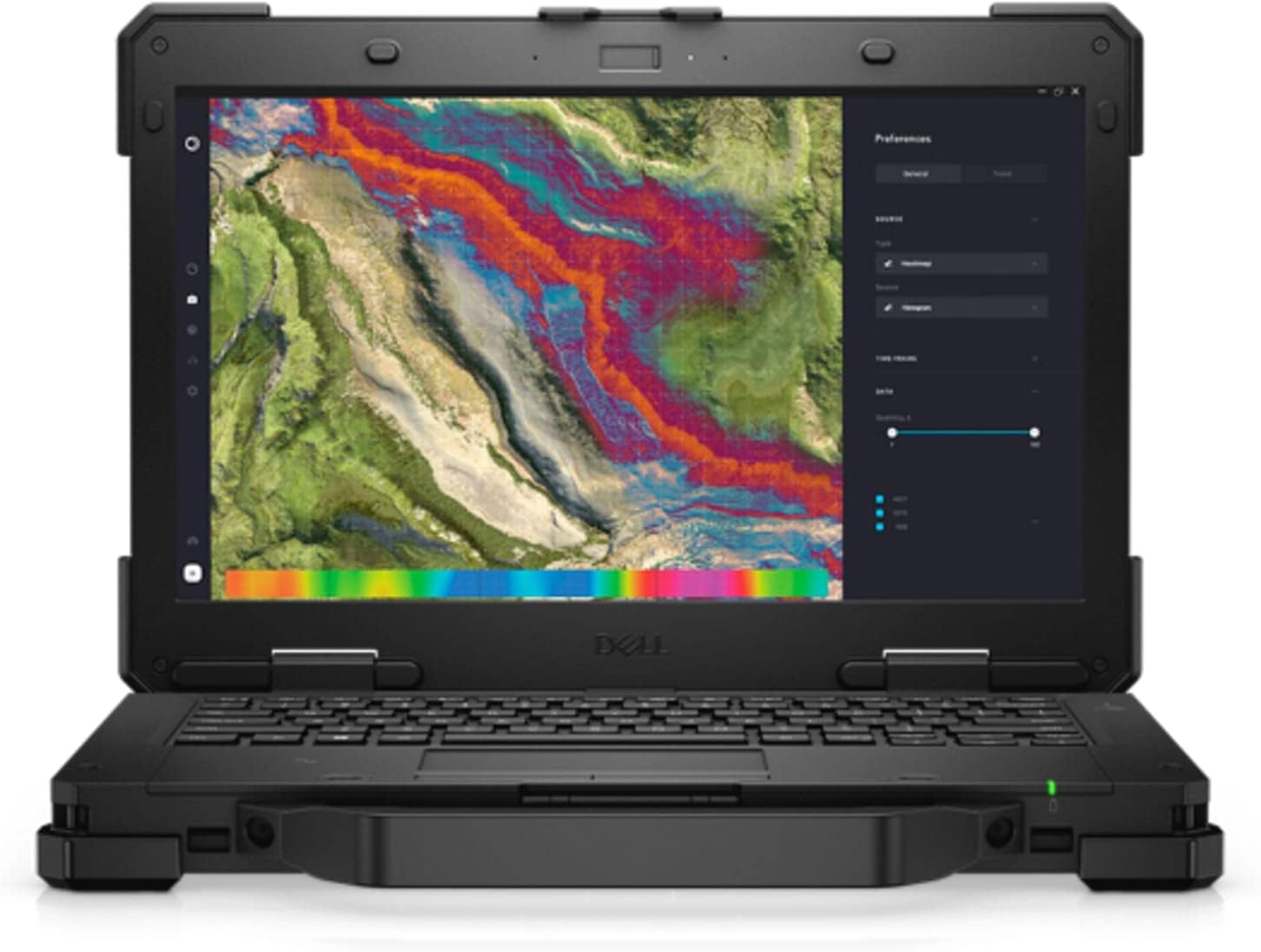
Figure 4: Front view of the Dell Latitude Rugged Extreme 7330 Laptop with the screen open, displaying a detailed map interface.
Maintenance
1. Cleaning Your Laptop
- Screen: Use a soft, lint-free cloth lightly dampened with water or a screen cleaner. Avoid harsh chemicals.
- Keyboard and Chassis: Wipe surfaces with a soft cloth. For stubborn dirt, a slightly damp cloth with mild soap can be used, ensuring no liquid enters openings.
- Ports: Keep ports free of dust and debris. Use compressed air carefully if needed.
2. Battery Care
- Charging: Charge the battery fully before first use. For optimal battery life, avoid frequently discharging the battery completely.
- Storage: If storing the laptop for an extended period, ensure the battery is charged to approximately 50% to prevent deep discharge.
3. Software Updates
Regularly update your Windows operating system and Dell drivers to ensure optimal performance, security, and compatibility. Windows updates can be managed through the Settings app.
Troubleshooting
This section addresses common issues you might encounter with your Dell Latitude Rugged Extreme 7330 Laptop.
1. Power Issues
- Laptop does not turn on: Ensure the AC adapter is securely connected to both the laptop and a working power outlet. Check the power indicator light. If using battery, ensure it is charged.
- Battery not charging: Verify the AC adapter is functioning correctly. Try a different outlet.
2. Display Problems
- No image on screen: Ensure the laptop is powered on. If an external monitor is connected, try disconnecting it or pressing the display toggle key (often Fn + F8 or similar) to switch display outputs.
- Touch screen unresponsive: Restart the laptop. Ensure display drivers are up to date.
3. Connectivity Issues
- Wi-Fi not connecting: Check if Wi-Fi is enabled in Windows settings. Restart your router and the laptop. Verify the Wi-Fi password.
- Bluetooth device not pairing: Ensure the Bluetooth device is in pairing mode and within range. Check Bluetooth settings on the laptop.
4. General Advice
For many issues, a simple restart of the laptop can resolve temporary glitches. If problems persist, consult the Dell support website or contact technical support.
Specifications
Below are the key technical specifications for the Dell Latitude Rugged Extreme 7330 Laptop:
| Feature | Specification |
|---|---|
| Brand | Dell |
| Model Name | Latitude Rugged Extreme 7330 |
| Screen Size | 13.3 Inches |
| Resolution | 1920x1080 (FHD) |
| Display Type | LCD, Touch Screen |
| CPU Model | Intel Core i5-1145G7 (11th Gen) |
| Processor Speed | 2.6 GHz (up to 4.4 GHz with Turbo Boost) |
| RAM Memory | 16 GB DDR4 @ 3200 MHz |
| Hard Disk Size | 256 GB SSD (PCIe NVMe M.2) |
| Operating System | Windows 11 Pro |
| Graphics Card | Integrated Intel Graphics |
| Connectivity | Wi-Fi, Bluetooth, USB |
| Ports | 3x USB, HDMI |
| Webcam | Yes (Front) |
| Keyboard | Backlit QWERTY |
| Battery Type | Lithium Ion (4 cells) |
| Model Year | 2022 |
Warranty and Support
1. Product Warranty
Your Dell Latitude Rugged Extreme 7330 Laptop comes with a limited warranty. The terms and conditions of this warranty are provided with your purchase documentation. Please retain your proof of purchase for warranty claims.
2. Technical Support
For further assistance, technical support, or detailed warranty information, please visit the official Dell support website. You can find drivers, manuals, and troubleshooting guides specific to your model.
- Dell Support Website: www.dell.com/support


