
Introduction
The Steinel NightmatIQ Plus twilight switch combines modern design with smart convenience, offering an intelligent solution for outdoor lighting. This device utilizes advanced Bluetooth technology for easy setup and operation, ensuring reliable automatic lighting for various outdoor areas.
It automatically activates connected luminaires when the ambient light falls below a set twilight threshold and switches them off at dawn. The NightmatIQ Plus is designed for durability and versatility, suitable for all weather conditions.
Product Features
- Automatic Lighting: Provides automatic night lighting for house entrances, driveways, gardens, and shop windows.
- App Control: Easy configuration via the Steinel Connect app, allowing adjustment of twilight values (1-1000 lux), timer settings, and night-saving mode.
- Versatile Compatibility: Can switch any connected light source, including existing outdoor luminaires or spotlights up to 1000 W (max. 250 W LED).
- Bluetooth Mesh: Enables wireless networking and adjustment with other STEINEL Connect lights.
- Durable Design: Splash-proof with IP54 protection, suitable for outdoor wall mounting.
- Flexible Installation: Supports both flush-mounted and surface-mounted cable connections.

Image: Icons illustrating key features such as 1000W maximum load, twilight switch with eco-mode, IP54 protection, plastic-free packaging, 1-1000 lux adjustable range, and Bluetooth connectivity.
Setup and Installation
Before installation, ensure the power supply is disconnected to prevent electrical shock. Installation should be performed by a qualified electrician.
Included Components:
- Steinel NightmatIQ Plus Twilight Sensor
- Mounting accessories (2x screws, 2x plugs, 1x sealing plug)
Mounting Steps:
- Choose a suitable outdoor location for wall mounting. The device is IP54 rated for splash protection.
- Mark the drilling points using the device as a template.
- Drill holes and insert the provided plugs.
- Connect the electrical wiring. The cable connection can be flush-mounted or surface-mounted. Ensure all connections are secure and comply with local electrical codes.
- Secure the NightmatIQ Plus to the wall using the provided screws.
- Ensure the sealing plug is correctly installed to maintain IP54 protection.

Image: The NightmatIQ Plus twilight sensor installed on an exterior wall, demonstrating its discreet design.

Image: A technical diagram showing the precise dimensions of the NightmatIQ Plus sensor in millimeters, including front, side, and rear views for installation planning.
Operating Instructions
The NightmatIQ Plus is primarily controlled and configured via the Steinel Connect app.
Initial Setup and App Connection:
- Download the Steinel Connect app from your smartphone's app store.
- Ensure Bluetooth is enabled on your smartphone.
- Open the Steinel Connect app and follow the on-screen instructions to discover and connect to your NightmatIQ Plus device.
Key App Functions:
- Twilight Threshold Setting: Adjust the ambient brightness level (1 to 1000 lux) at which the sensor activates the lighting. Use the TEACH function for easy calibration.
- Timer Function: Set specific times for the lighting to be active or inactive.
- Night-Saving Mode: Configure periods during the night when lighting can be switched off or dimmed to save energy.
- Bluetooth Mesh Networking: Connect and synchronize multiple NightmatIQ Plus devices or other STEINEL Connect lights for unified control.
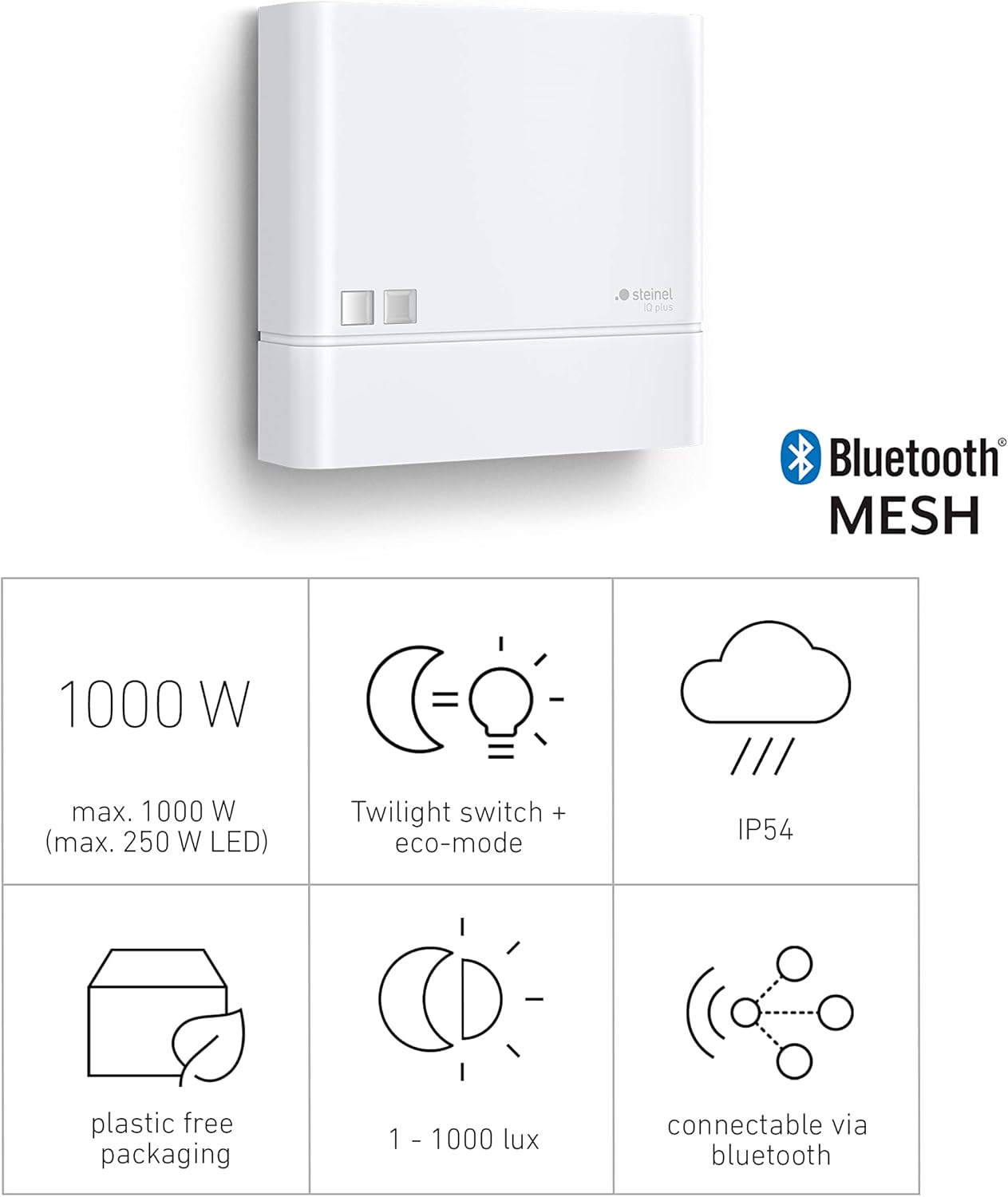
Image: Screenshots of the Steinel Connect app interface, showing options for setting twilight levels, night-saving mode, and managing connected devices.

Image: A visual comparison showing an outdoor entrance with lights off during the day and lights on at night, demonstrating the automatic function of the NightmatIQ Plus.
Maintenance
The Steinel NightmatIQ Plus is designed for minimal maintenance.
- Cleaning: Periodically clean the sensor surface with a soft, damp cloth to ensure optimal light detection. Do not use abrasive cleaners or solvents.
- Inspection: Regularly check the device for any visible damage or loose connections.
- Software Updates: Keep the Steinel Connect app updated to ensure access to the latest features and performance improvements for your device.
Troubleshooting
| Problem | Possible Cause | Solution |
|---|---|---|
| Lights do not turn on at dusk. | Incorrect twilight threshold setting. Power supply issue. Sensor obstructed. | Check and adjust the twilight threshold in the Steinel Connect app. Verify power connection. Ensure sensor is clear of obstructions. |
| Lights remain on during the day. | Twilight threshold set too high. Night-saving mode not configured. | Lower the twilight threshold in the app. Configure night-saving mode if desired. |
| Cannot connect to the device via app. | Bluetooth is off. Device out of range. App not updated. | Ensure Bluetooth is enabled on your phone. Move closer to the device. Update the Steinel Connect app. |
| Connected lights flicker or do not work correctly. | Incompatible light source (e.g., LED wattage too high). Loose wiring. | Verify connected light source wattage (max. 1000W, max. 250W LED). Check electrical connections. |
Specifications
| Feature | Detail |
|---|---|
| Brand | Steinel |
| Model | 066123 |
| Color | White |
| Material | Plastic |
| Product Dimensions (D x W x H) | 3.8 x 9.5 x 9.5 cm |
| Weight | 0.128 kg |
| Power Supply | 220-240 V / 50-60 Hz |
| Max. Switching Capacity | 1000 W (resistive load), 250 W (LED) |
| Twilight Setting Range | 1 - 1000 lux |
| Protection Class | IP54 (splash-proof) |
| Connectivity | Bluetooth Mesh |
| Smart Home Compatibility | Smart Home compatible |
| Number of Settings | 3 (via app: twilight, timer, night-saving) |
| Country of Origin | Romania |
Warranty and Support
This Steinel NightmatIQ Plus twilight sensor comes with a 3-year manufacturer's warranty. Please refer to the warranty conditions available in the download area of the Steinel website or the Steinel Connect app for full details.
For technical support, troubleshooting assistance, or warranty claims, please contact Steinel customer service or visit their official website.
Spare parts availability within the EU is guaranteed for 1 year.


