
Introduction
This user manual provides detailed instructions for the Focket Digital Scoreboard. Designed for various indoor and outdoor sports, this electronic scoreboard offers clear 15-digit LED display, multiple scoring functions, timer modes, and a built-in speaker for an enhanced game experience. Please read this manual thoroughly before operating the device to ensure proper use and longevity.
Safety Information
- Ensure the power supply matches the device's requirements (DC 5V).
- Do not expose the scoreboard to extreme temperatures or direct moisture.
- Keep out of reach of children.
- Do not attempt to disassemble or repair the device yourself. Contact qualified personnel for service.
- Use only the provided accessories or those approved by the manufacturer.
Package Contents
Verify that all items are present in the package:
- Focket Digital Scoreboard
- Remote Control
- USB Power Cable
- Power Adapter (DC 5V)
- Mounting Hardware (hooks, screws, wall anchors)
- Mounting Bracket

Image: All components included in the Focket Digital Scoreboard package, laid out clearly. This includes the scoreboard remote control, a black mounting plate, two black hanging hooks, a power adapter, a USB cable, four white plastic wall anchors, and various screws.
Product Overview
The Focket Digital Scoreboard features a comprehensive LED display and various input/output ports.

Image: A close-up front view of the Focket Digital Scoreboard. It shows large LED digits for HOME and GUEST scores (red), a central display for Period (yellow), Shot Clock (green), and smaller blue LED displays for FOULS and TOL (Time Out Left) on both sides.
Display Components:
- HOME/GUEST Score: Large red LED digits for team scores.
- Period: Yellow LED digit indicating the current period.
- Shot Clock: Green LED digits for shot clock or timer.
- FOULS/TOL: Blue LED digits for fouls and time-outs remaining.
- Indicators: Small red and blue indicator lights for bonus and possession.
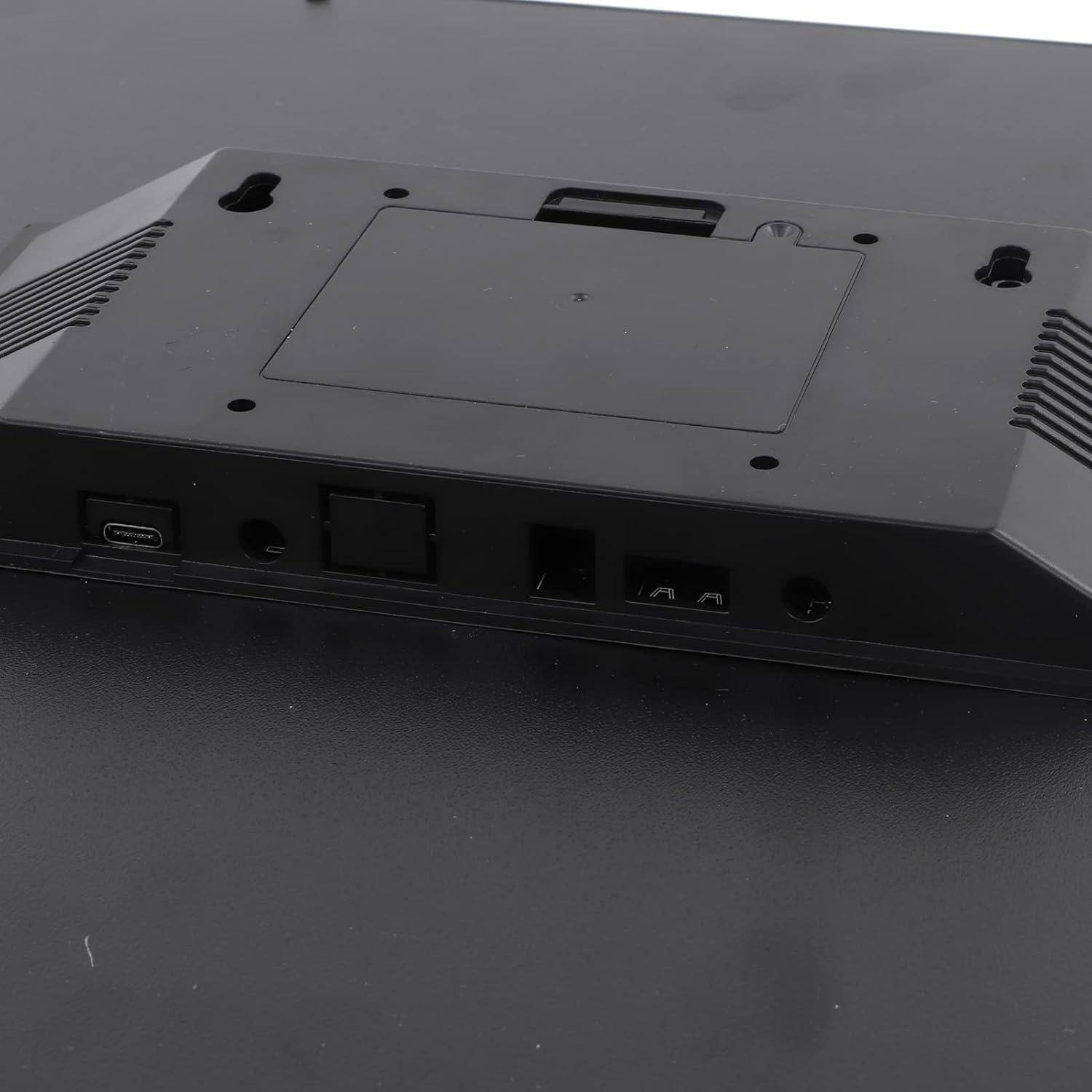
Image: The back panel of the Focket Digital Scoreboard, highlighting the power input port (USB-C type), and other connection ports, likely for external control or data transfer. There are also ventilation grilles visible.
Rear Panel Ports:
- DC 5V Power Input: For connecting the power adapter.
- Other Ports: (Specific functions may vary by model, refer to detailed product specifications if available)
Setup
1. Mounting Options:
The scoreboard offers multiple mounting options for versatility:
- Vertical Wall Mount: Use the provided hooks and screws to mount the scoreboard directly to a wall.
- Tripod Mounted: The scoreboard can be attached to a standard tripod for portable use.
- Tabletop Placement: The scoreboard can also be placed on a flat surface without mounting.

Image: Two Focket Digital Scoreboards are shown on a blue tennis court. One is mounted on a tripod, illustrating the tripod mounting option, while another is placed directly on the ground, demonstrating tabletop or ground placement. The background shows a green fence and trees.
2. Power Connection:
- Connect the USB power cable to the DC 5V input port on the rear of the scoreboard.
- Plug the other end of the USB cable into the provided power adapter.
- Insert the power adapter into a standard electrical outlet.
- The scoreboard should power on automatically.
Operating Instructions
1. Remote Control Overview:
The scoreboard is operated using the included wireless remote control. Familiarize yourself with the buttons:

Image: The Focket Digital Scoreboard is shown alongside its white remote control. The remote has numerous buttons for controlling scores (HOME, GUEST, +1, +2, +3), period, fouls, shot clock, and various timer functions. The scoreboard itself displays scores and time.
- HOME/GUEST Buttons: Adjust scores for respective teams.
- Period Button: Advance or reset the game period.
- Fouls Buttons: Increment fouls for HOME/GUEST.
- Shot Clock Buttons: Start, stop, reset, or adjust the shot clock.
- Timer Buttons: Control various timer modes (start, stop, reset, adjust).
- Mode Button: Switch between different operational modes (e.g., scoring, timer).
2. Basic Scorekeeping:
- Press the HOME or GUEST buttons to increase the respective team's score.
- Use the +1, +2, +3 buttons for quick score increments.
- Press the Period button to advance to the next period.
- Use the Fouls buttons to record fouls for each team.
3. Timer Modes:
The scoreboard supports various timer modes, including workout, exercise, and circuit timers. Refer to the remote control's specific timer buttons for operation.
- Workout Mode: For general exercise timing.
- Exercise Mode: Specific for exercise routines.
- Circuit Timer Mode: Ideal for interval training.
- Shot Clock: Essential for basketball and similar sports.
4. Applicable Game Types and Functions:
The scoreboard is versatile and can be used for a wide range of sports and events. The following table outlines some common applications:

Image: The Focket Digital Scoreboard is shown with its display active. Above it, a table titled "Mode" lists various game types and functions, such as P-01 for Basketball, Handball, Jousting, Karate; P-02 for Basketball (with attacking time clock); P-03 for Badminton, Tennis, Pool, Volleyball, Table Tennis; P-04 for Judo; P-05 for Boxing; P-06 for Multifunctional timers; P-07 for Split second timer; and P-08 for Clock (with alarm).
| Mode | Applicable Game Types and Functions |
|---|---|
| P-01 | Basketball, handball, jousting, karate |
| P-02 | Basketball (with attacking time clock) |
| P-03 | Badminton, tennis, pool, volleyball, table tennis |
| P-04 | Judo |
| P-05 | Boxing |
| P-06 | Multifunctional timers |
| P-07 | Split second timer |
| P-08 | Clock (with alarm) |
The scoreboard also features a loud built-in speaker for audible cues during games.
Maintenance
- Cleaning: Use a soft, dry cloth to wipe the display and casing. Do not use abrasive cleaners or solvents.
- Storage: When not in use, store the scoreboard in a cool, dry place, away from direct sunlight and extreme temperatures.
- Battery Replacement (Remote): If the remote control's response becomes sluggish, replace its batteries (type not specified, assume standard small batteries like AAA or coin cell).
Troubleshooting
| Problem | Possible Cause | Solution |
|---|---|---|
| Scoreboard does not power on. | No power supply; loose connection. | Ensure power adapter is securely plugged into the scoreboard and a working electrical outlet. Verify power outlet is active. |
| Remote control not responding. | Dead batteries; obstruction; out of range. | Replace remote control batteries. Ensure no obstructions between remote and scoreboard. Operate within effective range. |
| Display segments are dim or not lighting up. | Internal component issue. | Contact customer support for assistance. Do not attempt self-repair. |
| Scores or timers are inaccurate. | Incorrect mode selected; user error. | Verify the correct game mode is selected. Review operating instructions for specific functions. |
Specifications
- Model: B0C5TS7KNV
- Display Type: 15 Digit LED Display
- Power Input: DC 5V
- Features: Period, Bonus, Possession Indicators, Timer Modes (Workout, Exercise, Circuit), Built-in Speaker.
- Portability: Lightweight design, easy to transport.
- Recommended Use: Indoor (as per feature bullets).
- Manufacturer: Focket
- First Available Date: May 20, 2023
Warranty and Support
For warranty information, please refer to the documentation included with your purchase or contact the manufacturer directly. Focket is committed to customer satisfaction.
If you encounter any issues or have questions regarding your Focket Digital Scoreboard, please contact Focket customer service through their official website or the retailer from whom you purchased the product. Provide your model number (B0C5TS7KNV) and a detailed description of the issue for efficient support.