
1. Introduction
Thank you for choosing the SURFOU Wireless Doorbell M9. This manual provides detailed instructions for the installation, operation, and maintenance of your new doorbell system. Please read this manual thoroughly before use to ensure proper function and longevity of the product.

Image 1.1: SURFOU Wireless Doorbell M9 Kit Overview
This image displays the complete SURFOU Wireless Doorbell M9 kit, including two white rectangular transmitters (push buttons) and three white square plug-in receivers. Each receiver features a prominent blue LED ring, indicating its operational status.
2. Package Contents
Please check the package to ensure all items are present:
- 2 x Wireless Transmitters (Push Buttons)
- 3 x Plug-in Receivers
- Mounting Hardware (Screws, Wall Anchors, Double-sided Adhesive Tape)
- 1 x User Manual (This document)
- 2 x 12V 23A Alkaline Batteries (Pre-installed in transmitters)
3. Product Features
- Extended Wireless Range: Up to 1300 feet (400 meters) in open areas.
- Multiple Chimes: 55 selectable melodies.
- Adjustable Volume: 5 levels, ranging from 0dB (mute) to 110dB.
- Visual Alert: LED flash indicator for hearing impaired users or silent mode.
- Weatherproof Transmitter: IP55 dustproof and waterproof rating.
- Wide Operating Temperature: -22°F to 158°F (-30°C to 70°C).
- Memory Function: Retains last selected melody and volume level after power loss.
- Expandable System: Compatible with additional SURFOU transmitters and receivers of the same model.

Image 3.1: Key Features of the SURFOU Doorbell
This image illustrates the core functionalities of the SURFOU doorbell receiver, highlighting its 55 available melodies, LED indication for visual alerts, and 5 adjustable volume levels.
4. Setup Instructions
4.1 Transmitter Battery Installation
The transmitter comes with a pre-installed 12V 23A alkaline battery. If replacement is needed, open the transmitter casing carefully and insert a new battery, ensuring correct polarity.
4.2 Receiver Placement
- Plug each receiver into a standard electrical outlet in your desired locations.
- Ensure the outlets are easily accessible and not obstructed.

Image 4.1: Receiver Plugged into an Outlet
This image shows a SURFOU doorbell receiver discreetly plugged into a standard wall outlet, demonstrating its compact and space-saving design.
4.3 Mounting the Transmitter
Choose a flat, clean surface for mounting the transmitter. You have two options:
- Using Adhesive Tape:
- Clean the mounting area thoroughly to remove dust and grease.
- Peel off one side of the double-sided adhesive tape and attach it to the back of the transmitter.
- Peel off the other side of the tape and firmly press the transmitter onto the desired surface for at least 30 seconds.
- Using Screws:
- Open the transmitter casing to access the screw holes.
- Mark the desired drilling points on the wall.
- Drill holes and insert wall anchors if necessary.
- Secure the transmitter base to the wall using the provided screws.
- Reattach the transmitter casing.
For optimal performance, avoid mounting the transmitter on metal surfaces, which can reduce the wireless range.

Image 4.2: Wireless Range and Placement
This diagram demonstrates the extensive 1300ft (400m) wireless range of the doorbell system, showing how receivers can be placed in various rooms and transmitters at different doors within a large home or apartment layout.
5. Operating Instructions
5.1 Changing Melodies
- Press the 'Melody Selection' button (usually marked with a music note or 'SET') on the receiver to cycle through the 55 available chimes.
- Stop pressing when you hear your desired melody. The receiver will automatically save this selection.
5.2 Adjusting Volume
- Press the 'Volume' button (usually marked with a speaker icon) on the receiver to cycle through the 5 volume levels (0dB, 20dB, 50dB, 80dB, 110dB).
- Select the volume level appropriate for your environment.

Image 5.1: Volume Adjustment and Usage
This image illustrates the 5 levels of volume adjustment available on the SURFOU doorbell, ranging from 0dB to 110dB, ensuring the sound is loud enough for various household needs. It also shows a family reacting to the doorbell, and a person pressing the transmitter button.
5.3 Pairing Additional Transmitters/Receivers (if applicable)
Your doorbell kit is pre-paired. If you purchase additional SURFOU M9 transmitters or receivers, or if pairing is lost, follow these steps:
- Plug in the receiver.
- Press and hold the 'Melody Selection' button on the receiver for approximately 5 seconds until the LED indicator flashes rapidly. This indicates pairing mode.
- Immediately press the push button on the transmitter. The receiver will chime and its LED will flash slowly, indicating successful pairing.
- Repeat for each additional transmitter you wish to pair with this receiver.
- To pair a transmitter with multiple receivers, repeat steps 2-3 for each receiver.
5.4 Silent Mode / LED Flash Only
To use the doorbell in silent mode with only the LED flash:
- Press the 'Volume' button repeatedly until the volume reaches 0dB (mute).
- When the transmitter is pressed, the receiver's LED will still flash, providing a visual alert without sound.
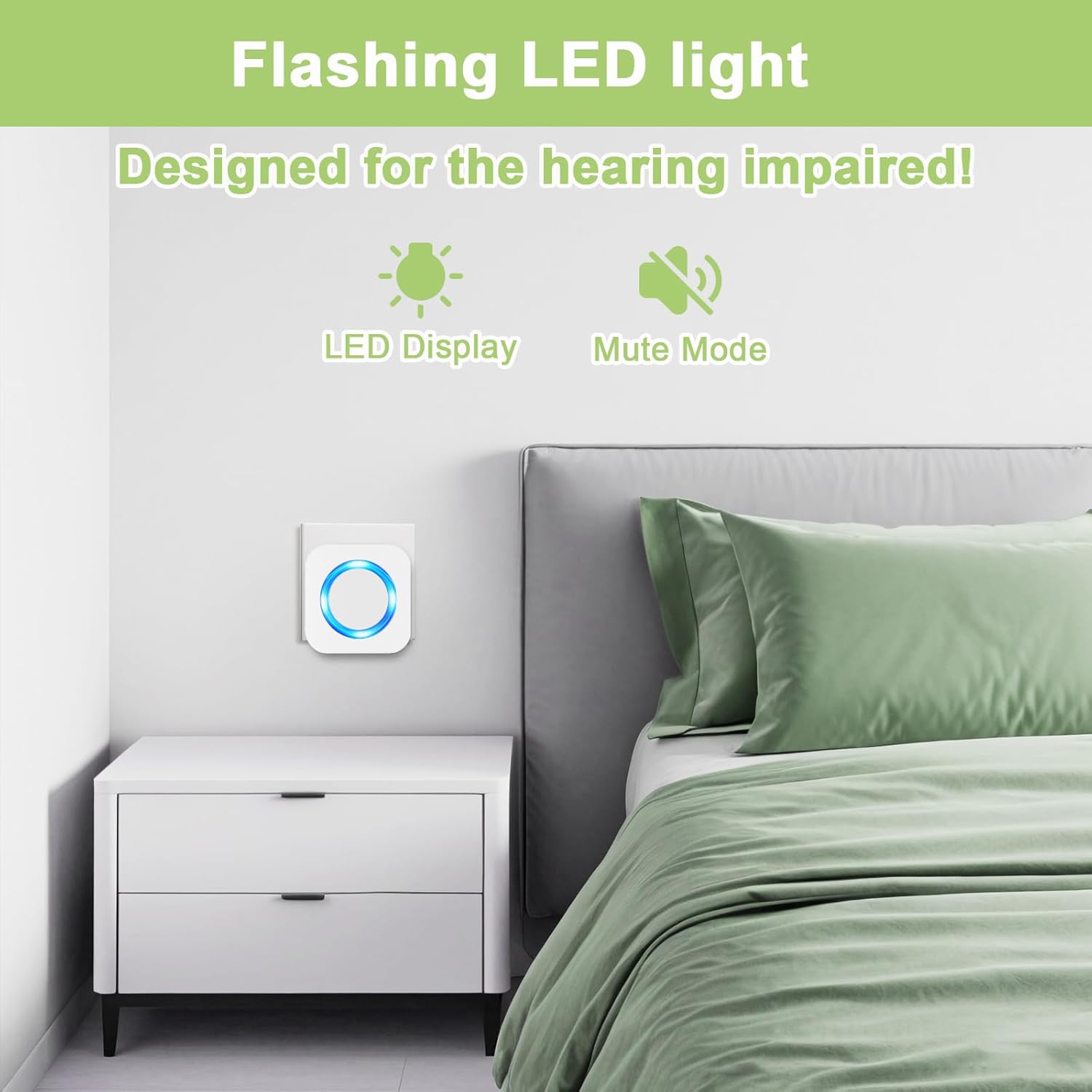
Image 5.2: LED Flash Feature
This image highlights the flashing LED light feature of the receiver, which serves as a visual alert. This function is particularly beneficial for individuals with hearing impairments or when a silent notification is preferred.
6. Maintenance
6.1 Cleaning
Wipe the doorbell units with a soft, dry cloth. Do not use abrasive cleaners or solvents, as these can damage the surface.
6.2 Transmitter Battery Replacement
The transmitter battery (12V 23A alkaline) has an estimated life of up to 3 years. When the transmitter's LED indicator no longer lights up or the range decreases significantly, it's time to replace the battery.
- Carefully open the transmitter casing.
- Remove the old battery.
- Insert a new 12V 23A alkaline battery, ensuring the positive (+) and negative (-) terminals are correctly aligned.
- Close the casing securely.

Image 6.1: Transmitter Battery Life
This graphic illustrates the extended battery life of the SURFOU doorbell transmitter, which can last up to 3 years, minimizing the need for frequent battery replacements.
7. Troubleshooting
| Problem | Possible Cause | Solution |
|---|---|---|
| Receiver does not ring or flash. |
|
|
| Short operating range. |
|
|
| Accidental ringing. |
|
|
| Receiver unpairs from transmitter. |
|
|
8. Specifications
- Model: M9
- Manufacturer: SURFOU
- Wireless Range: Up to 1300 ft (400 m) in open air
- Ringtones: 55 melodies
- Volume Levels: 5 (0dB to 110dB)
- Transmitter Power: 1 x 12V 23A Alkaline Battery (included)
- Transmitter Battery Life: Up to 3 years
- Receiver Power: AC 110-240V (Plug-in)
- Waterproof Rating (Transmitter): IP55
- Operating Temperature: -22°F to 158°F (-30°C to 70°C)
- Item Weight (Package): Approximately 12 ounces
- Package Dimensions: Approximately 4.84 x 2.99 x 2.48 inches

Image 8.1: Product Dimensions
This image provides the physical dimensions of both the SURFOU doorbell receiver (7cm x 7cm / 2.75in x 2.75in) and the transmitter (8.6cm x 3.5cm / 3.38in x 1.37in), highlighting their compact and space-saving design.
9. Warranty and Support
SURFOU is committed to providing quality products and customer satisfaction. While specific warranty periods may vary, we offer comprehensive after-sales support for all our products.
If you encounter any issues or have questions regarding your SURFOU Wireless Doorbell M9, please do not hesitate to contact our customer support team. We are ready to provide a satisfactory solution.
For support, please refer to the contact information provided with your purchase or visit the official SURFOU website.


