
Introduction
This manual provides essential information for the proper use and care of your Spigen Mag Armor MagFit Case for iPhone 15 Plus. This case is designed to offer robust protection and enhanced functionality, including MagSafe compatibility, for your device.

Image: Spigen Mag Armor MagFit case overview, emphasizing protection and iPhone 15 Plus compatibility.
Setup: Case Installation
Follow these steps to correctly install the Spigen Mag Armor MagFit case on your iPhone 15 Plus:
- Clean Your Device: Ensure your iPhone 15 Plus is clean and free of dust or debris before installation.
- Align the Case: Hold the case with the camera cutout aligned with your phone's camera module.
- Insert Top Edge: Gently insert the top edge of your iPhone into the top of the case.
- Press Down: Apply gentle pressure to the remaining edges of the phone until it snaps securely into place within the case. Ensure all corners are fully seated.

Image: iPhone 15 Plus fitted within the Spigen Mag Armor MagFit case.
Operating Instructions
The Spigen Mag Armor MagFit case enhances your iPhone 15 Plus experience with several key features:
- MagSafe Compatibility: The case features a built-in magnetic ring that securely aligns with MagSafe chargers and accessories, enabling efficient wireless charging and attachment of MagSafe wallets or stands.
- Tactile Buttons: Designed for solid feedback and an easy press, the case's buttons ensure responsive interaction with your device's controls.
- Air Cushion Technology: Experience ultimate protection with Spigen's Air Cushion Technology, featuring reinforced corners to absorb impact and keep your device safe from drops and bumps.
- Raised Bezels: The case incorporates raised lips around the camera and screen to prevent direct contact with surfaces, guarding against scratches when placed face down or on its back.
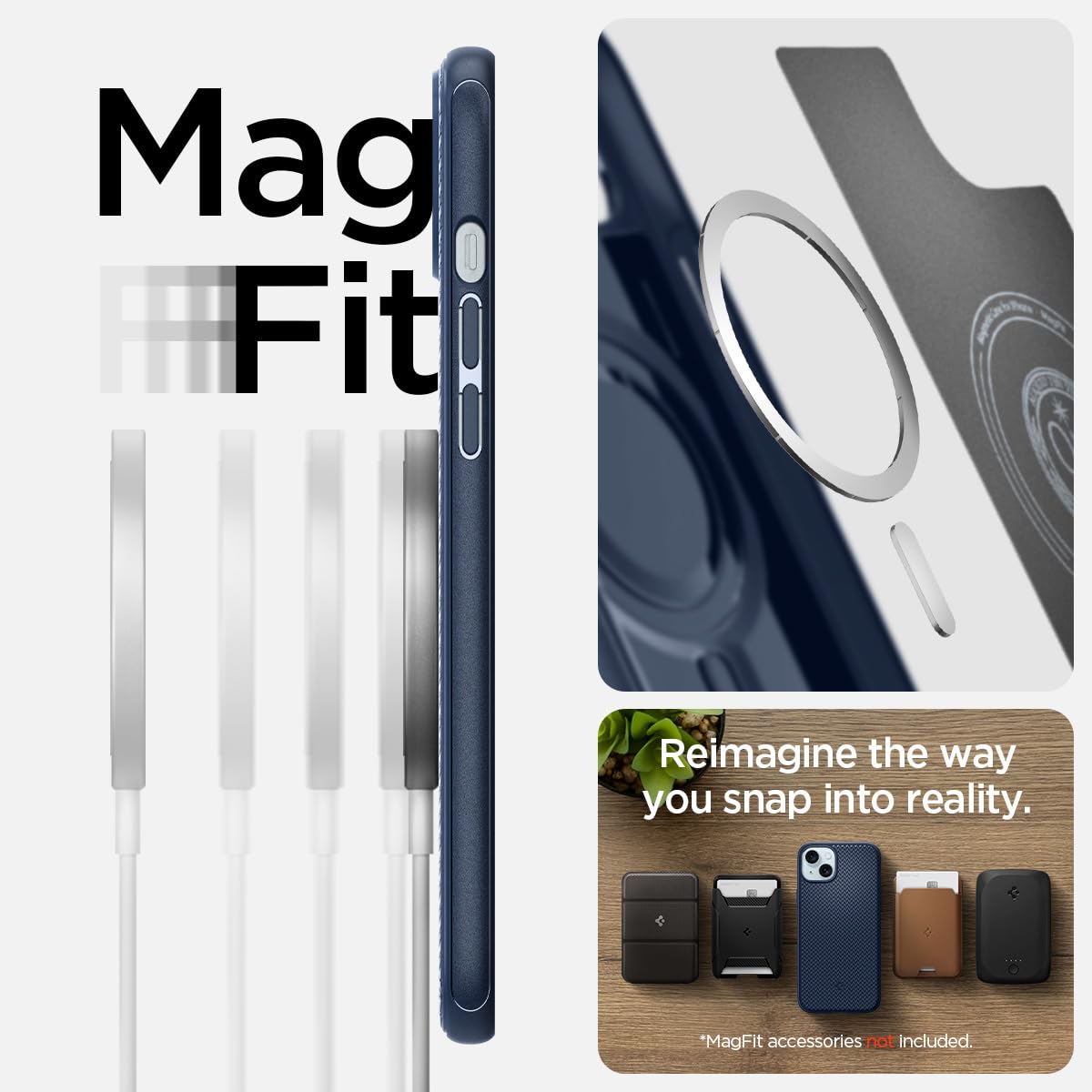
Image: MagFit compatibility with MagSafe accessories.

Image: Raised lips for camera and screen protection.
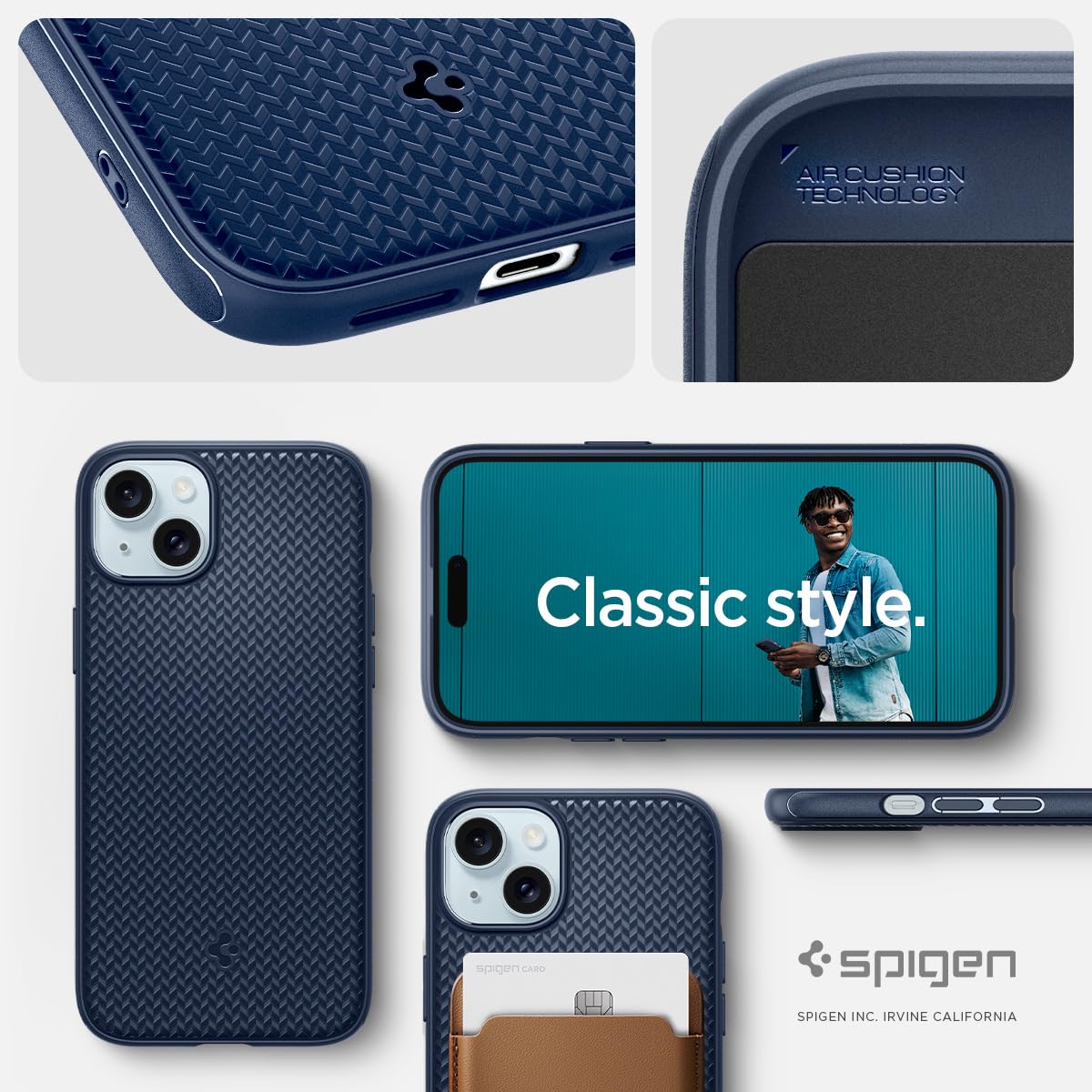
Image: Air Cushion Technology and classic design.
Maintenance and Care
To ensure the longevity and appearance of your Spigen Mag Armor MagFit case, follow these maintenance guidelines:
- Cleaning: Wipe the case regularly with a soft, slightly damp cloth. For stubborn dirt, a mild soap solution can be used, followed by wiping with a clean, damp cloth.
- Avoid Harsh Chemicals: Do not use abrasive cleaners, solvents, or harsh chemicals, as these can damage the case material and finish.
- Storage: When not in use, store the case in a cool, dry place away from direct sunlight.
Troubleshooting
If you encounter any issues with your Spigen Mag Armor MagFit case, consider the following:
- Case Not Fitting: Ensure you have the correct model (iPhone 15 Plus). Verify that no foreign objects are obstructing the phone's placement within the case.
- MagSafe Not Working: Confirm that your MagSafe accessory is properly aligned with the magnetic ring on the back of the case. Ensure the accessory itself is functional.
- Buttons Unresponsive: Check that the case is fully seated around your phone, ensuring the buttons on the case align perfectly with your phone's buttons.
For persistent issues or further assistance, please contact Spigen customer support.
Specifications
| Feature | Detail |
|---|---|
| Brand | Spigen |
| Model Name | Mag Armor MagFit |
| Model Number | ACS06672 |
| Compatible Phone Models | iPhone 15 Plus |
| Color | Navy Blue |
| Material | Polycarbonate, Thermoplastic Polyurethane (TPU) |
| Item Weight | 48.57 Grams |
| Product Features | Air-cushion technology, Lightweight, Magnetic (MagFit), Slim Fit, Wireless Charging Compatible |
| Item Dimensions (L x W x H) | 7.6 x 1 x 15.2 Centimeters |
| Product Finish Type | Matte |
Warranty Information
The Spigen Mag Armor MagFit Case for iPhone 15 Plus comes with a 1-year warranty against manufacturing defects. This warranty covers defects in materials and workmanship under normal use. It does not cover damage caused by misuse, accidents, or unauthorized modifications.
Please retain your proof of purchase for warranty claims.
Customer Support
For any questions, concerns, or warranty claims regarding your Spigen product, please contact our customer support team:
- Manufacturer: Spigen Korea Co., Ltd.
- Manufacturer Contact: SpigenHQ, 446, Bongeunsa-ro, Gangnam-gu, Seoul, Rep. of Korea
- Importer (India): Spigen India Private Limited
- Importer Contact: NO.295 - 296, Ecotech-1, Extension, Greater Noida, Uttar Pradesh 201310, India
You may also visit the official Spigen website for additional support resources.
