
1. Introduction
This manual provides instructions for the Spigen Ultra Hybrid Case designed specifically for the iPhone 15 (2023) model. The Ultra Hybrid case combines a durable polycarbonate back with a flexible TPU bumper to offer reliable protection while showcasing your phone's original design.
Compatibility: This case is compatible only with the iPhone 15 (2023). It is not compatible with iPhone 15 Plus, iPhone 15 Pro, or iPhone 15 Pro Max models.

Image 1.1: Spigen Ultra Hybrid Case in Frost Black, showcasing its clear back and protective bumper.
2. Setup: Case Installation
Follow these steps to properly install your Spigen Ultra Hybrid case on your iPhone 15:
- Prepare Your Device: Ensure your iPhone 15 is clean and free of dust or debris. This prevents scratches and ensures a snug fit.
- Remove Protective Films: The case may come with thin protective films on both the inside and outside of the clear polycarbonate back. Carefully peel these off using the provided tabs, if any.
- Insert Phone: Align the iPhone 15 with the case, starting with the top edge (camera side). Gently push the phone into the case, ensuring all corners snap securely into place.
- Check Fit: Verify that all edges of the case are flush with your phone and that all buttons and ports are correctly aligned with the case cutouts.
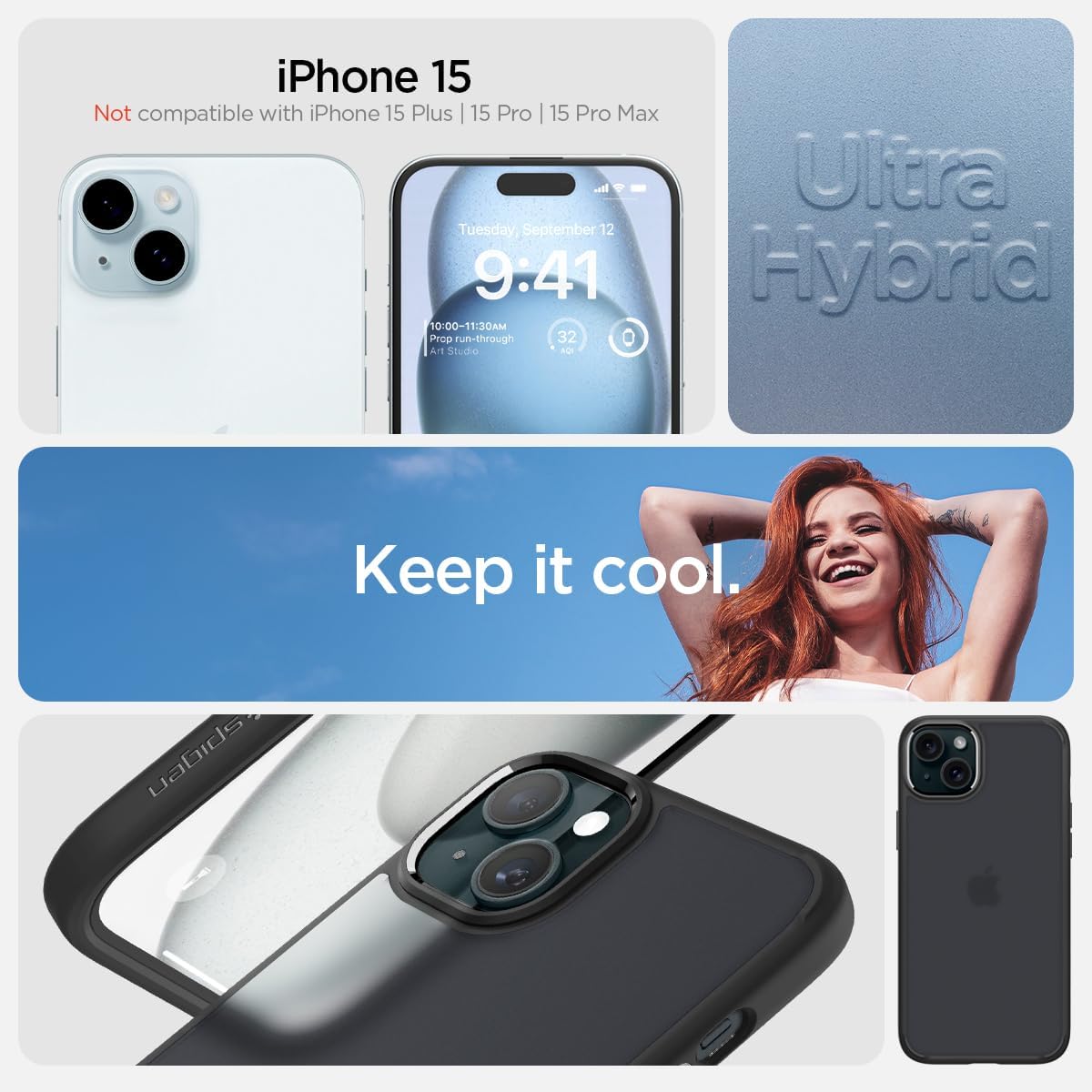
Image 2.1: Proper alignment of the iPhone 15 within the Spigen Ultra Hybrid case during installation.
To remove the case, gently peel back one of the bottom corners and work your way around the edges until the phone can be safely lifted out.
3. Key Features and Operation
- Hybrid Protection: The case features a dual-layer design with a rigid polycarbonate back and a flexible Thermoplastic Polyurethane (TPU) bumper. This combination provides robust protection against drops and impacts.
- Crystal Clear Transparency: The transparent back allows the original design and color of your iPhone 15 to be visible. The Frost Black variant offers a subtle, frosted aesthetic.
- Anti-Yellowing Technology: Engineered with anti-yellowing properties to maintain clarity over time, resisting discoloration from UV exposure.
- Raised Bezels: Strategically raised edges around the screen and camera provide additional protection, preventing direct contact with flat surfaces when the phone is laid down.
- Responsive Buttons & Precise Cutouts: The case is designed with pronounced buttons that offer tactile feedback and large, accurate cutouts for easy access to ports and speakers, accommodating most charging cables.
- Slim Profile: Despite its protective qualities, the Ultra Hybrid case maintains a slim and lightweight profile, adding minimal bulk to your device.

Image 3.1: Side view highlighting the responsive button design.
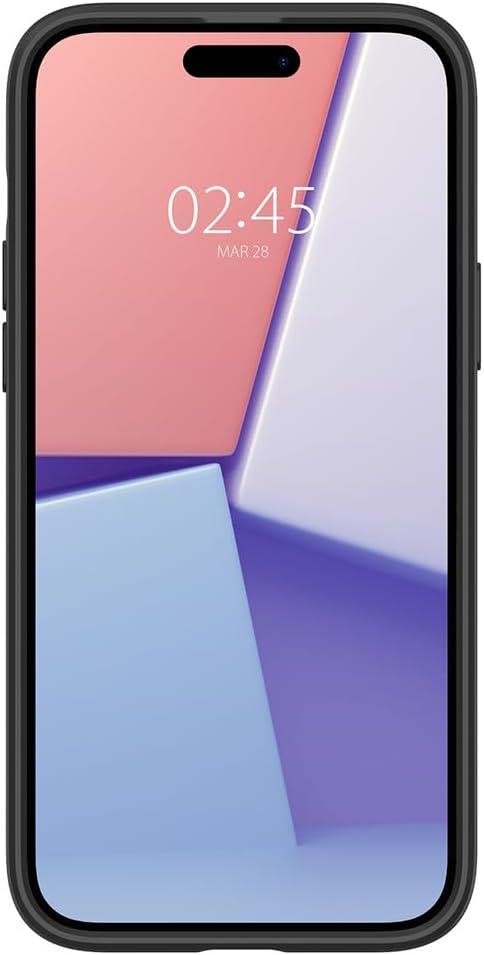
Image 3.2: Detailed view of the reinforced corner protection.

Image 3.3: Illustration of Spigen's Air Cushion Technology for enhanced drop protection.

Image 3.4: Demonstrating the slim design of the case.
Video Demonstration: Spigen Ultra Hybrid for iPhone 15 Series
Video 3.5: An official video from Spigen Inc. demonstrating the features and fit of the Ultra Hybrid case for the iPhone 15 series.
4. Maintenance
To keep your Spigen Ultra Hybrid case clean and maintain its appearance:
- Regular Cleaning: Wipe the case regularly with a soft, damp cloth to remove dust and fingerprints.
- Deep Cleaning: For more stubborn dirt, remove the case from your phone and wash it gently with mild soap and water. Rinse thoroughly and allow it to air dry completely before reattaching it to your phone.
- Avoid Harsh Chemicals: Do not use abrasive cleaners, solvents, or harsh chemicals, as these can damage the case material and its anti-yellowing properties.
5. Troubleshooting
Most issues with a phone case are related to fit or appearance. Here are some common concerns:
- Case Doesn't Fit: Ensure you have the correct case model for your iPhone 15. This case is specifically designed for the iPhone 15 (2023) and will not fit other iPhone models.
- Yellowing Over Time: While the case features anti-yellowing technology, prolonged exposure to direct sunlight and certain chemicals can still cause slight discoloration over a very long period. Regular cleaning and avoiding harsh environments can help prolong its clarity.
- Scratches on Case: The polycarbonate back is durable but not entirely scratch-proof. Avoid placing your phone with sharp objects to minimize cosmetic scratches.
6. Specifications
| Feature | Detail |
|---|---|
| Model Number | ACS06797 |
| Compatible Device | iPhone 15 (2023) |
| Color | Frost Black |
| Material | Polycarbonate, Thermoplastic Polyurethane (TPU) |
| Product Dimensions | 3 x 0.4 x 6 inches |
| Item Weight | 1.1 ounces |
| Special Features | Anti-Yellowing, Military-Grade Drop Protection (Air Cushion Technology), Raised Bezels for Screen & Camera Protection, Responsive Buttons |
| Included Components | Basic Case |
7. Warranty & Support
Spigen products are designed for durability and performance. For specific warranty information and customer support, please visit the official Spigen website or contact their customer service directly. Keep your purchase receipt for warranty claims.
For further assistance, you may visit the Spigen Store on Amazon.


