
1. Introduction
This manual provides comprehensive instructions for the D-Link DMS-105 5-Port 2.5GB Unmanaged Multi-Gigabit Switch. The DMS-105 is designed to enhance network performance by providing high-speed connectivity for various devices. It features five 2.5 Gigabit Ethernet ports, enabling fast data transfers and maximizing network bandwidth, with a total switching capacity of up to 25Gbps.
The switch is ideal for integrating high-performance devices such as Wi-Fi 6 Access Points with 2.5G WAN ports, 2.5G Network Attached Storage (NAS), 2.5G PCIe Adapters, 2.5G Servers, and gaming computers. Its unmanaged nature ensures plug-and-play functionality without requiring complex software installation or configuration.
Key features include support for IEEE 802.3az Energy-Efficient Ethernet (EEE) for reduced power consumption, 802.1p Quality of Service (QoS) for traffic prioritization, Flow Control to minimize dropped packets, and IGMP Snooping to optimize multicast data streams.
2. Package Contents
Verify that your package contains the following items:
- D-Link DMS-105 5-Port 2.5GB Unmanaged Multi-Gigabit Switch
- Power Adapter
- Quick Installation Guide (QIG)
If any items are missing or damaged, please contact your local D-Link reseller for assistance.
3. Physical Description
3.1 Front Panel
The front panel of the DMS-105 features five 2.5 Gigabit Ethernet ports and LED indicators for each port, as well as a power indicator.

Image Description: A close-up view of the D-Link DMS-105 switch's front panel. It displays five RJ45 Ethernet ports labeled 1 through 5, each with corresponding Link/Act and speed indicator LEDs. The D-Link logo and model number DMS-105 are visible below the ports. A power indicator LED is on the far left.
3.2 Rear Panel
The rear panel includes the power input and a grounding screw.
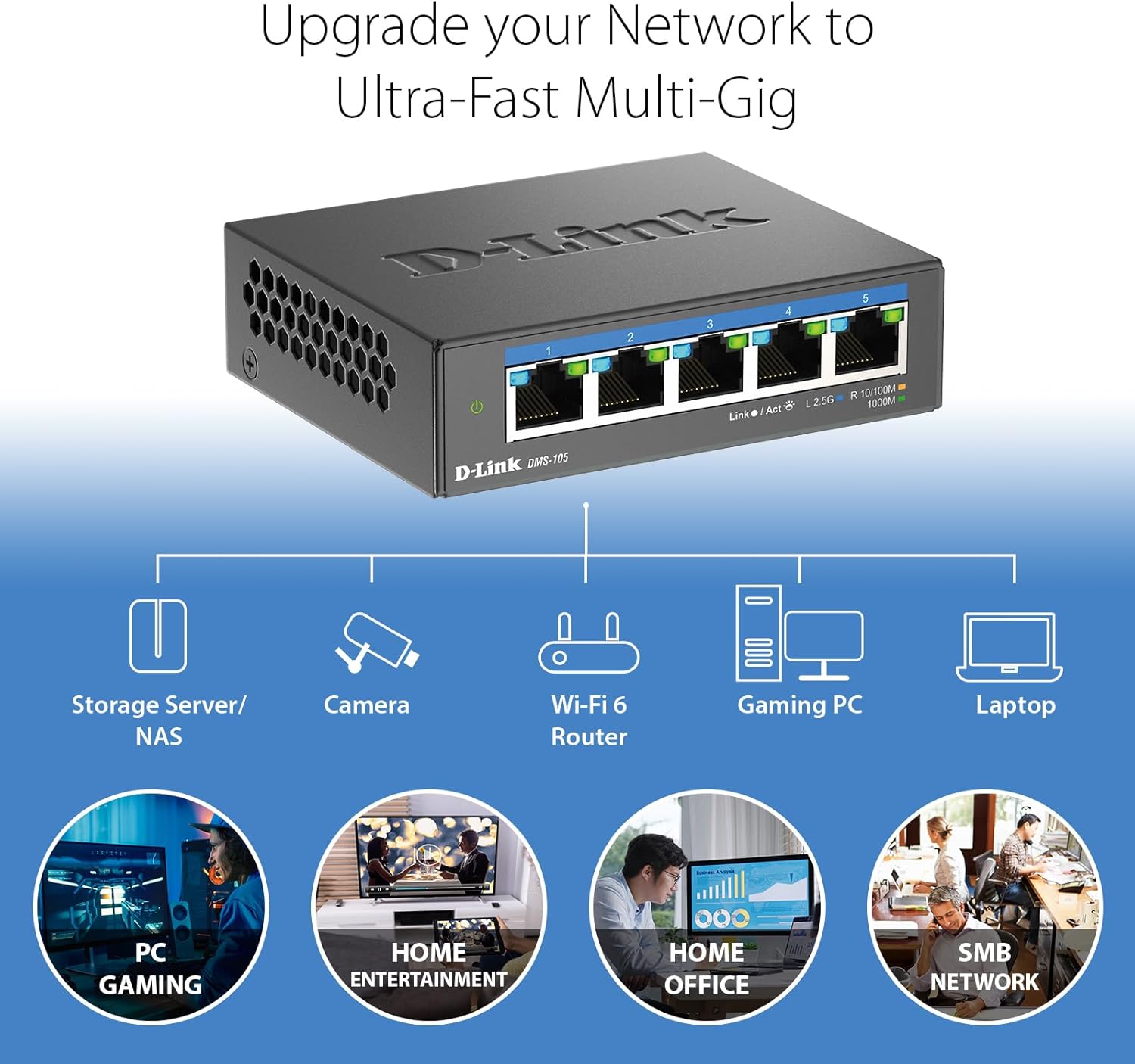
Image Description: A detailed view of the D-Link DMS-105 switch's rear panel. It shows a grounding screw labeled 'SWITCH GND' and a 12V DC power input port labeled '12V === 1A'.
3.3 LED Indicators
The LEDs provide visual status of the switch and its connections:
- Power LED (Green): Indicates the switch is powered on.
- Link/Act LED (Green/Blue):
- Solid Green: A device is connected at 100Mbps or 1Gbps speed.
- Flashing Green: Data is being transmitted or received at 100Mbps or 1Gbps speed.
- Solid Blue: A device is connected at 2.5Gbps speed.
- Flashing Blue: Data is being transmitted or received at 2.5Gbps speed.
4. Setup
The D-Link DMS-105 is a plug-and-play device, requiring no software installation or complex configuration. Follow these steps for basic setup:
- Unpack the Switch: Carefully remove the switch and all accessories from the packaging.
- Connect the Power Adapter: Plug the provided power adapter into the DC 12V port on the rear panel of the switch, then plug the other end into a standard electrical outlet. The Power LED on the front panel should illuminate green.
- Connect Network Devices: Connect your network devices (e.g., computers, NAS, Wi-Fi 6 APs) to the Ethernet ports (1-5) on the front panel of the switch using standard Ethernet cables (Cat5e or higher is recommended for optimal performance).
- Verify Connections: Once a device is connected, the corresponding Link/Act LED for that port should light up. The color of the LED indicates the connection speed (Green for 100Mbps/1Gbps, Blue for 2.5Gbps).

Image Description: A collection of colorful Ethernet cables, emphasizing that the D-Link DMS-105 switch is compatible with existing Cat5e and Cat6 cabling, allowing users to leverage faster transfer rates without needing new cables.
5. Operation
The DMS-105 is an unmanaged switch, meaning it operates automatically without requiring user configuration. It intelligently handles network traffic to ensure optimal performance.
- Auto-Negotiation: Each port on the switch automatically detects the link speed (100Mbps, 1Gbps, or 2.5Gbps) of the connected device and adjusts accordingly for compatibility and optimal performance.
- Quality of Service (QoS): The switch supports 802.1p QoS, which allows network traffic to be classified into different priority levels. This ensures that time-sensitive data, such as video streaming or online gaming, receives preferential treatment to reduce latency and improve user experience.
- Flow Control: IEEE 802.3x Flow Control helps prevent data loss during periods of high network congestion by temporarily pausing data transmission from sending devices, minimizing dropped packets and ensuring reliable connections.
- IGMP Snooping: This feature optimizes multicast data streams, such as those used for IPTV or video conferencing. By intelligently forwarding multicast traffic only to the ports where it is needed, IGMP Snooping conserves network bandwidth and improves efficiency.
6. Maintenance
The D-Link DMS-105 is designed for reliable, long-term operation with minimal maintenance. Its durable metal housing and fanless design contribute to its longevity and performance.
- Cleaning: To clean the switch, disconnect the power adapter and use a soft, dry cloth. Avoid using liquid or aerosol cleaners, as they may damage the device.
- Environmental Considerations: Ensure the switch is placed in a well-ventilated area, away from direct sunlight, heat sources, and excessive moisture. The operating temperature range is 0°C to 40°C (32°F to 104°F).
- Fanless Design: The fanless design ensures silent operation, making it suitable for home and office environments. It also reduces dust accumulation inside the device, contributing to its durability.
7. Troubleshooting
If you encounter issues with your D-Link DMS-105 switch, refer to the following troubleshooting tips:
- No Power:
- Ensure the power adapter is securely connected to the switch and a working electrical outlet.
- Verify that the power outlet is functional by plugging in another device.
- Check if the Power LED on the front panel is illuminated.
- No Link Light for a Connected Device:
- Confirm that the Ethernet cable is securely plugged into both the switch port and the network device.
- Try using a different Ethernet cable to rule out a faulty cable.
- Ensure the connected device is powered on and its network adapter is functioning correctly.
- Check the status of the network adapter on the connected device.
- Slow Network Speed:
- Ensure that both the switch and the connected devices support 2.5Gbps speeds for optimal performance.
- Use Cat5e or Cat6 Ethernet cables for connections, especially for 2.5Gbps speeds. Older Cat5 cables may limit performance.
- Check the Link/Act LED color for the port; a green light indicates 100Mbps or 1Gbps, while a blue light indicates 2.5Gbps.
- Verify that your Internet Service Provider (ISP) plan and modem/router support the desired speeds if the issue is related to internet access.
8. Specifications
| Feature | Specification |
|---|---|
| Model Number | DMS-105 |
| Number of Ports | 5 |
| Interface Type | RJ45 |
| Data Transfer Rate | 25 Gigabits Per Second (Total Switching Capacity) |
| Port Speeds | 100Mbps, 1Gbps, 2.5Gbps (Auto-negotiation) |
| Standards | IEEE 802.3az Energy-Efficient Ethernet (EEE), 802.1p Quality of Service (QoS), Flow Control, IGMP Snooping |
| Product Dimensions (L x W x H) | 3.85" x 3.54" x 1.1" (9.78 cm x 8.99 cm x 2.79 cm) |
| Item Weight | 8.5 ounces (241 grams) |
| Voltage | 12 Volts (DC) |
| Case Material | Metal |
| Operating Temperature | 0°C to 40°C (32°F to 104°F) |
| Color | Black |
9. Warranty and Support
The D-Link DMS-105 5-Port 2.5GB Unmanaged Multi-Gigabit Switch comes with a Limited Lifetime Warranty, reflecting D-Link's commitment to quality and reliability.

Image Description: A graphic featuring a hand giving a thumbs-up, accompanied by the text 'Limited Lifetime Warranty', indicating the product's warranty coverage.
For technical support, product registration, and further information, please visit the official D-Link website or contact D-Link customer service. Refer to the Quick Installation Guide (QIG) included in your package for specific regional support contact details.


