
Introduction
Thank you for choosing the GreenForest Computer Desk. This desk is designed to enhance your workspace with its versatile features, including a built-in full monitor stand, reversible two-tier storage shelves, a convenient headphone hook, and a cup holder. Its sturdy construction ensures durability and stability for various uses, from gaming to office work or studying.
Safety Precautions
- Ensure the desk is properly anchored to prevent tipping.
- Do not exceed the maximum weight recommendation of 100 kilograms.
- Keep small parts away from children during assembly.
- Assemble on a soft, clean surface to prevent scratches.
Package Contents
Before beginning assembly, please verify that all parts are present and undamaged. Refer to the included parts list for identification.
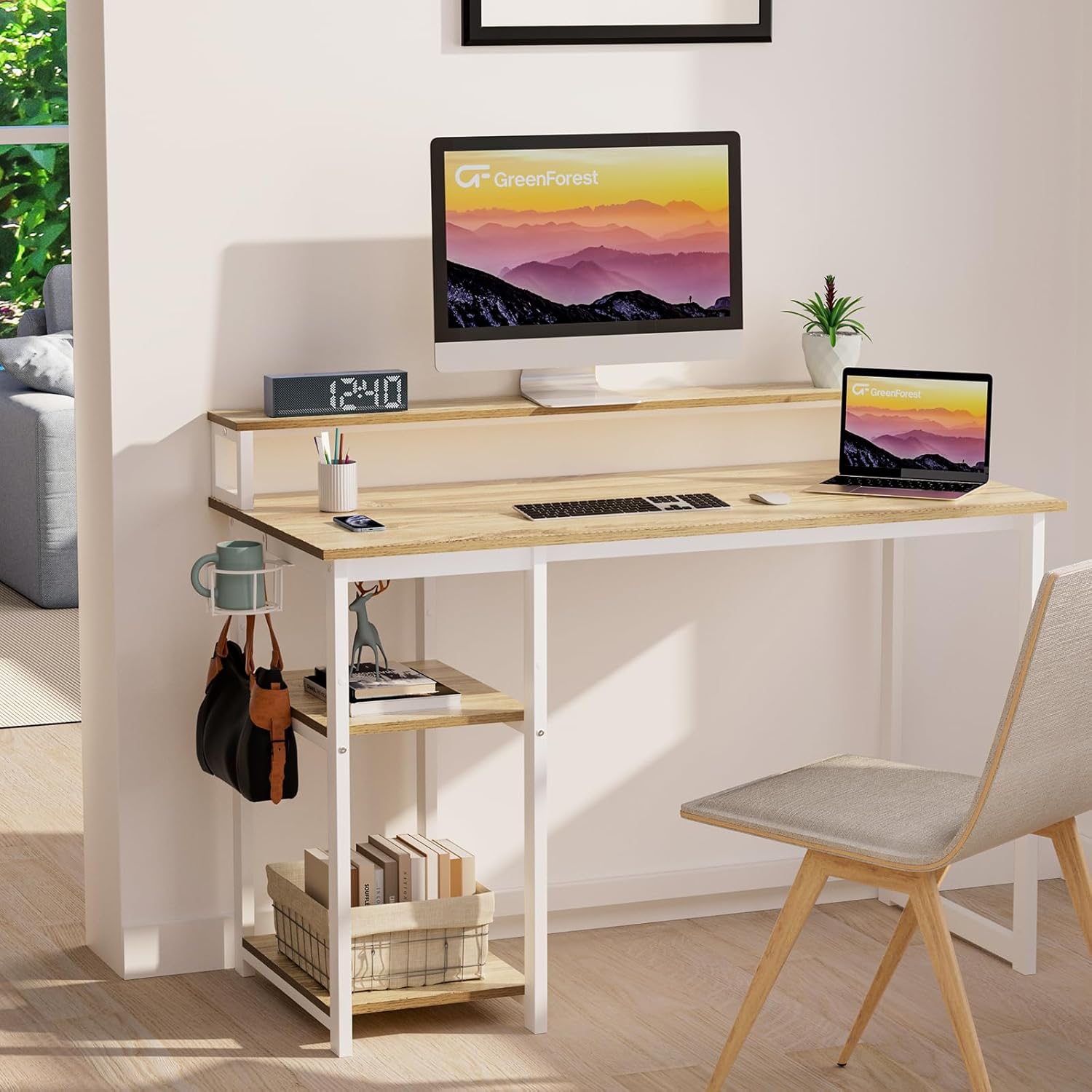
Image: Overview of the GreenForest Computer Desk with its monitor stand, storage shelves, headphone hook, and cup holder.
Setup and Assembly
Assembly is designed to be straightforward and typically takes about 20 minutes. All necessary tools and instructions are included. Follow these steps carefully:
Step 1: Assemble the Desk Frame
- Unpack all components and lay them out on a clean, soft surface.
- Identify the main desk frame components.
- Attach the crossbars to the desk legs using the provided screws. Ensure all connections are secure but do not overtighten initially.
Step 2: Install Monitor Stand and Storage Shelves
- Position the monitor stand on the main desktop. Secure it using the designated fasteners.
- Attach the two-tier storage shelves to either the left or right side of the desk, according to your preference. The shelves are reversible.
- The middle shelf of the storage unit can be removed to accommodate larger items like a computer tower.
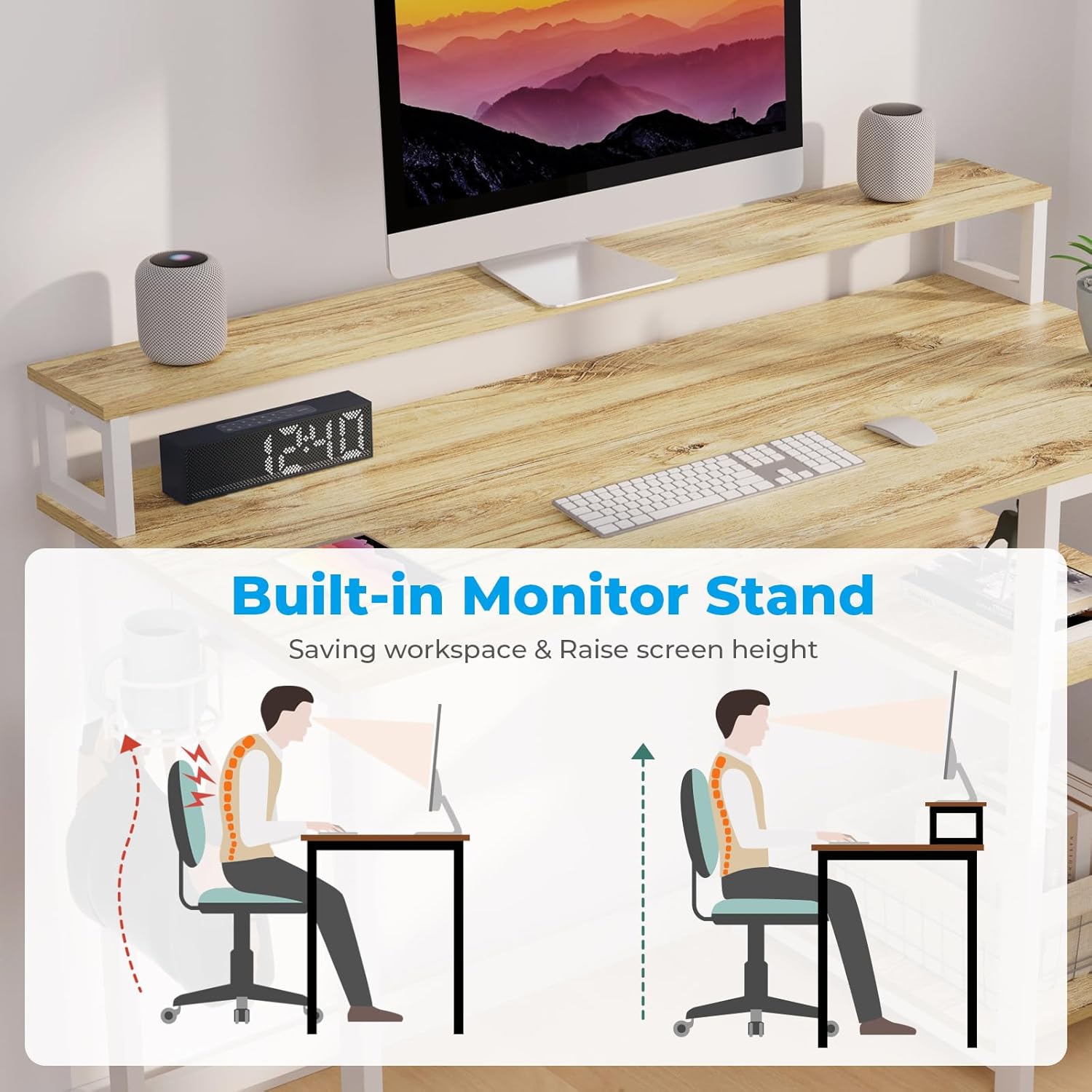
Image: Illustration of the built-in monitor stand, designed to save workspace and raise screen height for ergonomic posture.

Image: Demonstrates the adjustable height of the storage shelves and the option to remove the middle shelf for a computer tower.
Step 3: Attach Headphone Hook and Cup Holder
- Secure the headphone hook and cup holder to any desired part of the desk frame using the provided hardware. These accessories are designed for flexible placement to maximize desktop space.

Image: Close-up view of the detachable cup holder and headphone hook, showing their placement options on the desk frame.
Step 4: Final Tightening
- Once all components are in place, carefully tighten all screws to ensure the desk is stable and secure.
Operating Instructions
Using the Monitor Stand
The built-in monitor stand extends across the full length of the desktop, providing an elevated surface for multiple monitors. This feature helps to free up valuable desktop space and raises your screen to an ergonomic height, promoting better posture and reducing neck strain.
Adjusting Storage Shelves
The two-tier storage shelves can be installed on either the left or right side of the desk to suit your workspace layout. For larger items, such as a computer tower, the middle shelf can be easily removed to create more vertical space.
Utilizing Accessories
The included headphone hook and cup holder can be attached to various points on the desk frame. Position them in a location that is most convenient for your use, helping to keep your desktop organized and clutter-free.
Maintenance
- Regularly wipe the desk surfaces with a soft, damp cloth to remove dust and spills.
- Avoid using harsh chemicals or abrasive cleaners, as these can damage the finish.
- Periodically check all screws and fasteners to ensure they remain tight. Retighten if necessary.
- Keep the desk away from direct sunlight and extreme temperature changes to prevent warping or discoloration.
Troubleshooting
Desk Wobbles After Assembly
- Ensure all screws are fully tightened.
- Check that the desk is placed on a level surface. If not, adjust the leveling feet (if applicable) or use shims.
- Verify that all frame components are correctly aligned according to the assembly instructions.
Difficulty Installing Shelves
- Confirm you are using the correct screws for the shelf installation.
- Ensure the shelf brackets are oriented correctly before attempting to attach the shelves.
Specifications
| Feature | Detail |
|---|---|
| Brand | GreenForest |
| Model Number | VICTOR-S-SH-1OAK |
| Colour | Oak |
| Product Dimensions | 100 x 50 x 75 cm (39.37 x 19.68 x 29.52 inches) |
| Material | Engineered Wood, Metal Frame |
| Item Weight | 15.4 kg (34 lbs) |
| Special Features | Built-in Full Monitor Stand, Reversible 2-Tier Storage Shelves, Headphone Hook, Cup Holder |
| Max Weight Recommendation | 100 kg (220 lbs) |

Image: Detailed dimensions of the GreenForest Computer Desk, including the monitor stand and storage shelves.
Warranty and Support
For warranty information or technical support, please contact GreenForest customer service. Refer to your purchase documentation for specific warranty terms and contact details. You can also visit the official GreenForest store on Amazon for more information: GreenForest Store.