
1. Introduction
The KKnoon TOOLTOP ET618 is a versatile handheld portable cable tester designed for network and electrical professionals. It integrates multiple functions including cable tracing, cable length measurement, Power over Ethernet (PoE) testing, and a full-featured digital multimeter. This manual provides detailed instructions for the safe and effective use of your ET618 device.
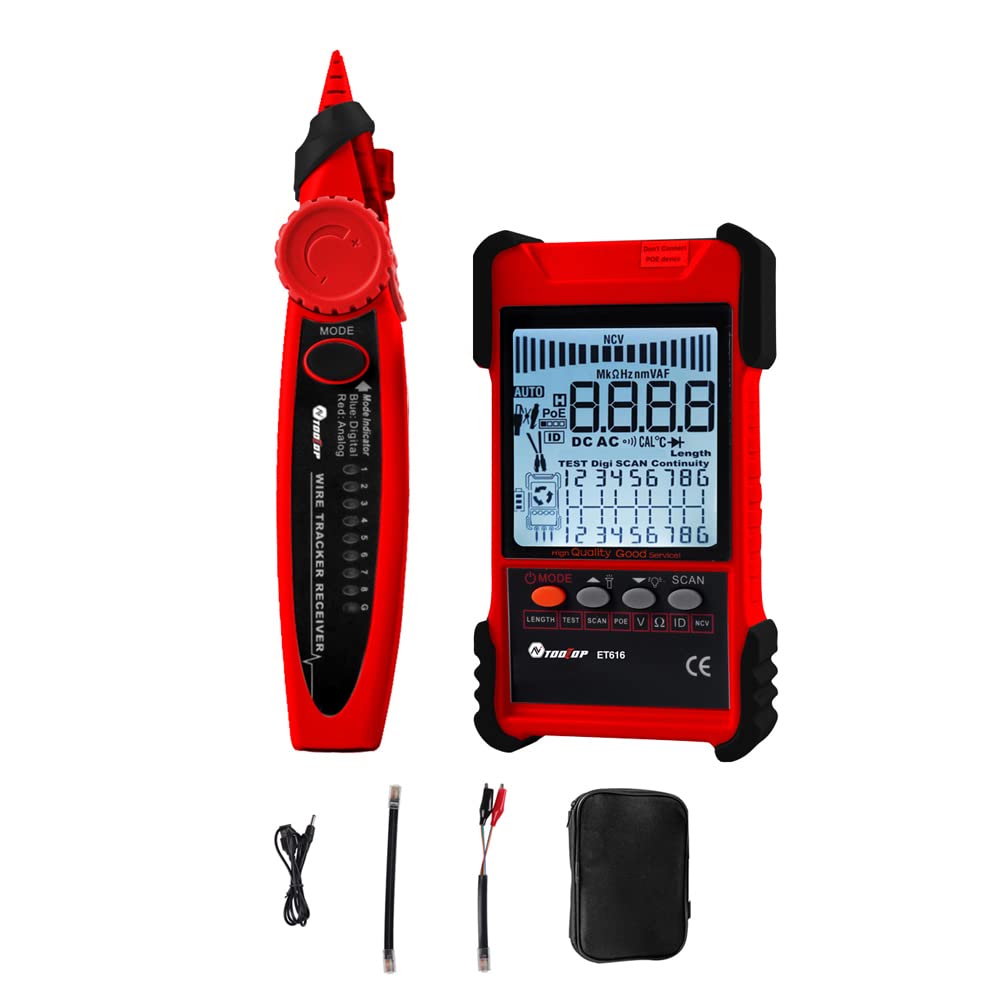
Figure 1: KKnoon TOOLTOP ET618 Handheld Portable Cable Tester (Main Unit and Receiver)
2. Safety Information
Please read and understand all safety warnings and operating instructions before using this product. Failure to follow these instructions may result in electric shock, fire, or serious injury.
- Do not use the device if it appears damaged or is not operating correctly.
- Always ensure the device is powered off before connecting or disconnecting cables.
- Do not expose the device to moisture or extreme temperatures.
- Use only the specified charging cable and accessories.
- Do not attempt to open or repair the device; refer all servicing to qualified personnel.
- Be cautious when working with live circuits, especially during multimeter functions.
3. Package Contents
Verify that all items listed below are included in your package:
- 1 x ET618 Host (Main Unit)
- 1 x Receiver
- 1 x User Manual (this document)
- 1 x Clip Line
- 1 x Network Cable
- 1 x Recharging Line (USB cable)
- 1 x Storage Bag
- 1 x Temperature Probes
- 1 x Multimeter Probes
4. Product Overview
The ET618 combines a cable tester and a digital multimeter into one compact device. It features an LCD display for clear readings and a built-in flashlight for use in low-light conditions.

Figure 2: ET618 Main Unit and Receiver with Dual Flashlight
Key Features:
- Cable Tracing: Quickly locate target cables in bundles.
- Cable Length Test: Measure the length of various metal cables up to 500 meters.
- PoE Test: Check cable mapping polarity and voltage of PoE network switches.
- Multimeter Functions: Measure DC/AC voltage, DC/AC current, resistance, continuity, diode, and temperature.
- LCD Display: Large screen for clear data visualization.
- Flashlight: Integrated light for improved visibility in dark environments.
- Adjustable Sensitivity: Digital tracing sensitivity can be adjusted.
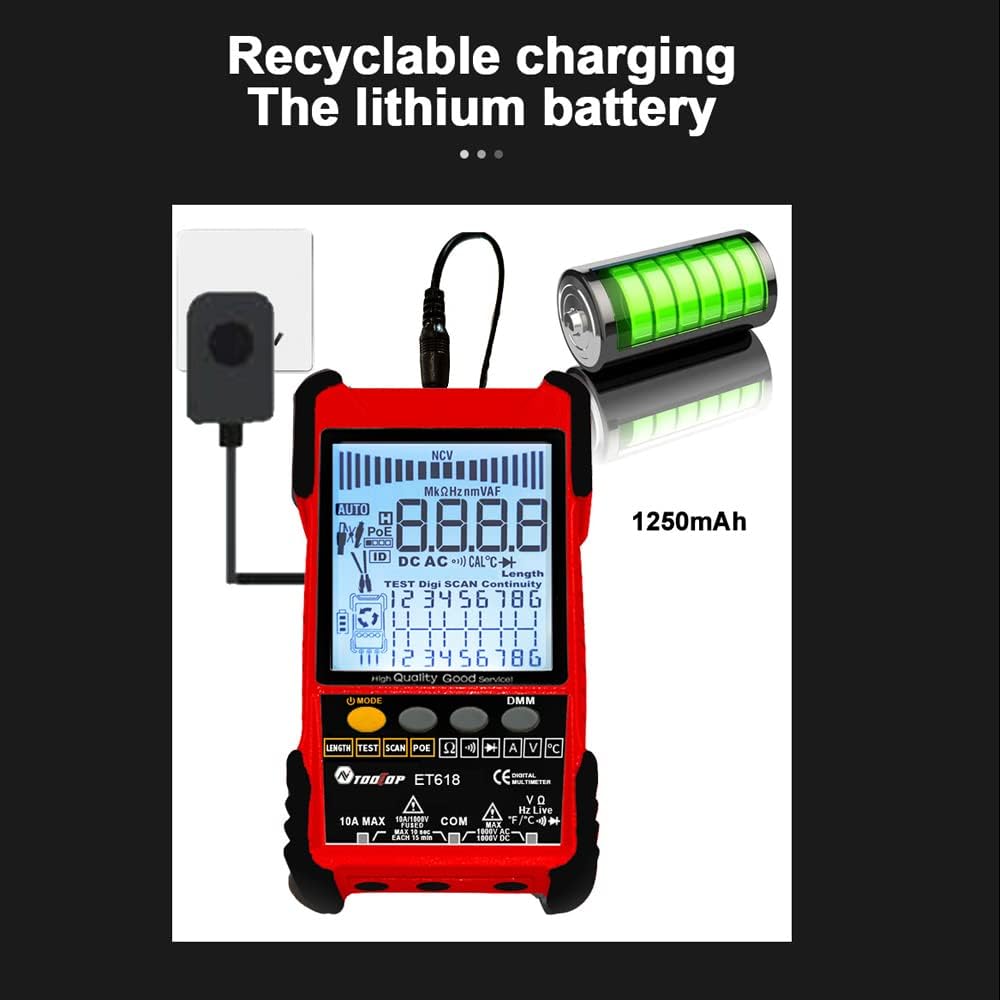
Figure 3: Product Differentiation (ET616 vs. ET618)
The ET618 model includes all features of the ET616, plus a comprehensive multimeter function and an extended cable length measurement range of up to 500 meters.
5. Setup
5.1 Charging the Battery
The ET618 main unit is powered by a rechargeable lithium battery. Before first use, fully charge the device.
- Connect the provided recharging line (USB cable) to the charging port on the ET618 main unit.
- Connect the other end of the USB cable to a standard USB power adapter (not included) or a computer USB port.
- The charging indicator on the device will show the charging status. Once fully charged, disconnect the cable.

Figure 4: Charging the ET618 Lithium Battery
5.2 Powering On/Off
Press and hold the power button on the main unit to turn the device on or off. The LCD display will illuminate upon power-on.
6. Operating Instructions
6.1 Cable Tracing Function
This function helps locate a specific cable among many, useful for telephone systems, computer networks, and BNC cables.
- Connect the cable to be traced to the appropriate port on the ET618 main unit (e.g., RJ45 for network cables).
- Select the "Trace" mode on the main unit.
- Use the receiver to scan the cables. The receiver will emit an audible tone or visual indication when it detects the signal from the target cable.
- Adjust the sensitivity on the receiver for precise tracing.
6.2 Cable Length Test
Measure the length of various metal cables with at least two cores, including network cables, telephone lines, and BNC cables.
- Ensure the cable is disconnected from any active network or power source.
- Connect one end of the cable to the main unit's appropriate port.
- Select the "Length" test mode. The device will display the measured cable length on the LCD.
6.3 POE Test
Test Power over Ethernet (PoE) network switches to check cable mapping polarity and voltage.
- Connect the network cable from the PoE switch to the main unit's RJ45 port.
- Select the "POE" test mode.
- The LCD will display information regarding PoE voltage and cable mapping.
6.4 Multimeter Function (ET618 Only)
The ET618 includes a full-featured multimeter for various electrical measurements. Use the provided multimeter probes for these tests.
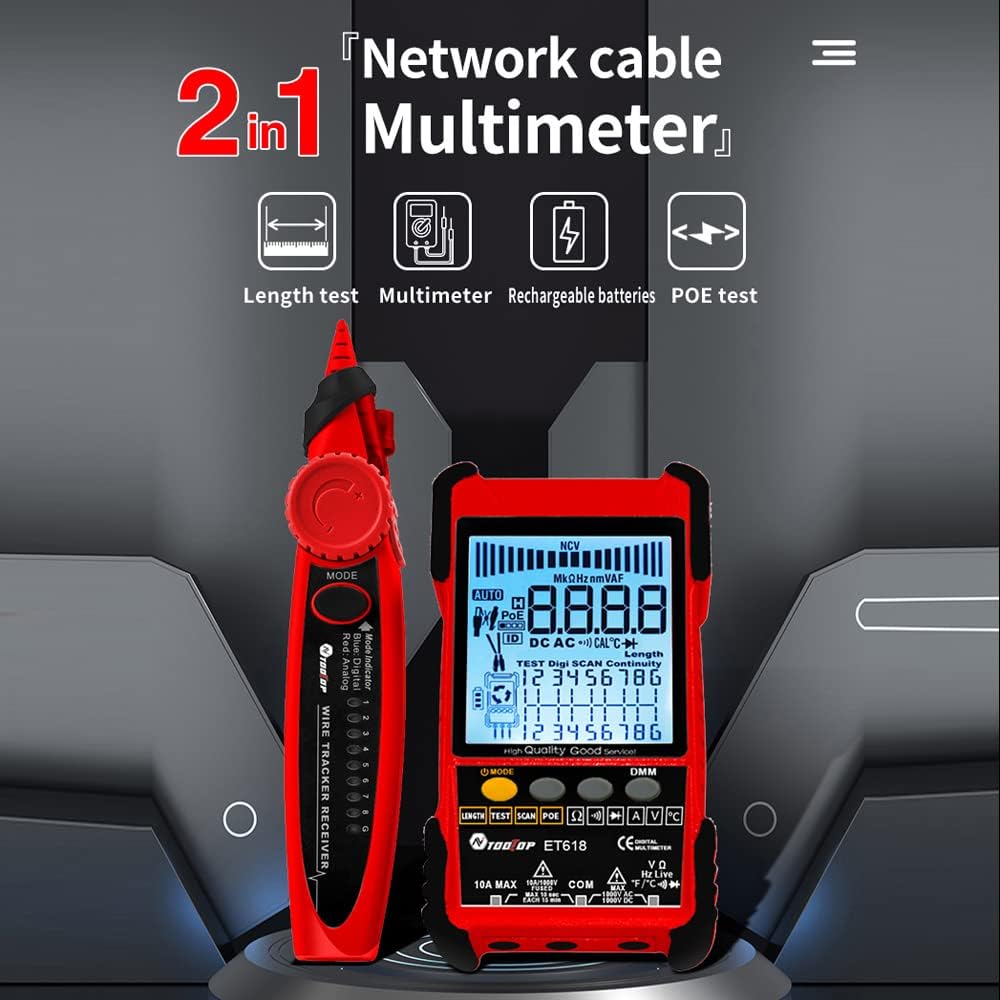
Figure 5: ET618 Multimeter Functions in Use
- DC Voltage Measurement: Connect probes to the circuit, select DCV mode.
- AC Voltage Measurement: Connect probes to the circuit, select ACV mode.
- DC Current Measurement: Connect probes in series with the circuit, select DCA mode.
- AC Current Measurement: Connect probes in series with the circuit, select ACA mode.
- Resistance Measurement: Connect probes across the component, select Ω mode.
- Continuity Test: Connect probes across the circuit; a beep indicates continuity.
- Diode Test: Connect probes across the diode; the forward voltage drop will be displayed.
- Temperature Measurement: Connect the temperature probe to the device and place the sensor at the measurement point.
Always ensure the correct function is selected and probes are connected properly to avoid damage to the device or circuit.
6.5 Using the Flashlight
The ET618 main unit and receiver are equipped with flashlights. Press the dedicated flashlight button (if available) or refer to the device interface for activation in low-light conditions.
7. Maintenance
7.1 Cleaning
Wipe the device with a soft, dry cloth. Do not use abrasive cleaners or solvents. Ensure no liquids enter the device.
7.2 Battery Care
To prolong battery life, avoid fully discharging the battery frequently. If storing the device for an extended period, charge it to approximately 50% and recharge every few months.
8. Troubleshooting
- Device does not power on: Ensure the battery is charged. Connect the recharging line and try again.
- Inaccurate readings: Check cable connections. Ensure the correct mode is selected for the measurement. For multimeter functions, verify probe connections and component integrity.
- No signal during cable tracing: Ensure the main unit is in trace mode and the cable is properly connected. Adjust receiver sensitivity.
- LCD display is dim: The battery might be low. Recharge the device.
9. Specifications
The following table outlines the technical specifications for the ET618 model:

Figure 6: Technical Specifications Overview
| Feature | ET618 Specification |
|---|---|
| Analogue Tracing | Yes |
| Continuity | Yes |
| Switch Tracing (w/ PoE) | By Multimeter function |
| Cable Mapping | Yes |
| Switch indicators flashing | Yes |
| Noisy Free Digital Tracing | Digital / Vibration |
| Voltage Testing | By Multimeter function |
| PoE Voltage Measuring | Voltage / Polarity |
| Remote ID Mapping | Optional |
| Analogue Bargraph | Yes |
| Main Body Flashlight | Yes |
| Multimeter Input Jack Indicator | Yes |
| LCD Display | Yes |
| White Flashlight | Yes |
| Analogue Tracing Sound Adjustable | Yes |
| Low Battery Indicator | Yes |
| White Backlight | Yes |
| Energy Saving Indicator | Yes |
| 3km Analogue Tracing Signal Selectable | Yes |
| Multimeter Functions (ET618 Only) | |
| DC Voltage | 400mV~1000V ±(0.8%+3) |
| AC Voltage | 4V~400V ±(1.5%+5) |
| DC Current | 1.0A~10.0A ±(1.2%+4) |
| AC Current | 1.0A~10.0A ±(2.0%+5) |
| Resistance | 200 Ω~20 MΩ ±(2%+6) |
| Continuity | < 50 Ω buzzer beeps |
| Diode | Yes |
| Temperature (K-type) | -20~1000°C / -4~1832°F ±(2.0%+15) |
| Network Cable Length Measure | 500M |
| BNC Cable Length Measure | Yes |
| Network Cable Short / Open Circuit Test | Yes |
| Main Body Power | 1250mAh Rechargeable Lithium Battery |
| Receiver Power | 9V Battery |
10. Warranty and Support
This product comes with a standard manufacturer's warranty. For specific warranty terms, technical support, or service inquiries, please refer to the contact information provided with your purchase or visit the official KKnoon website.