
Introduction
Thank you for choosing the PSIER U18Pro Wireless Earbuds. This manual provides detailed instructions on how to set up, operate, and maintain your new earbuds. Please read this manual thoroughly before use to ensure optimal performance and longevity of your device.

Image: PSIER U18Pro Wireless Earbuds in their open charging case, displaying the digital battery indicator.
What's in the Box
- PSIER U18Pro Wireless Earbuds (Left and Right)
- Wireless Charging Case
- USB-C Charging Cable
- Multiple Sizes of Eartips (S, M, L)
- User Manual (This document)
Video: An official product video demonstrating the contents of the PSIER U18Pro package.
Key Features
- Extended Playtime: Up to 10 hours on a single charge (at 50% volume) and a total of 60 hours with the charging case.
- Dual Charging Methods: The charging case supports both Type-C and wireless charging.
- Digital Battery Display: Intelligent LED display shows remaining battery life (1-100) for the case, and independent power indicators for each earbud.
- Superior Sound: Equipped with 10mm driver speakers for clear highs and rich bass, providing an immersive listening experience.
- Bluetooth 5.3: Enhanced connectivity, faster data transfer rates, and superior audio quality.
- Comfortable & Secure Fit: Ergonomically designed with soft, flexible ear hooks and three sizes of eartips for a snug fit, ideal for sports and workouts.
- IPX7 Waterproof: Effectively resists sweat and rain, making them suitable for exercising without worry of damage.
- One-Button Control: Multi-function buttons on both earbuds allow easy management of audio playback and calls.

Image: Close-up of the charging case displaying the digital battery percentage for the case and individual earbud charge indicators.

Image: Visual representation of the 10-hour single charge playtime and 60-hour total playtime with the charging case.
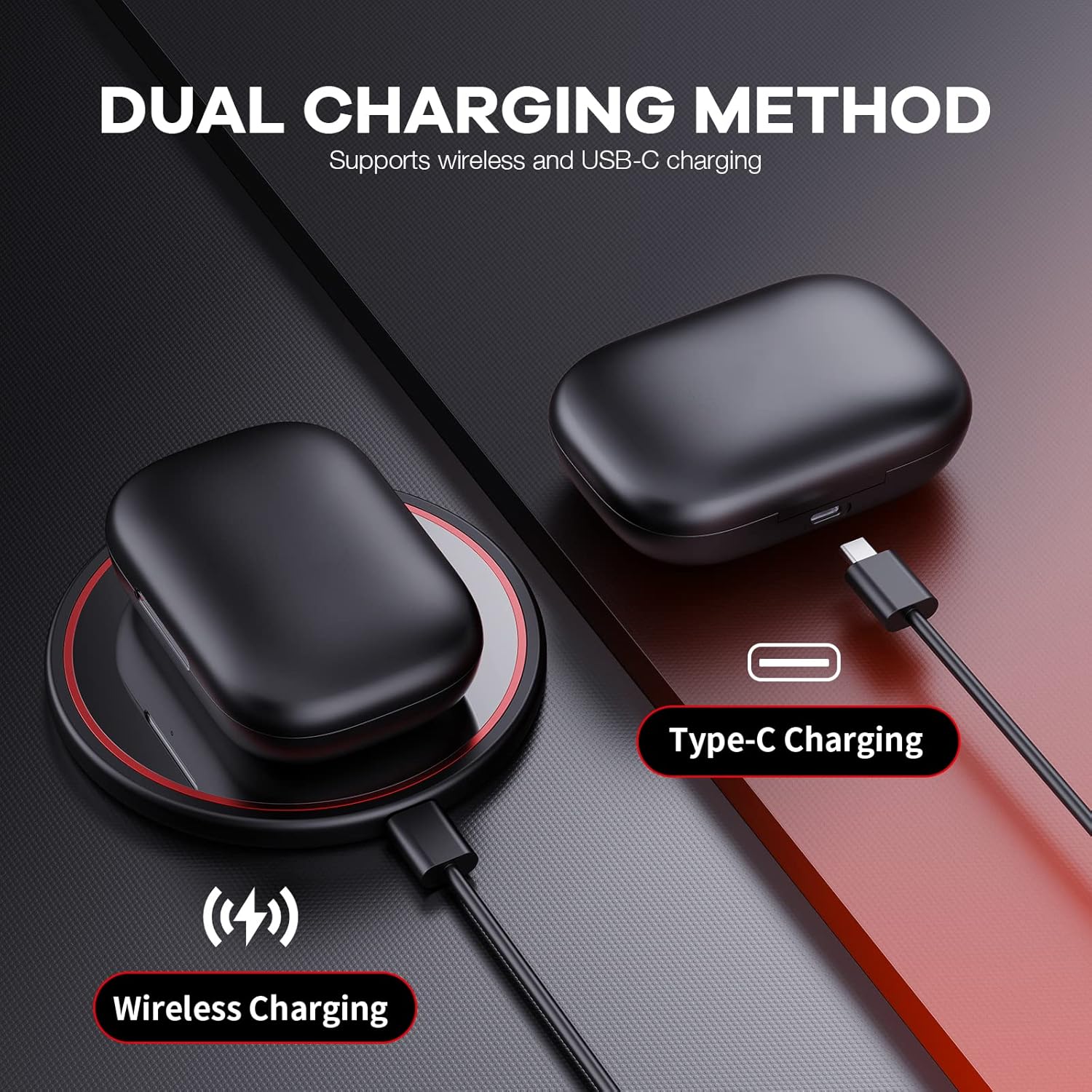
Image: Illustration of the dual charging methods: wireless charging and Type-C cable charging.

Image: A woman smiling while wearing the earbuds in light rain, highlighting their IPX7 waterproof feature.
Setup Guide
- Initial Charge: Before first use, place both earbuds into the charging case. Connect the charging case to a power source using the provided USB-C cable or a wireless charging pad. Ensure the case and earbuds are fully charged. The LED display on the case will show "100" when fully charged.
- Power On & Pairing:
- Open the charging case. The earbuds will automatically power on and enter pairing mode.
- On your device (smartphone, tablet, etc.), go to Bluetooth settings and enable Bluetooth.
- Look for "PSIER U18Pro" in the list of available devices and select it to connect.
- Once connected, you will hear a confirmation tone, and the earbuds' indicator lights will stop flashing.
- Wearing the Earbuds:
- Identify the Left (L) and Right (R) earbuds.
- Place the earbud into your ear canal and adjust the flexible ear hook over your ear for a secure and comfortable fit.
- Experiment with the different eartip sizes (S, M, L) to find the best seal for optimal sound quality and comfort.
Video: An official product video demonstrating the setup process for the S18 Wireless Earbuds, including initial charging, pairing, and wearing instructions.

Image: Visual guide on how to achieve the ultimate fit and comfort using the flexible earhooks and interchangeable eartips.
Operating Instructions
The PSIER U18Pro earbuds feature intuitive one-button controls on both earbuds for easy management of your audio and calls.
Music Playback:
- Play/Pause: Single press either earbud's multi-function button.
- Next Track: Double press the Right earbud's multi-function button.
- Previous Track: Double press the Left earbud's multi-function button.
- Volume Up: Triple press the Right earbud's multi-function button.
- Volume Down: Triple press the Left earbud's multi-function button.
Call Management:
- Answer/End Call: Single press either earbud's multi-function button.
- Reject Call: Press and hold either earbud's multi-function button for 2 seconds.
Voice Assistant:
- Activate Voice Assistant: Press and hold either earbud's multi-function button for 3 seconds.
Maintenance
- Cleaning: Regularly clean the earbuds and charging case with a soft, dry, lint-free cloth. For the eartips, remove them and clean with mild soap and water, then dry thoroughly before reattaching. Ensure charging contacts on both earbuds and case are clean and dry.
- Storage: When not in use, store the earbuds in their charging case to protect them from dust, moisture, and physical damage. Store in a cool, dry place away from extreme temperatures.
- Water Resistance (IPX7): The earbuds are IPX7 waterproof, meaning they can withstand submersion in up to 1 meter of water for 30 minutes. However, they are not designed for swimming or prolonged submersion. Always ensure earbuds are dry before placing them back into the charging case to prevent damage to the charging contacts.
- Battery Care: To prolong battery life, avoid fully discharging the earbuds and charging case frequently. Charge them regularly, even if not in constant use.
Troubleshooting
| Problem | Possible Cause | Solution |
|---|---|---|
| Earbuds not pairing with device. | Bluetooth is off; earbuds not in pairing mode; interference. | Ensure Bluetooth is on. Place earbuds in case, close, then open to re-enter pairing mode. Move closer to device. Forget "PSIER U18Pro" from device's Bluetooth list and re-pair. |
| Only one earbud working. | Earbuds not connected to each other; low battery. | Place both earbuds back into the charging case, close the lid, wait a few seconds, then open the lid. Ensure both earbuds are charged. |
| Earbuds not charging. | Poor contact with charging pins; charging cable/adapter issue; case battery empty. | Clean charging contacts on earbuds and case. Try a different USB-C cable or power adapter. Ensure charging case itself is charged. |
| Low volume or poor sound quality. | Incorrect eartip size; earbud placement; device volume too low; dirty eartips/speakers. | Try different eartip sizes. Adjust earbud position. Increase device volume. Clean eartips and speaker mesh. |
Specifications
| Model Name | U18Pro |
| Brand | PSIER |
| Connectivity Technology | Wireless (Bluetooth 5.3) |
| Wireless Range | Up to 10 meters |
| Playtime (Single Charge) | 10 Hours (at 50% volume) |
| Total Playtime (with Charging Case) | Up to 60 Hours |
| Charging Methods | Type-C, Wireless Charging |
| Water Resistance Rating | IPX7 |
| Audio Driver Size | 10mm |
| Control Type | One-Button Control (Media Control, Touch) |
| Ear Placement | In Ear with Earhooks |
| Material | Silicone, Plastic, Metal, Rubber |
| Item Weight | 5.9 ounces |
| Package Dimensions | 4.8 x 4.09 x 1.57 inches |
Warranty and Support
For warranty information and customer support, please refer to the official PSIER website or contact their customer service directly. Keep your purchase receipt as proof of purchase for any warranty claims.
You can also visit the PSIER Store on Amazon for more information and product updates.
