
Introduction
The Walker's XCEL 500BT Digital Electronic Muffs are designed to provide advanced hearing protection and enhanced situational awareness. This bundle includes the XCEL 500BT earmuffs with voice clarity and Bluetooth connectivity, along with a protective carrying case. The earmuffs feature multiple listening modes, sound-activated compression, and dynamic sound suppression to optimize your audio experience while safeguarding your hearing.

Image: Walker's XCEL 500BT Digital Electronic Muffs shown with their included protective carrying case.
Package Contents
- Walker's XCEL 500BT Digital Electronic Muffs
- Walker's Shooting Hearing Protection Case
- User Manual (this document)
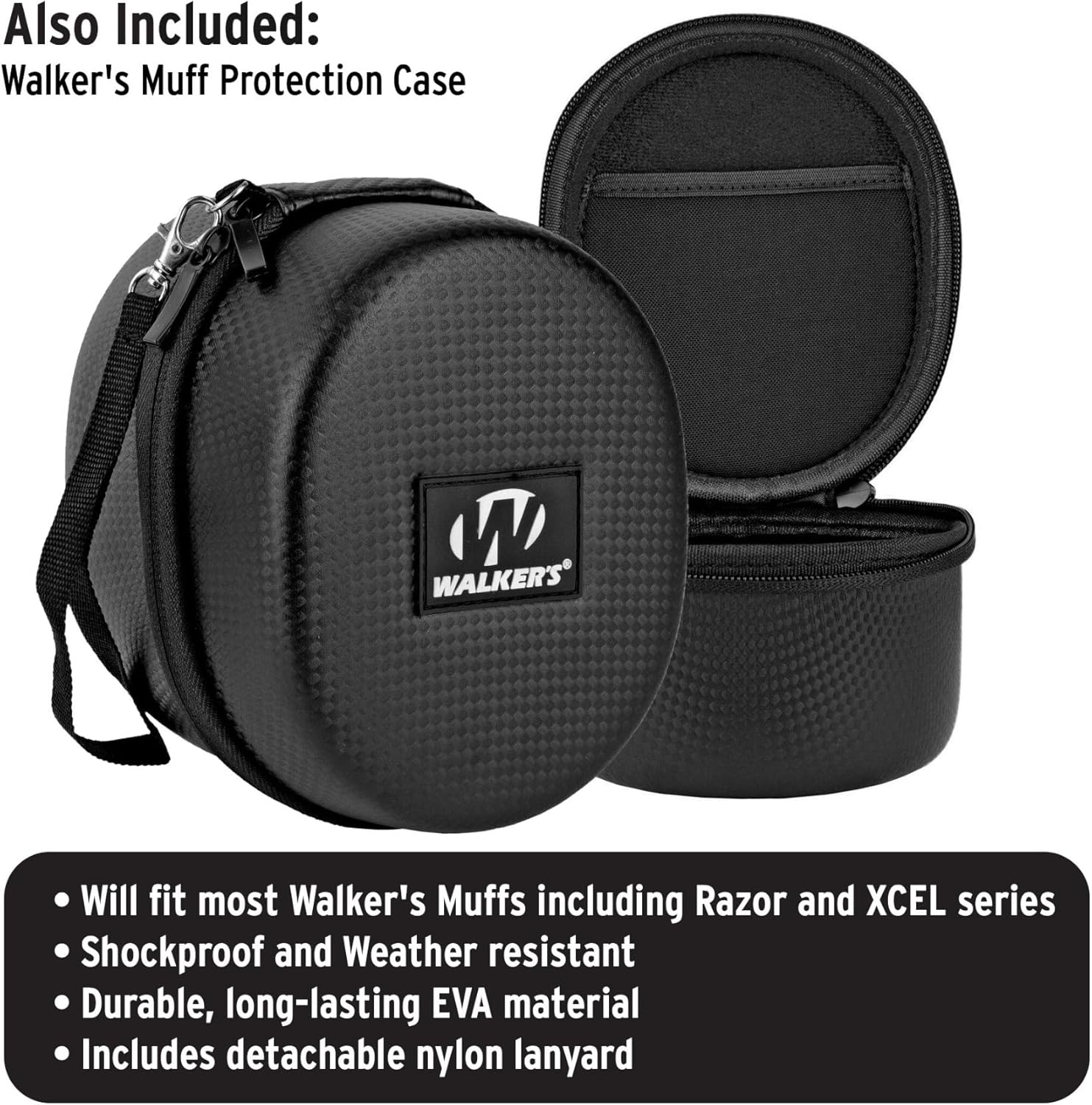
Image: The included protective case, designed to fit the XCEL 500BT earmuffs. It is shockproof, weather-resistant, and made from durable EVA material, featuring a detachable nylon lanyard.
Setup
Battery Installation
- Locate the battery compartment on the headband. The XCEL 500BT uses two batteries, integrated into the headband design.
- Open the battery compartment cover.
- Insert the batteries according to the polarity indicators (+/-).
- Close the battery compartment cover securely.
Fitting the Earmuffs
- Extend the headband to its maximum length.
- Place the earcups over your ears, ensuring they fully cover your ears and create a seal.
- Adjust the headband by sliding the earcups up or down until a comfortable and secure fit is achieved. The headband should rest over the top of your head.
- Ensure no hair or clothing interferes with the seal around your ears, as this can compromise hearing protection.

Image: A user wearing the Walker's XCEL 500BT earmuffs, demonstrating proper fit over the ears.
Operating Instructions
Controls Overview
All operational controls are located on the soft-touch button control panel on the headband. Voice prompts guide you through menu selections, simplifying mode changes and settings adjustments.
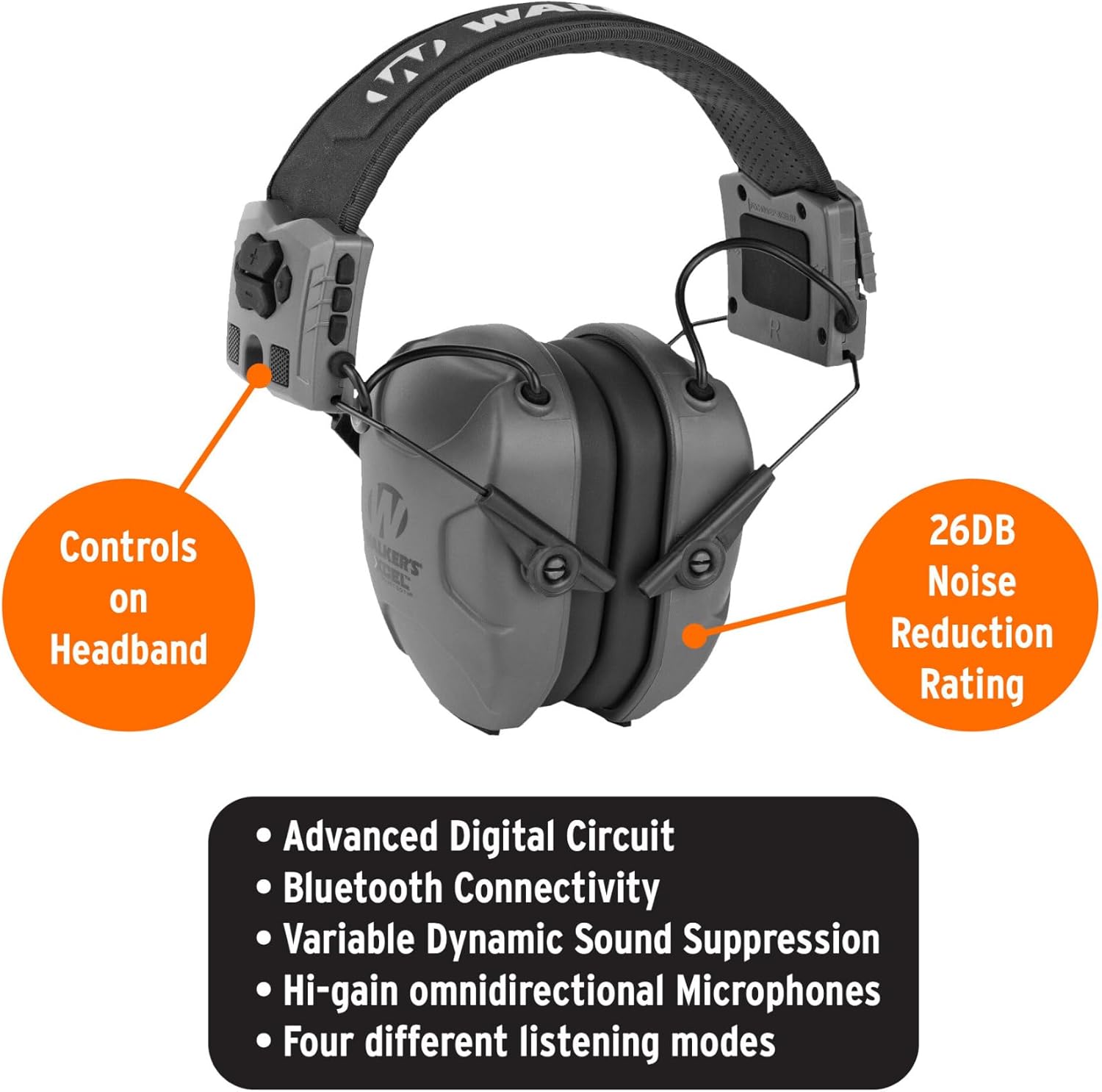
Image: The Walker's XCEL 500BT earmuffs, highlighting the control panel on the headband and indicating a 26dB Noise Reduction Rating.
Power On/Off
- To power on, press and hold the Power button until you hear a voice prompt.
- To power off, press and hold the Power button again until the unit shuts down.
Listening Modes
The XCEL 500BT offers four distinct listening modes, selectable via the control panel:
- Universal: Amplifies all ambient sounds for general awareness.
- Speech Clarity: Specifically tuned to discriminate voices and enhance verbal communication in noisy environments.
- High Frequency: Optimized to hear specific sounds, such as steel target impact at long distances.
- Power Boost: Amplifies sound across the entire volume range for maximum environmental awareness.
Bluetooth Connectivity
The earmuffs feature Bluetooth for pairing with mobile devices, allowing for calls and notifications to be heard clearly even in loud surroundings.
- Ensure the earmuffs are powered on.
- Activate Bluetooth on your mobile device.
- Search for available devices and select "XCEL 500BT" to pair.
- Once paired, you can stream audio or take calls directly through the earmuffs.
Automatic Shut-Off
The XCEL 500BT includes a programmable auto shut-off feature to conserve battery life. The default setting is 2 hours. Refer to the voice prompts for instructions on how to adjust this setting if desired.
Hearing Protection Features
The XCEL 500BT is equipped with advanced technologies to protect your hearing:
- Noise Reduction Rating (NRR): These earmuffs provide a 26dB NRR, significantly reducing harmful noise levels.
- Sound-Activated Compression: This feature automatically compresses loud noises to a safe level, protecting your hearing from sudden impulses like gunshots.
- Variable Dynamic Sound Suppression: Adjusts compression time based on the intensity and duration of noise, offering improved protection compared to fixed-time compression systems.
Maintenance
Proper maintenance ensures the longevity and performance of your XCEL 500BT earmuffs:
- Cleaning: Clean the ear cups and headband with a damp cloth. Allow them to dry completely before storage or next use. Do not submerge the earmuffs in water.
- Storage: When not in use, store the earmuffs in the provided protective case to prevent damage from impacts, dust, and moisture.
- Battery Care: Remove batteries if the earmuffs will not be used for an extended period to prevent leakage and damage.

Image: The XCEL 500BT earmuffs folded and stored inside the protective carrying case, demonstrating compact storage.
Troubleshooting
| Problem | Possible Cause | Solution |
|---|---|---|
| No power/Unit does not turn on | Dead or incorrectly installed batteries. | Check battery polarity. Replace with fresh batteries. |
| Bluetooth connection issues | Device too far, interference, or not in pairing mode. | Ensure device is within range. Re-initiate pairing process. Move closer to the paired device. |
| Static or background hiss | Environmental interference or normal operation in certain modes. | This can be a characteristic of electronic hearing protection. Ensure a good seal around the ears. Try switching listening modes. |
| Low music/audio volume via Bluetooth | Volume settings on earmuffs or connected device, or inherent design for hearing protection. | Adjust volume on both the earmuffs and the connected mobile device. Note that audio volume may be limited to protect hearing. |
| Earmuffs uncomfortable or not sealing properly | Improper adjustment or interference. | Adjust headband for a snug fit. Ensure no hair, glasses, or clothing break the seal around the earcups. |
Specifications
- Model: XCEL 500BT
- Noise Reduction Rating (NRR): 26dB
- Connectivity: Bluetooth
- Listening Modes: Universal, Speech Clarity, High Frequency, Power Boost
- Compression: Sound-Activated Compression, Variable Dynamic Sound Suppression
- Power Source: 2x AAA Batteries (location on headband)
- Auto Shut-off: Programmable (default 2 hours)
- Care Instructions: Clean ear cups and headband with a damp cloth; dry completely.
Warranty and Support
For warranty information, technical support, or service inquiries, please contact Walker's customer service directly. Refer to the product packaging or the official Walker's website for the most current contact details and warranty terms.
Website: www.walkersgameear.com

