
1. Introduction
Thank you for choosing the Cleer ARC II Sport Open Ear Headphones. These true wireless earbuds are designed to provide a comfortable listening experience while keeping you aware of your surroundings, making them ideal for sports and daily activities. This manual provides detailed instructions on how to set up, operate, maintain, and troubleshoot your new headphones.
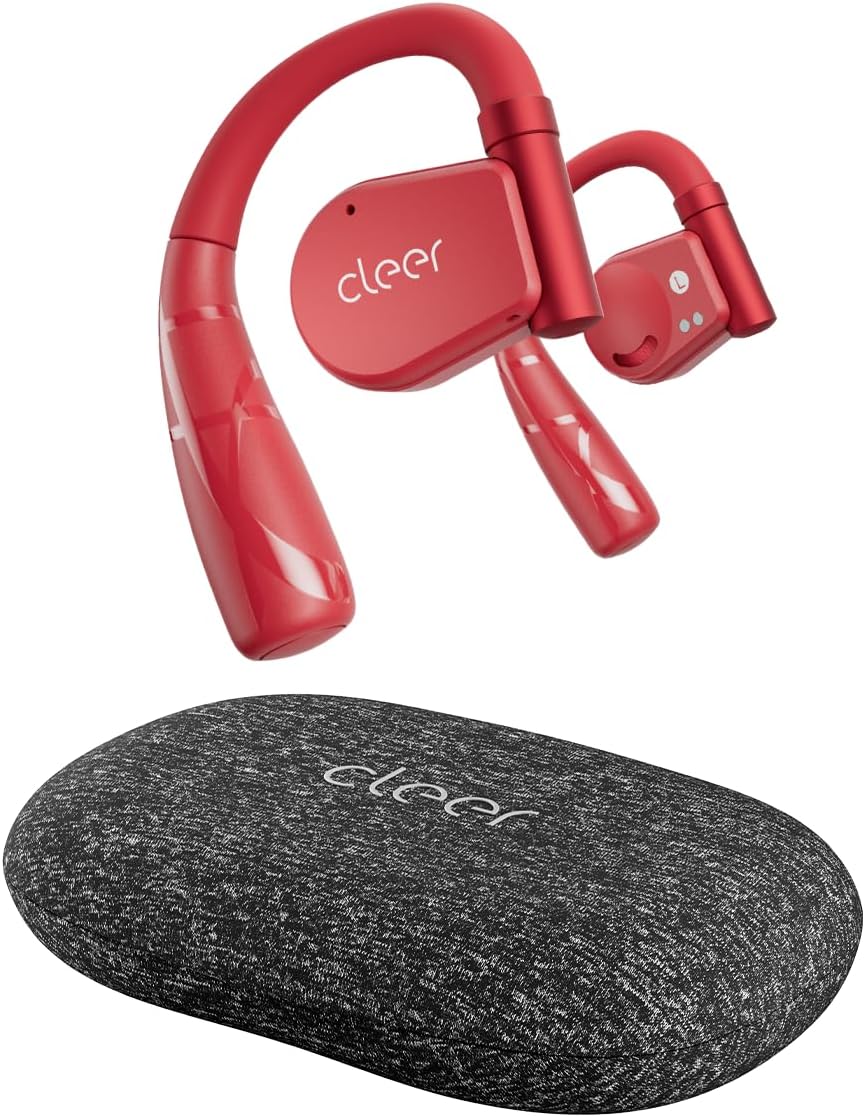
Image: Cleer ARC II Sport Open Ear Headphones in red, displayed with their grey fabric charging case. The earbuds feature an open-ear design with ear hooks.
2. Package Contents
Please verify that all items are present in your package:
- Cleer ARC II Sport Open Ear Headphones (Red)
- Charging Case with Built-in UV-C Sterilization
- USB-C to USB-A Charging Cable
- User Manual (this document)
3. Getting Started
3.1. Charging the Earbuds and Case
Before first use, fully charge your Cleer ARC II Sport headphones and their charging case. The case provides additional charges for extended playtime.
- Place the earbuds into the charging case, ensuring they are correctly seated.
- Connect the USB-C end of the charging cable to the port on the charging case and the USB-A end to a compatible USB power source (e.g., wall adapter, computer USB port).
- The charging indicator lights on the case will show the charging status. A full charge takes approximately 2 hours for both the earbuds and the case.

Image: Visual representation of the battery life, indicating 8 hours of playback per charge for the earbuds and an additional 27 hours provided by the charging case, totaling 35 hours.
3.2. Wearing the Earbuds
The ARC II Sport headphones feature a flexible earhook design for a secure and comfortable fit.
- Gently adjust the ear hook to fit the contour of your ear.
- Place the earbud unit above your ear, ensuring the speaker is positioned near your ear canal without entering it.
- Rotate the earbud backward along the auricle until it sits comfortably and securely in place.
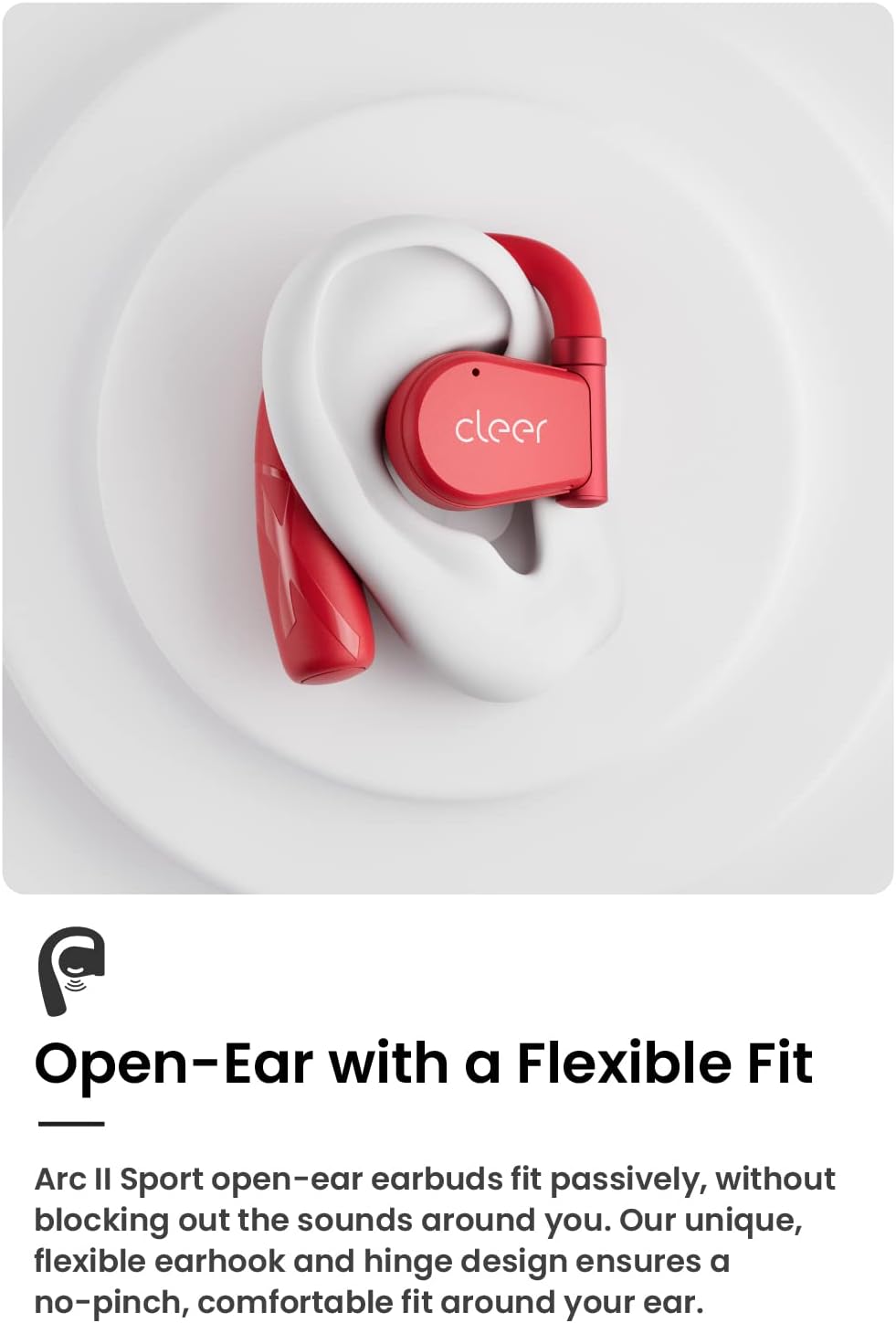
Image: A close-up of the Cleer ARC II Sport earbud in red, demonstrating its passive, open-ear fit around the ear, highlighting the flexible earhook design.
3.3. Bluetooth Pairing
Pair your Cleer ARC II Sport headphones with your device using one of the following methods:
- Option 1 (First Use): Open the charging case. The earbuds' LEDs will automatically start flashing red and white, indicating pairing mode.
- Option 2 (Earbuds Out of Case): If the earbuds are out of the charging case, tap either the left or right earbud 5 times to activate pairing mode.
- Option 3 (Manual Pairing from Case): When both earbuds are in the charging case, long press the Multi-Function Button (MFB) on the case until the earbuds' LEDs start flashing red and white to signal pairing mode.
After activating pairing mode, go to the Bluetooth settings on your mobile device and select "Cleer ARC II" from the list of available devices.
3.4. Multi-Point Connection
The Cleer ARC II Sport supports multi-point connection, allowing you to seamlessly switch between two paired devices (e.g., a smartphone and a laptop) without manually disconnecting and reconnecting.

Image: A diagram showing the Cleer ARC II Sport headphones connected simultaneously to a laptop, a smartphone, and a tablet, illustrating the multi-point connection feature.
4. Controls and Functions
4.1. Touch Controls
The earbuds feature intuitive touch sensors for controlling playback, calls, and volume. You can customize these controls via the Cleer+ App.
| Action | Function (Playback & Call) | Function (Volume) |
|---|---|---|
| Single tap (x1) | Music: Play/Pause | N/A |
| Double tap (x2) | Music: Next track Call: Pick up/Hang up call | Right earbud: Volume up continuously Left earbud: Volume down continuously |
| Triple tap (x3) | Music: Previous track | N/A |
| Tap and hold | Trigger default voice assistant Call: Reject call | N/A |

Image: A diagram illustrating the touch control area on the earbud and the corresponding actions for single, double, triple taps, and tap-and-hold gestures for playback, calls, and volume.
4.2. Head Motion Controls
The ARC II Sport headphones feature a 6-axis motion sensor, allowing for hands-free control of media playback and calls through simple head gestures. This function is deactivated by default and can be enabled in the Cleer+ App.
- Nod (x2): Pick up call
- Shake head (x2): Hang up/Reject call
- Turn head left and back: Music: Previous track
- Turn head right and back: Music: Next track
4.3. Cleer+ App
Enhance your experience with the free Cleer+ App, available on the Apple App Store and Google Play Store. The app allows you to:
- Personalize and adjust the equalizer (EQ) settings for customized audio.
- Customize touch controls.
- Receive firmware updates for improved performance and new features.

Image: Two smartphone screens displaying the Cleer+ App interface. One screen shows the earbud overview with battery levels and an equalizer option, while the other shows a detailed equalizer adjustment screen.
5. Care and Maintenance
5.1. Cleaning and UV-C Sterilization
The charging case for your Cleer ARC II Sport headphones includes a built-in UV-C sterilization system to help keep your earbuds sanitized.
- Simply place the earbuds into the charging case. The UV-C light will activate automatically during charging to sterilize the earbuds.
- For general cleaning, wipe the earbuds and case with a soft, dry, lint-free cloth. Avoid using harsh chemicals or abrasive materials.

Image: The Cleer ARC II Sport earbuds resting in their open charging case, illuminated by a blue light, indicating the UV-C sterilization process is active.
5.2. Water and Sweat Resistance
The Cleer ARC II Sport headphones are IPX5 rated for water and sweat resistance, making them suitable for workouts and outdoor activities. While they are resistant to splashes and sweat, they are not designed for submersion in water.
- Do not expose the earbuds to saltwater, chlorinated water, or other liquids.
- After intense workouts or exposure to sweat, gently wipe the earbuds clean before placing them back in the charging case.
6. Troubleshooting
If you encounter any issues with your Cleer ARC II Sport headphones, please refer to the following common solutions:
- No Sound/Low Volume:
- Ensure the earbuds are charged.
- Check the volume level on both your device and the earbuds.
- Ensure the earbuds are properly paired and connected to your device.
- Earbuds Not Pairing:
- Make sure Bluetooth is enabled on your device.
- Place the earbuds back in the case, close it, then open it again to re-enter pairing mode.
- Forget the device from your phone's Bluetooth list and try pairing again.
- Intermittent Connection:
- Ensure there are no obstructions between the earbuds and your device.
- Move closer to your device (Bluetooth range is approximately 75 feet).
- Avoid environments with strong Wi-Fi or other wireless interference.
- Head Motion Controls Not Working:
- Ensure the feature is enabled within the Cleer+ App.
- Calibrate the motion sensors if available in the app.
If the issue persists, please refer to the official Cleer support resources or contact customer service.
7. Specifications
| Feature | Detail |
|---|---|
| Model Name | Cleer Audio ARC II Sport Red |
| Connectivity Technology | Wireless (Bluetooth 5.3) |
| Audio Driver Type | Dynamic Driver |
| Audio Driver Size | 16.3 Millimeters |
| Frequency Range | 20Hz - 20,000Hz |
| Impedance | 16 Ohm |
| Battery Life (Earbuds) | 8 Hours |
| Total Playtime (with Case) | Up to 35 Hours |
| Charging Time | 2 Hours (Earbuds & Case) |
| Water Resistance Level | IPX5 (Sweat Resistant) |
| Bluetooth Range | 75 Feet |
| Audio Latency | 80 Milliseconds |
| Control Type | Volume Control, Touch Control, Native Voice Assistant Control, App Control |
| Microphone | Dual Mic with cVc Noise Cancelling |
| Weight (Item) | 136 Grams (4.8 ounces) |
| UPC | 841084100961 |
8. Warranty and Support
Cleer products are designed for durability and performance. For information regarding your product's warranty, please refer to the warranty card included in your original packaging or visit the official Cleer website.
For further assistance, technical support, or to report an issue, please contact Cleer customer service through their official channels. You can also find additional resources and FAQs on the Cleer support page.
Online Resources:
- Official Cleer Website: www.cleeraudio.com
- User Manual (PDF): Download PDF
- Instructions for Use (IFU) (PDF): Download PDF


