
1. Introduction
The Blackstar HT Stage MK III 60-watt 1x12 inch Guitar Tube Combo Amp is a powerful and versatile amplifier designed for guitarists seeking rich, dynamic tube tone. This amplifier features a 60W tube power section, a 12-inch Celestion Seventy 80 speaker, and a comprehensive set of controls to shape your sound.
Key features include three channels with responsive overdrives, each with its own Voice switch, a boutique clean channel for pristine tones, and a power reduction switch that allows attenuation down to 10% of full wattage. It also incorporates CabRig speaker simulation for authentic cabinet emulation, a USB output for direct recording, an effects loop for pedal integration, and a built-in reverb with two selectable voices.
2. Safety Information
WARNING: This product contains chemicals known to the State of California to cause cancer and birth defects or other reproductive harm. For more information, please visit www.P65Warnings.ca.gov.
Always ensure the amplifier is connected to a grounded power outlet. Do not expose the unit to rain or moisture. Refer to the serial number label on the back of the unit for specific electrical ratings. Always disconnect the power cord before cleaning or servicing. Ensure adequate ventilation around the amplifier to prevent overheating.
3. Setup
Follow these steps for initial setup of your Blackstar HT Stage MK III amplifier:
- Unpacking: Carefully remove the amplifier and any accessories, including the 2-way footswitch, from the packaging. Inspect for any signs of damage.
- Placement: Place the amplifier on a stable, level surface, ensuring proper ventilation around the unit. Avoid placing it near heat sources or in direct sunlight.
- Power Connection: Connect the supplied power cord to the amplifier's mains input and then to a suitable grounded electrical outlet. Ensure the power switch is in the 'OFF' position before connecting.
- Guitar Connection: Plug your guitar into the 'INPUT' jack on the front panel using a high-quality instrument cable.
- Footswitch Connection: Connect the 2-way footswitch to the 'FOOTSWITCH' input on the rear panel for remote control of channels and other functions.
- Initial Power-Up: Turn the 'POWER' switch to the 'ON' position. Allow a few moments for the tubes to warm up before engaging the 'STANDBY' switch.
4. Operating Instructions
The HT Stage MK III offers a wide range of tonal possibilities through its intuitive controls and versatile features.
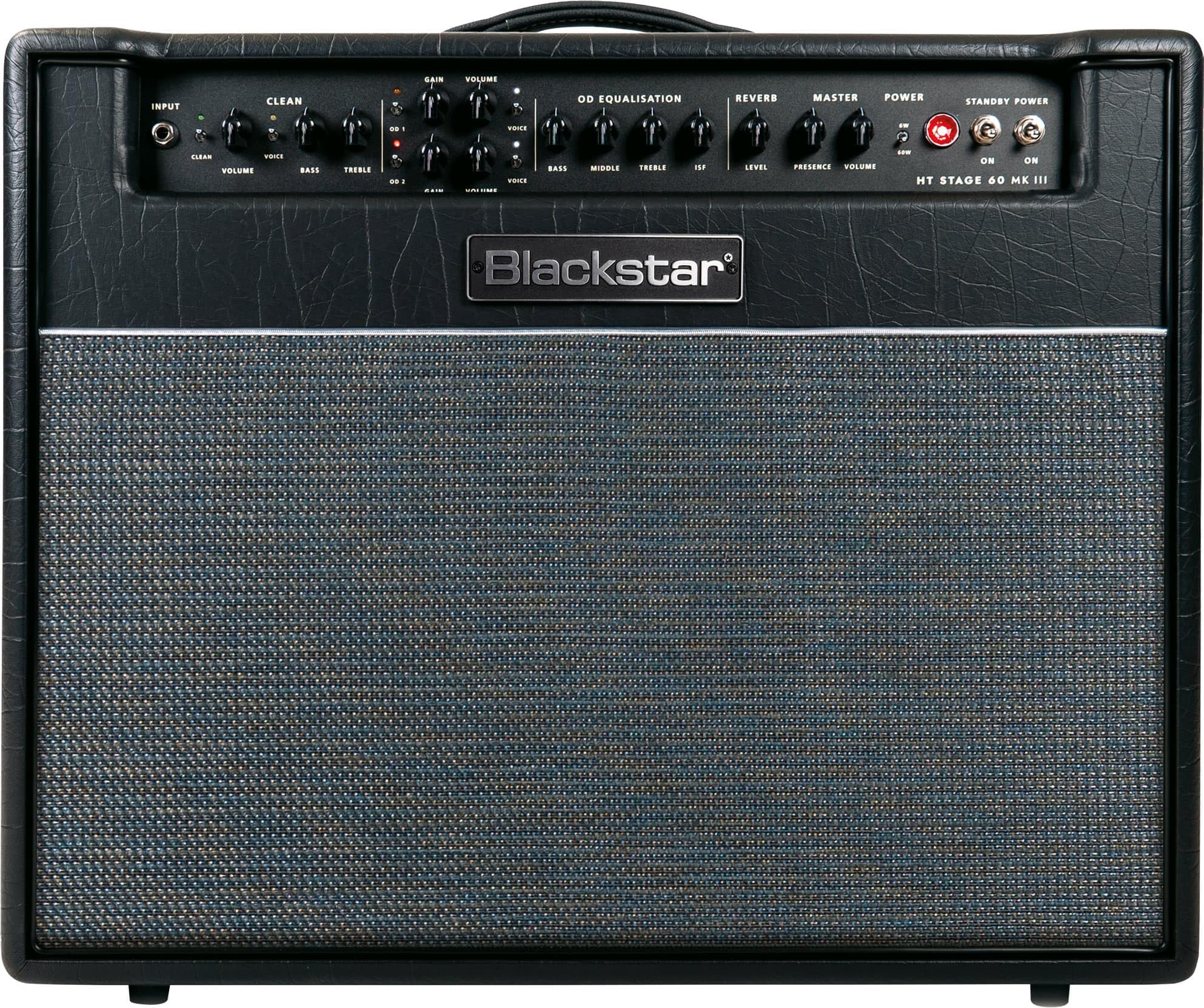
4.1 Front Panel Controls
- Input: Standard 6.35mm (1/4 inch) jack for connecting your guitar.
- Clean Channel: Features a dedicated Volume control and a Voice switch for ultimate clean tone quality and flexibility.
- Overdrive Channels: Three channels with individual Gain and Volume controls, each equipped with its own Voice switch for rich, responsive overdrives.
- OD Equalisation (EQ): Controls for Treble, Middle, and Bass to sculpt the tone of your overdrive channels.
- ISF (Infinite Shape Feature): This patented Blackstar control allows you to dial in tones from classic US to iconic UK amplifier characteristics.
- Reverb: Built-in reverb with two selectable voices for adding depth and ambiance to your sound.
- Master Volume: Controls the overall output volume of the amplifier.
- Power Reduction Switch: Attenuates the amplifier's output power down to 10% of its full wattage, ideal for practice or lower volume settings without compromising tone.
- Power/Standby Switches: Controls the main power and standby functions of the amplifier.


4.2 Rear Panel Connections
- Speaker Outputs: Connect to external speaker cabinets. Ensure correct impedance matching.
- Emulated Output: Provides a direct output with CabRig speaker simulation for recording or connecting to a PA system.
- Effects Loop: Send and Return jacks for integrating external effects pedals.
- Footswitch: Input for the included 2-way footswitch for channel switching.
- USB Audio: Connect to a computer for direct recording and use with Blackstar Architect software.

5. Maintenance
Proper maintenance ensures the longevity and optimal performance of your amplifier.
- Cleaning: Use a soft, dry cloth to clean the exterior of the amplifier. Avoid abrasive cleaners or solvents.
- Tube Care: Tube amplifiers require occasional tube replacement. If you notice a decrease in performance, unusual noise, or loss of volume, consult a qualified technician for tube inspection and replacement.
- Ventilation: Always ensure the amplifier has adequate airflow. Do not block ventilation openings.
- Storage: When not in use for extended periods, store the amplifier in a dry, temperature-controlled environment.
6. Troubleshooting
If you encounter issues with your amplifier, try these basic troubleshooting steps:
- No Power: Check the power cord connection, wall outlet, and the amplifier's power and standby switches. Ensure the fuse is intact.
- No Sound: Verify your guitar is properly connected. Check all cable connections (guitar, speaker, effects loop). Ensure master volume is turned up and channel volumes are not at zero. Check the standby switch.
- Poor Sound Quality/Noise: Inspect all cables for damage. Try a different guitar cable. If using effects pedals, bypass them to see if the issue persists. Tubes may need replacement if the sound is weak or distorted.
- Footswitch Not Working: Ensure the footswitch cable is securely connected to the correct input on the rear panel.
For persistent issues, contact Blackstar customer support or a qualified service technician.
7. Specifications
| Feature | Specification |
|---|---|
| Model Number | HTV60112MK3 |
| Output Wattage | 60 Watts (Tube) |
| Speaker | 1x12 inch Celestion Seventy 80 |
| Channels | 3 (Clean, Overdrive 1, Overdrive 2) |
| Power Reduction | Down to 10% of full wattage |
| Speaker Simulation | CabRig |
| Connectivity | USB Audio, Effects Loop, 6.35mm Jack |
| Reverb | Built-in with two selectable voices |
| Item Weight | 62.5 pounds |
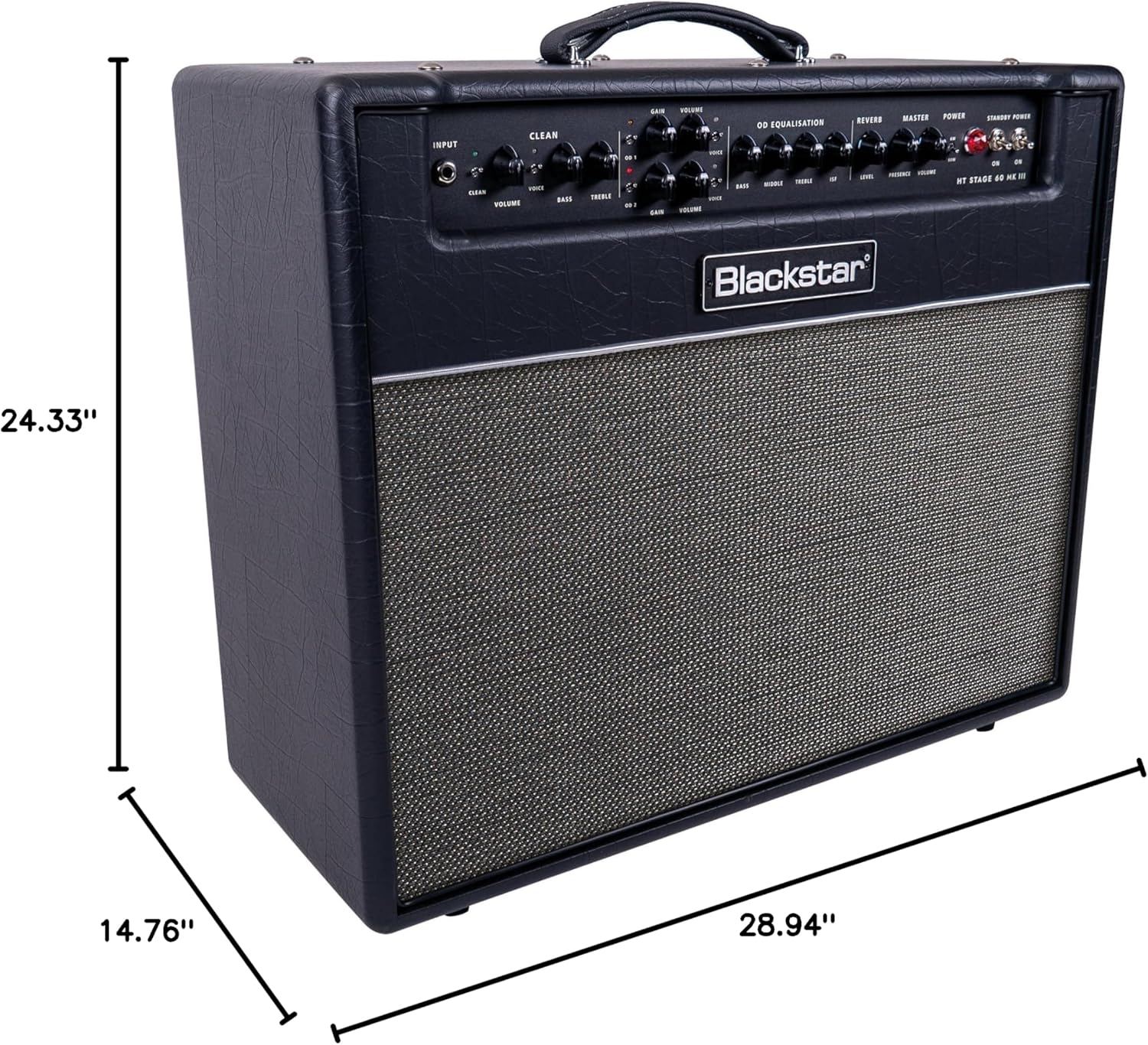
| Product Dimensions | 28.94 x 14.76 x 24.3 inches |
| Color | Black |
| Material | Plastic |
8. Warranty and Support
For warranty information, product registration, and technical support, please visit the official Blackstar website or contact their customer service department. Keep your proof of purchase for any warranty claims.
Blackstar is committed to providing high-quality products and excellent customer service. If you have any questions or require assistance, please do not hesitate to reach out to their support team.