
Product Overview
The Renogy 50 Amp MPPT Charge Controller with alternator power input is engineered for multi-stage, multi-input charging. This versatile unit can charge a service battery from either a starting battery connected to an alternator or directly from solar panels. It prioritizes the vehicle's starting battery while allowing the solar system to charge the service battery first. With multi-stage charging and multi-chemistry functionality, this 50 Amp MPPT charger supports Flooded, Gel, AGM, and Lithium batteries. It features innovative MPPT technology with a high tracking efficiency of up to 99% and a peak conversion efficiency of 97%.

The Renogy 50 Amp MPPT Charge Controller, model RBC50D1S-G2, is a versatile device designed for charging service batteries from both solar panels and a vehicle's alternator. It features a robust black casing with indicator lights for system status.
Key Features
- Innovative MPPT Design: Achieves up to 99% tracking efficiency and 97% peak conversion efficiency, maximizing solar power even in cloudy conditions. Can activate a dead battery (0 Volt) with a small current.
- Extensive Protection: Features a 3-phase charging profile (Bulk, Boost, Float) for accurate battery charging. Includes protections for battery isolation, over-voltage, battery temperature, over-current, overheat, reverse current, and solar panel/alternator reverse polarity. Equipped with a remote temperature sensor port for accurate temperature compensation.
- DC to DC Charger Function: Compatible with both traditional and smart alternators. Charges a service battery from a starting battery. An IGN Port connects to vehicle ignition for auto-trigger with smart alternators. Built-in Voltage Sensitive Relay (VSR) simplifies setup with traditional alternators.
- Real-time Monitoring & Customization: RJ45 communication port allows remote control and monitoring via the BT-2 Bluetooth Module and Renogy DC Home App on a smartphone.
- Silent & Efficient Heat Dissipation: Integrated heat sink provides 0 dB operation and highly efficient heat dissipation, ensuring maximum charging efficiency and a quiet environment.

The controller incorporates various safety features including temperature compensation, over-voltage protection, over-current protection, built-in VSR, reverse prevention circuit, and reverse current protection to ensure safe and reliable operation.

This charge controller is compatible with a wide range of battery chemistries, including Gel, AGM, Flooded, and Lithium batteries, offering flexibility for various power systems.
Setup and Installation
The Renogy 50 Amp MPPT Charge Controller is designed for straightforward installation in various mobile and off-grid applications. It supports dual power input from both solar panels and your vehicle's alternator.
Wiring Connections
Connect your solar panels to the designated solar input terminals. For alternator charging, connect the unit to your vehicle's starting battery. If your vehicle has a smart alternator, utilize the IGN Port by connecting it to the vehicle's ignition circuit for automatic triggering. For traditional alternators, the built-in Voltage Sensitive Relay (VSR) simplifies the setup by automatically isolating the batteries when the engine is off.

The Renogy charge controller supports multi-input charging, allowing it to charge your service battery from both solar panels and the vehicle's alternator, ensuring your batteries stay charged while on the go.

This diagram illustrates the typical wiring setup for the charge controller, connecting solar panels via an MC4 inline fuse, the alternator and starter battery to the DC input, and the house battery to the DC output, all with appropriate fusing and grounding.
Physical Dimensions
The compact design of the controller allows for flexible installation in various spaces.

The compact design of the controller, measuring 9.60 x 3.0 x 5.75 inches and weighing 3.13 lbs (1.42 kg), allows for flexible installation in various spaces.
Operating Instructions
Once installed, the Renogy MPPT Charge Controller operates automatically to manage your battery charging. It employs an intelligent 3-phase charging profile to ensure optimal battery health and longevity.
Charging Process
The controller utilizes a Bulk, Boost, and Float charging cycle. During the Bulk phase, the maximum current is delivered to rapidly charge the battery. The Boost phase then applies a higher voltage to ensure the battery reaches full charge. Finally, the Float phase maintains a lower voltage to keep the battery fully charged without overcharging.
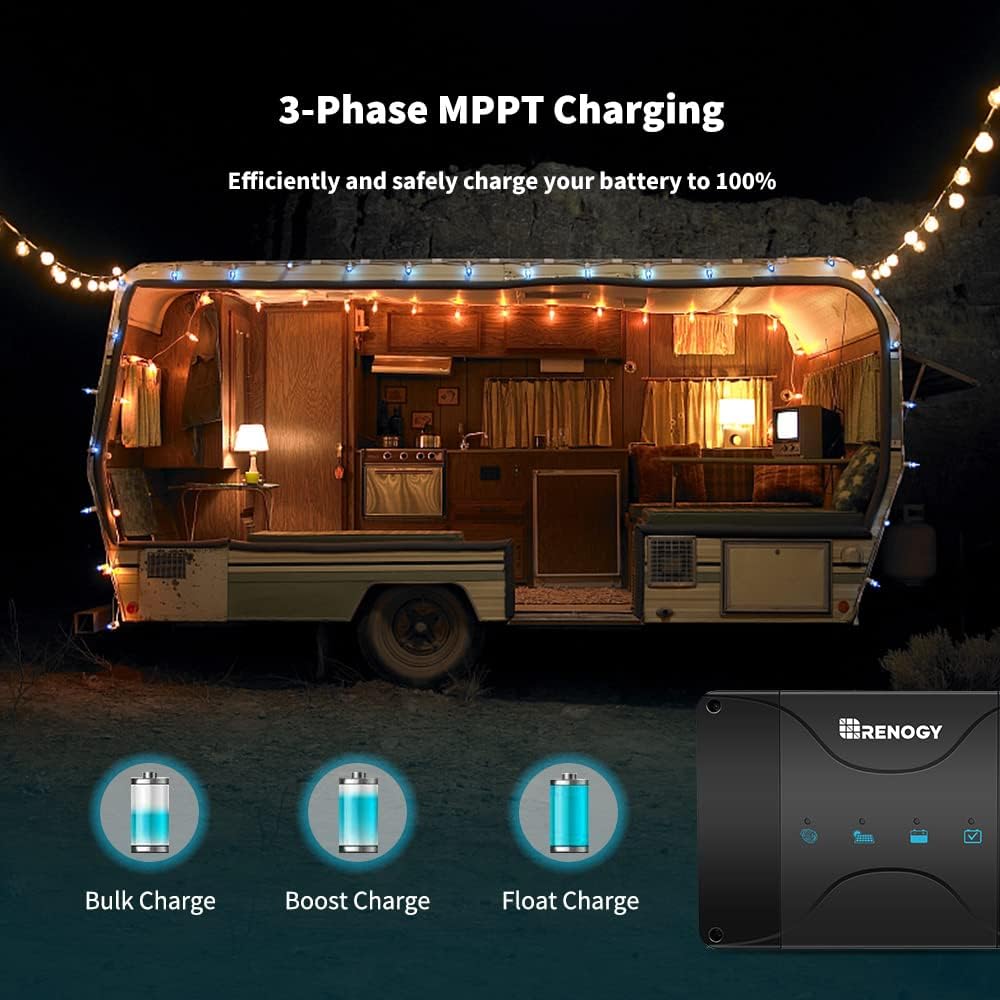
The controller utilizes a 3-phase charging profile (Bulk, Boost, and Float) to efficiently and safely charge your battery to 100%, optimizing battery health and lifespan.
Monitoring and Customization
The controller features an RJ45 communication port, allowing you to connect the Renogy BT-2 Bluetooth Module (sold separately). Once connected, you can monitor the system's performance and customize parameters in real-time using the Renogy DC Home App on your smartphone.

Equipped with an RJ45 communication port, the controller allows for remote monitoring and parameter customization via the Renogy BT-2 Bluetooth Module and the Renogy DC Home App on your smartphone.
Maintenance
The Renogy 50 Amp MPPT Charge Controller is designed for minimal maintenance. To ensure optimal performance and longevity, consider the following:
- Regular Inspection: Periodically inspect all wiring connections to ensure they are secure and free from corrosion. Loose connections can lead to performance issues or safety hazards.
- Cleanliness: Keep the unit clean and free of dust, dirt, and debris. A clean surface helps maintain optimal heat dissipation, especially around the integrated heat sink.
- Ventilation: Ensure the installation area provides adequate airflow around the controller to facilitate efficient heat dissipation.
- Integrated Heat Sink: The controller features an integrated heat sink, which eliminates the need for a cooling fan, reducing moving parts and minimizing maintenance requirements.
Troubleshooting
This section provides guidance for common issues you might encounter with your Renogy 50 Amp MPPT Charge Controller.
- No Charging from Solar: Ensure solar panels are receiving adequate sunlight and are connected with correct polarity. Check all fuses in the solar circuit. Verify that the solar input voltage is within the controller's specified range.
- No Charging from Alternator: Confirm the alternator is functioning correctly and the vehicle engine is running. Check connections to the starting battery and the IGN port (if applicable for smart alternators). Verify all fuses in the alternator charging circuit.
- Battery Not Charging Fully: Ensure the correct battery type is selected in the controller settings (if adjustable via app). Check for proper temperature compensation if a remote temperature sensor is used. Verify battery health and capacity.
- Controller Not Powering On: Check all power connections and fuses. Ensure the battery voltage is within the operational range. The controller can activate a completely discharged battery (0 Volt) with a small current to bring it back to life.
- Error Indicators: Refer to the indicator lights on the controller. Consult the Renogy DC Home App for detailed error codes or status messages if using the Bluetooth module. The controller's built-in protections (over-voltage, over-current, reverse polarity, etc.) will prevent damage in fault conditions.
If issues persist after following these steps, please refer to the detailed troubleshooting guide available on the official Renogy support website or contact their customer service department for further assistance.
Specifications
| Attribute | Value |
|---|---|
| Model Number | RBC50D1S-G2 |
| Brand | Renogy |
| Display Type | LCD |
| Voltage | 12 Volts (DC) |
| Product Dimensions | 9.62 x 5.81 x 3.02 inches (244 x 148 x 77 mm) |
| Item Weight | 4.74 pounds (2.15 Kilograms) |
| Color | Black |
| Included Components | 1*50 Amp MPPT charge controller with Alternator Power Input and Cables needed |
| Batteries Required | No |
| UPC | 840315211780 |
Warranty Information
The Renogy 50 Amp MPPT Charge Controller (Model: RBC50D1S-G2) comes with a material and workmanship warranty.
- Warranty Period: 2 Years
For detailed terms and conditions of the warranty, including coverage and claims procedures, please refer to the official Renogy warranty policy document or contact Renogy customer support.
Customer Support
For any questions, technical assistance, or support regarding your Renogy 50 Amp MPPT Charge Controller, please utilize the following resources:
- Official Website: Visit the Renogy Store on Amazon or the main Renogy website for product documentation, FAQs, and support articles.
- Contact Support: Reach out to Renogy's customer service team for personalized assistance. Contact information can typically be found on their official website.


