
1. Introduction
The NITECORE FSP30 is a 30W portable foldable solar panel designed to provide a lightweight and sustainable power solution for various electronic devices. With its high-efficiency solar cells and multiple output ports, it is ideal for outdoor activities such as camping, hiking, RV trips, and emergency backup scenarios. This manual provides detailed instructions for the safe and efficient use of your FSP30 solar charger.

Image 1: NITECORE FSP30 30W Portable Foldable Solar Charger in its compact, folded state.
2. Features
- High Output Solar Charger: The FSP30 is a 30-watt solar charger with 4 highly efficient foldable solar panels, suitable for camping, RV trips, hiking, and other outdoor activities or emergency backup.
- Ultra Portable: When collapsed, the FSP30 is the size of a typical laptop and weighs only 0.63 kg (1.3 pounds).
- Multiple Output Ports: The FSP30 features one USB-C port and two USB-A ports, which can all be used simultaneously for a total output of up to 30W.
- Easy Installation: Through the steel rings on the edge of the panels, the FSP30 can be zip-tied, cinched, or bungee-corded to backpacks, tents, car roofs, and more.
- Durable Design: The solar panels are covered with a light and thin PET protective material, offering high scratch resistance and abrasion resistance. The unit is framed within a durable, woven nylon housing and is IPX5 waterproof.
3. Package Contents
- NITECORE FSP30 30W Portable Solar Charger
- Nitecore Sticker

Image 2: The NITECORE FSP30 solar charger, its retail packaging, and included documentation.
4. Setup
- Unfold the Solar Panel: Carefully unfold the NITECORE FSP30 to fully extend all four solar panels.
- Position for Optimal Sunlight: Place the unfolded solar panel in direct sunlight. Ensure no shadows are cast on the panels for maximum efficiency. The metal loops on the corners allow for easy attachment to backpacks, tents, or other surfaces to optimize sun exposure.
- Access Output Ports: Locate the integrated pouch on the uppermost panel. Open the pouch to reveal the USB-C and USB-A output ports.
- Connect Your Devices: Use appropriate USB cables to connect your electronic devices (e.g., smartphones, tablets, power banks) to the available output ports.
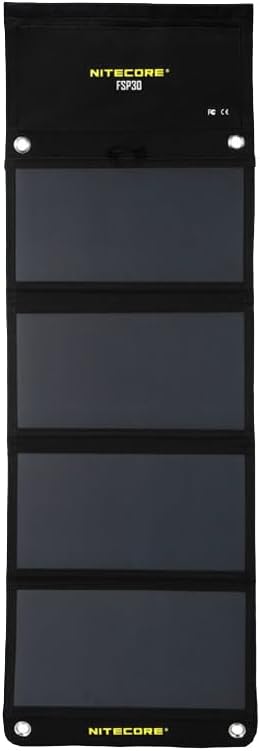
Image 3: The NITECORE FSP30 solar charger fully unfolded, ready for use.
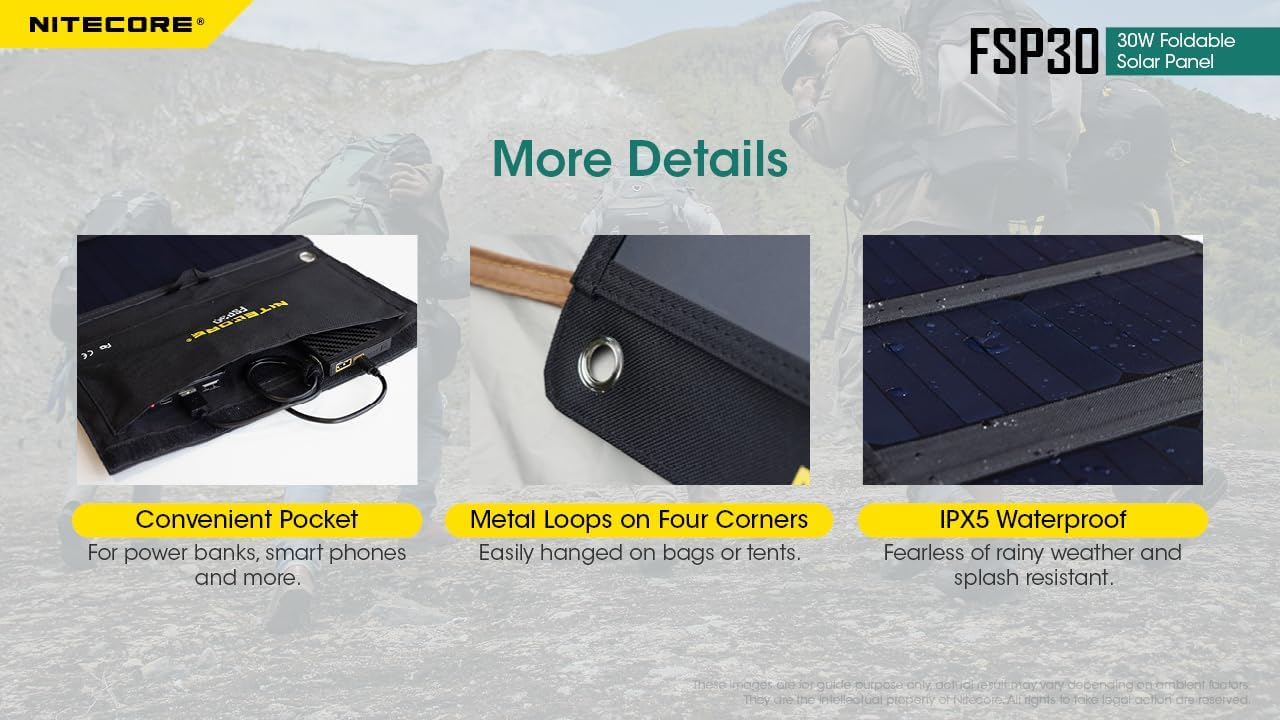
Image 4: Detailed view of the FSP30's convenient pocket for cables and power banks, metal hanging loops, and IPX5 waterproof construction.
Setup and Operation Video Guide
Video 1: Official Nitecore FSP30 Video Manual demonstrating setup and usage.
5. Operating Instructions
The FSP30 is designed for straightforward operation. Once unfolded and exposed to direct sunlight, it will begin generating power.
- Charging Devices: Connect your devices to the USB-C or USB-A ports. The USB-C port supports 5V/3A or 9V/2A output for up to 18W fast charging, suitable for modern smartphones and tablets. The two USB-A ports provide a total output of 5V/3.1A.
- Simultaneous Charging: All three output ports can be used simultaneously, providing a combined maximum output of 30W under optimal sunlight conditions.
- Power Bank Compatibility: The integrated pouch is designed to hold a power bank, such as the NITECORE NB10000, allowing you to charge the power bank directly from the solar panel for later use or to provide a stable power buffer for your devices.

Image 5: The FSP30's USB-C and dual USB-A output ports in use, charging multiple devices simultaneously.
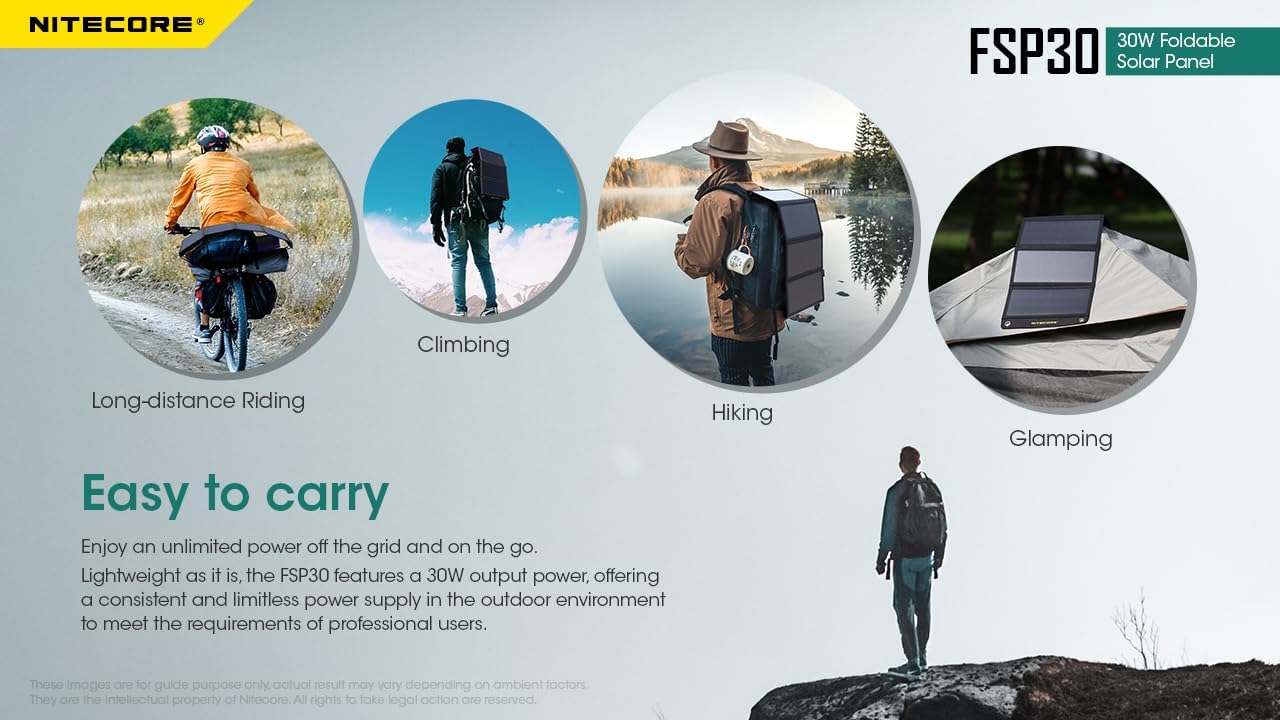
Image 6: Examples of the FSP30 being used in diverse outdoor environments, highlighting its versatility.
6. Maintenance
- Cleaning: Wipe the solar panels with a soft, damp cloth to remove dust or dirt. Avoid using harsh chemicals or abrasive materials that could scratch the PET protective layer.
- Storage: When not in use, fold the FSP30 neatly and store it in a cool, dry place away from direct sunlight and extreme temperatures.
- Durability: The FSP30 features an IPX5 waterproof rating, meaning it is resistant to splashes and light rain. However, it is not designed for submersion in water. Ensure the ports are dry before connecting devices.
7. Troubleshooting
- Device Not Charging:
- Ensure the solar panel is in direct, unobstructed sunlight.
- Check all cable connections to ensure they are secure.
- Verify that your device's charging cable is functional.
- Some devices may require a minimum power input to initiate charging. If the sunlight is weak, charging may be slow or not start.
- Slow Charging:
- Charging speed is directly dependent on sunlight intensity. Move the panel to a location with stronger, more direct sunlight.
- Ensure the panels are clean and free of dust or debris.
- Avoid charging multiple high-power devices simultaneously if sunlight is not optimal.
8. Specifications
| Feature | Detail |
|---|---|
| Brand | Nitecore |
| Model Number | FSP30 |
| Item Weight | 0.63 Kilograms (1.38 lbs) |
| Maximum Power | 30 Watts |
| Panel Number | 4 |
| Cell Efficiency | 24% |
| Output Ports | USB-A x 2, USB-C x 1 |
| USB-A Output | Total 5V/3.1A |
| USB-C Output | 5V/3A, 9V/2A (18W Max) |
| Unfolded Dimensions | 295mm x 880mm x 4mm (11.61" x 34.65" x 0.16") |
| Folded Dimensions | 295mm x 170mm x 45mm (11.61" x 6.69" x 1.77") |
| Special Features | Fast Charging, Lightweight Design, IPX5 Waterproof |

Image 7: Visual representation of the NITECORE FSP30's dimensions and key specifications.
9. Warranty and Support
The NITECORE FSP30 comes with a manufacturer warranty of 12 months from the post-purchase date. For warranty claims, technical support, or any inquiries regarding your product, please contact Nitecore customer service or your authorized dealer. Keep your purchase receipt as proof of purchase.

