
1. Introduction
Thank you for purchasing the FunFlix RD-882 Portable Projector. This manual provides essential information for setting up, operating, and maintaining your projector to ensure optimal performance and longevity. Please read this manual thoroughly before use and retain it for future reference.
2. Safety Instructions
- Do not look directly into the projector lens when the lamp is on. The intense light can cause eye damage.
- Ensure proper ventilation around the projector. Do not block ventilation openings.
- Keep the projector away from water, moisture, and extreme temperatures.
- Use only the power adapter supplied with the projector.
- Do not attempt to repair the projector yourself. Refer all servicing to qualified personnel.
- Unplug the projector during lightning storms or when unused for long periods.
3. Package Contents
Verify that all items are present in your package:
- FunFlix RD-882 Portable Projector
- Remote Control (Batteries not included)
- Power Cable
- HDMI Cable
- AV Cable
- User Manual

Figure 3.1: Included Accessories
4. Product Overview
4.1 Front View
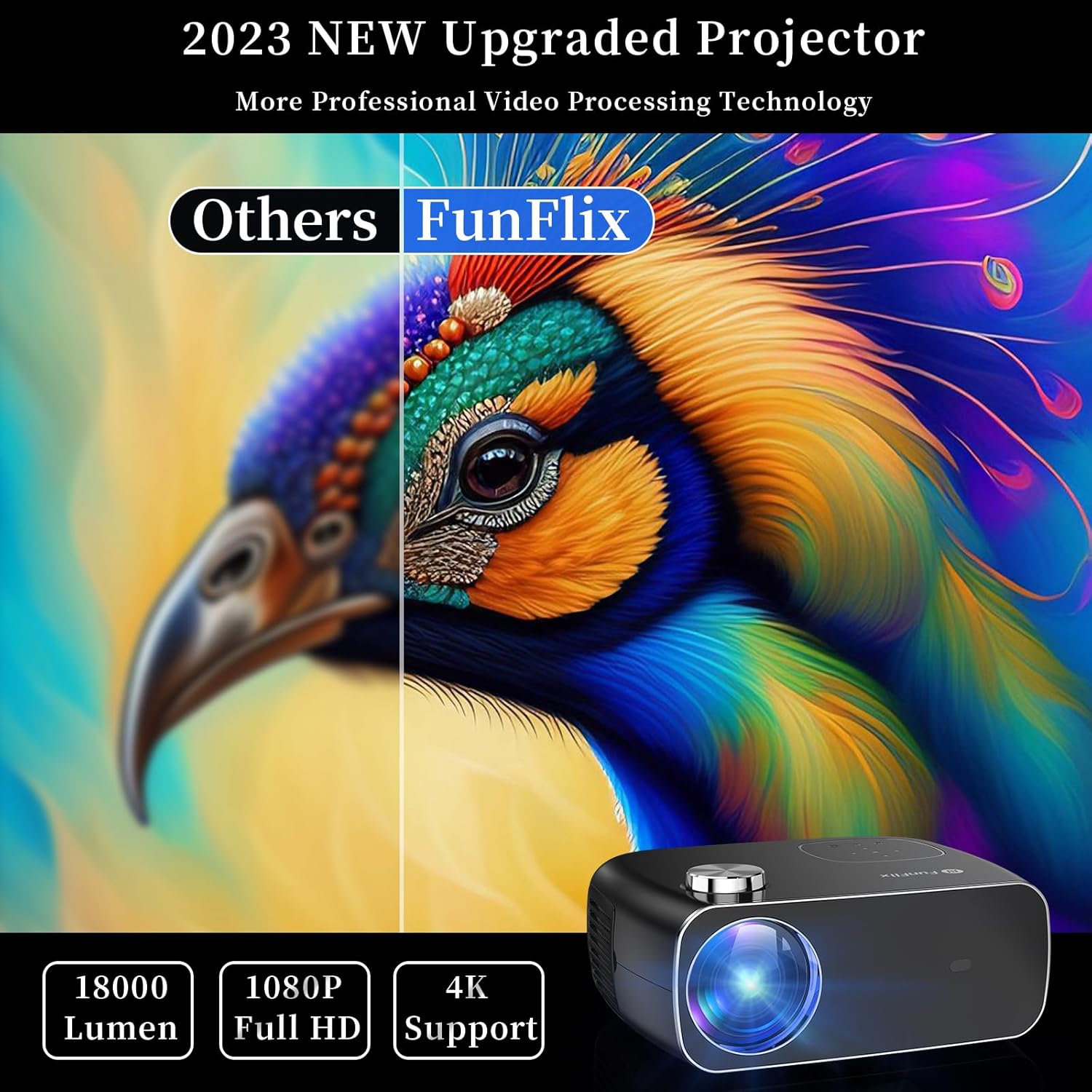
Figure 4.1: Front View of Projector
The front of the projector features the projection lens and an infrared receiver for the remote control.
4.2 Rear View and Ports

Figure 4.2: Rear View with Input Ports
The rear panel provides connectivity options:
- HDMI Ports (x2): Connect to devices like laptops, gaming consoles, or streaming sticks.
- USB Ports (x2): Connect USB drives for media playback or power external devices.
- AV Port: Connect to older devices using the included AV cable.
- Audio Out: Connect external speakers or headphones.
- Power Input: Connect the power adapter.
5. Setup
5.1 Placement
Place the projector on a stable, flat surface. Ensure there is enough space around the projector for proper ventilation. The projection distance and screen size can vary. The projector supports projection sizes from 50 to 300 inches.

Figure 5.1: Projector Placement and Projection
5.2 Power Connection
Connect the power cable to the projector's power input port and then plug it into a power outlet.
5.3 Focus and Keystone Correction
After powering on the projector, adjust the focus ring on the top of the projector until the image is clear. Use the keystone correction feature to adjust the image shape if it appears trapezoidal. The projector supports both manual focus and digital keystone correction.

Figure 5.2: Keystone Correction and Zoom Function
Video 5.1: Demonstrates projector features including power-on, bulb life, display sizes, precise intelligent focusing, native 1080P resolution, zoom function, 5G WiFi support, wireless projection for iOS/Android, wired HDMI connection, built-in speaker, 15-degree gradient correction, Bluetooth connection, and high color reproduction.
6. Operating
6.1 Power On/Off
Press the power button on the projector or the remote control to turn the projector on or off.
6.2 Input Sources
Select the desired input source from the main menu using the remote control or the buttons on the projector.
- HDMI: Connect your device via an HDMI cable.
- USB: Insert a USB drive to play media files.
- AV: Connect older devices using the AV cable.
6.3 Wireless Connectivity
The FunFlix RD-882 supports 5G WiFi and Bluetooth 5.2 for enhanced connectivity.
6.3.1 5G WiFi Connection
To connect to a 5G WiFi network:
- Navigate to the 'Settings' menu on the projector.
- Select 'Network Settings' or 'WiFi'.
- Choose your 5G WiFi network from the list and enter the password.

Figure 6.1: 5G WiFi Wireless Connection
6.3.2 Bluetooth 5.2 Connection
To connect to Bluetooth audio devices:
- Go to the 'Settings' menu.
- Select 'Bluetooth Settings'.
- Enable Bluetooth and search for available devices.
- Select your Bluetooth speaker or headphones to pair.

Figure 6.2: Bluetooth 5.2 Connection
6.4 Screen Mirroring
The projector supports screen mirroring from iOS and Android devices. Ensure your device and the projector are connected to the same WiFi network.
- For iOS devices: Use the 'Screen Mirroring' or 'AirPlay' function on your iPhone/iPad and select the projector from the list of available devices.
- For Android devices: Use the 'Cast', 'Smart View', or 'Wireless Display' function on your Android phone/tablet and select the projector.
6.5 Adjusting Settings
Access the projector's menu to adjust various settings:
- Picture Settings: Adjust brightness, contrast, color, and sharpness.
- Sound Settings: Adjust volume, sound mode, and balance.
- Projection Mode: Select front, rear, ceiling front, or ceiling rear projection.
7. Maintenance
7.1 Cleaning the Lens
Use a soft, lint-free cloth or lens cleaning paper to gently wipe the lens. Avoid using abrasive cleaners or excessive force, which can scratch the lens.
7.2 Cleaning Air Filters/Vents
Regularly check and clean the air filters and vents to prevent dust buildup, which can affect cooling and performance. Use a soft brush or a vacuum cleaner with a brush attachment to remove dust.
7.3 Storage
When not in use, store the projector in a cool, dry place, away from direct sunlight and extreme temperatures. Use the original packaging or a protective case to prevent dust and damage.
8. Troubleshooting
| Problem | Possible Cause | Solution |
|---|---|---|
| No image on screen | Power not connected, incorrect input source, device not connected. | Check power cable, select correct input source, ensure source device is on and connected. |
| Image is blurry | Focus not adjusted, projector too far/close. | Adjust the focus ring. Ensure projector is within optimal projection distance. |
| Image is trapezoidal | Keystone not corrected. | Adjust keystone correction in the settings menu. |
| No sound | Volume too low, incorrect audio output, source device muted. | Increase projector volume, check audio output settings, unmute source device. |
| Remote control not working | Batteries low/dead, IR sensor blocked. | Replace batteries, ensure no obstructions between remote and projector. |
9. Specifications
- Brand: FunFlix
- Model Number: RD-882
- Item Weight: 4.75 pounds
- Product Dimensions: 9.57 x 7.87 x 3.98 inches
- Display Resolution Maximum: 1920 x 1080 (Native 1080P)
- Connectivity: 5G WiFi, Bluetooth 5.2, HDMI (x2), USB (x2), AV
- Recommended Uses: Gaming, Home Theater, Outdoor Projection
- Form Factor: Portable
- Mounting Type: Tabletop Mount
10. Warranty and Support
For warranty information and technical support, please refer to the contact details provided on the FunFlix official website or your purchase documentation. Do not attempt to open or repair the device yourself, as this may void your warranty.


