
1. Introduction
Thank you for choosing the RAVPower RP-PB1205 PD Pioneer 20000mAh Power Bank. This portable power solution is designed to keep your devices charged on the go with its high capacity and versatile charging ports. Please read this user manual carefully before using the product to ensure safe and optimal performance. Keep this manual for future reference.
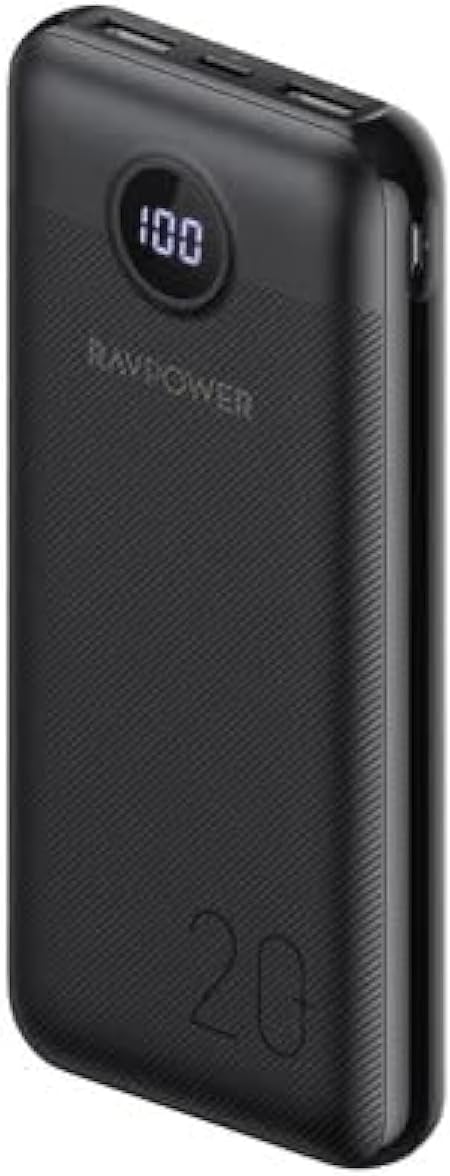
Image: The RAVPower RP-PB1205 PD Pioneer 20000mAh Power Bank, showcasing its sleek black design and digital display.
2. Important Safety Information
To prevent injury to yourself and others or damage to your device, read all safety information before using this product.
- Do not expose the power bank to extreme temperatures (heat or cold), direct sunlight, or humid environments.
- Do not disassemble, repair, or modify the power bank. This will void the warranty and may cause safety hazards.
- Keep the power bank away from water and other liquids.
- Do not drop, hit, or subject the power bank to strong impacts.
- Store the power bank in a cool, dry place when not in use.
- Keep out of reach of children.
- Dispose of the power bank according to local regulations. Do not dispose of it with household waste.

Image: Illustration of the power bank's advanced safety features, including protection against overcurrent, overcharge, overdischarge, and short-circuits.
3. Package Contents
Please check if all items are present in your package:
- RAVPower RP-PB1205 PD Pioneer 20000mAh Power Bank
- USB-C to USB-C Charging Cable
- User Manual
4. Product Overview
Familiarize yourself with the different parts of your RAVPower power bank:
- Digital Display: Shows the remaining battery percentage.
- USB-C Port (Input/Output): Used for both charging the power bank and charging compatible devices with Power Delivery (PD).
- USB-A Ports (Output): Used for charging various USB-powered devices.
- Power Button: Press once to check battery level or activate charging.

Image: An angled view of the power bank, clearly showing its USB-A and USB-C ports, along with the digital battery indicator.
5. Setup
Initial Charge
Before first use, it is recommended to fully charge your RAVPower power bank. This ensures optimal battery performance and accuracy of the digital display.
- Connect the supplied USB-C to USB-C cable to the USB-C port on the power bank.
- Connect the other end of the cable to a compatible USB-C wall charger (not included). For fastest charging, use a PD-compatible charger.
- The digital display will show the charging percentage. The power bank is fully charged when the display shows "100".
6. Operating Instructions
Charging Your Devices
The RAVPower power bank can charge up to three devices simultaneously.
- Connect your device's charging cable to one of the output ports (USB-A or USB-C) on the power bank.
- Connect the other end of the cable to your device.
- The power bank will automatically begin charging your device. If not, press the power button once to initiate charging.
- The digital display will show the remaining battery percentage of the power bank.

Image: The power bank connected to a smartphone, demonstrating its 20W Power Delivery capability for rapid charging.
Recharging Your Power Bank
When the power bank's battery is low, recharge it using the USB-C input port.
- Connect the USB-C to USB-C cable to the USB-C input port on the power bank.
- Connect the other end of the cable to a USB-C wall charger.
- The digital display will show the charging progress.
7. Specifications
Detailed technical specifications for the RAVPower RP-PB1205 PD Pioneer Power Bank:
| Feature | Specification |
|---|---|
| Model Name | RP-PB1205 |
| Item Model Number | RP.PB1205.BK |
| Battery Capacity | 20000mAh |
| USB-C Output | 20W Power Delivery (PD) |
| Number of Ports | 3 (1x USB-C, 2x USB-A) |
| Compatible Devices | Smartphone and other USB-powered devices |
| Color | Black |
| Item Weight | 490 g |
| Battery Cell Composition | Lithium Ion |
| Voltage | 5 Volts |

Image: Visual representation of the power bank's immense 20000mAh capacity, showing approximate charges for various devices.
8. Maintenance
Proper care and maintenance will extend the lifespan of your power bank:
- Clean the power bank with a soft, dry cloth. Do not use harsh chemicals or abrasive materials.
- Avoid storing the power bank in extremely hot or cold environments, as this can degrade battery performance.
- If the power bank will not be used for an extended period, charge it to about 50-70% every three months to maintain battery health.
- Do not block the ventilation openings (if any) during use or charging.
9. Troubleshooting
If you encounter issues with your RAVPower power bank, refer to the following common problems and solutions:
- Power Bank Not Charging:
- Ensure the charging cable is securely connected to both the power bank and the wall charger.
- Try a different USB-C cable or wall charger.
- Verify the wall charger is functioning correctly.
- Device Not Charging from Power Bank:
- Press the power button on the power bank to activate output.
- Ensure your device's charging cable is securely connected to both the power bank and your device.
- Try a different charging cable or a different output port on the power bank.
- Check if your device's charging port is clean and free of debris.
- Slow Charging:
- Ensure you are using a high-quality cable that supports fast charging.
- For charging the power bank, use a PD-compatible wall charger.
- For charging devices, ensure your device supports the power bank's fast charging protocols (e.g., PD).
- Digital Display Not Working:
- Press the power button to activate the display.
- If the issue persists, the power bank may require service.
10. Warranty and Support
Warranty Information
According to the product specifications, this item comes with No Warranty. Please refer to your point of purchase for any return or exchange policies.
Customer Support
If you have any questions or require further assistance, please contact the retailer or RAVPower customer support through their official website or contact channels. Provide your product model number (RP-PB1205) and a detailed description of the issue for faster service.