
Introduction
Thank you for choosing the AVERA 5 Zone Electric Induction Grill, Model PIV577. This manual provides essential information for the safe and efficient operation, installation, and maintenance of your new appliance. Please read these instructions thoroughly before use and keep them for future reference.
The AVERA PIV577 induction grill is designed with tempered glass for durability and a modern aesthetic, featuring advanced induction technology for efficient cooking.
Safety Information
Your safety is paramount. Please observe the following safety guidelines:
- The appliance features a button lock, overheat protection, and an automatic shut-off function when not in use to prevent accidents.
- Induction grills operate without generating fire or smoke, contributing to a safer and more environmentally friendly cooking environment.
- Electrical Installation: This product requires a 2-phase, 2 or 3-wire electrical installation (220 V). It is highly recommended that installation be performed by a qualified electrician to ensure safety and proper functionality.
- Caution regarding wiring: Some users have reported specific wiring configurations for 220V connections. It is crucial to follow local electrical codes and consult a professional. A common configuration involves connecting two live lines (e.g., blue/gray together for one line, black/brown together for the second line to achieve 220V) and a physical ground wire (green/yellow), with the neutral wire typically not used for this type of connection. Ensure the ground wire is properly connected and not to an electrical current.
- Always ensure the appliance is properly grounded.
- Do not operate the appliance if the tempered glass surface is cracked or damaged.
- Keep children away from the appliance during operation and cooling.

Image Description: This image highlights key features of the AVERA PIV577 induction grill. It shows icons representing a touch control panel, automatic detection of magnetic-base pots and pans, durable ceramic glass construction, and safety features including a button lock and overheat protection. A note at the bottom indicates the requirement for a 2-phase, 2 or 3-wire electrical installation (220 V).
Product Overview
The AVERA PIV577 is a 5-zone electric induction grill designed for modern kitchens. Its key features include:
- Tempered Glass Surface: A durable and easy-to-clean ceramic glass surface.
- Touch Control Panel: Intuitive digital touch controls for easy operation.
- Automatic Pan Detection: The grill activates only when suitable magnetic-base cookware is placed on a cooking zone.
- 5 Heating Elements: Multiple cooking zones for versatile meal preparation.
- Boost Function: Temporarily increases the power of a cooking zone to maximum for 5 minutes, accelerating cooking times.
- Precise Temperature Control: Allows for accurate temperature adjustments, ideal for delicate cooking tasks like fish.
- Safety Features: Includes button lock, overheat protection, and auto shut-off.
Setup and Installation
The AVERA PIV577 induction grill is designed for freestanding installation. Proper electrical connection is crucial for safe and efficient operation.
Electrical Requirements
This appliance requires a 220V electrical supply with a 2-phase, 2 or 3-wire connection. It is imperative that a certified electrician handles the installation to comply with all local electrical codes and safety standards.
Dimensions for Installation
Refer to the diagram below for the physical and cutout dimensions required for installation.

Image Description: This diagram illustrates the physical dimensions of the AVERA PIV577 induction grill and the required cutout dimensions for countertop installation. The grill measures 77 cm in length and 52 cm in width, with a height of 6.1 cm. The cutout dimensions are 74 cm in length and 49 cm in width, with an installation height of 5 cm.
- Grill Dimensions: Length 77 cm, Width 52 cm, Height 6.1 cm.
- Cutout Dimensions: Length 74 cm, Width 49 cm, Installation Height 5 cm.
Operating Instructions
Compatible Cookware
Induction grills require cookware made of ferromagnetic materials. To test if your pots and pans are suitable, place a magnet on their base. If the magnet sticks, the cookware is compatible with your induction grill.
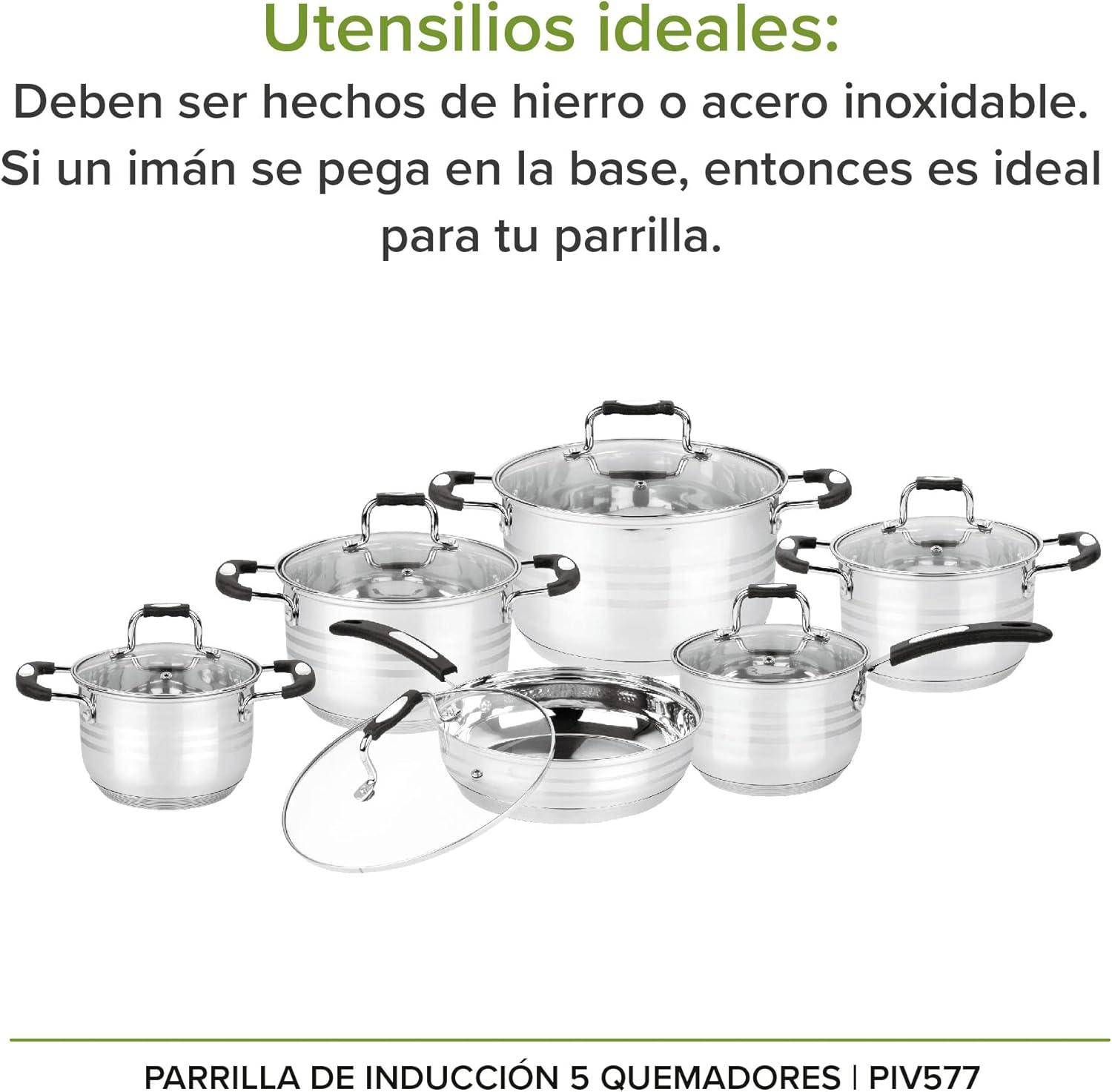
Image Description: This image displays a collection of pots and pans, emphasizing that ideal utensils for induction cooking are made of iron or stainless steel. It reiterates the magnet test: if a magnet sticks to the base, the utensil is suitable for the induction grill.
Using the Touch Control Panel
The grill is operated via its digital touch control panel. Specific instructions for power on/off, zone selection, temperature adjustment, and timer settings will be detailed in the full product manual. Generally:
- Power On/Off: Use the designated power button.
- Zone Selection: Select the desired cooking zone by touching its corresponding indicator.
- Temperature/Power Adjustment: Use the '+' and '-' controls to adjust the heat level.
- Automatic Pan Detection: A cooking zone will only activate when a compatible pot or pan is placed on it.
Boost Function
To rapidly heat a cooking zone, activate the Boost function. This function increases the power of a selected burner to its maximum for a duration of 5 minutes, allowing for faster boiling or searing.

Image Description: This image illustrates the "Boost function" of the AVERA PIV577 induction grill. A pot is shown rapidly boiling on one of the cooking zones, indicating that the function elevates the power of a cooking zone to maximum for 5 minutes to speed up cooking.
Precise Temperature Control
The induction grill offers precise temperature control, which is particularly beneficial for dishes requiring specific heat levels, such as cooking fish or delicate sauces.
Maintenance and Cleaning
To ensure the longevity and optimal performance of your AVERA PIV577 induction grill, follow these maintenance guidelines:
- Daily Cleaning: After each use, allow the surface to cool completely. Wipe the tempered glass surface with a soft cloth and a mild, non-abrasive cleaner.
- Stubborn Stains: For burnt-on food or stubborn stains, use a ceramic hob scraper designed for glass surfaces. Avoid abrasive pads or harsh chemicals that can scratch the glass.
- Control Panel: Wipe the touch control panel with a damp cloth. Ensure it is dry before operating the appliance.
- Ventilation: Ensure that the ventilation openings (if any) are not blocked to prevent overheating.
- Inspection: Periodically inspect the power cord for any signs of damage. If damaged, contact customer support for assistance.
Troubleshooting
If you encounter issues with your AVERA PIV577 induction grill, refer to the following common troubleshooting steps. For persistent problems, contact AVERA technical support.
- Appliance Not Turning On:
- Check if the appliance is properly plugged into a functional 220V outlet.
- Ensure the circuit breaker has not tripped.
- Cooking Zone Not Heating:
- Verify that compatible cookware (magnetic base) is placed correctly on the cooking zone.
- Ensure the cooking zone is selected and the power level is set.
- Error Code "E1" Displayed:
An "E1" error code typically indicates a specific issue. While the exact meaning can vary, it often relates to internal temperature, power supply, or sensor issues. If this code appears, turn off the appliance, unplug it, wait a few minutes, and then plug it back in. If the error persists, contact technical support.
- Fan Runs Continuously:
The cooling fan may run for a period after cooking to dissipate residual heat. If the fan runs continuously for an unusually long time or when the appliance is cold, it may indicate a sensor or control board issue. Disconnect power and contact technical support.
- Overheat Protection Activated:
If the appliance overheats, it will automatically shut off. Remove any hot cookware, allow the grill to cool down completely, and then attempt to restart. Ensure proper ventilation around the appliance.
Specifications
| Feature | Specification |
|---|---|
| Brand | AVERA |
| Model Number | PIV577 |
| Heating Elements | 5 |
| Burner Type | Induction |
| Wattage | 6405 watts |
| Power Source | Corded Electric (220V) |
| Control Type | Digital Touch |
| Heater Surface Material | Tempered Glass |
| Color | Black |
| Installation Type | Freestanding |
| Special Features | Temperature Control, Boost Function, Automatic Pan Detection, Button Lock, Overheat Protection, Auto Shut-off |
| Grill Dimensions (L x W x H) | 77 cm x 52 cm x 6.1 cm |
| Cutout Dimensions (L x W x H) | 74 cm x 49 cm x 5 cm |
| Included Components | Cooktop unit only |
Warranty and Support
AVERA is committed to providing durable products and excellent customer service. All AVERA products come with a warranty and technical service nationwide.
Technical Assistance
If you require technical assistance or have any questions regarding your AVERA PIV577 induction grill, please contact AVERA customer support. Our specialists are available to provide solutions for any issues you may encounter.
Invoice Request
You may request an invoice for your purchase. To do so, you will typically need to provide:
- Company name or individual name
- Tax ID (RFC)
- Tax regime
- Postal code
- Payment method
- CFDI usage
- Date of purchase
Conditions:
- The information provided must match your tax situation certificate.
- Invoices can only be generated up to 30 calendar days after your purchase.

Image Description: This image outlines the process for requesting an invoice for an AVERA product. It lists the necessary information, such as company/individual name, tax ID, tax regime, postal code, payment method, CFDI usage, and purchase date. It also states the conditions that the provided information must match the tax situation certificate and that invoices can only be generated within 30 calendar days of purchase.