
Introduction
This manual provides detailed instructions for the LOKMAT MK28 smartwatch. The MK28 features a 1.4-inch FSTN screen, IP68 water resistance, and functions such as notification reminders, remote camera control, and sports activity tracking. Please read this manual thoroughly before using your device to ensure proper operation and maintenance.
Setup
1. Battery Installation
The LOKMAT MK28 smartwatch uses a replaceable CR2430 3V battery. To install or replace the battery:
- Carefully remove the back cover of the watch using an appropriate tool.
- Insert the CR2430 battery with the positive (+) side facing up.
- Ensure the battery is seated correctly in its compartment.
- Replace the back cover and secure it firmly to maintain water resistance.
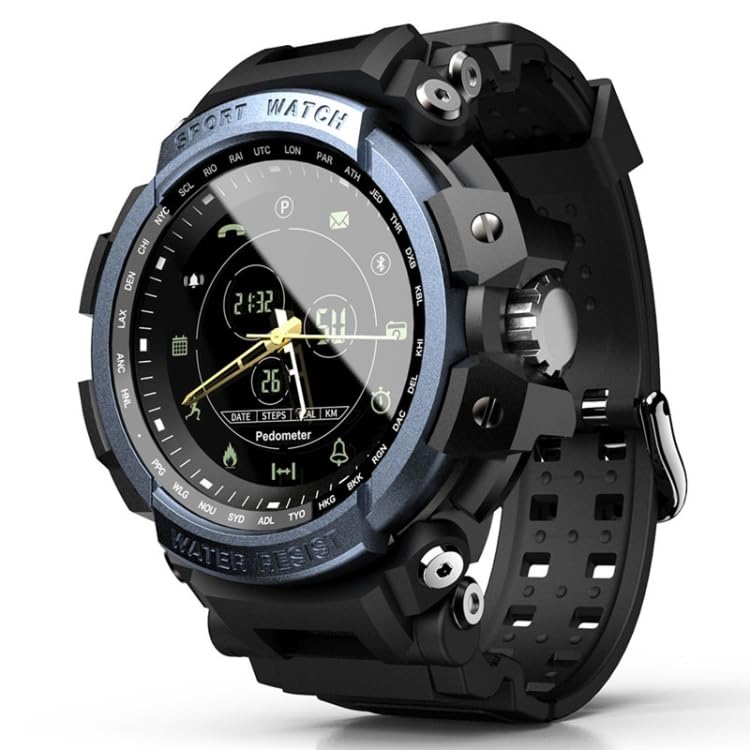
Image: Battery compartment of the LOKMAT MK28 smartwatch with a CR2430 battery ready for installation. This illustrates how to access and replace the watch battery.
2. App Installation and Pairing
To unlock the full functionality of your LOKMAT MK28, you need to pair it with your smartphone via Bluetooth and a dedicated application.
- Download the companion application for the LOKMAT MK28 from your smartphone's app store (e.g., Google Play Store for Android or Apple App Store for iOS). Search for "LOKMAT Smartwatch" or refer to the QR code in the quick start guide if provided.
- Ensure Bluetooth is enabled on your smartphone.
- Open the LOKMAT application and follow the on-screen instructions to add your device. The app will guide you through the pairing process.
- Confirm the pairing request on both your smartphone and the smartwatch if prompted.

Image: The LOKMAT MK28 smartwatch paired with a smartphone, displaying activity tracking data within the companion application. This illustrates the successful connection and data synchronization between the watch and the app.
Operating Instructions
Basic Navigation
The LOKMAT MK28 is operated using its physical buttons. Refer to the watch face for button labels (e.g., LIGHT, MODE, START, RESET) and their primary functions. Pressing buttons allows you to cycle through different modes and access features.
Notifications
Once paired with your smartphone, the MK28 can display notifications for incoming calls, messages, and app alerts. Ensure notification permissions are granted in the companion app and your phone's settings.
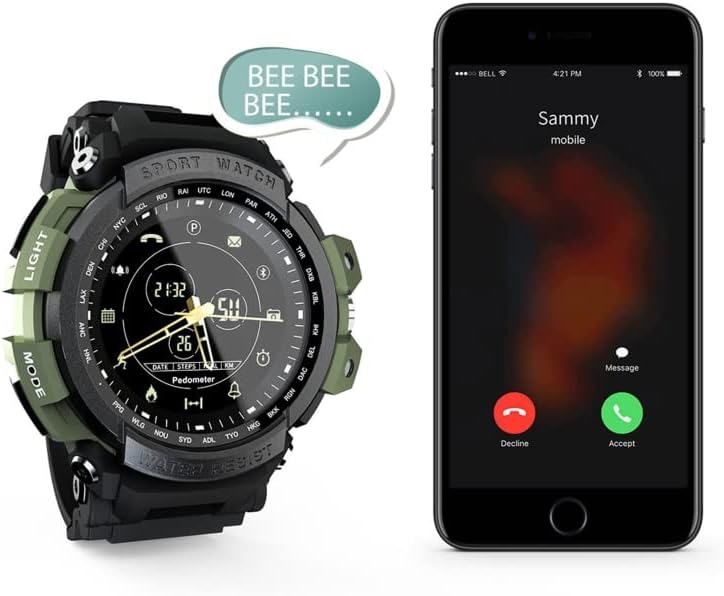
Image: The LOKMAT MK28 smartwatch vibrating with an audible "BEE BEE BEE..." sound, indicating an incoming call notification displayed on a nearby smartphone. This demonstrates the watch's ability to alert users to phone calls.
Alarm Function
Set and manage alarms directly through the companion application on your smartphone. You can configure multiple alarms for different times and purposes.
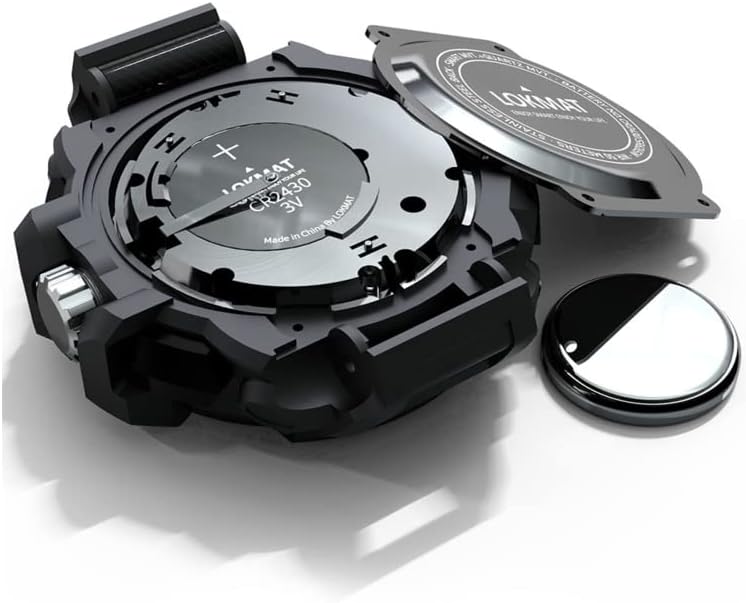
Image: A visual representation of the alarm settings interface, showing three configured alarms: "Get up" at 08:00, "Lunch" at 12:00, and "Go to bed" at 23:00. This illustrates the alarm functionality of the smartwatch.
Remote Camera Control
Use your LOKMAT MK28 as a remote shutter for your smartphone's camera. This feature is typically activated within the companion app, allowing you to trigger photos from a distance by interacting with your watch.

Image: The LOKMAT MK28 smartwatch positioned next to a smartphone displaying its camera application, highlighting the "TOUCH&SHOOT" feature for remote photo capture. This demonstrates the remote camera control capability of the watch.
Activity Tracking (Pedometer & Calorie Tracker)
The MK28 tracks your daily steps and estimates calories burned. View your activity data directly on the watch face or in more detail within the companion app.

Image: A composite image showing the LOKMAT MK28 smartwatch in various contexts, including during a basketball activity, emphasizing its calorie and step tracking functions. This illustrates the watch's capability to monitor physical activity.
Water Resistance
The LOKMAT MK28 is IP68 rated, meaning it is resistant to dust and can withstand immersion in water up to 1.5 meters for up to 30 minutes. It is suitable for daily use, including hand washing and light rain. Avoid hot water, steam, or prolonged immersion in deep water.
Maintenance
Cleaning
Wipe the watch and strap regularly with a soft, dry cloth. For stubborn dirt, use a slightly damp cloth and then dry thoroughly. Avoid using harsh chemicals or abrasive materials.
Battery Care
When replacing the battery, ensure the new CR2430 battery is correctly oriented and the back cover is securely fastened to maintain the watch's water resistance. Dispose of used batteries responsibly.
Water Resistance Preservation
Do not operate the watch buttons while it is submerged in water. Avoid exposing the watch to extreme temperatures or sudden temperature changes, as this can compromise the seals and water resistance.
Troubleshooting
- Watch not turning on: Check if the battery is correctly installed and has sufficient power. Replace the battery if necessary.
- Cannot pair with smartphone: Ensure Bluetooth is enabled on your phone and the watch. Restart both devices and try pairing again through the companion app. Check if the app has necessary permissions.
- Notifications not received: Verify that notification permissions are enabled for the companion app in your phone's settings. Ensure the watch is connected via Bluetooth and the app is running in the background.
- Inaccurate activity data: Ensure the watch is worn snugly on your wrist. Calibrate the pedometer in the companion app if available.
Specifications
| Model | LOKMAT MK28 |
| Display | 1.4 Inch FSTN Screen |
| Operating System | Wear OS 1 (as per product information) |
| Connectivity | Bluetooth |
| Water Resistance | IP68 (Imperméable) |
| Human Interface Input | Buttons |
| Compatible Devices | Smartphone |
| Special Features | Notification, Alarm, Calorie Tracker |
| Battery Type | CR2430 3V (replaceable) |
Warranty Information
Specific warranty details for the LOKMAT MK28 smartwatch are typically provided at the point of purchase or included with the product packaging. Please refer to these documents for information regarding warranty duration, coverage, and claims procedures. For further details, contact the retailer or the manufacturer directly.
Support
If you encounter issues not covered in this manual or require further assistance, please contact LOKMAT customer support or the retailer from whom you purchased the device. You may find additional resources, FAQs, and contact information on the official LOKMAT website.


