1. Important Safety Information
Please read all instructions carefully before using this product. Retain this manual for future reference.
- Do not expose the soundbar to rain, moisture, or extreme temperatures.
- Ensure proper ventilation around the unit. Do not block any ventilation openings.
- Use only the power adapter supplied with this device.
- Do not attempt to disassemble or modify the soundbar. Refer all servicing to qualified personnel.
- Keep the soundbar away from strong magnetic fields.
2. Package Contents
Verify that all items are present in the package:
- Supersonic SC-1420SB Soundbar
- Remote Control
- Power Adapter
- User Manual
3. Product Overview
The Supersonic SC-1420SB is a 30-inch 2.0 channel soundbar designed to enhance your audio experience. It features Bluetooth 5.0 connectivity, HDMI ARC, Optical input, and dual 3.5mm Aux inputs for versatile connection options. Five pre-set EQ modes allow for customized sound profiles.
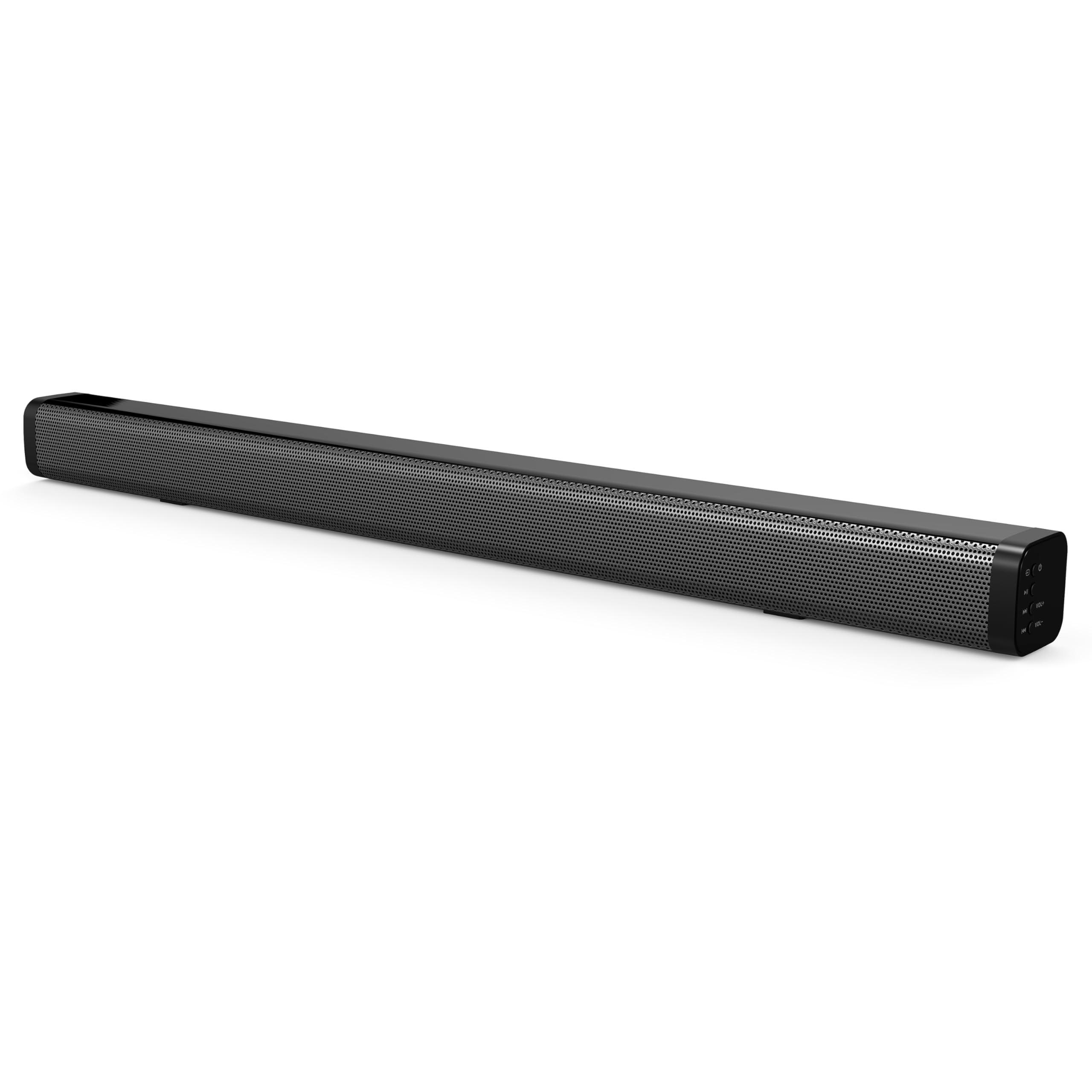
The soundbar's low-profile design (2.5" height) allows it to fit comfortably in front of most televisions without obstructing the screen.
4. Setup
4.1 Placement
Place the soundbar on a flat, stable surface directly in front of your television. Ensure there is adequate space for cable connections at the rear of the unit.

4.2 Connecting to Power
- Connect the power adapter to the DC IN port on the back of the soundbar.
- Plug the other end of the power adapter into a wall outlet.
4.3 Audio Connections
Choose one of the following methods to connect the soundbar to your audio source:
- HDMI ARC: Connect an HDMI cable (not included) from the HDMI ARC port on the soundbar to the HDMI ARC port on your television. This allows audio to be sent from the TV to the soundbar and enables control of the soundbar's power and volume using your TV remote (if supported by your TV).
- Optical Input: Connect an optical cable (not included) from the OPTICAL IN port on the soundbar to the optical audio output on your television or other audio device.
- Dual 3.5mm Aux Inputs: Use a 3.5mm audio cable (not included) to connect external devices such as smartphones, tablets, or MP3 players to either of the AUX IN ports on the soundbar.
5. Operation
5.1 Power On/Off
Press the Power button on the soundbar or the remote control to turn the unit on or off.

5.2 Selecting Input Source
Press the Input button on the remote control or the soundbar to cycle through the available input sources: HDMI ARC, Optical, Bluetooth, and Aux.
5.3 Bluetooth Pairing
- Turn on the soundbar and select the Bluetooth input mode. The indicator light will flash, indicating it is in pairing mode.
- On your Bluetooth-enabled device (e.g., smartphone), search for available Bluetooth devices.
- Select "SC-1420SB" from the list.
- Once paired, the indicator light on the soundbar will stop flashing and remain solid.
- To unpair a device, press the UNPAIR button on the remote control.
5.4 Volume Control
Use the VOL+ and VOL- buttons on the remote control or the soundbar to adjust the volume. Press the Mute button to temporarily silence the audio.
5.5 EQ Modes
Press the EQ button on the remote control to cycle through the 5 pre-set equalizer modes. These modes optimize the sound profile for different content types (e.g., Music, Movie, News).
6. Maintenance
To ensure the longevity and optimal performance of your soundbar, follow these maintenance guidelines:
- Cleaning: Use a soft, dry cloth to clean the surface of the soundbar. Do not use liquid cleaners or abrasive materials.
- Storage: If storing the soundbar for an extended period, disconnect it from power and store it in a cool, dry place.
- Avoid Obstructions: Ensure that the speaker grilles are not obstructed by dust or debris.
7. Troubleshooting
If you encounter issues with your soundbar, refer to the following troubleshooting steps:
| Problem | Possible Cause | Solution |
|---|---|---|
| No power | Power cable not connected; outlet not active | Ensure power cable is securely connected; test outlet with another device. |
| No sound | Incorrect input selected; volume too low; cables loose | Select correct input source; increase volume; check all audio cable connections. |
| Bluetooth not pairing | Soundbar not in pairing mode; device too far; previously paired device connected | Ensure soundbar is in Bluetooth mode and flashing; move device closer (within 10m); unpair from other devices. |
| Remote control not working | Batteries low/dead; obstruction; too far from soundbar | Replace batteries; remove obstructions; ensure remote is pointed at the soundbar within effective range. |
8. Specifications
| Model Name | SC-1420SB |
| Speaker Type | Soundbar |
| Surround Sound Channel Configuration | 2.0 |
| Connectivity Technology | Bluetooth, HDMI ARC, Optical, Dual Aux (3.5mm) |
| Bluetooth Version | 5.0 |
| Bluetooth Range | Up to 10 meters (33 feet) |
| Speaker Size | 30 Inches |
| Product Dimensions (D x W x H) | 2.6" x 2.36" x 35.42" |
| Item Weight | 6.04 Pounds |
| Power Source | Corded Electric |
| Material | Plastic |
| Control Method | Touch, Remote Control |
9. Warranty and Support
This Supersonic product comes with a limited warranty. For specific warranty terms and conditions, please refer to the warranty card included in your package or contact Supersonic customer support.
For technical assistance or customer service inquiries, please visit the official Supersonic website or contact their support team directly.


