
1. Introduction
Thank you for purchasing the OREI 8K HDMI Splitter, Model BK-104A. This device is designed to duplicate a single 8K HDMI input signal to four separate 8K HDMI output displays simultaneously, ensuring all outputs maintain the original 8K resolution without downscaling. It also features an audio extractor, allowing audio to be outputted via optical or analog connections. This manual provides detailed instructions for setup, operation, and troubleshooting to ensure optimal performance of your device.
2. Product Overview
2.1 Key Features
- Supports 8K resolution with 1 input and 4 outputs; no downscaling ensures all outputs are in 8K.
- Extracts audio through optical or analog outputs; does not extract audio via HDMI.
- Compatible with Windows, Mac OS, Linux, Xbox One X, PS5, Roku 4, Amazon Fire TV, Blu-ray players, projectors, Logitech Harmony, Nvidia Shield.
- Does not support Sonos ARC/e-ARC.
- Supports resolutions up to 8K at 60Hz 4:2:0, 8K at 30Hz 4:4:4, 4K at 120Hz, 1080p, 720p.
- Features HDR, HDR10, HDR10+, Dolby Vision, HLG Pass Through for enhanced picture quality.
- Compatible with audio formats including LPCM, Dolby Digital/Plus/EX, Dolby True HD, DTS, DTS-EX, DTS-96/24, DTS High Res, DTS-HD Master Audio, DSD.
- Built-in equalizer with retiming and driver; includes smart EDID management.
- Compact size with heavy-duty cool metal enclosure.
2.2 Product Diagram and Components

Figure 2.1: Front view of the OREI 8K HDMI Splitter (BK-104A), showing the power button, input indicator, and four output indicators.

Figure 2.2: Rear view of the OREI 8K HDMI Splitter (BK-104A), displaying the HDMI input, four HDMI outputs, optical audio output, L/R analog audio output, EDID switch, and power input.
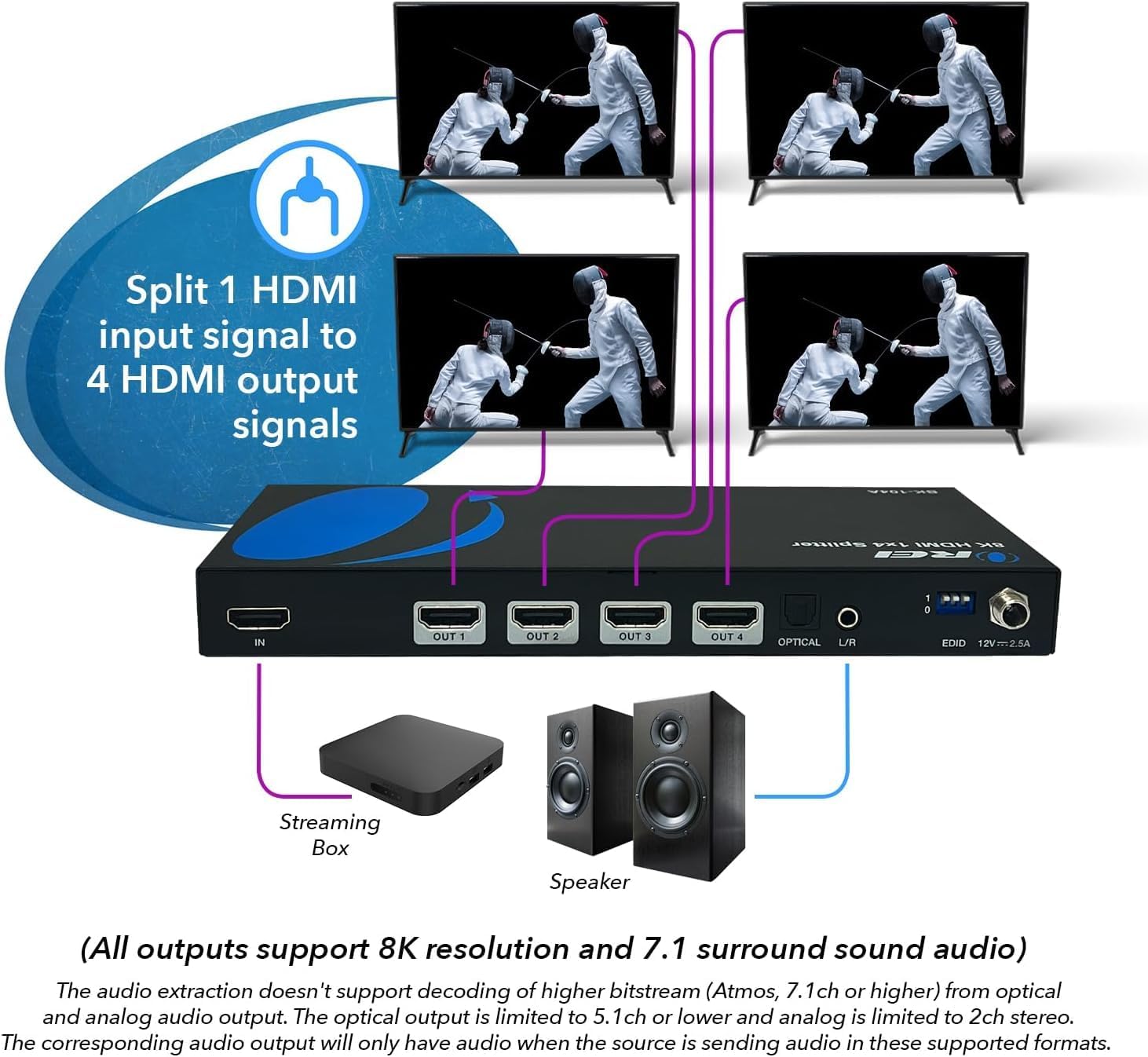
Figure 2.3: Conceptual diagram illustrating how the OREI 8K HDMI Splitter takes one HDMI input signal and duplicates it to four separate HDMI output displays, along with audio extraction to speakers.
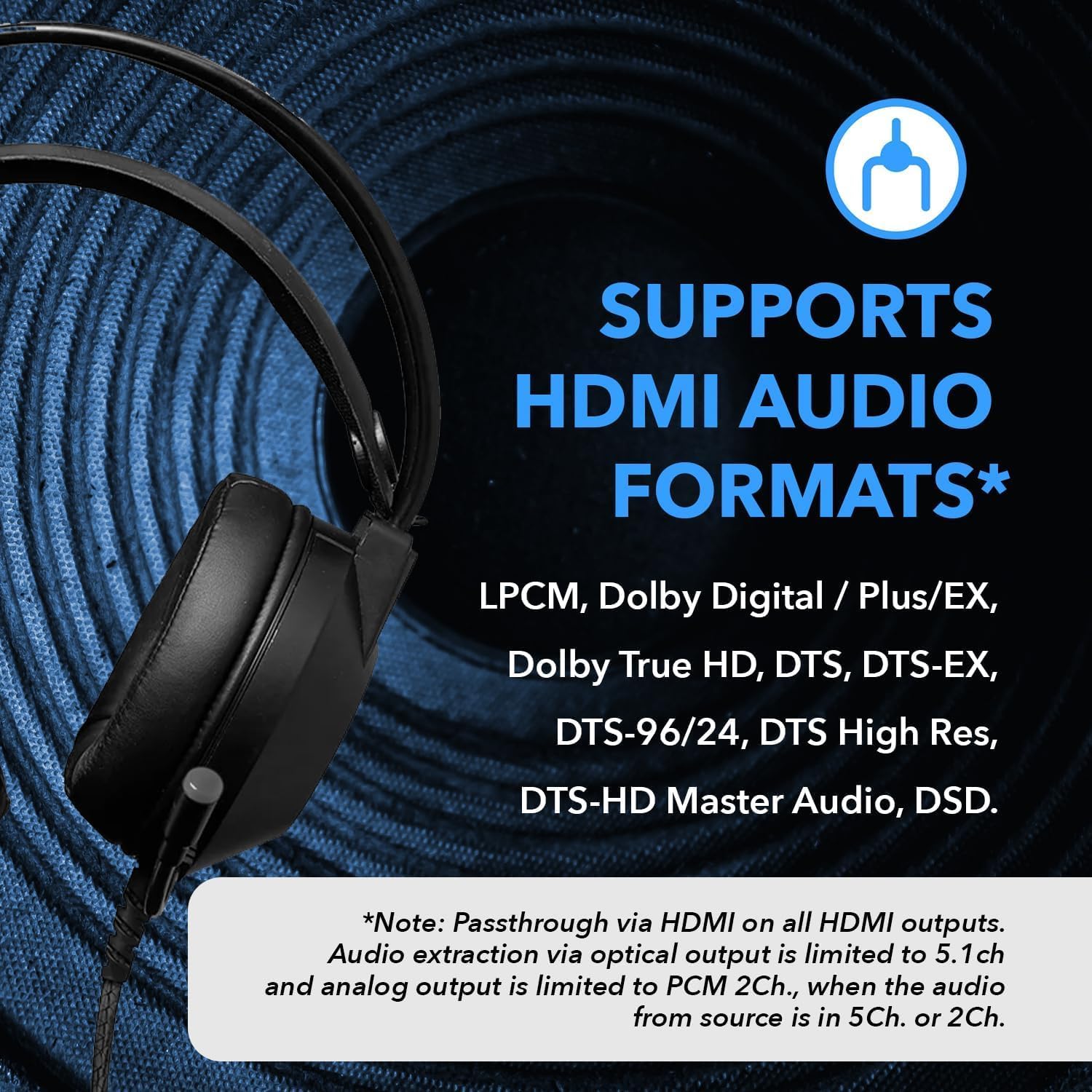
Figure 2.4: List of supported HDMI audio formats, including LPCM, Dolby Digital/Plus/EX, Dolby True HD, DTS, and DSD. Note that audio extraction via optical is limited to 5.1ch and analog to 2ch stereo.

Figure 2.5: Highlights of the 8K Ultra HD capabilities, including advanced EDID management, built-in equalizer, retiming & driver, and support for various HDR formats.

Figure 2.6: Technical specifications and physical dimensions of the BK-104A, showing its compact size (8.5" x 3.75" x 1") and heavy-duty metal enclosure.

Figure 2.7: Summary of key features, including splitting one HDMI source to four identical displays, audio extraction via optical/analog, and support for video resolutions up to 4K@120Hz/8K@60Hz with HDMI 2.1/HDCP 2.3.

Figure 2.8: Illustration emphasizing the advanced EDID management capabilities of the splitter, crucial for compatibility across various display devices.

Figure 2.9: Visual representation of the 1x4 HDMI splitter with integrated audio output functionality, highlighting its ability to provide separate audio streams.
3. Setup Instructions
- Power Off Devices: Ensure all source devices (e.g., PS5, Xbox, Blu-ray player) and display devices (e.g., TV, projector) are powered off before making connections.
- Connect HDMI Input: Connect an HDMI cable from your source device to the "IN" port on the OREI BK-104A splitter.
- Connect HDMI Outputs: Connect HDMI cables from the "OUT 1", "OUT 2", "OUT 3", and "OUT 4" ports on the splitter to your respective display devices.
- Connect Audio Output (Optional):
- For optical audio: Connect an optical cable from the "OPTICAL" port on the splitter to your audio receiver or soundbar.
- For analog audio: Connect a 3.5mm audio cable from the "L/R" port on the splitter to your analog audio system.
- Connect Power Adapter: Plug the included power adapter into the "12V 2.5A" port on the splitter, then plug the adapter into a power outlet.
- Power On Devices: Power on the OREI BK-104A splitter, then power on your display devices, and finally your source device.
- EDID Management: The splitter features smart EDID management. If you encounter display issues, you may need to adjust the EDID DIP switches on the rear of the unit. Refer to the EDID settings section for detailed configurations.
4. Operating Instructions
4.1 Basic Operation
The OREI BK-104A HDMI splitter is designed for simple plug-and-play operation. Once all connections are made and devices are powered on, the splitter will automatically detect the input signal and duplicate it to all four connected output displays.
4.2 Resolution and Audio Support
- Video Resolutions: Supports up to 8K@60Hz (4:2:0), 8K@30Hz (4:4:4), 4K@120Hz, 1080p, and 720p.
- HDR Support: Compatible with HDR, HDR10, HDR10+, Dolby Vision, and HLG Pass Through.
- Audio Formats: Supports LPCM, Dolby Digital/Plus/EX, Dolby True HD, DTS, DTS-EX, DTS-96/24, DTS High Res, DTS-HD Master Audio, DSD.
- Audio Extraction: Audio can be extracted via the optical or analog L/R ports. Note that audio extraction via optical is limited to 5.1ch, and analog output is limited to 2ch stereo. The device does not extract audio through the HDMI output ports.
- No Downscaling: This device does not downscale resolutions. All four output displays must support the resolution of the input signal (e.g., if input is 8K, all outputs must support 8K).
4.3 EDID Settings
The EDID (Extended Display Identification Data) switch on the rear of the unit allows you to manually configure the preferred video and audio settings if automatic detection does not yield the desired results. Consult the detailed EDID table in the full product manual (available on the OREI website) for specific switch configurations.
5. Maintenance
To ensure the longevity and optimal performance of your OREI BK-104A HDMI Splitter, follow these maintenance guidelines:
- Cleaning: Use a soft, dry cloth to clean the exterior of the unit. Do not use liquid or aerosol cleaners.
- Environment: Place the splitter in a cool, dry, and well-ventilated area. Avoid exposing it to direct sunlight, high temperatures, humidity, or excessive dust.
- Connections: Periodically check all cable connections to ensure they are secure.
- Power: Disconnect the power adapter if the unit will not be used for an extended period.
6. Troubleshooting
| Problem | Possible Cause | Solution |
|---|---|---|
| No video output on one or more displays. | Loose HDMI cable connection, incompatible resolution, EDID setting issue, power issue. |
|
| No audio output from optical/analog ports. | Incorrect audio format, loose audio cable, incompatible audio receiver. |
|
| Intermittent signal or flickering. | Poor quality HDMI cables, long cable runs, signal interference. |
|
| Device not recognized by PS5/Xbox/PC. | HDCP handshake issue, EDID conflict. |
|
7. Specifications
| Feature | Detail |
|---|---|
| Product Dimensions | 8.5 x 3.75 x 1 inches |
| Item Weight | 4.6 ounces |
| Model Number | BK-104A |
| Color | Black |
| Connector Type | HDMI |
| Compatible Devices | Blu-Ray Player, PS5, Xbox, PC, Projector, etc. |
| Cable Type | HDMI |
| Manufacturer | OREI Products |
| Country of Origin | China |
| Supported Resolutions | Up to 8K@60Hz (4:2:0), 8K@30Hz (4:4:4), 4K@120Hz, 1080p, 720p |
| HDR Support | HDR, HDR10, HDR10+, Dolby Vision, HLG Pass Through |
| Audio Formats | LPCM, Dolby Digital/Plus/EX, Dolby True HD, DTS, DTS-EX, DTS-96/24, DTS High Res, DTS-HD Master Audio, DSD |
| HDCP Compliance | HDCP 2.3 |
8. Warranty and Support
The OREI BK-104A HDMI Splitter comes with a 1-year manufacturing warranty. OREI also provides lifetime technical support for this product.
For technical assistance or warranty claims, please contact OREI support:
- Email: info@orei.com
- Website: Visit the official OREI website for additional resources and FAQs.


