
1. Product Overview
The TAIYO Nano Submarine is a fully functional remote-controlled submarine designed for aquatic exploration. It is suitable for use in various water environments such as bathtubs, hot tubs, lakes, or oceans. The submarine features an internal rechargeable battery and operates on a 27/49 MHz frequency.
Key features include:
- Fully functional submarine capabilities.
- Ability to float and submerge.
- Integrated 3.7V rechargeable battery.
- Operates on 27/49 MHz frequency.

Image 1: TAIYO Nano Submarine, remote control, and product packaging.
2. What's in the Box
- TAIYO Nano Submarine (with integrated 3.7V rechargeable battery)
- Remote Control (requires 4 AA batteries, not included)
- USB Charging Cable (for submarine battery)
3. Setup
3.1. Remote Control Battery Installation
- Locate the battery compartment on the back of the remote control.
- Open the battery compartment cover.
- Insert 4 new AA batteries, ensuring correct polarity (+/-).
- Close the battery compartment cover securely.
3.2. Submarine Charging
The TAIYO Nano Submarine is equipped with an internal rechargeable 3.7V battery. It charges directly from the remote control using the provided USB charging cable.
- Ensure the remote control has fresh batteries installed.
- Connect one end of the USB charging cable to the charging port on the submarine.
- Connect the other end of the USB charging cable to the designated charging port on the remote control.
- The charging indicator light on the remote control will illuminate during charging. Once charging is complete, the light may change color or turn off.
- Disconnect the charging cable from both the submarine and the remote control.
3.3. Pairing the Submarine and Remote Control
Typically, the submarine and remote control will automatically pair when both are powered on. If pairing does not occur:
- Ensure both the submarine and remote control are powered off.
- Place the submarine in water (this activates its power).
- Turn on the remote control.
- The remote control's indicator light should stop flashing and remain solid, indicating successful pairing.
4. Operating Instructions
The TAIYO Nano Submarine is designed for easy operation in water. Ensure the submarine is fully charged and the remote control has fresh batteries before use.
4.1. Basic Controls
- Forward/Backward: Use the directional controls to move the submarine forward or backward.
- Turn Left/Right: Use the directional controls to steer the submarine left or right.
- Ascend/Dive: Dedicated buttons or joystick movements on the remote control allow the submarine to ascend (rise to the surface) or dive (submerge).
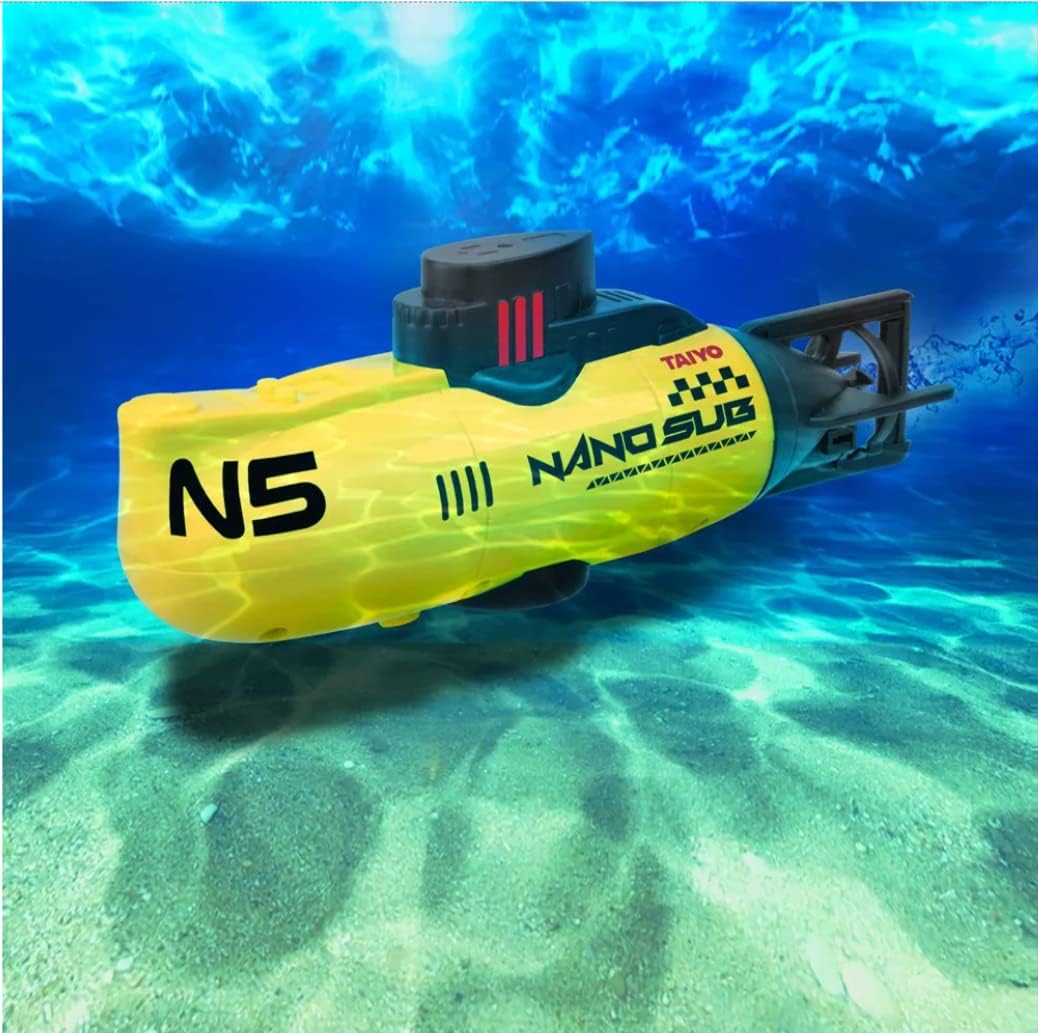
Image 2: The TAIYO Nano Submarine navigating underwater.
4.2. Recommended Environments
The Nano Submarine is suitable for various water environments. For optimal performance and control, use in clear, calm water. Avoid areas with strong currents or excessive debris.
4.3. Frequency Information
The submarine operates on a 27/49 MHz frequency. This means it may be susceptible to interference from other devices operating on similar frequencies. Ensure no other RC devices are in use nearby to prevent signal disruption.
4.4. Operational Videos
Video 1: Demonstration of an RC Submarine's basic functions, including floating, diving, and 360-degree rotation.
Video 2: Overview of a mini RC submarine's features, including one-key ascent and flexible steering.
Video 3: Features of a mini RC submarine toy, highlighting its waterproof design and flexible steering.
5. Maintenance
- Cleaning: After each use, rinse the submarine with fresh water to remove any salt, chlorine, or debris. Wipe it dry with a soft cloth.
- Battery Care: Fully charge the submarine's internal battery before long-term storage. Remove AA batteries from the remote control if it will not be used for an extended period to prevent leakage.
- Storage: Store the submarine and remote control in a cool, dry place away from direct sunlight and extreme temperatures.
6. Troubleshooting
- Submarine Not Responding:
- Check if the submarine's internal battery is charged.
- Ensure the remote control has fresh AA batteries installed.
- Verify that the submarine and remote control are properly paired.
- Ensure the submarine is placed in water to activate its power.
- Poor Control Range/Interference:
- Avoid operating near other radio-controlled devices or strong electromagnetic fields.
- Ensure the remote control antenna is fully extended and not damaged.
- Submarine Not Submerging/Ascending:
- Check for any obstructions in the propellers or ballast tanks.
- Ensure the water environment is suitable (e.g., not too shallow).
- Water Leakage:
- Immediately remove the submarine from water.
- Inspect all seals and covers for proper closure and damage.
- Allow the submarine to dry completely before attempting further use.
7. Specifications
| Feature | Detail |
|---|---|
| Model Number | Nano Sub |
| Product Dimensions | 4.83 x 3.56 x 13.97 cm; 320 g |
| Material Type | Plastic |
| Submarine Battery | 1 Non-Universal Lithium (3.7V rechargeable, included) |
| Remote Control Batteries | AA batteries (not included) |
| Frequency | 27/49 MHz |
| Recommended Age | 8 years and up |
| Color | Yellow |
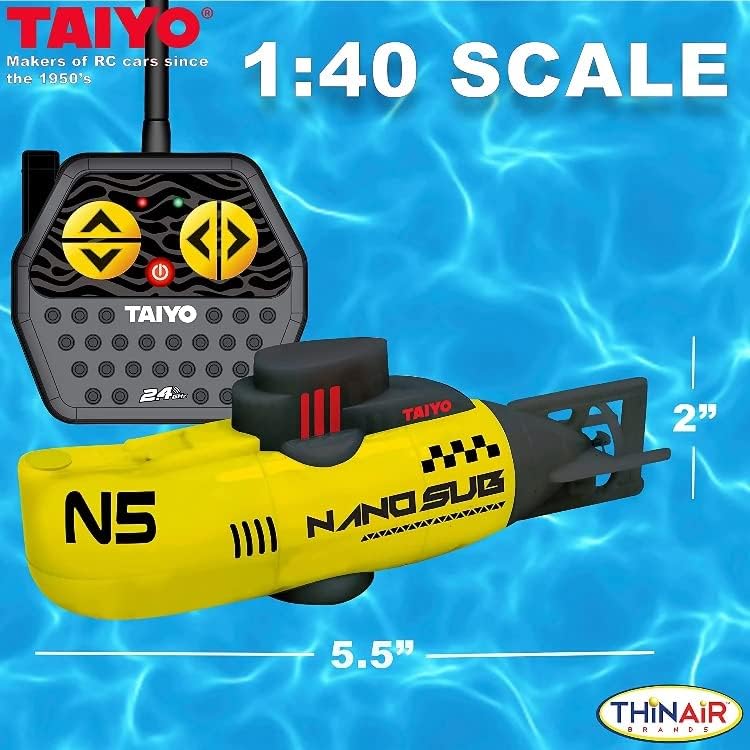
Image 3: TAIYO Nano Submarine with approximate dimensions.
8. Warranty and Support
For warranty information, technical support, or replacement parts, please contact the seller or manufacturer directly. Keep your purchase receipt as proof of purchase.